Of course! Here is a comprehensive overview of Python's three most fundamental libraries for scientific computing: NumPy, SciPy, and their relationship.
The Big Picture: What are they and why use them?
Imagine you're a carpenter.
- Python is your toolbox. It has basic tools like a hammer (
ifstatements), a saw (forloops), and a screwdriver (functions). It's versatile but not specialized for heavy-duty construction. - NumPy is your power drill. It's a specialized, high-performance tool designed for one core task: working with arrays of numbers (like a collection of drill bits). It's incredibly fast and efficient.
- SciPy is your entire professional-grade workshop. It's built on top of NumPy and contains the power drill (NumPy) plus a saw, a sander, a level, and a blueprint library for complex projects. It's for advanced, scientific, and technical tasks.
NumPy (Numerical Python)
What it is: The fundamental package for scientific computing in Python. It provides the ndarray, a high-performance, multi-dimensional array object.
Core Idea: To make numerical operations on large datasets fast and memory-efficient. It does this by:
- Homogeneous Data: All elements in a NumPy array must be of the same type (e.g., all integers or all floats).
- Contiguous Memory: Data is stored in a single, contiguous block of memory, unlike Python lists which are arrays of pointers.
- Vectorization: Operations are performed on the entire array at once, using highly optimized, pre-compiled C or Fortran code in the background. This avoids slow Python loops.
Key Features & Examples:
Installation:
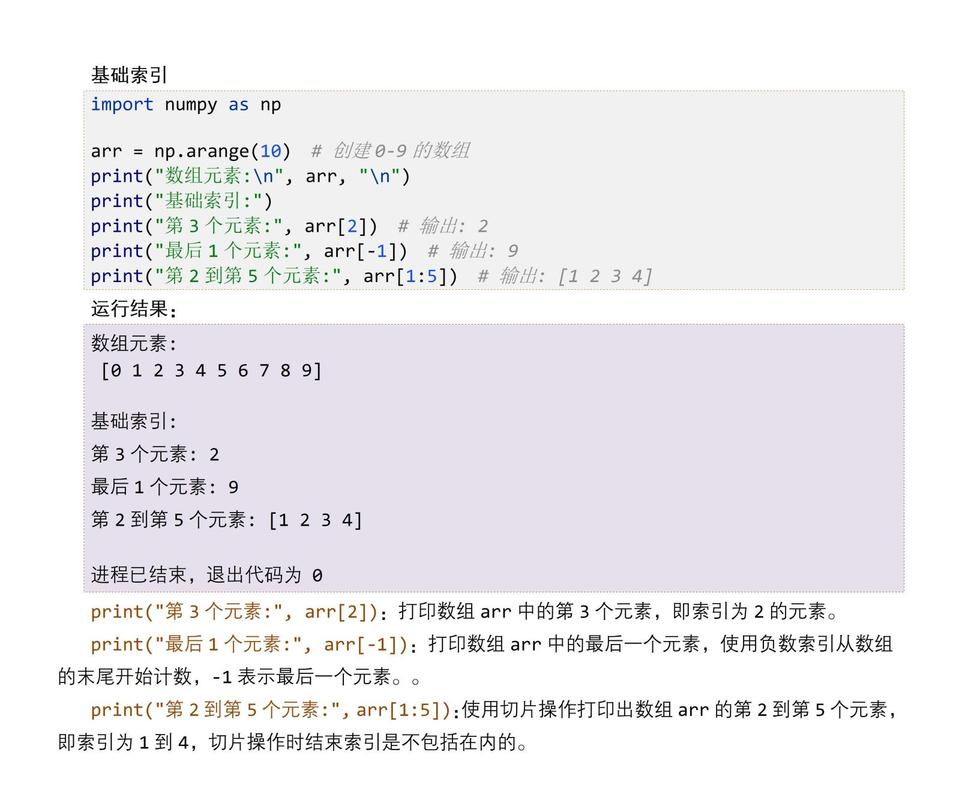
pip install numpy
The ndarray (N-Dimensional Array)
This is the heart of NumPy.
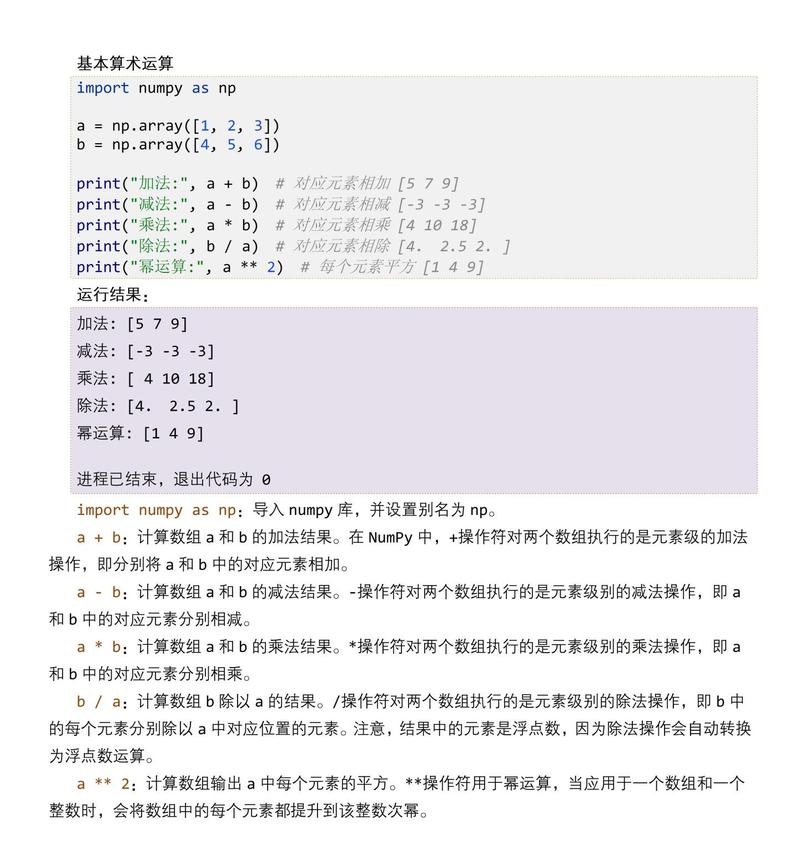
import numpy as np
# Create an array from a Python list
a = np.array([1, 2, 3, 4])
print(a)
# Output: [1 2 3 4]
print(type(a))
# Output: <class 'numpy.ndarray'>
# Create a 2D array (matrix)
b = np.array([[1, 2, 3], [4, 5, 6]])
print(b)
# Output:
# [[1 2 3]
#  [4 5 6]]
# Get array properties
print(f"Shape: {b.shape}")        # Output: Shape: (2, 3)
print(f"Dimensions: {b.ndim}")    # Output: Dimensions: 2
print(f"Data type: {b.dtype}")    # Output: Data type: int64
Vectorized Operations (The Superpower) Compare this with a slow Python loop.
# Python List (Slow)
python_list = [1, 2, 3, 4]
python_list_squared = [x**2 for x in python_list]
print(python_list_squared)
# NumPy Array (Fast)
arr = np.array([1, 2, 3, 4])
arr_squared = arr**2 # This is a single, fast operation
print(arr_squared)
# Output: [ 1  4  9 16]
Array Slicing and Indexing Works just like Python lists, but in multiple dimensions.
arr = np.array([[1, 2, 3], [4, 5, 6], [7, 8, 9]])
# Get the first row
print(arr[0, :])
# Output: [1 2 3]
# Get the second column
print(arr[:, 1])
# Output: [2 5 8]
# Get a sub-matrix
print(arr[1:, :2])
# Output:
# [[4 5]
#  [7 8]]
Universal Functions (ufuncs)
These are functions that operate on arrays element-wise (e.g., np.sin, np.exp, np.sqrt).
arr = np.array([0, np.pi/2, np.pi])
print(np.sin(arr))
# Output: [0.0000000e+00 1.0000000e+00 1.2246468e-16]
When to use NumPy:
- As soon as you need to work with lists of numbers numerically.
- For basic mathematical operations on arrays (addition, multiplication, etc.).
- For handling multi-dimensional data (like images, sensor readings, etc.).
- When performance is critical.
SciPy (Scientific Python)
What it is: An open-source Python library used for scientific and technical computing. It is built on top of NumPy.
Core Idea: To provide a collection of algorithms and tools for solving complex scientific problems. While NumPy provides the "array," SciPy provides the "actions" you can perform on those arrays.
Key Features & Examples:
Installation:
pip install scipy
SciPy is organized into submodules, each for a specific domain:
scipy.cluster: Data clustering algorithms (e.g., K-Means)scipy.fft: Fast Fourier Transformscipy.integrate: Integration and solving differential equationsscipy.interpolate: Interpolation functionsscipy.io: Input and output (e.g., loading.matfiles from MATLAB)scipy.linalg: Advanced linear algebra (more thannumpy.linalg)scipy.optimize: Optimization and root-finding (e.g., finding minimums of functions)scipy.signal: Signal processingscipy.sparse: Sparse matrix storage and operationsscipy.spatial: Spatial data structures and algorithms (e.g., KD-trees)scipy.stats: Statistical functions and distributions
Example 1: Optimization (scipy.optimize)
Find the minimum of the function f(x) = (x - 3)^2 + 5.
from scipy.optimize import minimize
# Define the function to minimize
def f(x):
    return (x - 3)**2 + 5
# Use the minimize function
# The 'x0' argument is the initial guess.
result = minimize(f, x0=0)
print(result)
# Output:
#      fun: 5.0
# hess_inv: array([[0.5]])
#      jac: array([0.])
#  message: 'Optimization terminated successfully.'
#     nfev: 6
#      nit: 2
#     njev: 3
#   status: 0
#  success: True
#        x: [2.99999999]
The minimum value is 0, and it occurs at x ≈ 3.0.
Example 2: Integration (scipy.integrate)
Calculate the definite integral of f(x) = x^2 from 0 to 2.
from scipy import integrate
def f(x):
    return x**2
# quad returns the result and an estimate of the absolute error
result, error = integrate.quad(f, 0, 2)
print(f"The integral is: {result:.4f} with an error of {error:.2e}")
# Output: The integral is: 2.6667 with an error of 2.96e-14
Example 3: Statistics (scipy.stats)
Perform a T-test to see if two samples have different means.
from scipy import stats
# Sample data from two different groups
group_a = np.random.normal(100, 10, 50)
group_b = np.random.normal(105, 10, 50)
# Perform an independent T-test
t_statistic, p_value = stats.ttest_ind(group_a, group_b)
print(f"T-statistic: {t_statistic:.4f}")
print(f"P-value: {p_value:.4f}")
# Interpret the p-value
if p_value < 0.05:
    print("The means are significantly different.")
else:
    print("The means are not significantly different.")
When to use SciPy:
- When you need to perform advanced mathematical, scientific, or engineering tasks.
- For statistical analysis, optimization, integration, or signal processing.
- When NumPy's built-in functions aren't enough.
The Relationship: How they work together
SciPy depends on NumPy. You can't use SciPy without having NumPy installed. SciPy's functions expect NumPy arrays as input and often return NumPy arrays as output.
Analogy Revisited:
- NumPy is the high-quality, standardized lumber (
ndarray). - SciPy is the set of professional tools (saws, lathes, etc.) that you use to shape that lumber into a finished product.
Code Example: Combining them
Let's fit a line to some data (linear regression). SciPy has a function for this, but it requires the data to be in NumPy arrays.
import numpy as np
from scipy import stats
# 1. Create some data (using NumPy)
x = np.array([1, 2, 3, 4, 5, 6, 7, 8])
y = np.array([2.1, 3.9, 6.2, 7.8, 10.1, 12.3, 13.8, 15.5])
# 2. Perform linear regression using SciPy
#    The function takes NumPy arrays as input.
slope, intercept, r_value, p_value, std_err = stats.linregress(x, y)
print(f"Slope: {slope:.2f}")
print(f"Intercept: {intercept:.2f}")
print(f"R-squared: {r_value**2:.2f}")
# 3. Use NumPy to create the fitted line for plotting
fitted_y = slope * x + intercept
# You would typically use Matplotlib to plot this
# import matplotlib.pyplot as plt
# plt.plot(x, y, 'o', label='Original data')
# plt.plot(x, fitted_y, 'r-', label='Fitted line')
# plt.legend()
# plt.show()
Summary Table
| Feature | NumPy | SciPy |
|---|---|---|
| Purpose | Fundamental array operations | Scientific & technical algorithms |
| Core Data Structure | ndarray (N-dimensional array) |
Uses ndarray from NumPy |
| Key Functionality | Vectorized math, indexing, slicing, broadcasting | Optimization, integration, stats, signal processing |
| Analogy | Power Drill | Professional Workshop |
| Dependencies | C, Fortran, Python | NumPy, C, Fortran, Python |
| Typical Use Case | "I need to do math on a grid of numbers." | "I need to find the minimum of a function or fit a model to data." |