Of course! The Levenshtein distance is a measure of the difference between two sequences. It's the minimum number of single-character edits (insertions, deletions, or substitutions) required to change one word into the other.
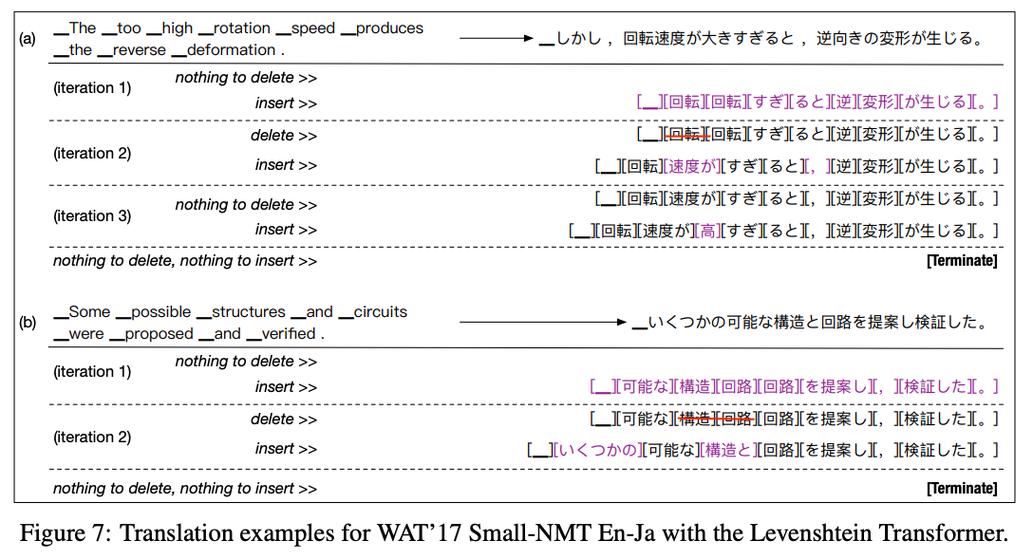
For example:
- The Levenshtein distance between "kitten" and "sitting" is 3.
k->s(substitution)e->i(substitution)- Insert
gat the end
Here's a complete guide on how to use and implement the Levenshtein distance in Python.
The Easy Way: Using the python-Levenshtein Library
For most applications, the best approach is to use a highly optimized, third-party library. The most common one is python-Levenshtein.
Installation
First, you need to install it. It's a C-optimized library, so it's very fast.

pip install python-Levenshtein
Usage
The library provides a simple function distance().
import Levenshtein
# --- Basic Usage ---
str1 = "kitten"
str2 = "sitting"
distance = Levenshtein.distance(str1, str2)
print(f"The Levenshtein distance between '{str1}' and '{str2}' is: {distance}")
# Output: The Levenshtein distance between 'kitten' and 'sitting' is: 3
# --- Other Examples ---
print(Levenshtein.distance("book", "back"))  # 2 (substitute 'o' for 'a', 'o' for 'c')
print(Levenshtein.distance("Saturday", "Sunday")) # 3 (delete 'a', 't', 'u')
print(Levenshtein.distance("", "abc")) # 3 (insert 'a', 'b', 'c')
print(Levenshtein.distance("abc", "")) # 3 (delete 'a', 'b', 'c')
print(Levenshtein.distance("abc", "abc")) # 0 (no changes needed)
This library is also very fast, making it suitable for processing large lists of strings.
The Manual Way: Implementing the Algorithm (Dynamic Programming)
If you can't use external libraries or want to understand the underlying algorithm, you can implement it yourself using dynamic programming. The core idea is to build a matrix that stores the distances between all prefixes of the two strings.
Let's use "kitten" and "sitting" as an example.
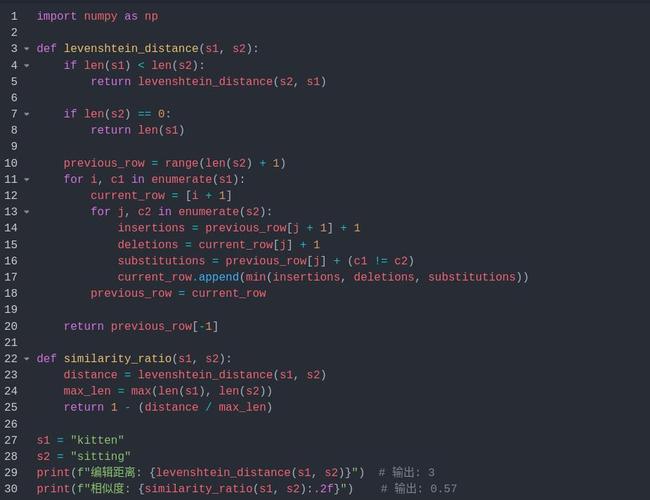
The Algorithm
- Create a matrix with
(len(s1) + 1)rows and(len(s2) + 1)columns. - Initialize the first row and column with their index values (0, 1, 2, ...). This represents the cost of converting an empty string to the target prefix.
- Iterate through the matrix. For each cell
(i, j):- If the characters
s1[i-1]ands2[j-1]are the same, the cost is 0. Otherwise, it's 1. - The value of the cell is the minimum of three possible operations:
- Deletion:
matrix[i-1][j] + 1 - Insertion:
matrix[i][j-1] + 1 - Substitution:
matrix[i-1][j-1] + cost
- Deletion:
- If the characters
- The final Levenshtein distance is the value in the bottom-right cell of the matrix.
Python Implementation
Here is a clean and well-commented implementation.
def levenshtein_distance(s1, s2):
    """
    Calculates the Levenshtein distance between two strings.
    """
    # Get the lengths of the strings
    len_s1 = len(s1)
    len_s2 = len(s2)
    # Create a matrix to store distances
    # The matrix has len_s1 + 1 rows and len_s2 + 1 columns
    dp = [[0] * (len_s2 + 1) for _ in range(len_s1 + 1)]
    # Initialize the first row and column
    # The cost of converting an empty string to s2[0..j] is j insertions
    for i in range(len_s1 + 1):
        dp[i][0] = i
    # The cost of converting s1[0..i] to an empty string is i deletions
    for j in range(len_s2 + 1):
        dp[0][j] = j
    # Fill the rest of the matrix
    for i in range(1, len_s1 + 1):
        for j in range(1, len_s2 + 1):
            # Cost is 0 if characters are the same, 1 otherwise
            cost = 0 if s1[i - 1] == s2[j - 1] else 1
            # Find the minimum of deletion, insertion, and substitution
            dp[i][j] = min(
                dp[i - 1][j] + 1,      # Deletion
                dp[i][j - 1] + 1,      # Insertion
                dp[i - 1][j - 1] + cost # Substitution
            )
    # The final distance is in the bottom-right cell
    return dp[len_s1][len_s2]
# --- Usage ---
str1 = "kitten"
str2 = "sitting"
distance = levenshtein_distance(str1, str2)
print(f"The Levenshtein distance between '{str1}' and '{str2}' is: {distance}")
# Output: The Levenshtein distance between 'kitten' and 'sitting' is: 3
Practical Application: Fuzzy String Matching
The most common use case for Levenshtein distance is fuzzy string matching, where you want to find strings in a list that are "close" to a target string.
Here's how you can use the python-Levenshtein library to find the best match.
import Levenshtein
# A list of possible correct spellings or options
correct_options = [
    "apple", "banana", "cherry", "date", "elderberry",
    "fig", "grape", "honeydew", "kiwi", "lemon"
]
# A user input with a typo
user_input = "aple" # Missing 'p'
# Another example
user_input_2 = "bannanna" # Extra 'n'
# Another example
user_input_3 = "stawbery" # Wrong word entirely
def find_best_match(input_str, options):
    """
    Finds the best match for an input string from a list of options.
    """
    if not input_str or not options:
        return None
    # Calculate the distance for each option
    # The key=lambda item: item[1] sorts by the distance value
    # min() will find the tuple with the smallest second element (the distance)
    best_match = min(
        [(option, Levenshtein.distance(input_str, option)) for option in options],
        key=lambda item: item[1]
    )
    return best_match
# --- Find matches ---
match1 = find_best_match(user_input, correct_options)
match2 = find_best_match(user_input_2, correct_options)
match3 = find_best_match(user_input_3, correct_options)
print(f"Input: '{user_input}', Best Match: '{match1[0]}' (Distance: {match1[1]})")
print(f"Input: '{user_input_2}', Best Match: '{match2[0]}' (Distance: {match2[1]})")
print(f"Input: '{user_input_3}', Best Match: '{match3[0]}' (Distance: {match3[1]})")
# --- More advanced: Find all matches within a certain threshold ---
def find_all_matches_within_threshold(input_str, options, threshold):
    """
    Finds all options that are within a certain Levenshtein distance.
    """
    matches = []
    for option in options:
        distance = Levenshtein.distance(input_str, option)
        if distance <= threshold:
            matches.append((option, distance))
    # Sort by distance for better results
    matches.sort(key=lambda item: item[1])
    return matches
# Find all matches for "aple" with a distance of 1 or less
close_matches = find_all_matches_within_threshold(user_input, correct_options, 1)
print(f"\nClose matches for '{user_input}' (threshold <= 1):")
for match, dist in close_matches:
    print(f"- {match} (Distance: {dist})")
Summary: Which one should you use?
| Method | Pros | Cons | Best for... |
|---|---|---|---|
python-Levenshtein |
Extremely fast, easy to use, standard industry choice. | Requires an external installation (pip install). |
Almost all production use cases. Performance-critical applications. |
| Manual Implementation | No external dependencies, great for learning the algorithm. | Slower for large strings, more code to write and maintain. | Academic purposes, coding interviews, or environments where you cannot install packages. |