Of course! Converting a Python dictionary to XML is a common task. There are several ways to do it, ranging from using a standard library to powerful third-party libraries.
Here’s a comprehensive guide covering the best methods, from simple to more advanced.
Method 1: The Standard Library (xml.etree.ElementTree)
This is the most "Pythonic" way if you don't want to install external packages. It's built-in and great for straightforward cases.
The key idea is to:
- Create a root XML element.
- Recursively iterate through the dictionary, creating child elements for each key-value pair.
- Handle different data types (strings, numbers, lists, booleans).
Simple Example (No Nested Lists)
Let's start with a basic dictionary.
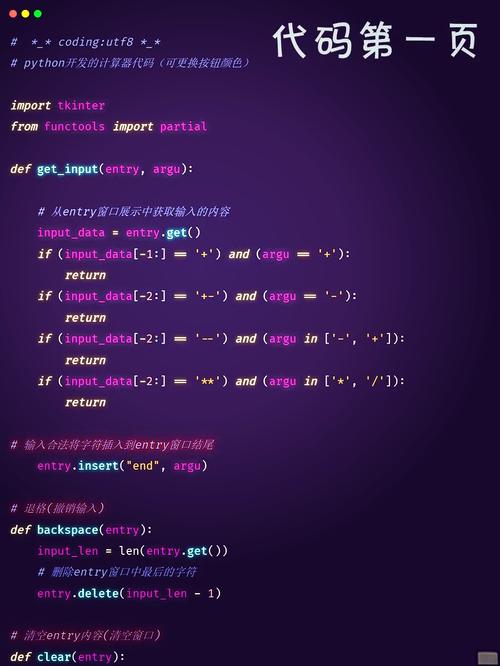
import xml.etree.ElementTree as ET
# A simple Python dictionary
data = {
    'name': 'John Doe',
    'age': 35,
    'is_active': True,
    'city': 'New York'
}
def dict_to_xml(tag, d):
    """Turn a dictionary into XML with a root tag."""
    elem = ET.Element(tag)
    for key, val in d.items():
        child = ET.SubElement(elem, key)
        child.text = str(val) # Convert value to string
    return elem
# Convert the dictionary to an XML Element
xml_element = dict_to_xml('user', data)
# Convert the Element to a string for printing
# ET.dump() prints it nicely to stdout
print("--- Using ET.dump() ---")
ET.dump(xml_element)
# Or get a formatted string
# This requires creating a tostring object with an 'encoding'
xml_string = ET.tostring(xml_element, encoding='unicode')
print("\n--- Using ET.tostring() ---")
print(xml_string)
Output:
--- Using ET.dump() ---
<user><name>John Doe</name><age>35</age><is_active>True</is_active><city>New York</city></user>
--- Using ET.tostring() ---
<user><name>John Doe</name><age>35</age><is_active>True</is_active><city>New York</city></user>
Advanced Example (Handling Nested Structures and Lists)
Real-world data is more complex. We need to handle:
- Nested dictionaries (which become nested XML tags).
- Lists (which should become multiple tags with the same name).
- Data types (e.g.,
Trueshould becometruefor XML standards).
Here is a robust, recursive function to handle these cases.
import xml.etree.ElementTree as ET
# A more complex dictionary
complex_data = {
    'user': {
        'id': 123,
        'name': 'Jane Doe',
        'email': 'jane.doe@example.com',
        'roles': ['admin', 'editor'],
        'address': {
            'street': '123 Python Lane',
            'city': 'Codeville'
        },
        'is_active': True,
        'balance': 99.95
    }
}
def build_xml_element(tag, value):
    """Recursively builds an XML element from a dictionary value."""
    elem = ET.Element(tag)
    if isinstance(value, dict):
        # If the value is a dict, recurse
        for k, v in value.items():
            elem.append(build_xml_element(k, v))
    elif isinstance(value, list):
        # If the value is a list, create a new tag for each item
        for item in value:
            elem.append(build_xml_element(tag, item)) # Use the same tag name for list items
    else:
        # Otherwise, it's a simple value, set it as text
        # Clean up common Python boolean values
        if isinstance(value, bool):
            elem.text = str(value).lower()
        else:
            elem.text = str(value)
    return elem
# Get the root element from our complex data
# We assume the top-level key is the root tag
root_key = list(complex_data.keys())[0]
root_element = build_xml_element(root_key, complex_data[root_key])
# Create a new ElementTree object
tree = ET.ElementTree(root_element)
# Write to a file with proper indentation
tree.write('user_data.xml', encoding='utf-8', xml_declaration=True)
# Print to console with formatting
print("--- Formatted Output ---")
ET.indent(tree, space="  ", level=0) # Pretty print (Python 3.9+)
tree.write(sys.stdout, encoding='unicode')
# If you are on an older Python version, you can use tostring with a custom function
# For simplicity, we'll just show the file output.
Resulting user_data.xml file:
<?xml version='1.0' encoding='utf-8'?>
<user>
  <id>123</id>
  <name>Jane Doe</name>
  <email>jane.doe@example.com</email>
  <roles>admin</roles>
  <roles>editor</roles>
  <address>
    <street>123 Python Lane</street>
    <city>Codeville</city>
  </address>
  <is_active>true</is_active>
  <balance>99.95</balance>
</user>
Method 2: Using the dicttoxml Library
For quick and reliable conversion, especially with complex data, a third-party library is often the best choice. dicttoxml is simple and powerful.
Installation:
pip install dicttoxml
Usage:
from dicttoxml import dicttoxml
import xml.dom.minidom # For pretty printing
# Use the same complex_data dictionary from before
complex_data = {
    'user': {
        'id': 123,
        'name': 'Jane Doe',
        'email': 'jane.doe@example.com',
        'roles': ['admin', 'editor'],
        'address': {
            'street': '123 Python Lane',
            'city': 'Codeville'
        },
        'is_active': True,
        'balance': 99.95
    }
}
# Convert the dictionary to XML
# The 'custom_root' argument sets the root tag name
xml_string = dicttoxml(complex_data, custom_root='users', attr_type=False)
# The output is a byte string, so we decode it
# For pretty printing, we can use minidom
dom = xml.dom.minidom.parseString(xml_string)
pretty_xml = dom.toprettyxml(indent="  ")
print(pretty_xml)
Output:
<?xml version="1.0" ?>
<users>
  <user>
    <id>123</id>
    <name>Jane Doe</name>
    <email>jane.doe@example.com</email>
    <item type="str">admin</item>
    <item type="str">editor</item>
    <address>
      <street>123 Python Lane</street>
      <city>Codeville</city>
    </address>
    <is_active>True</is_active>
    <balance>99.95</balance>
  </user>
</users>
Note on dicttoxml: By default, it adds type attributes to items in a list (e.g., <item type="str">admin</item>). You can disable this with attr_type=False. It also uses <item> as a default tag for list elements.
Method 3: Using xmltodict
This library is interesting because it's the inverse of dicttoxml. It's primarily for parsing XML into a dictionary, but it can also generate XML from a dictionary. It's very robust and handles namespaces and complex structures well.
Installation:
pip install xmltodict
Usage:
import xmltodict
import json # To show the intermediate dict
# Define the dictionary you want to convert
data_to_convert = {
    'root_element': {
        'person': {
            '@id': 'p1', # '@' prefix for attributes
            'name': 'Peter Jones',
            'age': 40,
            'skills': {
                'skill': ['Python', 'Java', 'C++']
            }
        }
    }
}
# The `pretty=True` argument formats the output
xml_string = xmltodict.unparse(data_to_convert, pretty=True)
print("--- xmltodict Output ---")
print(xml_string)
# You can see how it maps back to a dict
# (This is the primary use case for the library)
original_dict = xmltodict.parse(xml_string)
print("\n--- Parsed back to Dict ---")
print(json.dumps(original_dict, indent=2))
Output:
--- xmltodict Output ---
<?xml version="1.0" encoding="utf-8"?>
<root_element>
  <person id="p1">
    <name>Peter Jones</name>
    <age>40</age>
    <skills>
      <skill>Python</skill>
      <skill>Java</skill>
      <skill>C++</skill>
    </skills>
  </person>
</root_element>
--- Parsed back to Dict ---
{
  "root_element": {
    "person": {
      "@id": "p1",
      "name": "Peter Jones",
      "age": "40",
      "skills": {
        "skill": [
          "Python",
          "Java",
          "C++"
        ]
      }
    }
  }
}
Summary: Which Method Should You Choose?
| Method | Pros | Cons | Best For |
|---|---|---|---|
xml.etree.ElementTree |
- Built-in, no installation needed. - Full control over the XML structure. - Standard library, well-documented. |
- Can be verbose for complex data. - Requires manual handling of lists, nesting, and data types. |
Simple scripts, projects where you can't add dependencies, or when you need fine-grained control over the XML output. |
dicttoxml |
- Extremely easy to use. - Handles most data structures (dicts, lists, primitives) automatically. - Flexible configuration (custom root, attribute types). |
- Adds an external dependency. - Output format might not be exactly what you expect (e.g., default <item> tags). |
Quick and reliable conversion, especially when you need to generate XML from a Python dictionary frequently and don't want to write the parsing logic yourself. |
xmltodict |
- Industry standard for XML-to-dict conversion. - Excellent at handling complex XML (namespaces, attributes). - Can also generate XML. |
- Primarily a parser, so generation is a secondary feature. - Adds an external dependency. |
Projects that involve a lot of back-and-forth between XML and Python dictionaries. If you need to read XML, modify it as a dict, and write it back, this is a great choice. |