Of course! Converting XML to a Python dictionary is a common task, and there are several excellent ways to do it. I'll cover the most popular and robust methods, from standard libraries to third-party packages.
Summary of Methods
| Method | Library | Pros | Cons | Best For |
|---|---|---|---|---|
xmltodict |
xmltodict (3rd party) |
Easiest, most intuitive, handles namespaces well. | Requires an external pip install. |
Most use cases. The recommended approach for its simplicity and power. |
xml.etree.ElementTree |
Python Standard Library | No installation needed, part of Python. | Verbose, manual logic required, complex nesting can be tricky. | Quick scripts, environments where you can't install packages, learning the fundamentals. |
minidom |
Python Standard Library | Part of Python, good for simple parsing. | Very verbose, not ideal for complex or large XML files. | Simple, small XML files where you just need to read a few values. |
Method 1: The Recommended Approach using xmltodict
This is the most popular and user-friendly method. The library is designed specifically to bridge the gap between XML and Python dictionaries, making the process almost automatic.
Step 1: Install the library
pip install xmltodict
Step 2: Use it in your code
The xmltodict.parse() function does all the work. It can take a string or a file object.
Let's use this sample XML, library.xml:
<library>
  <book id="bk101">
    <author>Gambardella, Matthew</author>XML Developer's Guide</title>
    <genre>Computer</genre>
    <price>44.95</price>
    <publish_date>2000-10-01</publish_date>
    <description>An in-depth look at creating applications with XML.</description>
  </book>
  <book id="bk102">
    <author>Ralls, Kim</author>Midnight Rain</title>
    <genre>Fantasy</genre>
    <price>5.95</price>
    <publish_date>2000-12-16</publish_date>
    <description>A former architect battles corporate zombies.</description>
  </book>
</library>
Example Code
import xmltodict
import json # Useful for pretty-printing the dictionary
# --- Option A: Parsing from a string ---
xml_string = """
<library>
  <book id="bk101">
    <author>Gambardella, Matthew</author>XML Developer's Guide</title>
    <genre>Computer</genre>
    <price>44.95</price>
    <publish_date>2000-10-01</publish_date>
  </book>
</library>
"""
try:
    data_dict = xmltodict.parse(xml_string)
    print("--- Parsed from String ---")
    # Use json.dumps to print the dictionary in a readable format
    print(json.dumps(data_dict, indent=2))
except Exception as e:
    print(f"An error occurred: {e}")
# --- Option B: Parsing from a file ---
try:
    with open('library.xml', 'r') as xml_file:
        data_dict_from_file = xmltodict.parse(xml_file.read())
    print("\n--- Parsed from File ---")
    print(json.dumps(data_dict_from_file, indent=2))
except FileNotFoundError:
    print("\nError: library.xml not found. Please create the file.")
except Exception as e:
    print(f"\nAn error occurred: {e}")
Output
The output will be a deeply nested Python dictionary. Notice how attributes (like id="bk101") are converted into dictionary keys with an prefix, and text content is stored in a key named #text.
--- Parsed from String ---
{
  "library": {
    "book": {
      "@id": "bk101",
      "author": "Gambardella, Matthew",
      "title": "XML Developer's Guide",
      "genre": "Computer",
      "price": "44.95",
      "publish_date": "2000-10-01"
    }
  }
}
--- Parsed from File ---
{
  "library": {
    "book": [
      {
        "@id": "bk101",
        "author": "Gambardella, Matthew",
        "title": "XML Developer's Guide",
        "genre": "Computer",
        "price": "44.95",
        "publish_date": "2000-10-01",
        "description": "An in-depth look at creating applications with XML."
      },
      {
        "@id": "bk102",
        "author": "Ralls, Kim",
        "title": "Midnight Rain",
        "genre": "Fantasy",
        "price": "5.95",
        "publish_date": "2000-12-16",
        "description": "A former architect battles corporate zombies."
      }
    ]
  }
}
Key xmltodict Features:
- Attributes:
@idbecomes{'@id': 'bk101'}. - Text Content: The content of
<author>becomes'author': 'Gambardella, Matthew'. - Lists: If an element appears multiple times at the same level (like two
<book>tags),xmltodictautomatically converts it into a list of dictionaries. This is a huge advantage over manual parsing.
Method 2: Using the Standard Library xml.etree.ElementTree
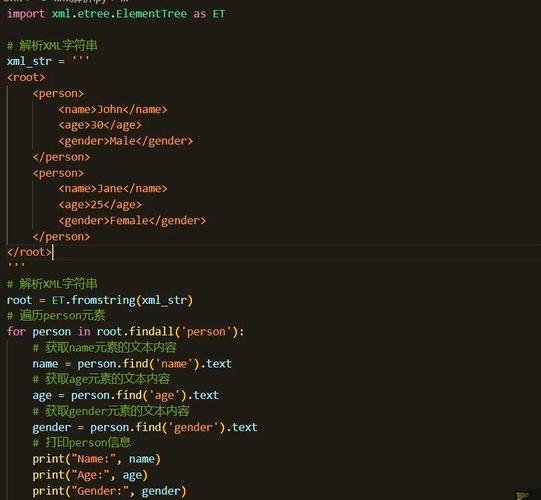
This method doesn't require any installation but is more verbose. You have to manually traverse the XML tree and build the dictionary yourself.
The Logic
- Parse the XML string or file to get an
Elementobject. - Create a recursive function that takes an
Elementand returns its dictionary representation. - Inside the function, handle the element's tag, attributes, text, and children.
Example Code
import xml.etree.ElementTree as ET
def etree_to_dict(t):
    """
    Recursively converts an ElementTree element to a dictionary.
    """
    # If the element has no children, its text is its value
    if len(t) == 0:
        return {t.tag: t.text}
    # If the element has children, process them
    d = {t.tag: {}}
    children = {}
    for child in t:
        # Recursively convert the child element
        child_data = etree_to_dict(child)
        # Handle children with the same tag by making a list
        if child.tag in children:
            if not isinstance(children[child.tag], list):
                children[child.tag] = [children[child.tag]]
            children[child.tag].append(child_data[child.tag])
        else:
            children[child.tag] = child_data[child.tag]
    d[t.tag].update(children)
    # Add attributes if they exist
    if t.attrib:
        d[t.tag].update({'@' + k: v for k, v in t.attrib.items()})
    return d
# --- Using the same library.xml ---
try:
    tree = ET.parse('library.xml')
    root = tree.getroot()
    # Our function needs the root element
    data_dict = etree_to_dict(root)
    import json
    print(json.dumps(data_dict, indent=2))
except FileNotFoundError:
    print("Error: library.xml not found.")
except ET.ParseError as e:
    print(f"XML Parse Error: {e}")
except Exception as e:
    print(f"An error occurred: {e}")
Output
The output is structurally very similar to what xmltodict produces.
{
  "library": {
    "book": [
      {
        "author": "Gambardella, Matthew",
        "title": "XML Developer's Guide",
        "genre": "Computer",
        "price": "44.95",
        "publish_date": "2000-10-01",
        "description": "An in-depth look at creating applications with XML.",
        "@id": "bk101"
      },
      {
        "author": "Ralls, Kim",
        "title": "Midnight Rain",
        "genre": "Fantasy",
        "price": "5.95",
        "publish_date": "2000-12-16",
        "description": "A former architect battles corporate zombies.",
        "@id": "bk102"
      }
    ]
  }
}
As you can see, you have to write the etree_to_dict function yourself, which requires careful handling of attributes, text, and child elements.
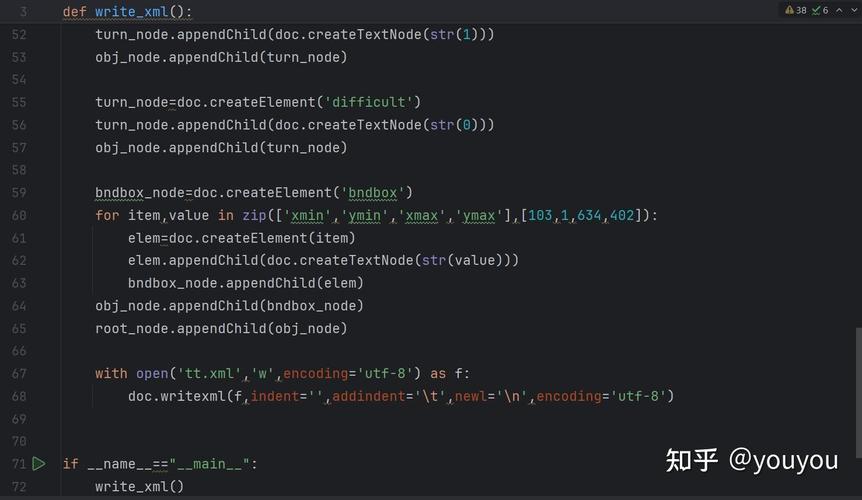
Method 3: Using xml.dom.minidom
This is another standard library option, but it's generally considered less convenient for data extraction than ElementTree. It's more geared towards reading and writing XML documents, often for generating them. It's not recommended for converting to dictionaries, but here's a brief look.
Example Code (Not Recommended for Dict Conversion)
This example just shows how to get some data, not how to build a full dictionary.
from xml.dom import minidom
# Parse the XML file
doc = minidom.parse('library.xml')
# Get the first book element
book = doc.getElementsByTagName('book')[0]
# Get an attribute
book_id = book.getAttribute('id')
print(f"Book ID: {book_id}")
# Get a text elementelement = book.getElementsByTagName('title')[0]= title_element.firstChild.data
print(f"Title: {title}")
# This method is very verbose for full conversion
# and does not handle lists of elements gracefully.
Conclusion and Recommendation
| Scenario | Recommended Method |
|---|---|
| Most projects, scripts, and applications | xmltodict. It's the cleanest, most Pythonic, and handles all the edge cases (like lists and namespaces) for you. |
| Quick scripts, coding challenges, or restricted environments | xml.etree.ElementTree. It's powerful and built-in, but be prepared to write more code to handle the conversion logic. |
| Simple, one-off data extraction | xmltodict or ElementTree. Avoid minidom for this purpose. |
For any serious work, install and use xmltodict. It will save you a significant amount of time and code.