Of course! The term "Java String Dom" isn't a standard, official Java term, but it's a very common way developers refer to the process of manipulating XML documents using the Java DOM API, where the core data is often represented as String values.
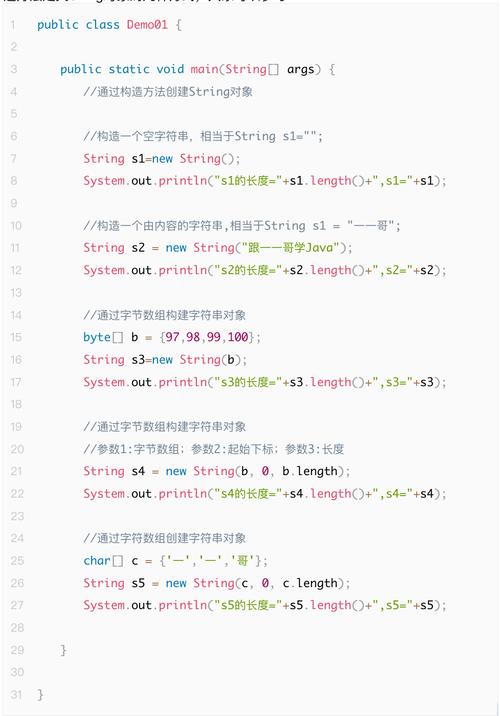
Let's break this down into three parts:
- What is the DOM API? (The "Dom" part)
- What is a
Stringin Java? (The "String" part) - How they work together: "Java String Dom" (Parsing, reading, and creating XML)
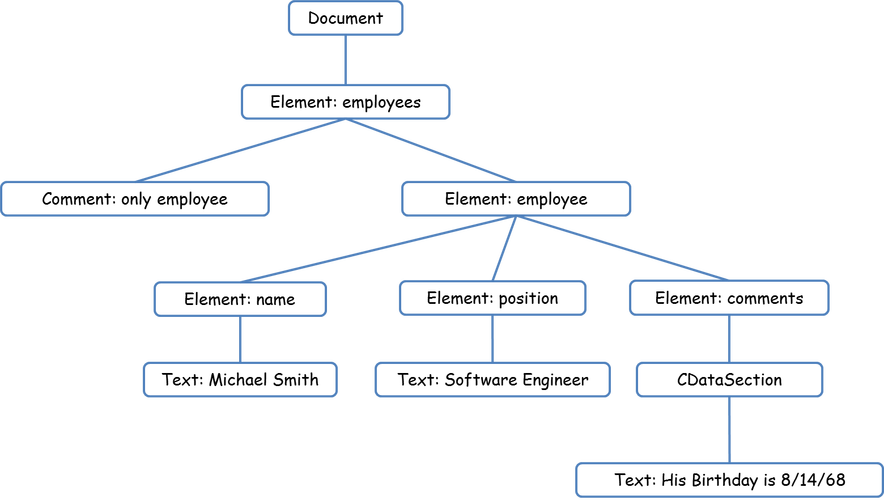
What is the DOM API? (Document Object Model)
The DOM is a programming API for HTML and XML documents. It treats an XML document as a tree of nodes.
- Tree Structure: The entire XML document is loaded into memory and represented as a tree. Each element, attribute, piece of text, etc., is a "node" in this tree.
- In-Memory: Because the whole document is in memory, you can navigate it in any direction (parent, children, siblings) and modify it easily.
- Standard: The DOM is a W3C standard, and Java provides its own implementation through the
org.w3c.dompackage.
Key Classes in Java's DOM API:
Document: Represents the entire XML document. It's the root of the DOM tree.Element: Represents an XML element (e.g.,<book>).Node: The base interface for all DOM objects (Document,Element,Text,Attr, etc.).Attr: Represents an attribute of an element (e.g.,id="123").Text: Represents the text content inside an element.
What is a String in Java?
A String is a sequence of characters. In the context of XML, Strings are used for:
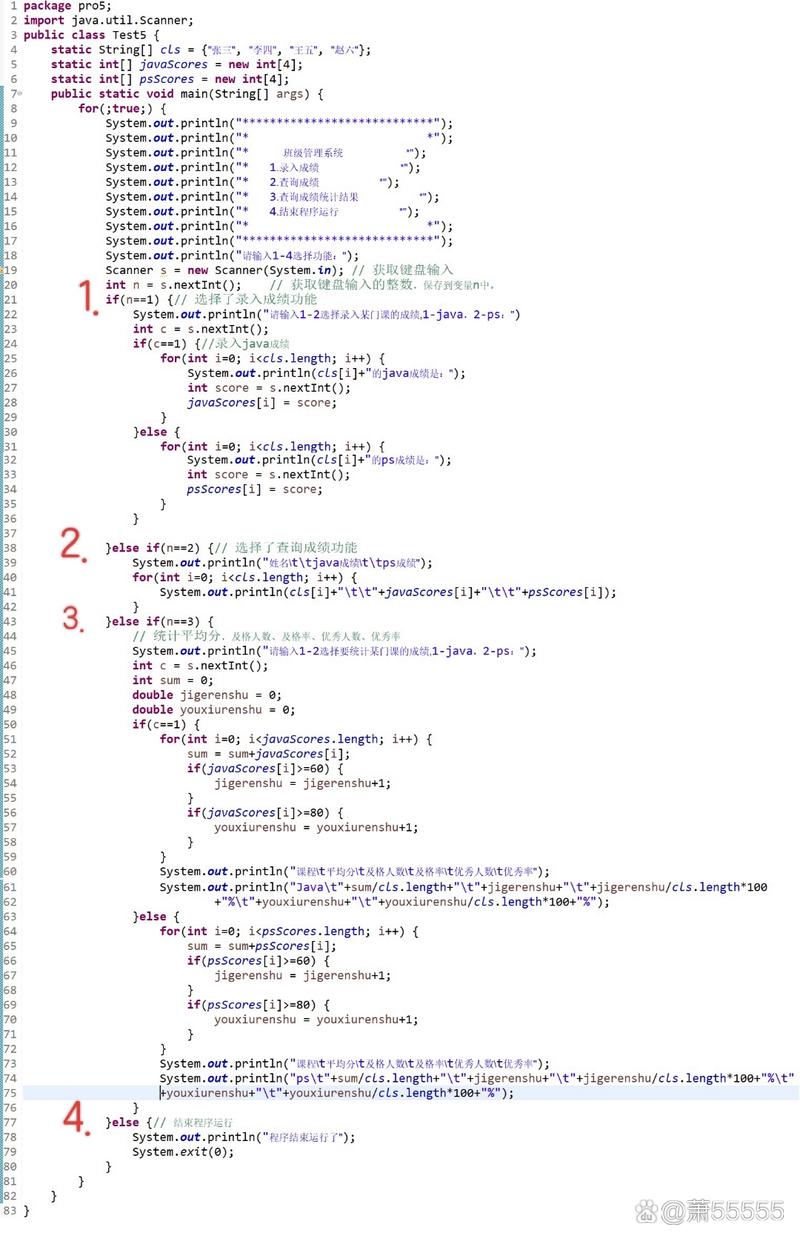
- The raw XML data itself (e.g., a
Stringcontaining"<root><child>text</child></root>"). - The content of elements and attributes (e.g., the "text" in
<child>text</child>). - Tag names (e.g., "root", "child").
How They Work Together: "Java String Dom"
This is the core of your question. Here are the most common scenarios where Strings and the DOM API interact.
Scenario 1: Parsing an XML String into a DOM Document
You often start with a String that contains your XML data and want to convert it into a traversable DOM tree.
Step 1: Get a DocumentBuilder
You need a DocumentBuilderFactory to create a DocumentBuilder. The DocumentBuilder is the factory that actually parses the XML.
Step 2: Parse the String
The DocumentBuilder.parse() method usually expects an InputStream or a File. To parse a String, you must first convert it into an InputStream using ByteArrayInputStream.
Example: Parsing an XML String
import org.w3c.dom.*;
import javax.xml.parsers.*;
import java.io.*;
public class StringToDomParser {
    public static void main(String[] args) {
        // 1. The XML data as a String
        String xmlString = "<bookstore>" +
                            "<book category=\"fiction\">" +
                              "<title lang=\"en\">The Great Gatsby</title>" +
                              "<author>F. Scott Fitzgerald</author>" +
                              "<year>1925</year>" +
                            "</book>" +
                            "<book category=\"non-fiction\">" +
                              "<title lang=\"en\">Sapiens</title>" +
                              "<author>Yuval Noah Harari</author>" +
                              "<year\">2011</year>" +
                            "</book>" +
                          "</bookstore>";
        try {
            // 2. Create a DocumentBuilderFactory
            DocumentBuilderFactory factory = DocumentBuilderFactory.newInstance();
            DocumentBuilder builder = factory.newDocumentBuilder();
            // 3. Convert the String to an InputStream
            InputStream inputStream = new ByteArrayInputStream(xmlString.getBytes());
            // 4. Parse the InputStream to create a Document (DOM tree)
            Document document = builder.parse(inputStream);
            // Optional: Normalize the document to clean up the structure
            document.getDocumentElement().normalize();
            // 5. Now you can work with the DOM tree
            System.out.println("Root element: " + document.getDocumentElement().getNodeName());
            NodeList bookList = document.getElementsByTagName("book");
            System.out.println("----------------------------");
            for (int i = 0; i < bookList.getLength(); i++) {
                Node node = bookList.item(i);
                if (node.getNodeType() == Node.ELEMENT_NODE) {
                    Element element = (Element) node;
                    System.out.println("Current Element: " + element.getNodeName());
                    // Get attributes as Strings
                    String category = element.getAttribute("category");
                    System.out.println("Category: " + category);
                    // Get child elements' content as Strings
                    NodeList titleList = element.getElementsByTagName("title");
                    Element titleElement = (Element) titleList.item(0);
                    String title = titleElement.getTextContent();
                    System.out.println("Title: " + title);
                    NodeList authorList = element.getElementsByTagName("author");
                    Element authorElement = (Element) authorList.item(0);
                    String author = authorElement.getTextContent();
                    System.out.println("Author: " + author);
                    System.out.println("----------------------------");
                }
            }
        } catch (Exception e) {
            e.printStackTrace();
        }
    }
}
Scenario 2: Creating an XML Document from Scratch and Converting it to a String
Sometimes you want to build a DOM tree in your Java code and then serialize it back into an XML String to save it, send it over a network, or log it.
Step 1: Create a Document
Use the DocumentBuilder to create a new, empty Document.
Step 2: Build the DOM Tree
Use methods like document.createElement(), document.createTextNode(), and element.appendChild() to build the tree.
Step 3: Serialize the DOM to a String
This is the tricky part. The standard javax.xml library doesn't have a built-in, simple method for this. You typically need a Transformer.
Example: Creating a DOM and Converting to an XML String
import org.w3c.dom.*;
import javax.xml.parsers.*;
import javax.xml.transform.*;
import javax.xml.transform.dom.DOMSource;
import javax.xml.transform.stream.StreamResult;
import java.io.StringWriter;
public class DomToStringCreator {
    public static void main(String[] args) {
        try {
            // 1. Create a new Document
            DocumentBuilderFactory factory = DocumentBuilderFactory.newInstance();
            DocumentBuilder builder = factory.newDocumentBuilder();
            Document document = builder.newDocument();
            // 2. Create the root element and append it to the document
            Element rootElement = document.createElement("user");
            document.appendChild(rootElement);
            // 3. Create child elements and append them
            Element nameElement = document.createElement("name");
            nameElement.appendChild(document.createTextNode("John Doe"));
            rootElement.appendChild(nameElement);
            Element emailElement = document.createElement("email");
            emailElement.appendChild(document.createTextNode("john.doe@example.com"));
            rootElement.appendChild(emailElement);
            // 4. Use a Transformer to convert the DOM to a String
            TransformerFactory transformerFactory = TransformerFactory.newInstance();
            Transformer transformer = transformerFactory.newTransformer();
            // Set output properties for pretty printing
            transformer.setOutputProperty(OutputKeys.INDENT, "yes");
            transformer.setOutputProperty("{http://xml.apache.org/xslt}indent-amount", "2");
            // StringWriter will hold the final XML String
            StringWriter writer = new StringWriter();
            // Create a source from the DOM and a result from the StringWriter
            DOMSource source = new DOMSource(document);
            StreamResult result = new StreamResult(writer);
            // 5. Perform the transformation
            transformer.transform(source, result);
            // 6. Get the String from the writer
            String xmlString = writer.toString();
            System.out.println(xmlString);
        } catch (Exception e) {
            e.printStackTrace();
        }
    }
}
Output of the Second Example:
<?xml version="1.0" encoding="UTF-8" standalone="no"?>
<user>
  <name>John Doe</name>
  <email>john.doe@example.com</email>
</user>
Modern Alternative: DOM vs. JAXB
For many applications, especially those involving web services (SOAP, REST), manually building and parsing DOM trees is verbose and error-prone. The modern approach is to use JAXB (Java Architecture for XML Binding).
JAXB allows you to:
- Bind XML schemas to Java classes.
- Automatically convert between Java objects and XML.
You no longer work with Document or Element directly. You work with plain Java POJOs (Plain Old Java Objects).
Example with JAXB:
import javax.xml.bind.JAXBContext;
import javax.xml.bind.Marshaller;
import javax.xml.bind.annotation.XmlElement;
import javax.xml.bind.annotation.XmlRootElement;
import java.io.StringWriter;
// 1. Define a Java class that maps to XML
@XmlRootElement(name = "bookstore")
class Bookstore {
    @XmlElement(name = "book")
    private Book book;
    // Getters and Setters are required
    public Book getBook() { return book; }
    public void setBook(Book book) { this.book = book; }
}
class Book {
    @XmlElement
    private String title;
    @XmlElement
    private String author;
    // Getters and Setters
    public String getTitle() { return title; }
    public void setTitle(String title) { this.title = title; }
    public String getAuthor() { return author; }
    public void setAuthor(String author) { this.author = author; }
}
public class JaxbExample {
    public static void main(String[] args) throws Exception {
        // Create Java objects
        Bookstore store = new Bookstore();
        Book book = new Book();
        book.setTitle("1984");
        book.setAuthor("George Orwell");
        store.setBook(book);
        // Convert Java object to XML String
        JAXBContext context = JAXBContext.newInstance(Bookstore.class);
        Marshaller marshaller = context.createMarshaller();
        marshaller.setProperty(Marshaller.JAXB_FORMATTED_OUTPUT, true);
        StringWriter writer = new StringWriter();
        marshaller.marshal(store, writer);
        String xmlString = writer.toString();
        System.out.println(xmlString);
    }
}
Summary
| Concept | Description | When to Use |
|---|---|---|
| DOM API | A tree-based API for loading and manipulating XML in memory. | When you need to randomly access or modify parts of an XML document. Good for complex, in-memory transformations. |
String + DOM |
The process of converting raw XML Strings into a DOM tree and vice-versa. |
The fundamental task of reading XML from a file/string or writing XML to a file/string using the low-level DOM API. |
| JAXB | A data-binding framework that maps Java objects directly to XML. | The recommended approach for most applications. It's much cleaner, less verbose, and less error-prone than manual DOM manipulation. |