Of course! Here is a comprehensive guide to using the list.append() method in Python, from the basics to more advanced use cases.
What is list.append()?
In Python, list.append() is a built-in method that adds a single item to the end of an existing list.
Think of a list as a shopping cart. append() is like grabbing one item from the shelf and tossing it into your cart.
Key Characteristics:
- Modifies the list in-place: It changes the original list directly and does not return a new list.
- Adds only one item: You can only add one element at a time, even if that element is another list (which will become a nested list).
Basic Syntax
The syntax is straightforward:
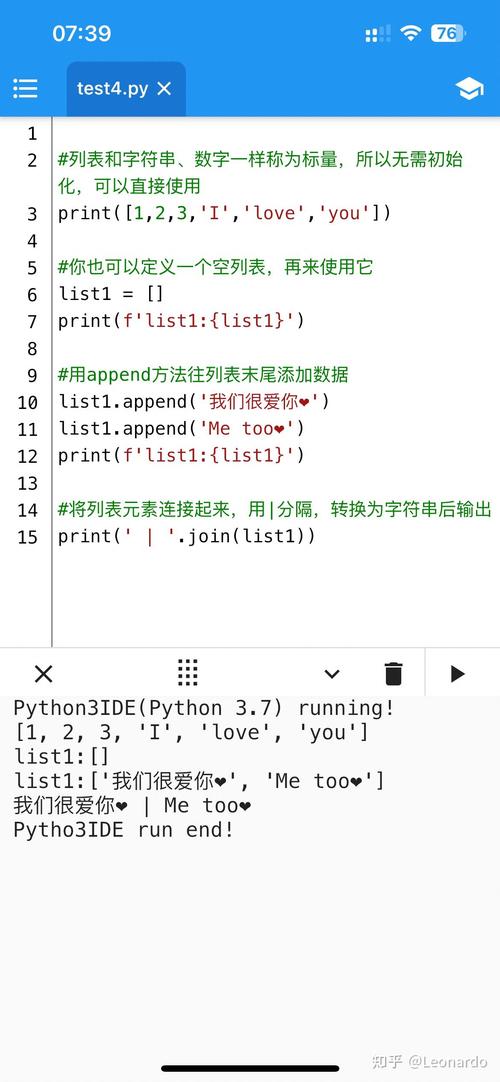
list_name.append(item)
list_name: The name of the list you want to modify.item: The single element you want to add to the end of the list. This can be of any data type (number, string, boolean, another list, etc.).
Simple Examples
Let's walk through some basic use cases.
Example 1: Appending Strings
# Start with a list of fruits
fruits = ['apple', 'banana', 'cherry']
# Append 'orange' to the list
fruits.append('orange')
# Print the list to see the change
print(fruits)
Output:
['apple', 'banana', 'cherry', 'orange']Notice that fruits was changed directly.
Example 2: Appending Numbers
# Start with a list of numbers
scores = [85, 92, 78]
# Append a new score
scores.append(88)
print(scores)
Output:
[85, 92, 78, 88]Example 3: Appending Different Data Types
A list can hold mixed data types.
# Start with a mixed list
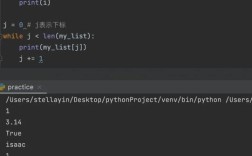
data = [1, 'hello', True]
# Append a floating-point number
data.append(3.14)
# Append another list (which will become a nested list)
data.append(['a', 'b'])
print(data)
Output:
[1, 'hello', True, 3.14, ['a', 'b']]Common Pitfall: The None Return Value
This is the most common mistake for beginners. Since append() modifies the list in-place, it returns None.
Incorrect Usage:
my_list = [1, 2, 3]
# Trying to assign the result of append() to a new variable
new_list = my_list.append(4)
# This will cause an error or unexpected behavior
print(f"my_list is: {my_list}")
print(f"new_list is: {new_list}") # new_list will be None
Output:
my_list is: [1, 2, 3, 4]
new_list is: None
You will lose the reference to your original list if you do this. Never assign the result of append() to a variable.
append() vs. Other List Methods
It's crucial to understand how append() differs from extend() and insert().
| Method | Action | Example | Result |
|---|---|---|---|
append() |
Adds a single item to the end. | my_list = [1, 2]my_list.append([3, 4]) |
[1, 2, [3, 4]] |
extend() |
Adds all items from an iterable (like another list) to the end. | my_list = [1, 2]my_list.extend([3, 4]) |
[1, 2, 3, 4] |
insert() |
Inserts a single item at a specific index. | my_list = [1, 2, 3]my_list.insert(1, 'a') |
[1, 'a', 2, 3] |
Visual Comparison: append() vs. extend()
# Using append()
list_a = [1, 2, 3]
list_a.append([4, 5])
print(f"After append: {list_a}")
# Output: After append: [1, 2, 3, [4, 5]]
# Using extend()
list_b = [1, 2, 3]
list_b.extend([4, 5])
print(f"After extend: {list_b}")
# Output: After extend: [1, 2, 3, 4, 5]
Performance and Time Complexity
append() is highly efficient. Adding an item to the end of a list is an O(1) operation on average. This means the time it takes to add an item does not increase as the list gets larger. This is because Python lists are dynamic arrays, and adding to the end is usually just a matter of placing the element in the next available slot.
Advanced Use Case: Appending in a Loop
A very common pattern is to build a list by appending items inside a loop.
# Create an empty list
even_squares = []
# Loop through numbers from 0 to 9
for number in range(10):
    # If the number is even...
    if number % 2 == 0:
        # ...append its square to our list
        even_squares.append(number ** 2)
print(even_squares)
Output:
[0, 4, 16, 36, 64]Summary
| Feature | Description |
|---|---|
| Purpose | To add a single item to the end of a list. |
| Syntax | my_list.append(item) |
| Return Value | None. It modifies the list in-place. |
| Performance | Very fast (O(1) average time complexity). |
| Common Use | Building lists dynamically, especially in loops. |
| Key Difference | Unlike extend(), it adds the entire item as a single element, even if it's a list. |
By understanding list.append(), you have one of the most fundamental and powerful tools for working with lists in Python.