Of course! Converting a Python set to a list is a very common and straightforward operation.
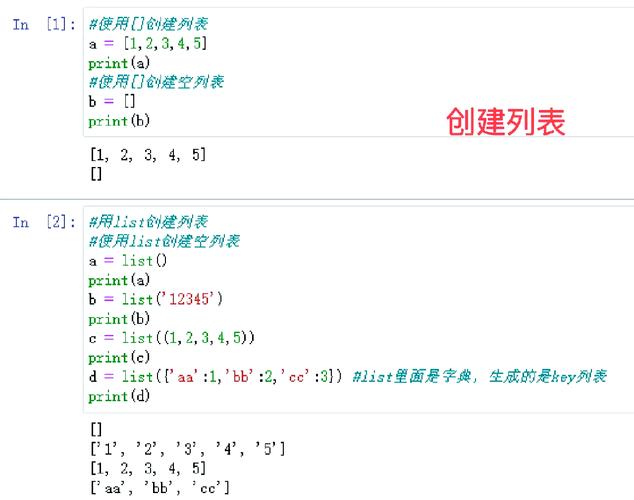
Here’s a complete guide covering the primary method, important considerations, and alternative approaches.
The Short and Sweet Answer
Use the built-in list() constructor. It's the most direct and Pythonic way.
# 1. Create a set
my_set = {'apple', 'banana', 'cherry', 10, 20}
# 2. Convert the set to a list
my_list = list(my_set)
# 3. Print the result
print(f"Original Set: {my_set}")
print(f"Converted List: {my_list}")
Output:
Original Set: {10, 20, 'apple', 'banana', 'cherry'}
Converted List: [10, 20, 'apple', 'banana', 'cherry']
Key Consideration: Order is Not Guaranteed
This is the most important thing to remember about sets and their conversion to lists.
- Sets are unordered collections. They do not maintain the order in which you add elements.
- Lists are ordered collections. They preserve the order of their elements.
When you convert a set to a list, the elements will be placed into the list in some order, but you should not rely on that order being the same as the insertion order.
# The order might change between different Python runs or systems
my_set = {3, 1, 4, 1, 5, 9}
my_list = list(my_set)
print(my_list)
# Possible Output: [1, 3, 4, 5, 9] or [9, 1, 3, 4, 5] etc.
Method 1: Using the list() Constructor (Recommended)
This is the standard, most readable, and most efficient method. It takes any iterable (like a set) and creates a new list from its elements.
# Example with mixed data types
data_set = {100, "hello", 3.14, True, None}
# Convert to a list
data_list = list(data_set)
print(data_list)
# Possible Output: [True, 100, 3.14, 'hello', None]
Method 2: Using a List Comprehension
This method is more verbose for a simple conversion but can be useful if you want to perform an operation on each element at the time of conversion.
my_set = {10, 20, 30, 40}
# Convert to a list using a comprehension
# This is equivalent to: [item for item in my_set]
my_list = [item for item in my_set]
print(my_list)
# Possible Output: [40, 10, 20, 30]
Method 3: Using the (Splat/Unpack) Operator
This is a more "Pythonic" or "clever" way to do it. The operator unpacks all elements from the iterable into the new list literal.
my_set = {'a', 'b', 'c'}
# Unpack the set into a new list literal
my_list = [*my_set]
print(my_list)
# Possible Output: ['c', 'a', 'b']
While this works perfectly, list(my_set) is generally considered more explicit and easier for beginners to read.
Comparison of Methods
| Method | Example | Readability | Performance | Best For |
|---|---|---|---|---|
list() Constructor |
list(my_set) |
Excellent | Fastest | The standard, go-to method for this task. |
| List Comprehension | [x for x in my_set] |
Good | Good | When you need to transform elements during conversion. |
| *`` Unpack Operator** | [*my_set] |
Fair (to experts) | Good | A concise, modern alternative. |
Common Use Cases
You often need to convert a set to a list when you need to:
-
Preserve a Unique List of Items: A set automatically removes duplicates. Converting it to a list gives you a list with only unique elements.
# A list with duplicates
numbers = [1, 5, 2, 8, 1, 5, 9, 2, 5]
# Get unique items by converting to a set, then back to a list
unique_numbers = list(set(numbers))
print(unique_numbers)
# Possible Output: [1, 2, 5, 8, 9]
-
Allow Indexing: Lists support indexing (
my_list[0]), but sets do not. If you need to access an element by its position, you must use a list.my_set = {'first', 'second', 'third'} # my_set[0] # This would raise a TypeError! my_list = list(my_set) print(my_list[0]) # This works! # Possible Output: 'third' -
Use List-Specific Methods: Many methods, like
.append(),.insert(), or.pop(index), only exist for lists. Converting a set to a list allows you to use them.my_set = {10, 20, 30} my_list = list(my_set) my_list.append(40) print(my_list) # Possible Output: [10, 20, 30, 40]
Summary
For converting a Python set to a list, always use list(your_set). It's the clearest, most efficient, and most idiomatic way to accomplish the task. Just remember that the resulting list's element order is not guaranteed to match the set's arbitrary internal order.