Of course! This is a very common question, especially for those new to programming or data science. Let's break down what "notebook python c" means and explore the relationships between these three technologies.
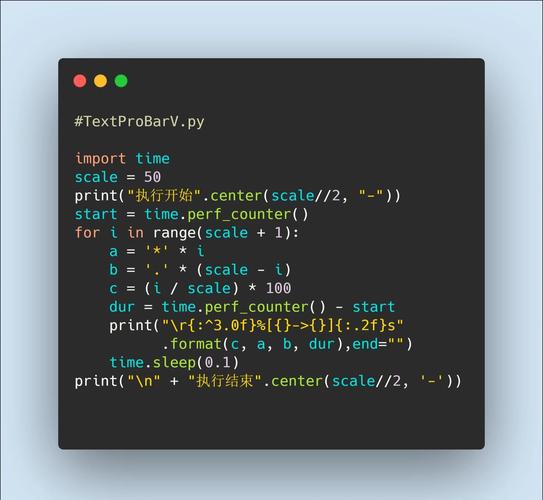
The most likely interpretation is that you want to understand how to use Python and C together within a Jupyter Notebook.
Here’s a complete guide covering:
- What is a Jupyter Notebook? (The "notebook")
- The roles of Python and C (The "python c")
- Why combine them? (The main motivation)
- How to combine them (Practical examples)
- Which approach to choose?
What is a Jupyter Notebook?
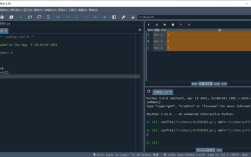
A Jupyter Notebook is an interactive, web-based computational environment. Think of it as a digital "lab notebook" where you can:
- Write and execute code in cells.
- Display rich output like plots, tables, images, and even formatted text (Markdown).
- Narrate your work with explanations, equations, and comments.
- Iterate quickly by running cells in any order, making it perfect for data exploration, analysis, and machine learning.
The Roles of Python and C
In this context, they play distinct but complementary roles:
-
Python: The "Glue" Language
- High-Level: Python is easy to read and write. It has a massive ecosystem of libraries (
NumPy,Pandas,Scikit-learn,Matplotlib) for data science, machine learning, and general scripting. - Interpreted: Python code is executed line by line, which is great for interactivity but can be slow for computationally intensive tasks.
- Role in the Notebook: Python is the primary language you'll use for data manipulation, visualization, and calling other functions.
- High-Level: Python is easy to read and write. It has a massive ecosystem of libraries (
-
C: The "Engine" Language
- Low-Level: C gives you direct control over memory and hardware. It's a compiled language, meaning it's translated to machine code before execution, making it extremely fast.
- Performance-Critical: C is the gold standard for performance. It's used to build the foundational libraries that Python itself relies on (like NumPy).
- Role in the Notebook: C is not used to write the notebook's logic directly. Instead, it's used to write high-performance functions that are then called from Python to speed up bottlenecks.
Analogy: Think of building a car.
- Python is like the car's dashboard, controls, and comfortable seats. It's what you interact with directly. It's easy to use and makes the car functional.
- C is like the powerful engine under the hood. You don't interact with it directly, but it's what provides the raw power and speed that makes the car perform well.
Why Combine Python and C in a Notebook?
The main reason is performance. A common workflow in data science is:
- Use Python to load and clean data (e.g., with Pandas). This is an I/O and data-munging task, where Python is fine.
- Identify a "hot spot" or "bottleneck" in your code—a small piece of logic that is being executed millions of times and is slowing down your entire analysis.
- Rewrite that small, critical piece of logic in C.
- Compile the C code into a library (a shared object file like
.soon Linux or.dllon Windows). - Call that high-performance C function from your Python code in the notebook.
This gives you the best of both worlds: the rapid development and rich ecosystem of Python, with the raw speed of C.
How to Combine Them in a Jupyter Notebook
There are three primary methods, ranging from easiest to most complex.
Method 1: Using C Extensions (The "Classic" way)
This involves manually writing C code, compiling it, and then importing it as a Python module. It's the most fundamental way but also the most complex.
Step 1: Write the C code (my_functions.c)
Let's create a simple function to add two numbers.
// my_functions.c
#include <Python.h>
// A simple C function
double add(double a, double b) {
    return a + b;
}
// This is the "bridge" that Python uses to call our C function.
// It defines a Python module named 'my_c_module' with a function 'add'.
static PyMethodDef MyMethods[] = {
    {"add", (PyCFunction)add, METH_VARARGS, "Add two numbers"},
    {NULL, NULL, 0, NULL} // Sentinel
};
static struct PyModuleDef mymodule = {
    PyModuleDef_HEAD_INIT,
    "my_c_module", // name of module
    NULL,
    -1,
    MyMethods
};
PyMODINIT_FUNC PyInit_my_c_module(void) {
    return PyModule_Create(&mymodule);
}
Step 2: Compile the C code into a Python extension
You need a C compiler (like gcc) and Python development headers. The command is complex, but tools like setuptools can simplify it.
# This command creates a shared object file that Python can import.
# You'll need to replace /path/to/your/python with your actual Python path.
gcc -shared -fPIC -I/usr/include/python3.8 -o my_c_module.so my_functions.c
(Note: The exact Python include path -I... may vary on your system.)
Step 3: Use it in a Jupyter Notebook Now, you can import and use your C function just like any other Python function.
# In a Jupyter Notebook cell
import my_c_module
# Call the C function directly
result = my_c_module.add(10.5, 5.5)
print(f"Result from C function: {result}")
# Compare with a pure Python function
def python_add(a, b):
    return a + b
%timeit my_c_module.add(10.5, 5.5)
%timeit python_add(10.5, 5.5)
You will see that the C function is significantly faster.
Method 2: Using ctypes (The "Easiest" way)
ctypes is a built-in Python library that allows you to call functions in shared C libraries without writing any Python extension glue code. It's simpler but less robust than Method 1.
Step 1: Write a simpler C file (simple_math.c)
No Python bridge code is needed.
// simple_math.c
double add(double a, double b) {
    return a + b;
}
Step 2: Compile it into a shared library This is the same compilation step as before.
gcc -shared -fPIC -o simple_math.so simple_math.c
Step 3: Use it in a Jupyter Notebook with ctypes
# In a Jupyter Notebook cell
import ctypes
import numpy as np
# Load the shared library
lib = ctypes.CDLL('./simple_math.so')
# Tell Python about the argument and return types of the C function
lib.add.argtypes = [ctypes.c_double, ctypes.c_double]
lib.add.restype = ctypes.c_double
# Call the function
result = lib.add(10.5, 5.5)
print(f"Result from C function via ctypes: {result}")
Method 3: Using Cython (The "Sweet Spot")
Cython is a superset of Python that lets you write Python-like code that is then translated into highly optimized C code. This is the most popular and practical method for performance-critical projects.
Step 1: Write a Cython file (.pyx)
This looks almost like Python, but with optional static type declarations for performance.
# my_functions_cython.pyx
# You can write pure Python code here, but adding types gives speed.
def add_cython(double a, double b):
    # This type declaration tells Cython to compile this as C code.
    cdef double result
    result = a + b
    return result
Step 2: Create a setup.py file to build the extension
This script tells Python how to compile your .pyx file.
# setup.py
from setuptools import setup
from Cython.Build import cythonize
setup(
    ext_modules = cythonize("my_functions_cython.pyx")
)
Step 3: Build the module Run this command from your terminal in the same directory.
python setup.py build_ext --inplace
This will create a .c file (which you can ignore) and a compiled .so / .pyd file that you can import.
Step 4: Use it in a Jupyter Notebook
# In a Jupyter Notebook cell
import my_functions_cython
# Call the Cython function
result = my_functions_cython.add_cython(10.5, 5.5)
print(f"Result from Cython function: {result}")
# Compare performance
def python_add(a, b):
    return a + b
%timeit my_functions_cython.add_cython(10.5, 5.5)
%timeit python_add(10.5, 5.5)
The performance of Cython will be very close to pure C, but the development process is much easier because you're working in a Python-like syntax.
Which Approach to Choose?
| Method | Best For | Pros | Cons |
|---|---|---|---|
| C Extension | Full control, learning C internals, complex projects. | Maximum performance, full integration. | Very complex setup, requires deep C knowledge. |
ctypes |
Quick calls to existing, simple C libraries. | No compilation glue code needed, built-in to Python. | Verbose, less robust, error handling can be tricky. |
| Cython | The recommended choice for most use cases. | Balances ease-of-use (Python syntax) with high performance. Requires minimal C knowledge. | Requires an extra build step (setup.py). |
Final Recommendation:
For most data science and scientific computing tasks where you need to speed up Python code in a Jupyter Notebook, start with Cython. It provides the best trade-off between development speed and performance. If you're just calling a simple, existing C function, ctypes is a quick and easy alternative. Only resort to writing a full C extension if you have very specific, low-level requirements.