Of course! Creating an FTP server in Python is a great way to understand network protocols or to quickly set up a file transfer mechanism for a project. The most common and robust way to do this is by using Python's built-in ftplib module, but in a slightly non-obvious way: you create an FTP server by subclassing ftplib.FTPHandler.
Here’s a complete guide, starting with a simple, runnable example and then moving to more advanced topics.
The Core Concept: ftplib.FTPHandler
Python's ftplib module is primarily for clients. However, it also contains a ftplib.FTP class that can be subclassed to create a server. The key is to use the pyftpdlib library, which is the de-facto standard for creating FTP servers in Python. It's built on top of asyncio and is very powerful.
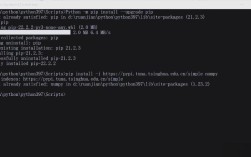
First, you need to install it:
pip install pyftpdlib
A Simple, Runnable FTP Server
This is the most basic example. It starts a server on your local machine, allows anonymous login, and lets users read and write files in the current directory where the script is run.

The Code (simple_server.py)
import os
from pyftpdlib.authorizers import Authorizer
from pyftpdlib.handlers import FTPHandler
from pyftpdlib.servers import FTPServer
def main():
    # Instantiate a dummy authorizer for managing 'virtual' users
    authorizer = Authorizer()
    # Define a new user having full r/w permissions
    # The first argument is the username, the second is the password,
    # the third is the directory the user should be "jailed" into,
    # and the fourth argument specifies the user's permissions.
    home_dir = os.getcwd() # Use the current directory as the home directory
    authorizer.add_user("user", "12345", home_dir, perm="elradfmwMT")
    # Add an anonymous user with read-only permissions
    # authorizer.add_anonymous(home_dir, perm="elr")
    # Instantiate FTP handler class
    handler = FTPHandler
    handler.authorizer = authorizer
    # Define a banner string (this is sent to clients when they connect)
    handler.banner = "Welcome to the Pyftpdlib FTP server."
    # Instantiate FTP server class and listen on 0.0.0.0:2121
    # 0.0.0.0 means listen on all available network interfaces
    address = ("0.0.0.0", 2121)
    server = FTPServer(address, handler)
    # Set a limit for the number of connections
    server.max_cons = 256
    server.max_cons_per_ip = 5
    # Start ftp server
    print(f"[*] Starting FTP server on {address[0]}:{address[1]}")
    print(f"[*] Login with username: 'user', password: '12345'")
    server.serve_forever()
if __name__ == "__main__":
    main()
How to Run It
- Save the code above as
simple_server.py. - Open your terminal or command prompt.
- Navigate to the directory where you saved the file.
- Run the script:
python simple_server.py
You will see output like this:
[*] Starting FTP server on 0.0.0.0:2121
[*] Login with username: 'user', password: '12345`
127.0.0.1:54321 - [Mon, 21 Oct 2025 10:30:00] - "USER user" - 331
127.0.0.1:54321 - [Mon, 21 Oct 2025 10:30:01] - "PASS ******" - 230
...
How to Connect to It
You can use any standard FTP client.
-
Using a command-line client (like
ftpon Linux/macOS or File Explorer on Windows):- Host:
localhost(or0.0.1) - Port:
2121 - Username:
user - Password:
12345
- Host:
-
Using File Explorer (Windows):
 (图片来源网络,侵删)
- Open File Explorer.
- In the address bar, type
ftp://localhost:2121and press Enter. - It will prompt for a username and password.
Understanding the Code and Permissions
Let's break down the key components from the example.
Authorizer
The Authorizer is responsible for managing users. It handles authentication and checks permissions.
-
authorizer.add_user(username, password, home_dir, perm="..."): Adds a real user.home_dir: This is the root directory for that user. The user will be "jailed" inside this directory and cannot navigate out of it. This is a critical security feature.perm: A string defining the user's permissions. Each letter stands for a command:e: Change directory (CWD,CDUP)l: List files (LIST,NLST,STAT)r: Retrieve file from server (RETR)a: Append data to an existing file (STOR,STOU)d: Delete file or directory (DELE,RMD)f: Rename file or directory (RNFR,RNTO)m: Make a new directory (MKD)w: Store a file on the server (STOR,STOU)M: Change file modification time (MDTM)T: Return the last modification time (MDTM)
A common permission string for a full-access user is
"elradfmwMT". -
authorizer.add_anonymous(home_dir, perm="..."): Adds an anonymous user. The home directory for an anonymous user should be world-readable.
FTPHandler
This class handles the FTP protocol logic for each client connection.
handler.authorizer = authorizer: You must assign your authorizer instance to the handler. This is how the handler knows how to authenticate users and check their permissions.handler.banner: A friendly message sent to the client upon connection.
FTPServer
This is the main server object.
address = ("0.0.0.0", 2121): The IP address and port to listen on."0.0.0.0"is a special address that tells the server to accept connections on all available network interfaces (e.g., both0.0.1and your machine's local network IP).2121is the port. The standard FTP port is21, but using a non-standard port like2121is often a good idea to avoid conflicts and casual scanning.
server = FTPServer(address, handler): Creates the server, binding it to the address and using the provided handler for new connections.server.serve_forever(): Starts the server's main loop, which will run until you stop it (e.g., withCtrl+C).
Advanced Features: Logging and SSL/TLS
For a real-world application, you'll want logging and, more importantly, security.
Logging
Logging is essential for debugging and monitoring who is accessing your server.
# ... (imports and authorizer setup from before)
# Instantiate FTP handler class
handler = FTPHandler
handler.authorizer = authorizer
# Add logging
import logging
logging.basicConfig(level=logging.INFO)
logger = logging.getLogger(__name__)
handler.log_prefix = "%(asctime)s - %(message)s" # Custom log format
handler.logger = logging.getLogger("pyftpdlib")
# ... (server setup and serve_forever())
SSL/TLS (Securing the Connection)
FTP sends usernames, passwords, and file data in cleartext. This is a major security risk. You should always use FTPS (FTP over SSL/TLS) or SFTP (which is different, it's over SSH).
Here’s how to enable FTPS:
import os
import ssl
from pyftpdlib.authorizers import Authorizer
from pyftpdlib.handlers import FTPHandler
from pyftpdlib.servers import FTPServer
# --- Authorizer and Handler Setup (same as before) ---
authorizer = Authorizer()
authorizer.add_user("user", "12345", os.getcwd(), perm="elradfmwMT")
handler = FTPHandler
handler.authorizer = authorizer
handler.banner = "Welcome to the secure Pyftpdlib FTP server."
# --- SSL/TLS Configuration ---
# You need a certificate and a private key.
# For testing, you can generate a self-signed one:
# openssl req -new -x509 -days 365 -nodes -out ftp-server.pem -keyout ftp-server.pem
ssl_context = ssl.SSLContext(ssl.PROTOCOL_TLS_SERVER)
# IMPORTANT: Replace 'path/to/ftp-server.pem' with the actual path to your cert file
ssl_context.load_cert_chain('ftp-server.pem')
# Tell the handler to use the SSL context
handler.tls_control_required = True  # Control connection (login, commands) must be encrypted
handler.tls_data_required = True    # Data connection (file transfers) must be encrypted
# --- Server Setup ---
address = ("0.0.0.0", 2121)
server = FTPServer(address, handler)
print(f"[*] Starting SECURE FTP server on {address[0]}:{address[1]}")
print(f"[*] Login with username: 'user', password: '12345'")
print(f"[*] FTPS is enabled. Clients must connect securely.")
server.serve_forever()
To connect to this secure server, your FTP client must be configured to use "Explicit FTPS" (usually on port 21) or "Implicit FTPS" (on port 990). Most modern clients support this and will automatically try to upgrade the connection if you check the "Use FTPS" or "Require explicit FTPS" option.
Complete Example with Logging and SSL
Here is the full, robust example combining everything.
import os
import ssl
import logging
from pyftpdlib.authorizers import Authorizer
from pyftpdlib.handlers import FTPHandler
from pyftpdlib.servers import FTPServer
# --- 1. Configuration ---
HOST = "0.0.0.0"
PORT = 2121
HOME_DIR = os.getcwd() # Or specify a path like "/path/to/ftp/files"
CERT_FILE = "ftp-server.pem" # Path to your SSL certificate and private key key
# --- 2. Authorizer Setup ---
authorizer = Authorizer()
# Add a user with full permissions
authorizer.add_user("user", "12345", HOME_DIR, perm="elradfmwMT")
# Optionally, add a read-only anonymous user
# authorizer.add_anonymous(HOME_DIR, perm="elr")
# --- 3. Handler Setup ---
handler = FTPHandler
handler.authorizer = authorizer
handler.banner = "Secure Pyftpdlib server ready."
# --- 4. Logging Setup ---
# This will log to the console. You can also configure it to log to a file.
logger = logging.getLogger("pyftpdlib")
logger.setLevel(logging.INFO)
# Create a file handler
file_handler = logging.FileHandler('ftp_server.log')
file_handler.setFormatter(logging.Formatter('%(asctime)s - %(levelname)s - %(message)s'))
logger.addHandler(file_handler)
# Assign the logger to the handler
handler.logger = logger
# --- 5. SSL/TLS Setup ---
# Check if certificate file exists before proceeding
if not os.path.exists(CERT_FILE):
    print(f"ERROR: SSL certificate file not found at '{CERT_FILE}'")
    print("Please generate a self-signed certificate or provide a valid one:")
    print("openssl req -new -x50x50 -days 365 -nodes -out ftp-server.pem -keyout ftp-server.pem")
    exit(1)
ssl_context = ssl.SSLContext(ssl.PROTOCOL_TLS_SERVER)
ssl_context.load_cert_chain(CERT_FILE)
handler.tls_control_required = True
handler.tls_data_required = True
# --- 6. Server Instantiation and Start ---
address = (HOST, PORT)
server = FTPServer(address, handler)
print(f"[*] Starting FTP server on {HOST}:{PORT}")
print(f"[*] Home directory: {HOME_DIR}")
print(f"[*] SSL/TLS is enabled.")
print(f"[*] Use an FTP client that supports FTPS (Explicit FTPS is recommended).")
print(f"[*] Login with username: 'user', password: '12345'")
server.serve_forever()