Of course! Creating new strings in Python is a fundamental operation. Here’s a comprehensive guide covering the most common ways, from simple to more advanced.
The Basic Way: Using String Literals
This is the simplest method, where you just type the string directly into your code.
# Using single quotes
single_quote_string = 'Hello, World!'
# Using double quotes
double_quote_string = "Hello, World!"
# Using triple quotes (for multi-line strings)
multi_line_string = """This is a string
that spans across
multiple lines."""
print(single_quote_string)
print(double_quote_string)
print(multi_line_string)
Key Point: You can use either single () or double () quotes. The choice is mostly a matter of style, but it's useful when your string contains the other type of quote.
# Example of using quotes inside a string
message = "It's a beautiful day!" # No problem with the single quote inside
greeting = 'He said, "Hello there!"' # No problem with the double quote inside
Creating New Strings from Existing Ones (Concatenation and Formatting)
You often need to build a new string from variables or other strings.
A. Concatenation ( Operator)
You can join strings together using the operator.
first_name = "John"
last_name = "Doe"
# Create a new string by concatenating
full_name = first_name + " " + last_name # Add a space in between
print(full_name)  # Output: John Doe
Caution: Be careful when concatenating numbers. You must first convert them to strings using the str() function.
age = 30
# This will cause an error:
# error_message = "My age is " + age  # TypeError
# This is the correct way:
correct_message = "My age is " + str(age)
print(correct_message) # Output: My age is 30
B. String Formatting (The Modern & Recommended Way)
This is the most flexible and readable way to create new strings from variables. There are a few popular methods.
f-strings (Formatted String Literals) - Recommended for Python 3.6+
This is the newest and generally the best method. It's fast, readable, and concise. Prefix the string with an f and place your variables inside curly braces .
name = "Alice"
city = "New York"
age = 28
# An f-string
new_string = f"My name is {name}, I live in {city}, and I am {age} years old."
print(new_string)
# Output: My name is Alice, I live in New York, and I am 28 years old.
# You can also perform calculations or call functions inside the braces
print(f"Next year, {name} will be {age + 1}.")
# Output: Next year, Alice will be 29.
.format() Method
This was the standard before f-strings. It's very powerful and still widely used, especially in codebases that must support older Python versions.

You use curly braces as placeholders in the string and then call the .format() method on the string, passing the variables as arguments.
name = "Bob"
city = "London"
age = 35
# The .format() method
new_string = "My name is {}, I live in {}, and I am {} years old.".format(name, city, age)
print(new_string)
# Output: My name is Bob, I live in London, and I am 35 years old.
# You can also specify the order of variables by using numbers inside the braces
new_string_reordered = "My name is {2}, I live in {0}, and I am {1} years old.".format(city, age, name)
print(new_string_reordered)
# Output: My name is Bob, I live in London, and I am 35 years old.
Old-Style Formatting
This is an older style inherited from C. You might see it in older code, but it's less common in modern Python.
name = "Charlie"
age = 42
# The old % formatting
new_string = "My name is %s and I am %d years old." % (name, age)
print(new_string)
# Output: My name is Charlie and I am 42 years old.
Creating Strings with Repetition
You can create a new string by repeating an existing string using the operator.
# Repeat a single character
stars = "*" * 10
print(stars)
# Output: **********
# Repeat a whole word
word = "Hello "
repeated_word = word * 3
print(repeated_word)
# Output: Hello Hello Hello
Creating Strings from Other Data Types
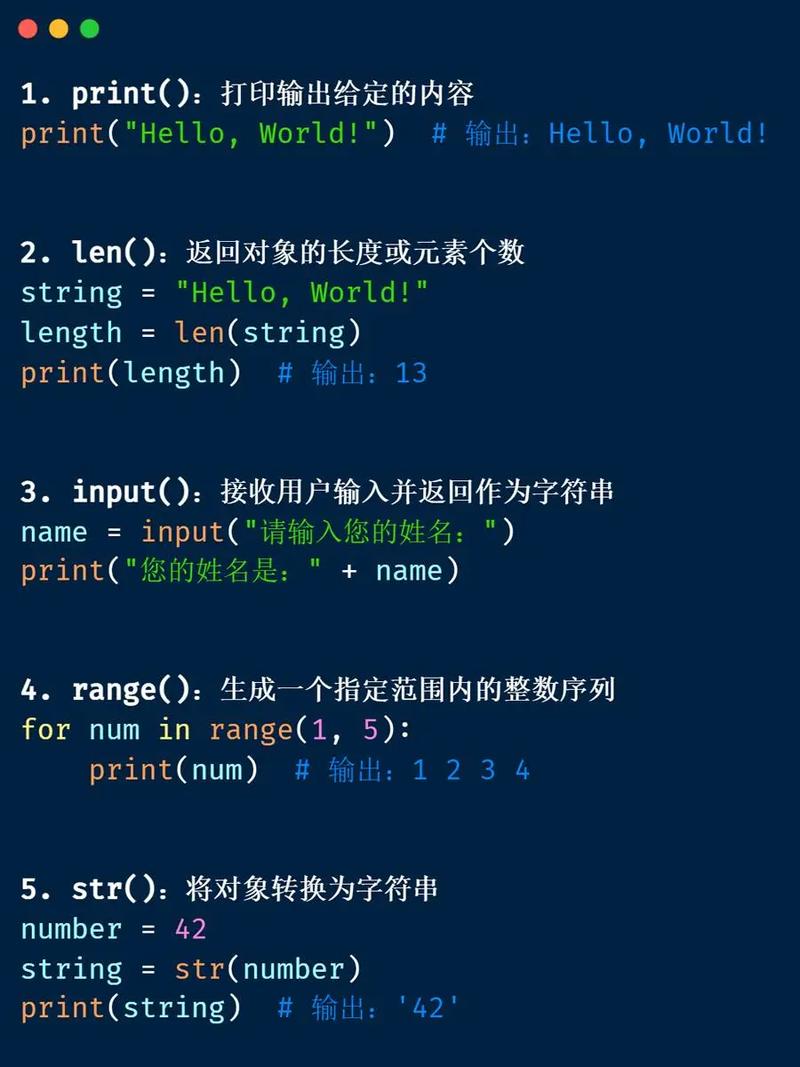
You can convert other data types (like numbers, lists, etc.) into strings using the str() constructor.
# From a number
num = 123
num_as_string = str(num)
print(num_as_string)
print(type(num_as_string)) # Output: <class 'str'>
# From a boolean
is_true = True
bool_as_string = str(is_true)
print(bool_as_string) # Output: True
# From a list
my_list = [1, 2, 3]
list_as_string = str(my_list)
print(list_as_string) # Output: [1, 2, 3]
Modifying Strings (Important Concept!)
Strings in Python are immutable. This means you cannot change a string in-place. Any operation that looks like it's modifying a string actually creates a new string.
Let's see what this means:
# Let's try to change a character
my_string = "Python"
# my_string[0] = "J"  # This will raise a TypeError!
# Instead, you create a NEW string
new_string = "J" + my_string[1:]
print(new_string) # Output: Jython
print(my_string)  # The original string is unchanged: Python
Summary: Which Method Should I Use?
| Method | When to Use | Example |
|---|---|---|
| Concatenation | For simple joining of a few strings. | "Hello " + "World" |
| *`` Repetition** | To repeat a string a specific number of times. | "ha" * 3 |
str() Conversion |
When you need to convert a non-string type to a string. | str(2025) |
| f-strings | (Recommended) For almost all new string formatting in Python 3.6+. | f"Value: {variable}" |
.format() |
When you need to support older Python versions or need advanced formatting not available in f-strings. | "Value: {}".format(variable) |