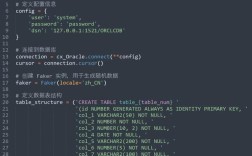
Of course! Connecting to an Oracle database using Python requires a specific approach to handle the SID (System Identifier). The SID is a legacy identifier used to distinguish between different databases running on the same server.
Here’s a comprehensive guide covering everything from the basic concept to complete, runnable Python code examples.
Understanding Oracle SID vs. Service Name
Before we dive into the code, it's crucial to understand the difference between a SID and a Service Name. This is a common point of confusion.
| Feature | SID (System Identifier) | Service Name |
|---|---|---|
| Purpose | A unique name for an Oracle instance (the set of memory structures and background processes). | A logical name that can point to one or more instances, enabling features like RAC (Real Application Clusters) and load balancing. |
| Uniqueness | Must be unique on a single server. | Can be the same across different servers in a cluster. |
| Modern Usage | Considered legacy. | The preferred and modern way to connect to Oracle databases. |
| How it's Used | Used in the old-style tnsnames.ora file as (DESCRIPTION = (SID = ...)). |
Used in modern tnsnames.ora as (DESCRIPTION = (SERVICE_NAME = ...)) and is the default for easy connect identifiers. |
Recommendation: If you can, use the Service Name instead of the SID. It's more flexible and is the current standard. However, if you're working with older systems, you'll need to use the SID.
Prerequisites: Installing the Oracle Driver
You need an Oracle driver to allow Python to communicate with the database. The most common one is cx_Oracle.

Install the cx_Oracle library:
pip install cx_Oracle
Install the Oracle Instant Client:
cx_Oracle requires the Oracle Instant Client to be installed on your machine. This is a set of libraries that allow applications to connect to an Oracle database without needing a full Oracle installation.
- Download: Get the appropriate Instant Client for your operating system from the Oracle Instant Client Downloads page.
- Unzip: Unzip the downloaded file to a location on your system (e.g.,
C:\oracle\instantclient_19_10on Windows or/opt/oracle/instantclient_19_10on Linux). - Set
PATH: Add the path to the Instant Client directory to your system'sPATHenvironment variable so that Python can find it.
Connecting Using a SID (The Core Task)
There are two primary ways to specify the connection details in your Python code: using a Data Source Name (DSN) string or using a tnsnames.ora file.
Method 1: Using a DSN String (Recommended for simplicity)
The DSN string is a simple, self-contained string that defines the connection. This is often the easiest method for scripts and applications.
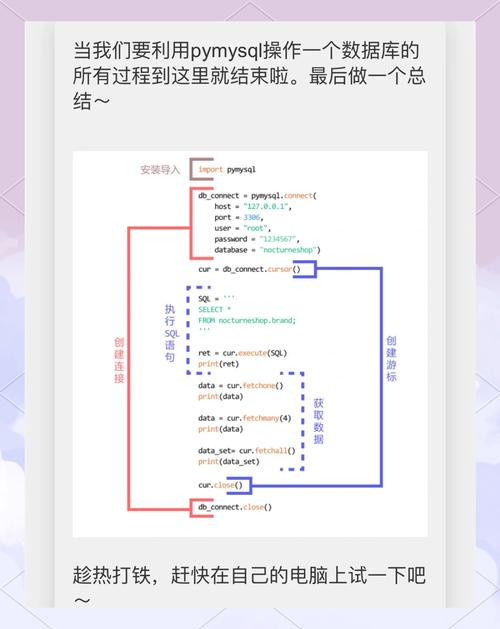
The format for a DSN with a SID is:
hostname:port:sid
Python Code Example:
import cx_Oracle
import os
# --- Connection Details ---
# It's best practice to use environment variables for credentials
db_user = os.environ.get("ORACLE_USER", "your_username")
db_password = os.environ.get("ORACLE_PASSWORD", "your_password")
db_dsn = "hostname:1521:your_sid" # Replace with your host, port, and SID
# --- Create the Connection ---
try:
    # Create a connection pool (optional but good for performance)
    pool = cx_Oracle.SessionPool(
        user=db_user,
        password=db_password,
        dsn=db_dsn,
        min=1,
        max=2,
        increment=1,
        threaded=True
    )
    # Get a connection from the pool
    connection = pool.acquire()
    print("Successfully connected to the Oracle database with SID!")
    # --- Execute a Query ---
    cursor = connection.cursor()
    cursor.execute("SELECT 'Hello, Oracle from Python!' AS message FROM DUAL")
    # Fetch the result
    for row in cursor:
        print(row[0])
except cx_Oracle.DatabaseError as e:
    error, = e.args
    print(f"Oracle Error {error.code}: {error.message}")
finally:
    # Ensure the connection is closed
    if 'connection' in locals() and connection:
        pool.release(connection)
        pool.close()
    print("Connection closed.")
Method 2: Using a tnsnames.ora File (Recommended for complex setups)
For more complex network configurations, you can use the traditional tnsnames.ora file, which is typically located in the Instant Client directory or a location specified by the TNS_ADMIN environment variable.
Create/Edit your tnsnames.ora file:
# tnsnames.ora
# Connection alias for your database using SID
MY_DB_SID =
  (DESCRIPTION =
    (ADDRESS = (PROTOCOL = TCP)(HOST = your_hostname)(PORT = 1521))
    (CONNECT_DATA =
      (SID = your_sid)  # <-- This is where you specify the SID
    )
  )
# Example using a Service Name (preferred)
# MY_DB_SERVICE =
#   (DESCRIPTION =
#     (ADDRESS = (PROTOCOL = TCP)(HOST = your_hostname)(PORT = 1521))
#     (CONNECT_DATA =
#       (SERVICE_NAME = your_service_name)
#     )
#   )
Set the TNS_ADMIN Environment Variable:
Tell cx_Oracle where to find your tnsnames.ora file.
- On Linux/macOS:
export TNS_ADMIN=/path/to/your/dir - On Windows (Command Prompt):
set TNS_ADMIN=C:\path\to\your\dir - On Windows (PowerShell):
$env:TNS_ADMIN = "C:\path\to\your\dir"
Python Code Example using tnsnames.ora:
import cx_Oracle
import os
# --- Connection Details ---
# The DSN is now the alias you defined in tnsnames.ora
db_user = os.environ.get("ORACLE_USER", "your_username")
db_password = os.environ.get("ORACLE_PASSWORD", "your_password")
db_dsn = "MY_DB_SID" # This is the alias from your tnsnames.ora file
# --- Create the Connection ---
try:
    connection = cx_Oracle.connect(user=db_user, password=db_password, dsn=db_dsn)
    print(f"Successfully connected to the Oracle database using tnsnames.ora alias '{db_dsn}'!")
    # --- Execute a Query ---
    with connection.cursor() as cursor:
        cursor.execute("SELECT SYSDATE FROM DUAL")
        result = cursor.fetchone()
        print(f"Current database time: {result[0]}")
except cx_Oracle.DatabaseError as e:
    error, = e.args
    print(f"Oracle Error {error.code}: {error.message}")
finally:
    # Ensure the connection is closed
    if 'connection' in locals() and connection:
        connection.close()
    print("Connection closed.")
Best Practices and Troubleshooting
- Security: Never hardcode passwords in your script. Use environment variables, configuration files (with restricted permissions), or a secrets management system (like HashiCorp Vault or cloud provider secrets).
- Connection Pooling: For applications that connect frequently, use
cx_Oracle.SessionPool. Reusing connections is much faster than establishing a new one for every request. - Use
withstatements: Always usewith connection.cursor() as cursor:to ensure that cursors are automatically closed, even if errors occur. - Error Handling: Always wrap your database code in a
try...except cx_Oracle.DatabaseErrorblock to catch and handle Oracle-specific errors gracefully.
Common Errors
cx_Oracle.InterfaceError: Unable to acquire Oracle environment handle: This means the Oracle Instant Client is not found. Check yourPATHenvironment variable.cx_Oracle.DatabaseError: ORA-12154: TNS:could not resolve the connect identifier specified: This is a connection naming issue.- If using a DSN string, check your
hostname:port:sid. - If using
tnsnames.ora, check the alias name, the hostname, port, and SID/service name within the file. EnsureTNS_ADMINis set correctly.
- If using a DSN string, check your
cx_Oracle.DatabaseError: ORA-12514: TNS:listener does not currently know of service requested in connect descriptor: This usually means the SID you provided is incorrect or not running on that host/port. Double-check the SID. Switching to the Service Name often resolves this.