Of course! Working with cookies in Python 2.7 is a common task, especially for web scraping or interacting with legacy systems. The primary library you'll use is urllib2, which is part of the standard library.
Here's a comprehensive guide covering the main scenarios: sending cookies to a server and extracting cookies from a server's response.
The Core Concept: CookieJar
The cookielib module (renamed to http.cookiejar in Python 3) provides the CookieJar object. Think of it as a cookie jar in your browser—it stores cookies and can manage them for you.
CookieJar: An in-memory container for cookies.MozillaCookieJar: ACookieJarthat can save cookies to a file in the Mozilla-compatible format (e.g., from Firefox).LWPCookieJar: ACookieJarthat can save cookies to a file in the libwww-perl (LWP) format.
Scenario 1: Sending Cookies to a Server
This is useful when a website requires you to have a specific cookie (like a session ID or a "remember me" token) before it will grant you access.
The key is to create an OpenerDirector that uses a CookieJar to automatically add the correct headers to your request.
Step-by-Step Example
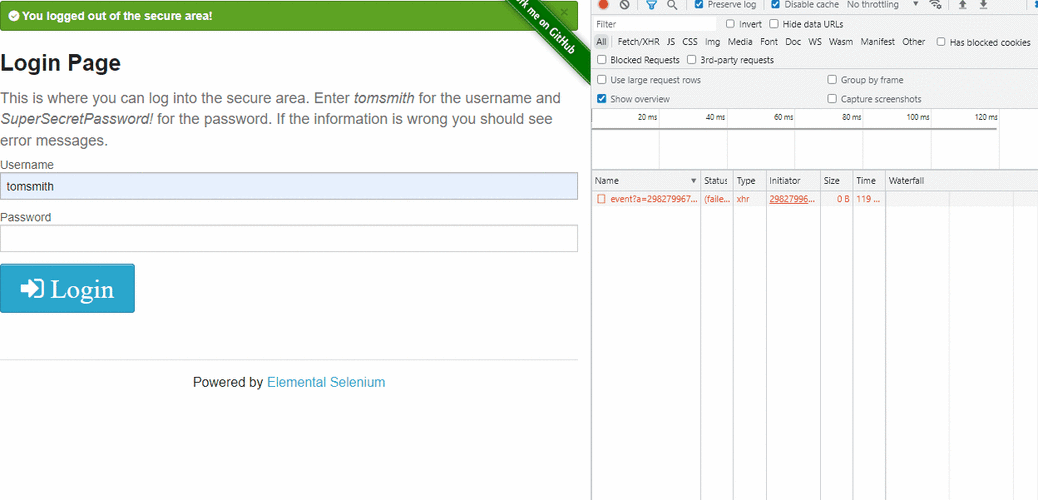
Let's say we want to log into a hypothetical website and then access a protected page.
import urllib2
import cookielib
# 1. Create a CookieJar to store cookies
cookie_jar = cookielib.CookieJar()
# 2. Create an opener that will use the CookieJar
opener = urllib2.build_opener(urllib2.HTTPCookieProcessor(cookie_jar))
# 3. Install the opener. Now all urllib2 calls will use this opener.
#    This is a convenient way to make it the default.
urllib2.install_opener(opener)
# --- Let's simulate a login process ---
# The URL of the login form
login_url = 'http://www.example.com/login'
# The URL of the protected page we want to access after logging in
protected_page_url = 'http://www.example.com/dashboard'
# The data to send in the login form (a dictionary)
login_data = {
    'username': 'my_user',
    'password': 'my_secret_password'
}
# 4. Send a POST request to the login URL
#    We need to encode the data to be sent as a POST request.
post_data = urllib.urlencode(login_data)
print "Sending POST request to %s with data: %s" % (login_url, post_data)
try:
    # The opener automatically handles cookies. If the server sets a
    # 'Set-Cookie' header in the response, it will be stored in our cookie_jar.
    login_response = opener.open(login_url, post_data)
    login_content = login_response.read()
    print "Login response status:", login_response.getcode()
    # print "Login response body:", login_content # Uncomment to see the response
    # 5. Now, access the protected page.
    #    The opener will automatically send the cookies that were stored
    #    during the login request.
    print "\nAccessing protected page: %s" % protected_page_url
    protected_response = opener.open(protected_page_url)
    protected_content = protected_response.read()
    print "Protected page response status:", protected_response.getcode()
    # print "Protected page content:", protected_content # Uncomment to see the content
except urllib2.URLError as e:
    print "Error:", e.reason
# 6. (Optional) See what cookies were stored
print "\nCookies collected in the jar:"
for cookie in cookie_jar:
    print "  - %s" % cookie
Scenario 2: Extracting and Saving Cookies for Later Use
Sometimes you want to log in once, save the cookies to a file, and then reuse them in a later script without having to log in again. This is extremely useful for long-running tasks.
We'll use MozillaCookieJar for this, as it's a common and well-supported format.
Step 1: Log In and Save Cookies
This script performs the login and then saves the resulting cookies to a file named cookies.txt.
# save_cookies.py
import urllib2
import cookielib
import urllib
# Use MozillaCookieJar to save cookies in a Mozilla-compatible format
cookie_file = 'cookies.txt'
cookie_jar = cookielib.MozillaCookieJar(cookie_file)
opener = urllib2.build_opener(urllib2.HTTPCookieProcessor(cookie_jar))
urllib2.install_opener(opener)
# Login data
login_url = 'http://www.example.com/login'
login_data = urllib.urlencode({'username': 'my_user', 'password': 'my_secret_password'})
print "Logging in and saving cookies to %s..." % cookie_file
try:
    # Perform login
    opener.open(login_url, login_data)
    # Save the cookies to the file
    # ignore_discard: save cookies even if they are marked to be discarded
    # ignore_expires: save cookies even if they are expired
    cookie_jar.save(ignore_discard=True, ignore_expires=True)
    print "Cookies saved successfully!"
except urllib2.URLError as e:
    print "Error during login:", e.reason
Run this script first. It will create a cookies.txt file in your directory.
Step 2: Reuse the Saved Cookies
Now, in a separate script, you can load the cookies from cookies.txt and access the protected page directly.
# load_and_reuse_cookies.py
import urllib2
import cookielib
# The file where cookies are saved
cookie_file = 'cookies.txt'
# Create a new MozillaCookieJar
cookie_jar = cookielib.MozillaCookieJar(cookie_file)
# Try to load cookies from the file
try:
    # load() will raise an error if the file doesn't exist or is empty
    cookie_jar.load(ignore_discard=True, ignore_expires=True)
    print "Loaded cookies from %s" % cookie_file
except (cookielib.LoadError, IOError):
    print "Could not load cookies from %s. The file may be empty or not exist." % cookie_file
    # In a real app, you might want to handle this by logging in again.
# Create an opener that uses the loaded cookies
opener = urllib2.build_opener(urllib2.HTTPCookieProcessor(cookie_jar))
urllib2.install_opener(opener)
# URL of the protected page
protected_page_url = 'http://www.example.com/dashboard'
print "Accessing protected page with loaded cookies..."
try:
    response = opener.open(protected_page_url)
    content = response.read()
    print "Successfully accessed protected page!"
    # print "Content:", content
    print "Response status:", response.getcode()
except urllib2.URLError as e:
    print "Error accessing protected page:", e.reason
Important Considerations for Python 2.7
-
urllibvs.urllib2vs.urlparse:urllib2: For making requests (urlopen,Request,build_opener).urllib: For URL encoding (urlencode) and parsing (quote,unquote).urlparse: For parsing URLs into components (scheme,netloc,path, etc.). This split can be confusing and is one of the reasonsrequestsis so popular.
-
Security Warning: Python 2.7 is end-of-life and no longer receives security updates. Using it for any production or public-facing application is strongly discouraged. This information is provided for maintaining legacy systems or educational purposes only.
-
The Modern Alternative:
requestsLibrary If you have the option to use a third-party library, therequestslibrary is infinitely better. It's more powerful, easier to read, and handles cookies (and sessions) automatically and beautifully.Here's how you'd do the same "login and access protected page" task with
requests:# This requires: pip install requests import requests # The session object persists cookies across requests with requests.Session() as session: login_url = 'http://www.example.com/login' protected_page_url = 'http://www.example.com/dashboard' login_data = { 'username': 'my_user', 'password': 'my_secret_password' } print "Logging in..." # The session automatically handles cookies sent in the response login_response = session.post(login_url, data=login_data) login_response.raise_for_status() # Raise an exception for bad status codes print "Accessing protected page..." # The session automatically sends the stored cookies protected_response = session.get(protected_page_url) protected_response.raise_for_status() print "Success! Content of protected page:" # print protected_response.textAs you can see,
requestsabstracts away all the boilerplate ofurllib2andcookielib, making the code much cleaner.