Of course! The str() function in Python is a built-in function that converts a given object (like a number) into its string representation.
When you use str(count), you are explicitly telling Python: "Take the value of the variable count and turn it into a string."
The Core Concept: Type Conversion
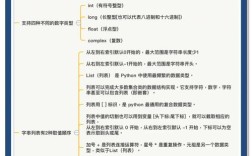
In programming, data has different types. A number like 10 is an integer type, while text like "hello" is a string type. These types are different and cannot be used interchangeably.
10 + 5results in15(integer addition)."10" + "5"results in"105"(string concatenation).
str(count) is a form of type conversion, specifically converting a value to a string type.
Common Use Cases for str(count)
You almost always need to convert a number to a string when you want to display it as part of a larger message or combine it with other text.
Printing a Formatted Message (f-strings)
This is the most common and recommended way in modern Python (3.6+). You can embed variables directly inside a string using an f-string.
count = 42
# The f-string automatically converts the integer to a string
message = f"The final count is: {count}"
print(message)
# Output: The final count is: 42
# You can also use str() explicitly inside the f-string, though it's redundant
message_alt = f"The final count is: {str(count)}"
print(message_alt)
# Output: The final count is: 42
String Concatenation (+ Operator)
Before f-strings were popular, this was the standard way to combine strings and numbers. You must convert the number to a string first, otherwise, you'll get a TypeError.
count = 100
# This will cause an error!
# TypeError: can only concatenate str (not "int") to str
# print("Total items: " + count)
# This works because we convert count to a string first
message = "Total items: " + str(count)
print(message)
# Output: Total items: 100
Creating Filenames or Paths
It's very common to include a number in a filename. For example, saving a series of files.
file_number = 1
filename = "report_" + str(file_number) + ".txt"
print(filename)
# Output: report_1.txt
file_number += 1
filename = "report_" + str(file_number) + ".txt"
print(filename)
# Output: report_2.txt
Building Dynamic URLs
You might need to add a user ID or a page number to a URL.
user_id = 98765
url = "https://example.com/profile/" + str(user_id)
print(url)
# Output: https://example.com/profile/98765
Storing Numbers in a List of Strings
If you have a list where all other elements are strings, you might want to convert a number to a string before adding it to maintain consistency.
log_messages = ["System started", "User logged in"]
count = 5
# Append the count as a string
log_messages.append("Task completed " + str(count) + " times")
print(log_messages)
# Output: ['System started', 'User logged in', 'Task completed 5 times']
What Happens If You Don't Use str(count)?
Let's look at the error you get if you try to mix types without converting.
count = 25
# This will raise a TypeError
# print("Your score is: " + count)
Error Message:
TypeError: can only concatenate str (not "int") to strThis error clearly tells you that you are trying to use the operator on a str and an int, which is not allowed. The solution is to convert the int to a str using str(count).
Other Ways to Convert to a String
While str() is the most direct, there are other methods that achieve the same result.
| Method | Example | Notes |
|---|---|---|
str() function |
s = str(123) |
The most common, explicit, and Pythonic way. |
| f-string | s = f'{123}' |
Very readable and often preferred for formatting. |
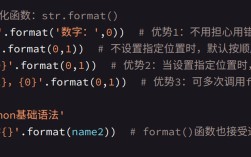
.format() method |
s = "{}".format(123) |
The older standard for formatting, still widely used. |
| formatting | s = "%s" % 123 |
The oldest method, less common in new code. |
All of these will produce the same result: the string "123".
count = 123
print(str(count))         # Output: 123
print(f"{count}")         # Output: 123
print("{}".format(count)) # Output: 123
print("%s" % count)       # Output: 123
Summary
str(count) is a fundamental Python tool for converting the numeric value of the variable count into a string. This is essential for:
- Printing messages that include numbers.
- Concatenating numbers with other text.
- Creating filenames, URLs, or any other string-based identifier that needs a number.
- Avoiding
TypeErrorexceptions when mixing data types.