Of course! The phrase "Java string new" usually refers to creating a new String object in Java using the new keyword. It's a fundamental concept, but it has some important nuances related to memory and performance.
Let's break it down.
The Two Ways to Create a String in Java
In Java, you can create a String object in two primary ways:
A. Using String Literals (The Common Way)
String str1 = "Hello World";
B. Using the new Keyword (The Explicit Way)
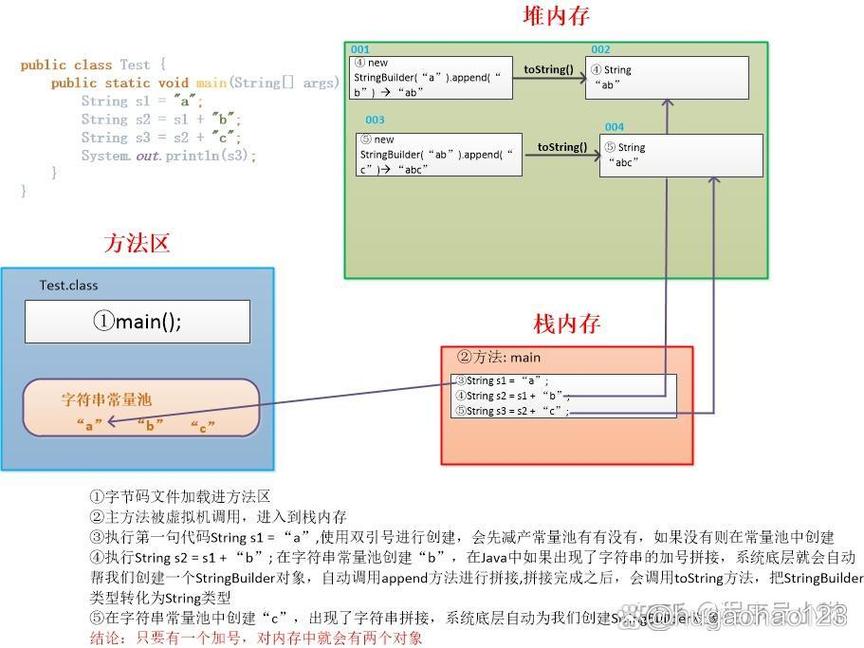
String str2 = new String("Hello World");
At first glance, they seem to do the same thing, but they work very differently under the hood.
How They Work: The String Pool vs. Heap Memory
To understand the difference, you need to know about the String Pool (or String Constant Pool).
A. String Literals ()
When you create a string using a literal, Java checks the String Pool first. The String Pool is a special area of memory in the Heap that stores unique string literals.
- Java calculates the hash of
"Hello World". - It looks in the String Pool for an existing string with that hash and content.
- If found: It simply returns a reference to the existing object. No new object is created.
- If not found: It creates a new
Stringobject in the String Pool, stores it there, and returns a reference to it.
Example:
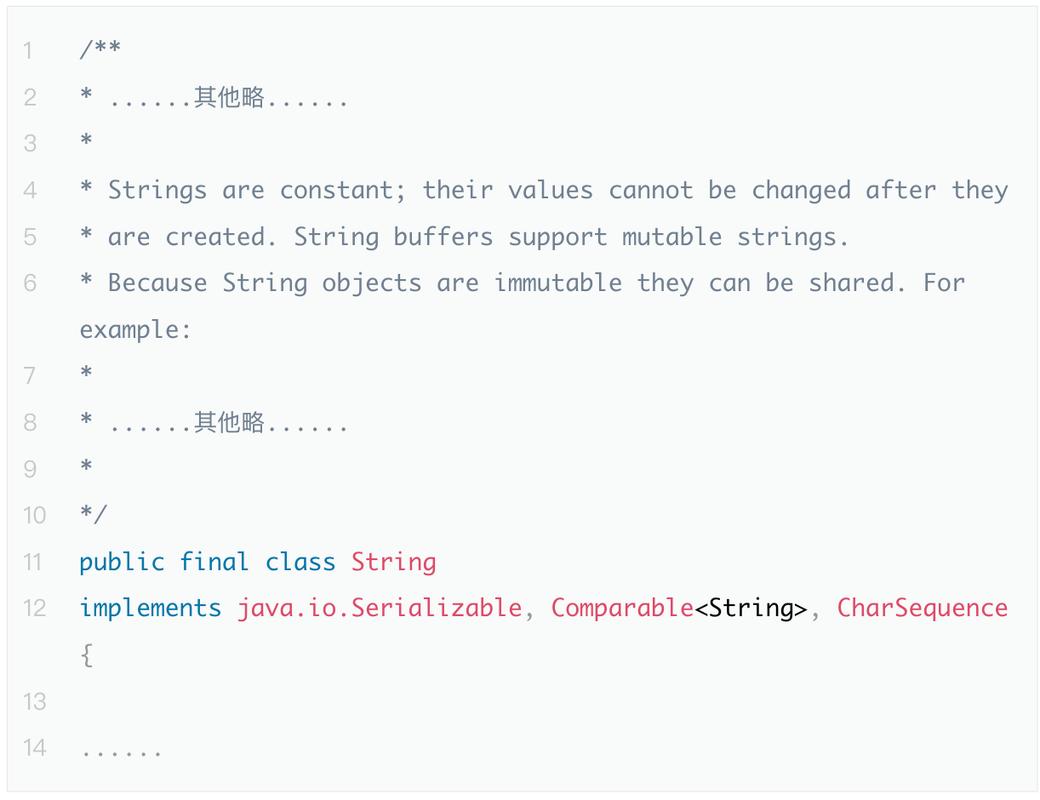
String s1 = "Java";
String s2 = "Java";
// s1 and s2 point to the SAME object in the String Pool.
System.out.println(s1 == s2); // true (they have the same memory address)
The operator compares object references (memory addresses), not content.
B. Using new String(...) (The Explicit Way)
When you use the new keyword, you are explicitly telling the Java Virtual Machine (JVM) to create a new object.
- The JVM first checks the String Pool for the content
"Hello World". - Regardless of whether it's in the pool or not, the
newkeyword forces the creation of a brand newStringobject in the general Heap memory (not in the pool). - This new object is then assigned to your variable.
Example:
String s3 = new String("Java");
String s4 = new String("Java");
// s3 and s4 are DIFFERENT objects in the general Heap.
// The literal "Java" is also in the pool, but s3 and s4 are separate copies.
System.out.println(s3 == s4); // false (they have different memory addresses)
Key Differences Summarized
| Feature | String str = "literal"; |
String str = new String("literal"); |
|---|---|---|
| Memory Location | String Pool (in Heap) | General Heap |
| Creation Process | Checks the pool first. If it exists, reuses it. | Always creates a new object in the heap. |
| Performance | More efficient. Reuses existing objects, saving memory and time. | Less efficient. Creates an extra object, using more memory and CPU. |
| Uniqueness | Guaranteed to be unique within the pool. | Not guaranteed to be unique. Can have multiple copies. |
| When to Use | 99% of the time. This is the standard, preferred way. | Rarely needed. Mainly for specific cases where you must force a new object. |
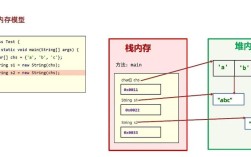
Visualizing the Difference
Let's trace this code:
String a = "hello";      // 1. "hello" is created in the String Pool. 'a' points to it.
String b = "hello";      // 2. "hello" is found in the pool. 'b' points to the SAME object.
String c = new String("hello"); // 3. A new "hello" object is created in the Heap. 'c' points to it.
String d = new String("hello"); // 4. Another new "hello" object is created in the Heap. 'd' points to it.
Memory Diagram:
  +-------------------------+
  |      String Pool        |
  +-------------------------+
  | "hello"  <-------------+
  +-------------------------+
        ^       ^
        |       |
        a       b
  +-------------------------+
  |        Heap             |
  +-------------------------+
  | "hello" (new) <-- c     |
  | "hello" (new) <-- d     |
  +-------------------------+
When Should You Use new String()?
It's rare, but there are a few specific scenarios:
-
Forcing a New Object: When you need to guarantee that you have a separate
Stringobject, even if an identical one exists in the pool. This is uncommon but can be necessary in some niche concurrency or caching scenarios. -
Converting from a
char[]orStringBuilder: TheStringconstructor is used when you convert from other character-based objects.char[] chars = {'J', 'A', 'V', 'A'}; String fromCharArray = new String(chars); // Creates a new String object from the char array StringBuilder sb = new StringBuilder("Builder"); String fromBuilder = new String(sb); // Creates a new String object from the StringBuilder -
Legacy Code: You might encounter it in older codebases before best practices were as widely adopted.
Best Practice
Always prefer using string literals () unless you have a very specific reason to use new String(...). It's more performant, uses less memory, and is the standard convention in Java.
Important: equals() vs
Remember, when you want to compare the content of two strings, you should always use the .equals() method, not .
String s1 = "test";
String s2 = "test";
String s3 = new String("test");
System.out.println(s1 == s2);        // true (same reference in the pool)
System.out.println(s1.equals(s2));   // true (same content)
System.out.println(s1 == s3);        // false (different references)
System.out.println(s1.equals(s3)); // true (same content)