Of course! Let's dive deep into the __format__ magic method in Python.
What is __format__?
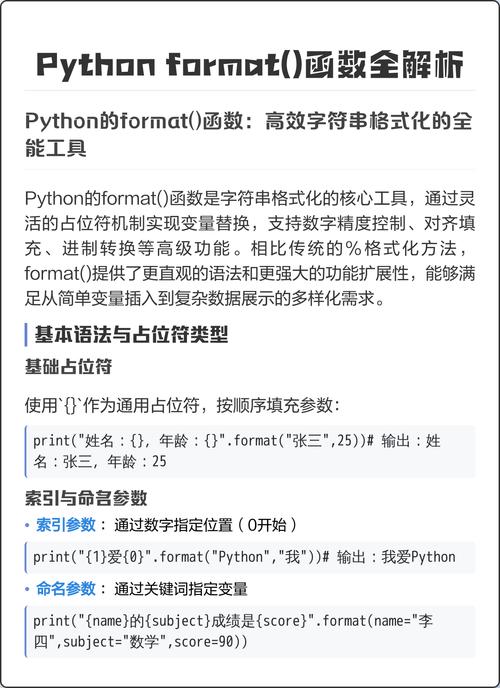
The __format__ method is a special "dunder" (double underscore) method in Python that allows an object to control how it is formatted into a string. It's the underlying mechanism that powers the built-in format() function and the string formatting method using the format_spec mini-language (e.g., "{:,.2f}".format(12345.678)).
When you use format(my_object, format_spec), Python looks for the __format__ method on my_object. If it's defined, it calls my_object.__format__(format_spec).
The Core Concept: format_spec
The key to __format__ is the format_spec, or format specification. This is a string that tells the formatting engine how to present the object. It's the part inside the curly braces after the colon ().
For example, in "{:,.2f}".format(12345.678):
- The object is
678. - The
format_specis,.2f.
The standard built-in types (int, float, str, datetime, etc.) already have their own __format__ methods that understand a specific set of format specifications (like .2f for two decimal places, or d for integer).
Your custom __format__ method gives your objects the same power.
How to Implement __format__
The signature for the method is:
def __format__(self, format_spec: str) -> str:
    # ... your formatting logic ...
    return formatted_string
self: The instance of your class.format_spec: A string containing the format specification.- Return Value: It must return a string.
A Simple Example: A Person Class
Let's create a Person class and let it format itself in different ways.
class Person:
    def __init__(self, first_name, last_name, age):
        self.first_name = first_name
        self.last_name = last_name
        self.age = age
    def __repr__(self):
        return f"Person('{self.first_name}', '{self.last_name}', {self.age})"
    def __format__(self, format_spec):
        print(f"__format__ called with format_spec: '{format_spec}'")
        if format_spec == "full":
            return f"{self.last_name}, {self.first_name} (Age: {self.age})"
        elif format_spec == "initials":
            return f"{self.first_name[0]}.{self.last_name[0]}."
        elif not format_spec: # Default formatting if no spec is given
            return f"{self.first_name} {self.last_name}"
        else:
            # If an unknown format spec is provided, raise an error
            raise ValueError(f"Unknown format specifier '{format_spec}' for object of type '{self.__class__.__name__}'")
# --- Usage ---
p = Person("John", "Doe", 30)
# 1. Using the format() function
print(f"Using format() function:")
print(format(p, "full"))
print(format(p, "initials"))
print(format(p)) # No format_spec provided
print("\n" + "="*20 + "\n")
# 2. Using f-strings (this is where it becomes powerful!)
print(f"Using f-strings:")
print(f"{p:full}")
print(f"{p:initials}")
print(f"{p}") # Default formatting
# This will raise a ValueError
try:
    print(f"{p:unknown_format}")
except ValueError as e:
    print(f"\nCaught expected error: {e}")
Output:
Using format() function:
__format__ called with format_spec: 'full'
Doe, John (Age: 30)
__format__ called with format_spec: 'initials'
J.D.
__format__ called with format_spec: ''
John Doe
====================
Using f-strings:
__format__ called with format_spec: 'full'
Doe, John (Age: 30)
__format__ called with format_spec: 'initials'
J.D.
__format__ called with format_spec: ''
John Doe
Caught expected error: Unknown format specifier 'unknown_format' for object of type 'Person'
As you can see, both format(p, "full") and f"{p:full}" trigger the exact same __format__ method, making your objects seamlessly integrate with Python's powerful string formatting tools.
Advanced Example: A Money Class with the Standard Format Spec
What if you want your custom object to use the standard format spec language, like ,.2f for currency? You can do this by parsing the format_spec string and delegating the formatting to a built-in type.
Let's create a Money class that stores an amount as a float but formats it as currency.
class Money:
    def __init__(self, amount: float, currency_symbol: str = "$"):
        self.amount = amount
        self.currency_symbol = currency_symbol
    def __format__(self, format_spec):
        # If no format_spec is given, we'll use a sensible default.
        if not format_spec:
            format_spec = ",.2f"
        # Use the float's own __format__ method to handle the numeric part.
        # This is the key to reusing the standard formatting!
        formatted_amount = format(self.amount, format_spec)
        return f"{self.currency_symbol}{formatted_amount}"
# --- Usage ---
price = Money(12345.6789)
print(f"Default: {price}")
print(f"With 0 decimal places: {price:,.0f}")
print(f"With 4 decimal places: {price:,.4f}")
print(f"In scientific notation: {price:.2e}")
Output:
Default: $12,345.68
With 0 decimal places: $12,346
With 4 decimal places: $12,345.6789
In scientific notation: $1.23e+04
In this example, our Money.__format__ method doesn't try to parse ,.2f itself. Instead, it passes the format_spec to the built-in float type's __format__ method (format(self.amount, format_spec)). This is a powerful pattern for composition.
Relationship to Other Formatting Methods
It's important to understand how __format__ fits in with other string representation methods:
| Method | Called By... | Purpose | Return Type |
|---|---|---|---|
__str__ |
str(obj), print(obj), f"{obj}" (no spec) |
"User-friendly" or informal string representation. What the end-user sees. | str |
__repr__ |
repr(obj), f"{obj!r}" |
"Official" or developer-friendly representation. Should be valid Python code. | str |
__format__ |
format(obj, spec), f"{obj:spec}" |
Controlled, customizable formatting using a specification. | str |
Resolution Order (for f"{obj}"):
- If the object's class defines
__format__, it is called with an emptyformat_spec(). - If
__format__is not defined, Python falls back to usingstr(obj). - If
__format__is defined but raises aTypeError, Python also falls back tostr(obj).
This means if you define __format__, you are in control of f"{obj}" behavior unless you explicitly raise an error.
Summary
- The
__format__method is the magic behind Python's advanced string formatting. - It allows your custom objects to be formatted using
format()and, more importantly, f-strings with aformat_spec. - The
format_specis a string that you define the meaning of (e.g.,"full","initials") or you can parse to delegate to built-in types (likefloatorint). - It makes your objects integrate seamlessly with Python's string formatting ecosystem, leading to cleaner, more readable, and more powerful code.