Of course. To find out where your JAVA_HOME is set, you need to check the environment variable. The method depends on your operating system.

Here are the instructions for Windows, macOS, and Linux.
On Windows
There are two common ways to check this.
Method A: Using Command Prompt (Recommended)
This is the most reliable method as it shows the exact value that the system is using.
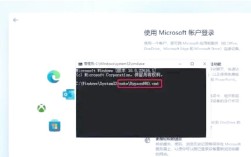
- Open Command Prompt. You can search for
cmdin the Start Menu. - Type the following command and press Enter:
echo %JAVA_HOME%
- The output will be the path to your Java installation directory, for example:
C:\Program Files\Java\jdk-17.0.2If the variable is not set, you will see the variable name itself, like
%JAVA_HOME%. (图片来源网络,侵删)
Method B: Using System Properties
- Press the Windows Key + R to open the Run dialog.
- Type
sysdm.cpland press Enter. This opens the "System Properties" window. - Go to the Advanced tab and click the Environment Variables... button.
- In the "System variables" section (for all users) or "User variables" section (for your current user only), find the variable named
JAVA_HOME. - The Value column will show you the path.
On macOS
Method A: Using Terminal (Recommended)
This method shows the value that your current terminal session is using.
- Open the Terminal application.
- Type the following command and press Enter:
echo $JAVA_HOME
- The output will be the path to your Java installation, for example:
/Library/Java/JavaVirtualMachines/zulu-17.jdk/Contents/HomeIf the variable is not set, the command will produce no output (it will just show a new prompt).
Method B: Using Java Tools
Sometimes, JAVA_HOME is not explicitly set, and the system relies on the java command being in your PATH. You can find the location of the Java executable, which can help you deduce JAVA_HOME.
- Open the Terminal application.
- Type the following command to find the path to the
javaexecutable:which java
This will output a path like
/usr/bin/java. (图片来源网络,侵删)
 - To find the actual installation directory from that link, use the
lscommand:ls -l /usr/bin/java
The output will look something like this:
lrwxr-xr-x 1 root wheel 74 May 4 12:30 /usr/bin/java -> /usr/local/opt/openjdk/libexec/openjdk.jdk/Contents/Home/bin/javaThe path before
/bin/javais the root of the installation. In this case,JAVA_HOMEwould be/usr/local/opt/openjdk/libexec/openjdk.jdk/Contents/Home.
On Linux (e.g., Ubuntu, Debian, CentOS)
The method is very similar to macOS.
Method A: Using Terminal (Recommended)
- Open a Terminal.
- Type the following command and press Enter:
echo $JAVA_HOME
- The output will be the path to your Java installation, for example:
/usr/lib/jvm/java-11-openjdk-amd64If the variable is not set, the command will produce no output.
Method B: Using Java Tools
If JAVA_HOME is not set, you can find the Java executable and work backward.
-
Open a Terminal.
-
Use the
update-java-alternativescommand (common on Debian/Ubuntu-based systems) to see the available Java versions and their paths:update-java-alternatives --list
The output will look like this:
java-1.11.0-openjdk-amd64      /usr/lib/jvm/java-11.0.11+9-openjdk-amd64
java-1.17.0-openjdk-amd64      /usr/lib/jvm/java-1.17.0-openjdk-amd64
The path on the right is the value
JAVA_HOMEshould be set to.On other distributions (like Fedora or Arch), you might use
alternatives --display javaorls -l /etc/alternatives/java.
Summary
| OS | Command to Run | What to Look For |
|---|---|---|
| Windows | echo %JAVA_HOME% |
A path like C:\Program Files\Java\jdk-17.0.2. If it shows %JAVA_HOME%, the variable is not set. |
| macOS | echo $JAVA_HOME |
A path like /Library/Java/JavaVirtualMachines/zulu-17.jdk/Contents/Home. If there's no output, it's not set. |
| Linux | echo $JAVA_HOME |
A path like /usr/lib/jvm/java-11-openjdk-amd64. If there's no output, it's not set. |
What if JAVA_HOME is not set?
If JAVA_HOME is not set, many development tools (like Apache Maven, Gradle, or IDEs like IntelliJ IDEA) will fail to start or work correctly.
To set it, you'll need to:
- Find your Java installation path (using one of the methods above, especially
which javaorupdate-java-alternatives). - Set the environment variable:
- Windows: Use the "Environment Variables" dialog in
sysdm.cpl. - macOS/Linux: Add
export JAVA_HOME=/path/to/your/javato your shell's profile file (e.g.,~/.zshrcfor Z Shell,~/.bash_profilefor Bash) and then runsource ~/.zshrcorsource ~/.bash_profileto apply it.
- Windows: Use the "Environment Variables" dialog in