Of course! Let's break down the set() method in the context of Java Lists.
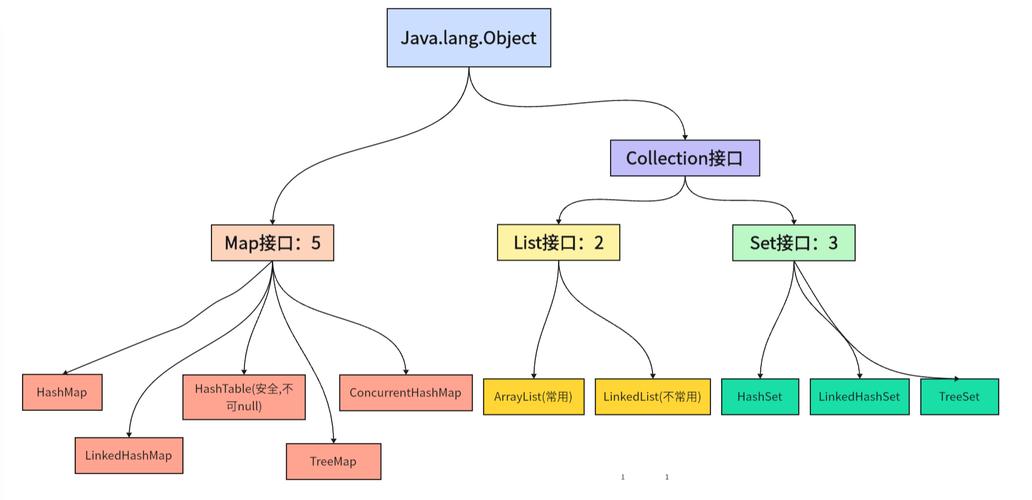
(图片来源网络,侵删)
The Short Answer
The set() method in Java's List interface is used to replace an element at a specific position with a new element. It does not add a new element to the list.
The method signature is:
E set(int index, E element)
index: The position of the element you want to replace (0-based).element: The new element you want to place at that position.- Return Value: It returns the old element that was previously at that position. This is very useful if you need to know what was replaced.
Key Characteristics of List.set()
- Modifies the List: It changes the state of the existing list.
- Requires an Index: You must specify the exact position of the element to be replaced.
- Overwrites, Doesn't Insert: If you call
set(5, "New")on a list with only 3 elements, it will throw anIndexOutOfBoundsException. It cannot grow the list. - Returns the Old Value: This is a key difference from the
add()method, which returnsboolean.
Code Example
Let's see it in action.
import java.util.ArrayList;
import java.util.Arrays;
import java.util.List;
public class ListSetExample {
    public static void main(String[] args) {
        // Create a new ArrayList of Strings
        List<String> fruits = new ArrayList<>(Arrays.asList("Apple", "Banana", "Cherry", "Date"));
        System.out.println("Original list: " + fruits);
        // 1. Replace the element at index 1 ("Banana") with "Blueberry"
        // The method returns the old element, which is "Banana"
        String replacedFruit = fruits.set(1, "Blueberry");
        System.out.println("List after set(1, \"Blueberry\"): " + fruits);
        System.out.println("The element that was replaced was: " + replacedFruit);
        System.out.println("--------------------");
        // 2. Replace the first element (index 0)
        String oldFirst = fruits.set(0, "Apricot");
        System.out.println("List after set(0, \"Apricot\"): " + fruits);
        System.out.println("The old first element was: " + oldFirst);
        System.out.println("--------------------");
        // 3. What happens if the index is out of bounds?
        try {
            // The list has 4 elements, so the last valid index is 3.
            // Index 4 is out of bounds.
            fruits.set(4, "Elderberry");
        } catch (IndexOutOfBoundsException e) {
            System.out.println("Caught an exception: " + e.getMessage());
        }
    }
}
Output of the code:
(图片来源网络,侵删)
Original list: [Apple, Banana, Cherry, Date]
List after set(1, "Blueberry"): [Apple, Blueberry, Cherry, Date]
The element that was replaced was: Banana
--------------------
List after set(0, "Apricot"): [Apricot, Blueberry, Cherry, Date]
The old first element was: Apple
--------------------
Caught an exception: Index 4 out of bounds for length 4
List.set() vs. List.add() (A Common Point of Confusion)
This is where most beginners get tripped up. The difference is crucial.
| Feature | list.set(index, element) |
list.add(index, element) |
|---|---|---|
| Purpose | Replace an element at a position. | Insert an element at a position, shifting others. |
| Effect on Size | Size of the list remains the same. | Size of the list increases by 1. |
Behavior at Index size() |
Throws IndexOutOfBoundsException. |
Appends the element to the end of the list. |
| Return Value | Returns the old element that was replaced. | Returns void. |
Example Comparison
List<String> list = new ArrayList<>(Arrays.asList("A", "B", "C"));
System.out.println("Original list: " + list); // [A, B, C]
System.out.println("Size: " + list.size()); // 3
// --- Using set() ---
list.set(1, "X");
System.out.println("After set(1, \"X\"): " + list); // [A, X, C]
System.out.println("Size after set: " + list.size()); // 3 (size unchanged)
// --- Using add() ---
list.add(1, "Y");
System.out.println("After add(1, \"Y\"): " + list); // [A, Y, X, C]
System.out.println("Size after add: " + list.size()); // 4 (size increased)
Performance
The performance of list.set() depends on the type of List you are using:
-
ArrayList(and mostRandomAccessimplementations):- Very Fast (O(1) time complexity). An
ArrayListuses an internal array. To set an element, it just needs to calculate the memory address of the index (base_address + index * size_of_element) and write the new value. This is a constant-time operation.
- Very Fast (O(1) time complexity). An
-
LinkedList: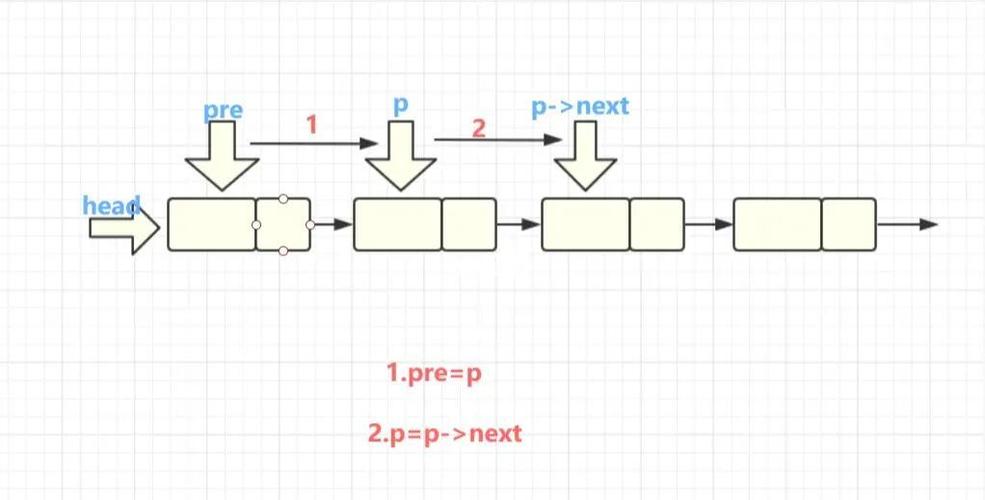 (图片来源网络,侵删)
- Slower (O(n) time complexity). A
LinkedListis made of nodes, where each node points to the next. To reach the element at indexn, it has to start from the head (or tail) and traverse the list node by node until it gets to the correct position. This takes time proportional to the index.
- Slower (O(n) time complexity). A
Conclusion: If you need to frequently change elements at arbitrary positions, an ArrayList is almost always a better choice than a LinkedList.
Summary
| Method | list.set(int index, E element) |
|---|---|
| What it does | Replaces the element at a given index. |
| Does it add? | No. |
| Does it grow? | No. |
| Return Value | The old element that was replaced. |
| Common Use Case | Updating a value in a list when you know its exact position (e.g., updating a user's name in a list of users where you know their index). |
| Performance | ArrayList: O(1) (Excellent) LinkedList: O(n) (Poor) |