Of course! Here is a comprehensive guide to using MongoDB with Java, covering everything from setting up your project to performing complex queries.
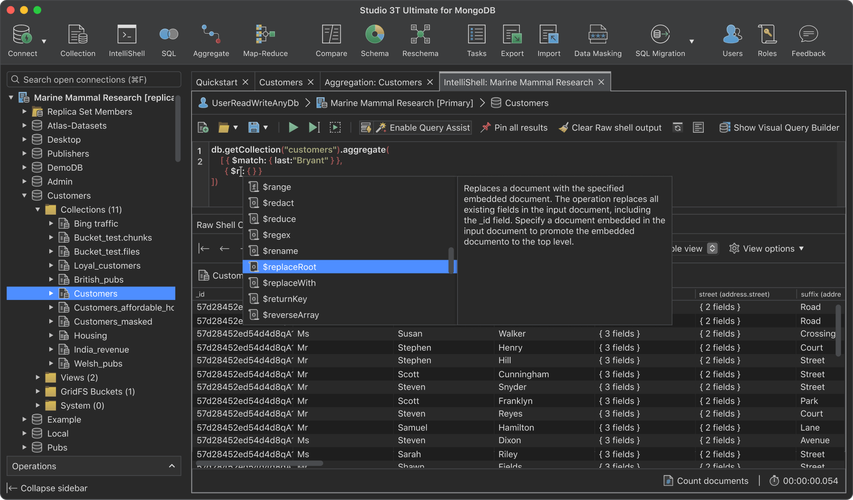
This guide will use the MongoDB Java Driver, which is the official and recommended way to interact with MongoDB from a Java application.
Table of Contents
- Prerequisites
- Setting Up Your Project (Maven)
- Connecting to MongoDB
- CRUD Operations (Create, Read, Update, Delete)
- Inserting Documents
- Finding Documents
- Updating Documents
- Deleting Documents
- Filtering and Querying (The Power of
Filters) - Aggregation Framework
- Indexing
- Best Practices
Prerequisites
- Java Development Kit (JDK): Version 8 or later.
- MongoDB Server: A running MongoDB instance. You can easily install it locally or use a free cloud service like MongoDB Atlas.
- IDE: An IDE like IntelliJ IDEA, Eclipse, or VS Code.
- Build Tool: Maven or Gradle. This guide uses Maven.
Setting Up Your Project (Maven)
The easiest way to manage dependencies is with a build tool like Maven.
First, create a new Maven project. Then, add the MongoDB Java Driver dependency to your pom.xml file.
<dependencies>
    <!-- The Official MongoDB Java Driver -->
    <dependency>
        <groupId>org.mongodb</groupId>
        <artifactId>mongodb-driver-sync</artifactId>
        <version>4.11.1</version> <!-- Check for the latest version -->
    </dependency>
    <!-- For JSON/BSON support, which is often needed -->
    <dependency>
        <groupId>org.mongodb</groupId>
        <artifactId>bson</artifactId>
        <version>4.11.1</version> <!-- Should match the driver version -->
    </dependency>
</dependencies>
Connecting to MongoDB
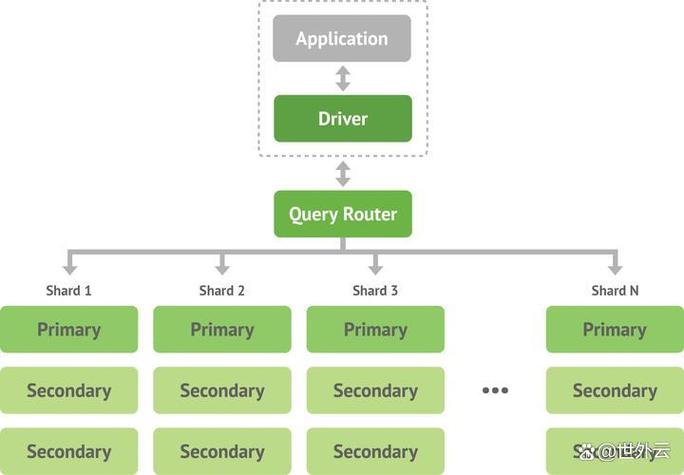
You need a MongoClient to establish a connection. The best practice is to create a single MongoClient instance for your entire application and reuse it.
import com.mongodb.client.MongoClient;
import com.mongodb.client.MongoClients;
import com.mongodb.client.MongoDatabase;
import com.mongodb.client.MongoCollection;
import org.bson.Document;
public class MongoConnection {
    public static void main(String[] args) {
        // The connection string. Replace with your own.
        // For a local MongoDB instance: "mongodb://localhost:27017"
        // For MongoDB Atlas: "mongodb+srv://<username>:<password>@cluster-url.mongodb.net"
        String uri = "mongodb://localhost:27017";
        // Create a new client and connect to the server
        try (MongoClient mongoClient = MongoClients.create(uri)) {
            // Get a database. If it doesn't exist, MongoDB will create it on first use.
            MongoDatabase database = mongoClient.getDatabase("myDatabase");
            // Get a collection. If it doesn't exist, MongoDB will create it on first use.
            MongoCollection<Document> collection = database.getCollection("users");
            System.out.println("Successfully connected to MongoDB and accessed 'myDatabase.users' collection.");
            // You can now perform operations on the 'collection' object...
        } catch (Exception e) {
            System.err.println("Failed to connect to MongoDB: " + e.getMessage());
            e.printStackTrace();
        }
    }
}
Key Points:
MongoClients.create(uri): Creates a new client. Using atry-with-resourcesblock ensures the client is closed automatically.mongoClient.getDatabase("myDatabase"): Gets a reference to a database. Databases are created lazily.database.getCollection("users"): Gets a reference to a collection. Collections are also created lazily.
CRUD Operations
Let's perform the basic Create, Read, Update, and Delete operations.
A. Inserting Documents
Documents in MongoDB are represented by the Document class, which is essentially a Map<String, Object>.
// Create a document to insert
Document doc1 = new Document("name", "Alice")
        .append("age", 30)
        .append("city", "New York")
        .append("interests", Arrays.asList("Reading", "Hiking"));
Document doc2 = new Document("name", "Bob")
        .append("age", 25)
        .append("city", "London")
        .append("interests", Arrays.asList("Gaming", "Cooking"));
// Insert the documents into the collection
collection.insertOne(doc1);
collection.insertMany(Arrays.asList(doc2));
System.out.println("Documents inserted successfully.");
B. Finding Documents
Finding documents is done using the find() method, which returns a FindIterable<Document>.
// 1. Find all documents
System.out.println("--- All Users ---");
for (Document doc : collection.find()) {
    System.out.println(doc.toJson());
}
// 2. Find a single document
System.out.println("\n--- User named Alice ---");
Document alice = collection.find(new Document("name", "Alice")).first();
if (alice != null) {
    System.out.println(alice.toJson());
}
// 3. Find documents with a filter (using the Filters helper class)
// This is the modern, recommended way
System.out.println("\n--- Users older than 28 ---");
collection.find(new Document("age", new Document("$gt", 28)))
        .forEach(doc -> System.out.println(doc.toJson()));
C. Updating Documents
The updateOne() or updateMany() methods are used. You need to specify a filter to find the document(s) and an update operation to apply.
// 1. Update a single document
// Set Alice's age to 31
collection.updateOne(
    new Document("name", "Alice"), // Filter
    new Document("$set", new Document("age", 31)) // Update operation
);
System.out.println("\n--- Updated Alice's age ---");
Document updatedAlice = collection.find(new Document("name", "Alice")).first();
System.out.println(updatedAlice.toJson());
// 2. Update multiple documents
// Add a "status" field to all users in London
collection.updateMany(
    new Document("city", "London"), // Filter
    new Document("$set", new Document("status", "active")) // Update operation
);
D. Deleting Documents
The deleteOne() or deleteMany() methods are used.
// 1. Delete a single document
collection.deleteOne(new Document("name", "Bob"));
System.out.println("\n--- Deleted Bob ---");
collection.find().forEach(doc -> System.out.println(doc.toJson()));
// 2. Delete multiple documents
// Delete all users older than 30
collection.deleteMany(new Document("age", new Document("$gt", 30)));
Filtering and Querying (Filters)
The Filters helper class provides a type-safe and readable way to build query filters. It's much better than manually constructing Document objects for queries.
First, import the necessary classes:
import static com.mongodb.client.model.Filters.*;
import static com.mongodb.client.model.Projections.*;
import static com.mongodb.client.model.Sorts.*;
// Find users older than 25 AND living in New York
collection.find(and(
    gt("age", 25),
    eq("city", "New York")
)).forEach(doc -> System.out.println(doc.toJson()));
// Find users interested in "Hiking", projecting only the name and city
collection.find(eq("interests", "Hiking"))
        .projection(fields(include("name", "city"), excludeId()))
        .forEach(doc -> System.out.println(doc.toJson()));
// Find all users, sorted by age in descending order
collection.find()
        .sort(descending("age"))
        .forEach(doc -> System.out.println(doc.toJson()));
Aggregation Framework
Aggregation allows you to process data records and return computed results. It's similar to SQL's GROUP BY and HAVING clauses.
Let's say we want to count users in each city.
// First, let's insert some sample data for aggregation
collection.insertMany(Arrays.asList(
    new Document("name", "Charlie").append("city", "New York"),
    new Document("name", "David").append("city", "London"),
    new Document("name", "Eve").append("city", "New York")
));
// Define the aggregation pipeline
List<Bson> pipeline = Arrays.asList(
    // Stage 1: Group documents by the "city" field
    Aggregates.group("$city",
        Accumulators.sum("userCount", 1)
    ),
    // Stage 2: Sort the results by userCount in descending order
    Aggregates.sort(descending("userCount"))
);
// Execute the aggregation
collection.aggregate(pipeline)
        .forEach(doc -> System.out.println(doc.toJson()));
Output:
{"_id": "New York", "userCount": 3}
{"_id": "London", "userCount": 2}
{"_id": "active", "userCount": 1} // From the earlier updateMany
Indexing
Indexes can dramatically improve query performance. You can create them using the createIndex() method.
// Create an index on the "name" field
collection.createIndex(new Document("name", 1)); // 1 for ascending, -1 for descending
// Create a compound index on "city" and "age"
collection.createIndex(new Document("city", 1).append("age", -1));
System.out.println("Index created.");
You can verify indexes in the mongo shell: db.users.getIndexes()
Best Practices
- Connection Management: Create a single
MongoClientinstance for your application and reuse it. Do not create a new client for every request. - Resource Cleanup: Always use
try-with-resourcesforMongoClientto ensure it's closed properly. - Use
Filters: Always prefer theFiltershelper class over manually constructingDocumentobjects for queries. It's more readable and less error-prone. - Use Projections: When you only need a few fields from a document, use
.projection()to limit the data transferred from the server. This improves performance. - Use Bulk Operations: For inserting, updating, or deleting multiple documents, use
insertMany(),updateMany(), anddeleteMany()for better performance than sending individual operations. - Model Your Data: Think about your application's access patterns when designing your schema. Denormalization (embedding data) can be beneficial for read-heavy applications, while normalization (referencing data) can be better for write-heavy or highly related data.