Of course! In Flask, a "filter" typically refers to one of two things:

- Jinja2 Template Filters: These are functions that you can apply directly to variables within your HTML templates to format or transform their output (e.g.,
{{ my_variable|length }},{{ my_date|date('%Y-%m-%d') }}). This is the most common meaning. - Flask Request Filters: These are functions that run before or after a request is handled by your Flask application. They are used for tasks like authentication, logging, or modifying requests/responses.
Let's break down both, starting with the most important one: Jinja2 Template Filters.
Jinja2 Template Filters (The Most Common Type)
Template filters allow you to modify variables in your templates. They are simple functions that take one or more arguments (the value is the first argument) and return a transformed value.
How to Create and Use a Custom Filter
You can create your own custom filters and register them with the Jinja2 environment.
Step 1: Define the Filter Function
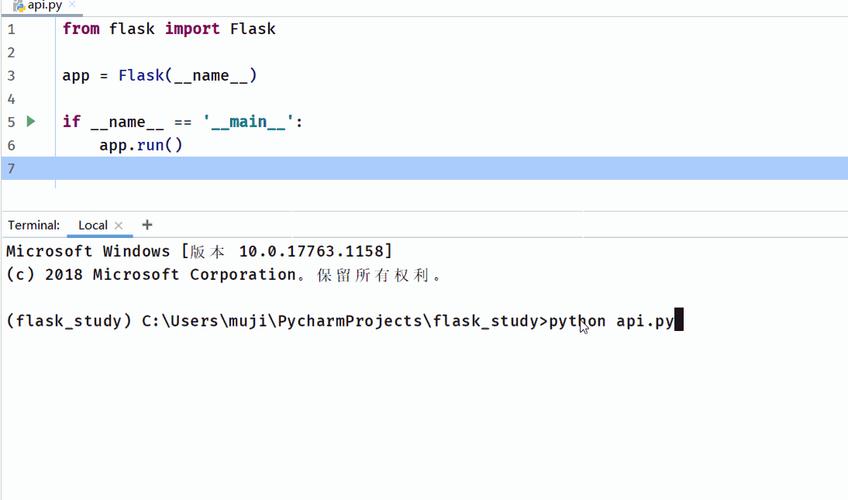
Create a Python function that does the transformation you need. For this example, let's create a filter that truncates a string and adds an ellipsis () if it's longer than a specified length.
# app.py
def truncate_filter(s, length=50, end='...'):
    """
    Truncates a string to a certain length.
    :param s: The string to truncate.
    :param length: The maximum length of the string.
    :param end: The string to append to the end if truncated.
    :return: The truncated string.
    """
    if len(s) > length:
        return s[:length - len(end)] + end
    return s
Step 2: Register the Filter with the Flask App
In your main Flask application file, you use the app.template_filter() decorator or the app.add_template_filter() method to make your function available in templates.
# app.py
from flask import Flask, render_template_string
# Create the Flask app
app = Flask(__name__)
# --- Filter Registration ---
# Method 1: Using the decorator (clean and modern)
@app.template_filter('truncate')
def truncate_filter(s, length=50, end='...'):
    """Truncates a string to a certain length."""
    if len(s) > length:
        return s[:length - len(end)] + end
    return s
# Method 2: Using the add_template_filter method
# app.add_template_filter(truncate_filter, 'truncate')
# --- Routes ---
@app.route('/')
def index():
    # A long string to demonstrate the filter
    long_text = ("This is a very long piece of text that we want to display in our "
                 "webpage without it taking up too much space. Using a custom filter "
                 "is a great way to handle this kind of formatting directly in the template.")
    # A short string
    short_text = "This is short."
    # Render a template that uses our new filter
    return render_template_string('''
        <h1>Custom Jinja2 Filter Demo</h1>
        <h2>Original Long Text:</h2>
        <p>{{ long_text }}</p>
        <h2>Filtered Text (length=50):</h2>
        <p>{{ long_text|truncate }}</p>
        <h2>Filtered Text (length=30):</h2>
        <p>{{ long_text|truncate(30) }}</p>
        <h2>Filtered Text (length=20, end='... [read more]'):</h2>
        <p>{{ long_text|truncate(20, '... [read more]') }}</p>
        <hr>
        <h2>Original Short Text:</h2>
        <p>{{ short_text }}</p>
        <h2>Filtered Short Text:</h2>
        <p>{{ short_text|truncate(20) }}</p>
    ''', long_text=long_text, short_text=short_text)
if __name__ == '__main__':
    app.run(debug=True)
Step 3: Use the Filter in Your Template
In your Jinja2 template (or in a render_template_string as above), you use the pipe character to apply the filter.
{# Basic usage with default arguments #}
{{ long_text|truncate }}
{# Passing a single argument #}
{{ long_text|truncate(30) }}
{# Passing multiple arguments #}
{{ long_text|truncate(20, '... [read more]') }}
Running the example:
When you run the app.py file and navigate to http://127.0.0.1:5000/, you will see the original long text and several versions of it, truncated to different lengths and endings, all handled by your custom truncate filter.
Flask Request Filters (Before/After Request Hooks)
These are not "filters" in the Jinja2 sense, but rather functions that run at specific points in the request-response cycle. They are essential for cross-cutting concerns like authentication, logging, or setting global variables for all requests.
There are four main types of request callbacks:
before_request: Runs a function before a view function is called. If the function returns a response, the view function is not executed.after_request: Runs a function after a view function has run and generated a response. The function must take the response object as an argument and return it (possibly modified).before_first_request: Runs a function only once before the first request is handled by the application. Useful for initializing a database connection.teardown_request: Runs a function even if an exception occurred in the view function. It receives the exception object (if one occurred) as an argument. This is the perfect place for closing database connections or cleaning up resources.
Example: before_request for Authentication
Let's create a simple authentication filter. We'll protect a route so that only users who provide a correct API key can access it.
# app.py
from flask import Flask, request, jsonify, make_response
app = Flask(__name__)
# A simple in-memory "database" of valid API keys
VALID_API_KEYS = {
    'secret123': 'user_a',
    'abc456': 'user_b'
}
# --- BEFORE REQUEST FILTER ---
@app.before_request
def check_api_key():
    """
    Checks for a valid API key in the request headers.
    If the key is invalid, it returns a 401 Unauthorized response.
    """
    # We want to protect the /protected-data route, but let others pass through freely
    if request.path == '/protected-data':
        api_key = request.headers.get('X-API-Key')
        if not api_key or api_key not in VALID_API_KEYS:
            # If the key is missing or invalid, return an error response
            # The view function will not be executed
            return make_response(jsonify({'error': 'Unauthorized: Invalid or missing API key'}), 401)
    # If the key is valid or it's a different route, do nothing and continue
    # The None return value signals that processing should continue to the view function.
    return None
# --- ROUTES ---
@app.route('/')
def public_page():
    """A page that anyone can access."""
    return "Welcome to the public page! No API key needed."
@app.route('/protected-data')
def get_protected_data():
    """A page that requires a valid API key."""
    # This code will only be reached if check_api_key() returned None
    return jsonify({
        'message': 'This is sensitive data.',
        'data': [1, 2, 3, 4, 5]
    })
if __name__ == '__main__':
    app.run(debug=True)
How to Test This:
- Run the Flask app.
- Open your browser or a tool like
curland go tohttp://127.0.0.1:5000/. You will see the public page. - Now, try to access the protected data without an API key:
curl http://127.0.0.1:5000/protected-data
You will get a
401 Unauthorizederror. - Now, try again with a valid API key in the header:
curl -H "X-API-Key: secret123" http://127.0.0.1:5000/protected-data
You will successfully receive the JSON data.
Summary: Which One to Use?
| Feature | Jinja2 Template Filter | Flask Request Filter (before_request, etc.) |
|---|---|---|
| Purpose | Presentation Logic. Format or transform data for display in a template. | Application Logic. Control the request-response flow, handle auth, logging, resource management. |
| Where it runs | On the server inside the Jinja2 template rendering engine. | In the Flask application context, before or after a view function is called. |
| How to create | Define a Python function and register it with @app.template_filter() or app.add_template_filter(). |
Define a Python function and register it with @app.before_request(), @app.after_request(), etc. |
| Example Use | {{ price|currency }}, {{ text|truncate(100) }}, {{ list|join(', ') }} |
Check for API keys, log request details, add headers to all responses, initialize a DB connection. |