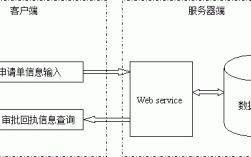
调用 SOAP WebService
SOAP 是一种基于 XML 的协议,功能强大,但相对复杂,在 Java 中,调用 SOAP WebService 主要有以下几种方式:

使用 JDK 自带的 wsimport 工具 (最经典、最常用)
这是最传统和标准的方法,通过客户端代理的方式调用,它从 WSDL (Web Services Description Language) 文件生成客户端代码。
适用场景:目标服务提供了标准的 WSDL 文件,且您希望生成一个强类型的客户端。
步骤:
获取 WSDL 文件地址
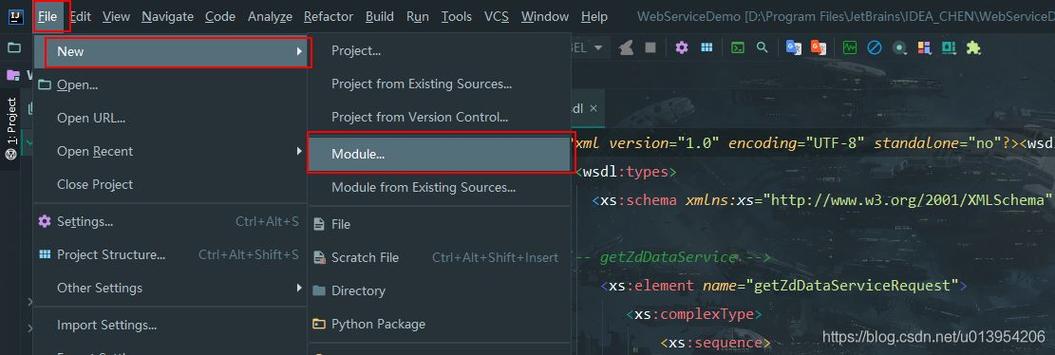
访问 WebService 的 WSDL 地址,通常是一个 .wsdl 结尾的 URL。http://www.webxml.com.cn/webservices/qqOnlineWebService.asmx?wsdl
使用 wsimport 生成客户端代码
打开命令行(CMD 或 PowerShell),执行以下命令:
# 基本语法
wsimport -keep -p com.example.client -d . http://example.com/service?wsdl
# 参数解释:
# -keep: 生成源代码文件
# -p <package.name>: 指定生成代码的包名
# -d <directory>: 指定生成.class文件的目录,`.` 表示当前目录
# <wsdl_url>: WSDL 文件的地址
调用 WebXml 提供的 QQ 在线状态查询服务:

wsimport -keep -p com.example.qqclient -d . http://www.webxml.com.cn/webservices/qqOnlineWebService.asmx?wsdl
执行成功后,会在指定的目录下生成一堆 Java 文件(.java)和 class 文件(.class)。
编写 Java 代码调用服务
你可以像调用本地 Java 对象一样调用远程服务了。
package com.example.qqclient;
public class MainApp {
    public static void main(String[] args) {
        // 1. 创建服务视图 (Service)
        // 注意:这里的类名是根据 WSDL 生成的,通常是 "XXXService"
        qqOnlineWebService service = new qqOnlineWebService();
        // 2. 获取服务端点 (Port)
        // 注意:这里的端口名是根据 WSDL 生成的,通常是 "XXX"
        qqOnlineWebServiceSoap port = service.getqqOnlineWebServiceSoap();
        // 3. 调用具体的方法
        // 查询 QQ 号码 "12345678" 的在线状态
        String qqCode = "12345678";
        String result = port.checkOnline(qqCode);
        // 4. 处理结果
        System.out.println("QQ 号码 " + qqCode + " 的在线状态是: " + result);
    }
}
优点:
- 强类型,编译时检查。
- 代码直观,易于理解和使用。
- 是 Java EE 的标准做法。
缺点:
- 需要一个额外的代码生成步骤。
- 生成的代码可能比较庞大。
使用 Apache CXF 框架 (更灵活、功能更强大)
CXF 是一个开源的 Services 框架,它支持 SOAP、RESTful 等多种 WebService 标准,它也支持从 WSDL 生成客户端,但提供了更多的灵活性和高级功能。
适用场景:项目已经使用 CXF,或者需要更高级的特性(如 WS-Security、RESTful 集成等)。
步骤:
添加 CXF 依赖
如果你使用 Maven,在 pom.xml 中添加:
<dependencies>
    <!-- CXF 核心依赖 -->
    <dependency>
        <groupId>org.apache.cxf</groupId>
        <artifactId>cxf-rt-frontend-jaxws</artifactId>
        <version>3.4.5</version> <!-- 使用最新稳定版 -->
    </dependency>
    <dependency>
        <groupId>org.apache.cxf</groupId>
        <artifactId>cxf-rt-transports-http</artifactId>
        <version>3.4.5</version>
    </dependency>
</dependencies>
使用 cxf-xjc-utils 或 Maven 插件生成代码 (可选)
CXF 也提供了 wsdl2java 工具,功能和 wsimport 类似,但更强大,你可以通过 Maven 插件或命令行使用。
编写 Java 代码调用
生成的客户端代码和使用方式与 wsimport 非常相似,底层实现由 CXF 处理。
// ... 生成的 import 语句 ...
public class CxfClientApp {
    public static void main(String[] args) {
        // JAX-WS 标准方式创建客户端,CXF 在底层实现它
        QQOnlineWebService service = new QQOnlineWebService();
        QQOnlineWebServiceSoap port = service.getQQOnlineWebServiceSoapPort(); // 端口名可能不同
        String result = port.checkOnline("87654321");
        System.out.println("CXF 调用结果: " + result);
    }
}
优点:
- 功能强大,支持 WS-* 标准(如安全、事务等)。
- 与 Spring 框架集成得非常好。
- 性能和灵活性优于标准 JDK 实现。
使用第三方库(如 Axis2 或 JAX-WS RI)
Axis2 是另一个非常流行的 WebService 框架,功能同样强大。JAX-WS RI (Metro) 是 Sun 官方的参考实现,有时比 JDK 自带的更新更快。
它们的用法与 CXF 类似,都需要引入依赖并生成客户端代码。
调用 RESTful WebService (现在更常见)
RESTful 服务通常返回 JSON 或 XML 数据,而不是 SOAP 信封,在 Java 中调用 RESTful 服务,通常不是“获取”一个服务,而是“消费”一个 API。
使用 java.net.http.HttpClient (Java 11+,推荐)
这是 Java 11 引入的现代化、功能强大的 HTTP 客户端 API。
适用场景:Java 11 或更高版本,需要简洁、标准的方式来调用 REST API。
示例:调用一个返回 JSON 的公共 API
import java.net.URI;
import java.net.http.HttpClient;
import java.net.http.HttpRequest;
import java.net.http.HttpResponse;
import java.time.Duration;
public class HttpClientExample {
    public static void main(String[] args) throws Exception {
        // 1. 创建 HttpClient
        HttpClient client = HttpClient.newBuilder()
                .version(HttpClient.Version.HTTP_2)
                .connectTimeout(Duration.ofSeconds(10))
                .build();
        // 2. 创建 HttpRequest
        // 以 JSONPlaceholder 为例,这是一个免费的测试 API
        HttpRequest request = HttpRequest.newBuilder()
                .GET()
                .uri(URI.create("https://jsonplaceholder.typicode.com/posts/1"))
                .header("Accept", "application/json")
                .build();
        // 3. 发送请求并获取响应
        HttpResponse<String> response = client.send(request, HttpResponse.BodyHandlers.ofString());
        // 4. 处理响应
        System.out.println("Status Code: " + response.statusCode());
        System.out.println("Response Body: " + response.body());
    }
}
优点:
- 现代、内置、无外部依赖。
- 支持 HTTP/2,异步请求等高级特性。
使用 Apache HttpClient (经典、稳定)
这是一个非常成熟和广泛使用的第三方 HTTP 客户端库。
适用场景:Java 8 或更低版本,或者需要比标准库更丰富的功能和更好的性能。
步骤:
添加依赖
<dependency>
    <groupId>org.apache.httpcomponents.client5</groupId>
    <artifactId>httpclient5</artifactId>
    <version>5.2.1</version> <!-- 使用最新版 -->
</dependency>
<!-- 如果需要处理 JSON,添加 Jackson 或 Gson -->
<dependency>
    <groupId>com.fasterxml.jackson.core</groupId>
    <artifactId>jackson-databind</artifactId>
    <version>2.15.0</version>
</dependency>
编写代码
import org.apache.hc.client5.http.classic.methods.HttpGet;
import org.apache.hc.client5.http.impl.classic.CloseableHttpClient;
import org.apache.hc.client5.http.impl.classic.CloseableHttpResponse;
import org.apache.hc.client5.http.impl.classic.HttpClients;
import org.apache.hc.core5.http.io.entity.EntityUtils;
public class ApacheHttpClientExample {
    public static void main(String[] args) throws Exception {
        // 1. 创建 HttpClient 实例
        try (CloseableHttpClient httpClient = HttpClients.createDefault()) {
            // 2. 创建 HTTP GET 请求
            HttpGet request = new HttpGet("https://jsonplaceholder.typicode.com/posts/1");
            request.addHeader("Accept", "application/json");
            // 3. 执行请求
            try (CloseableHttpResponse response = httpClient.execute(request)) {
                // 4. 获取并处理响应体
                String responseBody = EntityUtils.toString(response.getEntity());
                System.out.println("Status Code: " + response.getCode());
                System.out.println("Response Body: " + responseBody);
            }
        }
    }
}
使用 Spring RestTemplate (Spring 生态)
如果你正在使用 Spring Boot 或 Spring 框架,RestTemplate 是调用 REST API 的传统选择(在 Spring 3.0+ 中引入)。
适用场景:Spring 项目。
添加依赖 (Spring Boot Starter 已包含)
<!-- Spring Boot Starter Web 已经包含了 RestTemplate -->
<dependency>
    <groupId>org.springframework.boot</groupId>
    <artifactId>spring-boot-starter-web</artifactId>
</dependency>
配置和使用
import org.springframework.boot.SpringApplication;
import org.springframework.boot.autoconfigure.SpringBootApplication;
import org.springframework.context.annotation.Bean;
import org.springframework.web.client.RestTemplate;
@SpringBootApplication
public class MyApplication {
    public static void main(String[] args) {
        SpringApplication.run(MyApplication.class, args);
    }
    // 将 RestTemplate 注册为 Bean
    @Bean
    public RestTemplate restTemplate() {
        return new RestTemplate();
    }
}
import org.springframework.beans.factory.annotation.Autowired;
import org.springframework.boot.CommandLineRunner;
import org.springframework.stereotype.Component;
import org.springframework.web.client.RestTemplate;
@Component
public class MyApiClient implements CommandLineRunner {
    @Autowired
    private RestTemplate restTemplate;
    @Override
    public void run(String... args) throws Exception {
        String url = "https://jsonplaceholder.typicode.com/posts/1";
        // 直接将响应体映射到一个 POJO (Plain Old Java Object)
        Post post = restTemplate.getForObject(url, Post.class);
        System.out.println("Title: " + post.getTitle());
        System.out.println("Body: " + post.getBody());
    }
}
// 假设的 Post 类,与 JSON 结构对应
class Post {
    private int userId;
    private int id;
    private String title;
    private String body;
    // Getters and Setters...
    public String getTitle() { return title; }
    public String getBody() { return body; }
    // ...
}
注意:在 Spring Boot 3.2 中,RestTemplate 已被标记为过时,推荐使用 WebClient。
使用 Spring WebClient (Spring 5+,异步、非阻塞)
WebClient 是 Spring 5 引入的响应式 HTTP 客户端,是 RestTemplate 的替代品,支持非阻塞 I/O,性能更高。
适用场景:Spring WebFlux 项目,或者在传统 Spring MVC 项目中需要高性能异步调用。
import org.springframework.boot.SpringApplication;
import org.springframework.boot.autoconfigure.SpringBootApplication;
import org.springframework.context.annotation.Bean;
import org.springframework.web.reactive.function.client.WebClient;
import reactor.core.publisher.Mono;
@SpringBootApplication
public class MyWebFluxApplication {
    public static void main(String[] args) {
        SpringApplication.run(MyWebFluxApplication.class, args);
    }
    @Bean
    public WebClient webClient() {
        return WebClient.create();
    }
}
import org.springframework.beans.factory.annotation.Autowired;
import org.springframework.boot.CommandLineRunner;
import org.springframework.stereotype.Component;
import org.springframework.web.reactive.function.client.WebClient;
import reactor.core.publisher.Mono;
@Component
public class MyWebClientApiCaller implements CommandLineRunner {
    @Autowired
    private WebClient webClient;
    @Override
    public void run(String... args) throws Exception {
        String url = "https://jsonplaceholder.typicode.com/posts/1";
        Mono<Post> postMono = webClient.get()
                .uri(url)
                .retrieve() // 发出请求并获取响应
                .bodyToMono(Post.class); // 将响应体解析为 Post 对象的单个流
        // 订阅 Mono 并打印结果
        postMono.subscribe(post -> {
            System.out.println("Title: " + post.getTitle());
            System.out.println("Body: " + post.getBody());
        });
    }
}
// Post 类同上
总结与选择指南
| 调用类型 | 推荐方法 | 适用场景 | 优点 | 缺点 |
|---|---|---|---|---|
| SOAP | JDK wsimport |
快速、标准的 SOAP 调用,无复杂依赖 | 强类型,简单直接 | 需要生成代码,灵活性差 |
| Apache CXF | 企业级应用,需要 WS-* 安全等高级特性 | 功能强大,灵活,与 Spring 集成好 | 引入第三方依赖 | |
| RESTful | java.net.http.HttpClient |
Java 11+ 项目,追求现代和标准 | 内置,无依赖,支持 HTTP/2 | 功能相对基础 |
| Apache HttpClient | Java 8+ 项目,需要稳定和丰富的功能 | 成熟稳定,社区强大,功能全面 | 需要手动管理依赖 | |
Spring RestTemplate |
传统 Spring MVC 项目 | 与 Spring 生态无缝集成,方便 | 同步阻塞,在 Spring 3.2+ 中已过时 | |
Spring WebClient |
新项目,特别是 Spring WebFlux,或需要高性能异步调用 | 响应式,非阻塞,性能高 | 学习曲线稍陡,需要响应式编程基础 |
如何选择?
-
首先判断是 SOAP 还是 RESTful:
- WSDL 文件存在,基本可以确定是 SOAP。
- 如果是 RESTful,通常没有 WSDL,而是通过 API 文档(如 Swagger/OpenAPI)来描述。
-
根据你的技术栈选择:
- 纯 Java 项目:SOAP 用
wsimport,RESTful 用java.net.http.HttpClient(JDK 11+) 或Apache HttpClient。 - Spring 项目:SOAP 用
wsimport+ Spring 注入,RESTful 优先考虑WebClient,旧项目用RestTemplate。
- 纯 Java 项目:SOAP 用
希望这个详细的指南能帮助您在 Java 中成功获取和调用 WebService!