Of course! This is a fundamental and crucial concept in Java development. Let's break it down in detail.
The Core Concept: Java String vs. UTF-8
The most important thing to understand is this:
A Java
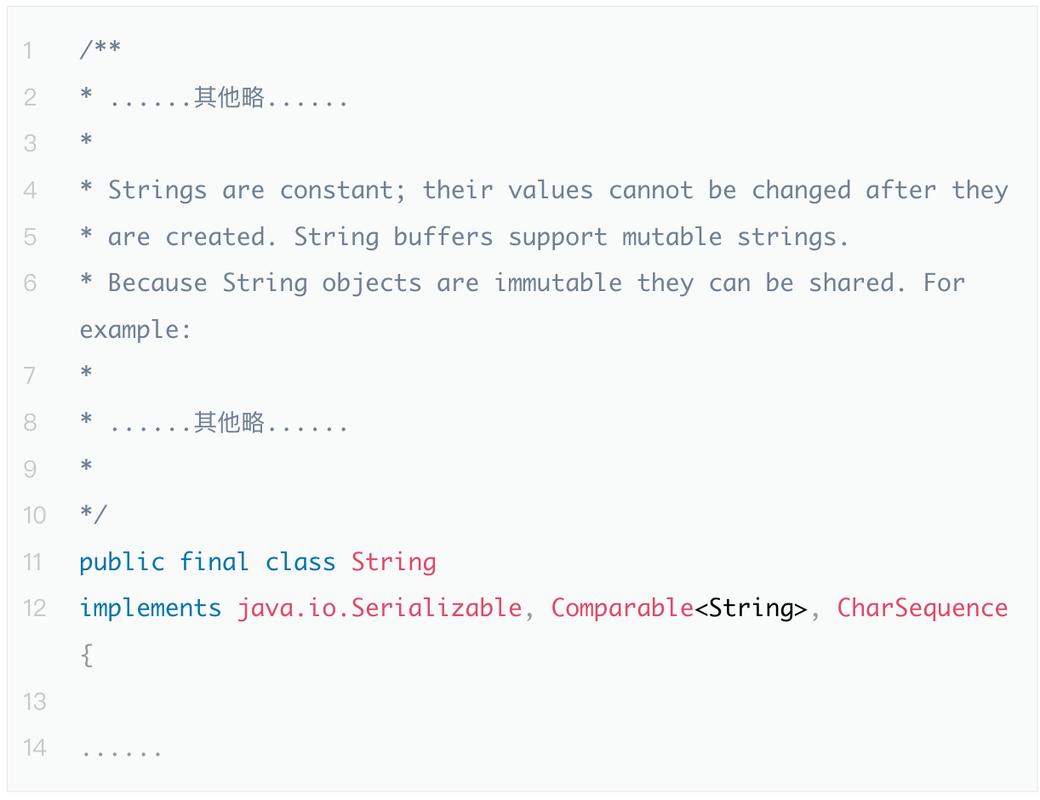
Stringobject is internally stored as UTF-16 code units. It is not a byte array.
UTF-8 is an encoding, which is a way to represent those characters as a sequence of bytes. Java's String is the abstract, in-memory representation of text, independent of any specific encoding.
Think of it like this:
- Java
String: The actual text in your mind, "Hello, 世界". - UTF-8: One specific alphabet (encoding) you use to write that text down on a piece of paper (a byte array). Other alphabets exist, like UTF-16 (Java's internal "handwriting") or ISO-8859-1 (a limited "alphabet").
The process of converting between the String and a byte array is called encoding (String -> bytes) and decoding (bytes -> String).
Creating a String from UTF-8 Bytes (Decoding)
When you read data from an external source like a file, a network socket, or a database, you almost always get a byte array. You need to tell Java how to interpret those bytes as characters. This is decoding.
You should use the StandardCharsets enum for clarity and to avoid typos.
The Correct Way (Using StandardCharsets)
import java.nio.charset.StandardCharsets;
public class StringFromUtf8 {
    public static void main(String[] args) {
        // A byte array representing the UTF-8 encoded string "Hello, 世界"
        byte[] utf8Bytes = {
            (byte) 72, (byte) 101, (byte) 108, (byte) 108, (byte) 111, // "Hello"
            (byte) 44, (byte) 32,                                       // ", "
            (byte) 228, (byte) 184, (byte) 173                          // "世"
            // ... byte for "界" would follow
        };
        // Decode the byte array into a String using UTF-8 charset
        String decodedString = new String(utf8Bytes, StandardCharsets.UTF_8);
        System.out.println(decodedString); // Output: Hello, 世
    }
}
The Older Way (Using the String constructor with a name)
This is less preferred because the charset name is a string and can be misspelled, leading to UnsupportedCharsetException at runtime.
// Less preferred way
String decodedString = new String(utf8Bytes, "UTF-8");
Handling Potential Errors (Malformed Input)
What if the byte array is not valid UTF-8? By default, the String constructor will replace the malformed sequences with a placeholder character (the "replacement character", ). You can control this behavior with the CharsetDecoder.
import java.nio.charset.Charset;
import java.nio.charset.CharsetDecoder;
import java.nio.charset.CodingErrorAction;
import java.nio.charset.StandardCharsets;
import java.nio.ByteBuffer;
public class MalformedInputExample {
    public static void main(String[] args) {
        // This byte sequence is NOT valid UTF-8
        byte[] badUtf8Bytes = { (byte) 0xC0, (byte) 0xAF }; // Overlong encoding for '/'
        // Default behavior: replaces with the replacement character
        String defaultString = new String(badUtf8Bytes, StandardCharsets.UTF_8);
        System.out.println("Default: " + defaultString); // Output: Default: �
        // Explicitly setting the decoder to report the error
        CharsetDecoder decoder = StandardCharsets.UTF_8.newDecoder()
            .onMalformedInput(CodingErrorAction.REPORT); // Throw an exception instead
        try {
            String goodString = decoder.decode(ByteBuffer.wrap(badUtf8Bytes)).toString();
            System.out.println("Good: " + goodString);
        } catch (java.io.CharacterCodingException e) {
            System.err.println("Caught expected exception: " + e.getMessage());
            // Output: Caught expected exception: Input length = 2
        }
    }
}
Converting a String to UTF-8 Bytes (Encoding)
When you need to send a String to an external source (like writing to a file or sending over a network), you must convert it into a byte array using a specific encoding. This is encoding.
Again, StandardCharsets is your best friend.
The Correct Way (Using StandardCharsets)
import java.nio.charset.StandardCharsets;
public class StringToUtf8 {
    public static void main(String[] args) {
        String myString = "Hello, 世界";
        // Encode the String into a byte array using UTF-8 charset
        byte[] utf8Bytes = myString.getBytes(StandardCharsets.UTF_8);
        // You can verify the bytes
        for (byte b : utf8Bytes) {
            System.out.printf("%02x ", b);
        }
        // Output (for "Hello, 世"):
        // 48 65 6c 6c 6f 2c 20 e4 b8 ad
    }
}
The Older Way (Using the String method with a name)
Same as before, less preferred due to the risk of typos.
// Less preferred way
byte[] utf8Bytes = myString.getBytes("UTF-8");
Practical Examples: Files and Network I/O
Modern Java I/O classes have built-in support for charsets, making life much easier.
Writing a String to a File as UTF-8
import java.io.IOException;
import java.nio.charset.StandardCharsets;
import java.nio.file.Files;
import java.nio.file.Path;
import java.nio.file.Paths;
import java.util.List;
public class WriteUtf8File {
    public static void main(String[] args) throws IOException {
        Path path = Paths.get("output.txt");
        String content = "This is a test with accents: café, naïve, résumé.";
        // Files.write handles the encoding for you!
        // This is the recommended way.
        Files.write(path, content.getBytes(StandardCharsets.UTF_8));
        System.out.println("File written successfully.");
    }
}
Reading a File as UTF-8
import java.io.IOException;
import java.nio.charset.StandardCharsets;
import java.nio.file.Files;
import java.nio.file.Path;
import java.nio.file.Paths;
import java.util.List;
public class ReadUtf8File {
    public static void main(String[] args) throws IOException {
        Path path = Paths.get("output.txt");
        // Files.readAllLines also handles the decoding for you!
        List<String> lines = Files.readAllLines(path, StandardCharsets.UTF_8);
        for (String line : lines) {
            System.out.println(line);
        }
    }
}
The Crucial getBytes() Pitfall (Default Charset)
The String class has a no-argument getBytes() method. Avoid this method unless you have a very specific reason.
String text = "Hello, 世界";
// DANGEROUS: Uses the platform's default charset!
// This can cause "mojibake" (garbled text) if the file was created on a
// different system or if the default charset changes.
byte[] defaultBytes = text.getBytes();
// SAFE: Explicitly specifies UTF-8
byte[] utf8Bytes = text.getBytes(StandardCharsets.UTF_8);
Why is it dangerous?
Imagine you create a file on Windows (where the default charset is often CP1252). You send this file to a Linux developer whose default charset is UTF-8. When they read the file using new FileInputStream(...).read(), the bytes will be interpreted with the wrong charset, resulting in garbled characters like Hello, ðÿ¼.
Rule of Thumb: Always be explicit about your charset. Use StandardCharsets.UTF_8 unless you have a compelling reason to use something else.
Summary Table
| Task | Method / Code Snippet | Best Practice |
|---|---|---|
| Decode Bytes to String | new String(byteArray, StandardCharsets.UTF_8) |
Always specify StandardCharsets.UTF_8 |
| Encode String to Bytes | myString.getBytes(StandardCharsets.UTF_8) |
Always specify StandardCharsets.UTF_8 |
| Write String to File | Files.write(path, content.getBytes(StandardCharsets.UTF_8)) |
Use the Files utility class |
| Read String from File | Files.readAllLines(path, StandardCharsets.UTF_8) |
Use the Files utility class |
| Avoid (Unless Necessary) | new String(byteArray, "UTF-8") or myString.getBytes() or myString.getBytes("UTF-8") |
Use StandardCharsets enum and be explicit. |