
Of course! This is a classic and challenging computer vision problem. "Hair segmentation" or "hair matting" involves precisely separating the user's hair from the background in an image or video.
Here’s a comprehensive guide covering the concepts, methods, and a practical Python code example using OpenCV.
The Challenge: Why is Hair Segmentation Hard?
Before diving into the code, it's important to understand why this task is difficult:
- Complex Texture: Hair is not a solid color. It has thousands of fine strands, creating a complex, semi-transparent texture.
- Color Similarity: Hair color (especially blonde, brown, or black) can be very similar to the background color (e.g., a beige wall, brown wood, or even a dark jacket).
- Fine Details: The goal is to get the edges right, which are extremely fine and complex. A small error can make the result look "cut out" or have a "halo" effect.
- Varied Lighting: Highlights and shadows on the hair can confuse algorithms that rely on simple color thresholds.
The Core Idea: From Segmentation to Matting
We can approach this problem at different levels of complexity:
- Hair Segmentation (Binary Mask): The simplest goal. We create a black and white image where white pixels represent hair and black pixels represent everything else. This is good for background replacement.
- Hair Matting (Alpha Matte): A more advanced and desirable goal. We create a grayscale image where each pixel's intensity (from 0 to 255) represents the transparency of the hair at that point. A value of 255 means fully opaque hair, and 0 means fully transparent background. This produces much more natural-looking results, especially for fine strands.
We will focus on a practical matting approach.
Method: GrabCut + Manual Refinement (The Practical Approach)
For a good balance of quality and complexity, we can use a combination of GrabCut and some manual refinement. This method is very effective and doesn't require training a complex deep learning model from scratch.
The Steps:
- Initial ROI: Define a rough bounding box around the head/hair. This is our "Region of Interest" (ROI). We tell the algorithm: "I know the hair is somewhere in this box."
- GrabCut Algorithm: We use OpenCV's
grabCutfunction. We provide it with:- The image.
- The initial ROI.
- A "mask" where we label pixels as "definitely background," "definitely foreground (hair)," or "unknown."
- We'll initially mark everything outside the ROI as "background" and everything inside as "unknown."
- Generate a Matte: GrabCut will refine the mask, labeling more pixels as likely foreground or background. We can use this final mask to create our alpha matte.
- Refinement (Optional but Recommended): The automatic result from GrabCut is often very good but might need slight cleanup. We can use morphological operations (like
erodeanddilate) to remove small noise or fill small holes.
Python Code Example: Hair Matting with OpenCV
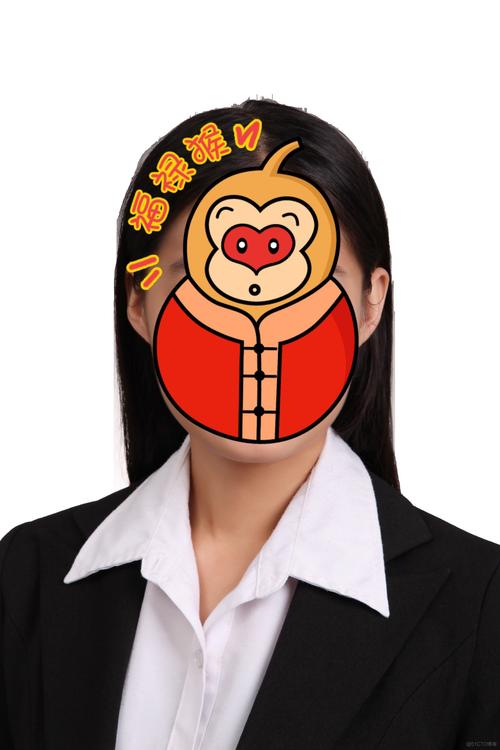
Let's put this into practice. We will segment the hair from a portrait and create an alpha matte.
Prerequisites:
You need to have OpenCV installed. If you don't, run:
pip install opencv-python numpy
The Code:
import cv2
import numpy as np
import matplotlib.pyplot as plt
def create_hair_matte(image_path):
    """
    Creates an alpha matte for hair in an image using GrabCut.
    """
    # --- 1. Load Image and Initialize ---
    img = cv2.imread(image_path)
    if img is None:
        print(f"Error: Could not load image from {image_path}")
        return
    # Create a copy for display
    display_img = img.copy()
    h, w = img.shape[:2]
    # --- 2. Define Initial ROI (Bounding Box) ---
    # This is the most manual part. You need to adjust these values
    # based on your image. A good starting point is to cover the head.
    # Format: (x, y, width, height)
    # Example: (50, 50, 300, 400) for a 640x480 image
    roi_x, roi_y, roi_w, roi_h = 100, 50, 300, 400
    cv2.rectangle(display_img, (roi_x, roi_y), (roi_x + roi_w, roi_y + roi_h), (0, 255, 0), 2)
    plt.imshow(cv2.cvtColor(display_img, cv2.COLOR_BGR2RGB))
    plt.title("Step 1: Initial ROI (Green Box)")
    plt.show()
    # --- 3. Create the Mask and Models for GrabCut ---
    # Initialize mask with 1s (likely background)
    mask = np.zeros((h, w), np.uint8)
    # Models for background and foreground
    bgd_model = np.zeros((1, 65), np.float64)
    fgd_model = np.zeros((1, 65), np.float64)
    # Define the rectangle for GrabCut
    rect = (roi_x, roi_y, roi_w, roi_h)
    # --- 4. Run GrabCut Algorithm ---
    # mode: cv2.GC_INIT_WITH_USE_RECT means use the rectangle to initialize
    # iterations: number of times the algorithm is run
    cv2.grabCut(img, mask, rect, bgd_model, fgd_model, iterations=5, mode=cv2.GC_INIT_WITH_RECT)
    # --- 5. Create the Final Matte ---
    # From the mask, create a binary output (0 and 1)
    # The mask will have 4 possible values: 0=GC_BGD, 1=GC_FGD, 2=PR_BGD, 3=PR_FGD
    # We are interested in GC_FGD (1) and PR_FGD (3), which we'll treat as hair.
    mask_final = np.where((mask == 1) | (mask == 3), 255, 0).astype('uint8')
    # Apply morphological operations to clean up the mask
    kernel = cv2.getStructuringElement(cv2.MORPH_ELLIPSE, (3, 3))
    mask_final = cv2.morphologyEx(mask_final, cv2.MORPH_OPEN, kernel, iterations=2)
    mask_final = cv2.morphologyEx(mask_final, cv2.MORPH_CLOSE, kernel, iterations=2)
    # --- 6. Display Results ---
    plt.figure(figsize=(15, 5))
    # Original Image
    plt.subplot(1, 3, 1)
    plt.imshow(cv2.cvtColor(img, cv2.COLOR_BGR2RGB))
    plt.title("Original Image")
    # Binary Mask
    plt.subplot(1, 3, 2)
    plt.imshow(mask_final, cmap='gray')
    plt.title("Hair Matte (Binary Mask)")
    # Composite Image (showing transparency effect)
    plt.subplot(1, 3, 3)
    # Create a 4-channel image (BGRA) using the matte as the alpha channel
    bgra_image = cv2.cvtColor(img, cv2.COLOR_BGR2BGRA)
    bgra_image[:, :, 3] = mask_final
    # To visualize transparency, we can place it on a checkered background
    checkerboard = np.full((h, w, 3), 240, dtype=np.uint8) # light gray
    for i in range(0, h, 20):
        for j in range(0, w, 20):
            if (i // 20 + j // 20) % 2 == 0:
                checkerboard[i:i+20, j:j+20] = 200 # darker gray
    # Blend the image with the checkerboard using the alpha matte
    alpha = mask_final.astype(float) / 255
    composite = img.copy()
    for c in range(0, 3):
        composite[:,:,c] = alpha * composite[:,:,c] + (1 - alpha) * checkerboard[:,:,c]
    plt.imshow(cv2.cvtColor(composite, cv2.COLOR_BGR2RGB))
    plt.title("Composite with Transparency Effect")
    plt.show()
# --- Run the function ---
# Make sure you have an image file named 'portrait.jpg' in the same directory
# You can download a sample portrait or use your own.
# If you use your own, you MUST adjust the ROI values in the function.
create_hair_matte('portrait.jpg')
How to Improve and Advanced Methods
-
Interactive GrabCut: The best results come from an interactive tool. You can use the
cv2.setMouseCallbackfunction to allow the user to "paint" over the hair (as foreground) and the background (as background) before runninggrabCut. This significantly increases accuracy. -
Deep Learning Methods (State-of-the-Art): For the highest quality, especially for complex hairstyles, deep learning is the way to go. These models are trained on large datasets to predict the alpha matte directly from the image.
- Models: Look for models trained on datasets like
HRSOD(Hair Removal and Skin Optimization Dataset) orAdobe-Matting. - Frameworks: These are often implemented in PyTorch or TensorFlow.
- Example: You could find a pre-trained U-Net or a more modern architecture like BiSeNet and fine-tune it on a hair matting task. This requires more setup but yields superior results.
- Models: Look for models trained on datasets like
-
Video Processing: To process a video, you would apply the same logic frame-by-frame. To make it smooth, you can use optical flow to track the head and ROI between frames, and you can also propagate the matte from one frame to the next to reduce computation and improve consistency.
Summary
| Method | Pros | Cons | Best For |
|---|---|---|---|
| GrabCut + ROI | - Good quality for effort - Fast - No training needed |
- Requires manual ROI - Struggles with complex backgrounds/colors |
Quick and effective background replacement, non-professional use. |
| Interactive GrabCut | - Very high quality - User controls the result |
- Slower (requires user input) | Applications where precision is key and a user is present. |
| Deep Learning | - State-of-the-art quality - Handles complexity well |
- Requires large dataset & GPU - Complex to implement & deploy |
Professional applications, film production, apps demanding high quality. |











