Of course! The concept of a "time window" is fundamental in data processing, analytics, and event-driven systems. In Python, there isn't a single built-in TimeWindow class, but you can implement it in several ways depending on your needs.
Let's break down the different types of time windows and how to implement them in Python.
What is a Time Window?
A time window is a fixed or sliding interval of time used to process or analyze data. For example, you might want to calculate the average stock price every minute, count website clicks every 5 seconds, or find the total sales for the last hour.
The two main categories are:
- Tumbling Windows: Fixed, non-overlapping windows. Data belongs to exactly one window.
- Analogy: A series of non-overlapping boxes. Each event goes into one box.
- Sliding/Hopping Windows: Fixed-size, overlapping windows. A single data point can belong to multiple windows.
- Analogy: A box that slides forward one unit at a time. An event can be in the current box and the next one.
Method 1: The Simple, Naive Approach (for small-scale tasks)
This method is great for simple scripts where you don't need high performance or a complex framework. It manually checks the current time and groups data into lists.
Example: Tumbling Window with time.sleep
Let's say we want to process a stream of events every 5 seconds.
import time
import datetime
# Simulate a stream of events
def generate_events():
    event_id = 0
    while True:
        event_id += 1
        yield {"id": event_id, "value": event_id * 10, "timestamp": datetime.datetime.now()}
        time.sleep(1) # An event arrives every second
# Process tumbling windows of 5 seconds
def tumbling_window_processor(event_stream, window_size_seconds=5):
    window_start = None
    current_window = []
    for event in event_stream:
        if window_start is None:
            window_start = event['timestamp']
            print(f"--- Starting new window at {window_start} ---")
        # Check if the event is within the current window
        if (event['timestamp'] - window_start).total_seconds() < window_size_seconds:
            current_window.append(event)
        else:
            # The window has closed, process it
            print(f"Closing window with {len(current_window)} events.")
            print(f"Events: {current_window}\n")
            # Start a new window
            window_start = event['timestamp']
            current_window = [event]
            print(f"--- Starting new window at {window_start} ---")
# Run the processor
if __name__ == "__main__":
    event_stream = generate_events()
    # Process for a limited time for this example
    for _ in range(20):
        next(event_stream) # Generate some events
    tumbling_window_processor(generate_events())
Pros:
- Simple to understand and implement.
- No external dependencies.
Cons:
- Inefficient:
time.sleepis blocking. It can't handle high-throughput data. - Stateful: The processor must maintain state (
window_start,current_window), which can be tricky in long-running applications or distributed systems.
Method 2: Using a Queue for High-Throughput Streams
This is a significant improvement. Instead of sleeping, we use a queue to buffer incoming events. A separate processing thread can then pull events from the queue in batches when a window "closes".
import threading
import queue
import datetime
import time
# A thread-safe queue to hold events
event_queue = queue.Queue()
# Producer thread: simulates events arriving
def event_producer():
    event_id = 0
    while True:
        event_id += 1
        event = {"id": event_id, "value": event_id * 10, "timestamp": datetime.datetime.now()}
        event_queue.put(event)
        print(f"Produced event {event_id}")
        time.sleep(0.5) # Faster event generation
# Consumer thread: processes tumbling windows
def tumbling_window_consumer(window_size_seconds=3):
    window_start = None
    current_window = []
    while True:
        try:
            # Wait for an event, but with a timeout to check the window boundary
            event = event_queue.get(timeout=1)
            if window_start is None:
                window_start = event['timestamp']
                print(f"\n--- Starting new window at {window_start} ---")
            if (event['timestamp'] - window_start).total_seconds() < window_size_seconds:
                current_window.append(event)
            else:
                # Window closed, process it
                print(f"Closing window with {len(current_window)} events.")
                print(f"Events: {current_window}\n")
                # Start new window
                window_start = event['timestamp']
                current_window = [event]
                print(f"--- Starting new window at {window_start} ---")
        except queue.Empty:
            # This is a good place to check for a shutdown signal
            # or handle cases where no new events have arrived for a while.
            pass
if __name__ == "__main__":
    # Start producer and consumer threads
    producer_thread = threading.Thread(target=event_producer, daemon=True)
    consumer_thread = threading.Thread(target=tumbling_window_consumer, daemon=True)
    producer_thread.start()
    consumer_thread.start()
    # Let the threads run for a bit
    try:
        while True:
            time.sleep(1)
    except KeyboardInterrupt:
        print("Shutting down...")
Pros:
- Non-blocking: Can handle a high volume of events.
- Separation of concerns: Producers and consumers are independent.
Cons:
- More complex due to multi-threading.
- Still requires manual state management.
Method 3: Using a Dedicated Library (Recommended for Production)
For any serious application, use a library designed for this. They are more robust, efficient, and handle edge cases for you.
Option A: pandas for Time-Series Data Analysis
pandas is the king of time-series data in Python. Its resample method is perfect for creating tumbling or sliding windows on a DataFrame.
import pandas as pd
import numpy as np
# 1. Create a time-indexed DataFrame
date_rng = pd.date_range(start='2025-01-01', end='2025-01-01 00:01:00', freq='s')
df = pd.DataFrame(date_rng, columns=['timestamp'])
df['data'] = np.random.randint(0, 100, size=(len(date_rng)))
df.set_index('timestamp', inplace=True)
print("Original Data (first 5 rows):")
print(df.head())
# 2. Resample into tumbling windows (e.g., every 10 seconds)
# This is a TUMBLING window
tumbling_df = df.resample('10S').sum()
print("\nTumbling Window Sum (every 10 seconds):")
print(tumbling_df)
# 3. Resample into sliding windows (e.g., every 5 seconds, with a 5-second hop)
# This is a HOPPING/SLIDING window. It's the same as a tumbling window here
# because the hop size equals the window size. Let's make it different.
# To get a true sliding window, you'd use a rolling function.
sliding_df = df.rolling(window='5S').sum()
print("\nSliding Window Sum (5-second rolling window):")
print(sliding_df.head(15)) # Print more to see the overlap
Pros:
- Extremely powerful and concise for time-series data.
- Built-in aggregation functions (
.sum(),.mean(),.count(), etc.). - The de-facto standard for data analysis in Python.
Cons:
- Primarily for batch analysis on a dataset, not for a real-time event stream (though it can be adapted).
Option B: Flink or Spark Structured Streaming for Big Data
If you are processing massive, distributed data streams, you need a stream processing framework.
-
Apache Flink: Has a powerful DataStream API with built-in window operations.
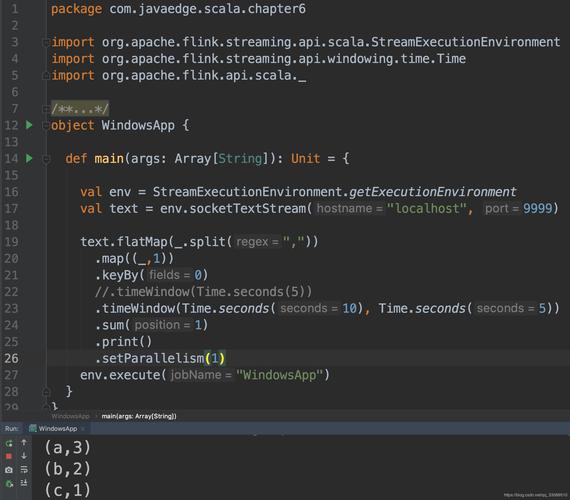
# Flink Pseudocode from pyflink.datastream import StreamExecutionEnvironment env = StreamExecutionEnvironment.get_execution_environment() # Assume a DataStream<Event> is available # .keyBy(...) // Optional: if you want windows per key # .time_window(Time.seconds(10)) // Tumbling window # .sum('value') // or .aggregate(), .process() -
Apache Spark Structured Streaming: Also provides excellent windowing capabilities on a streaming
DataFrame.
Pros:
- Scalable to terabytes of data across clusters.
- Fault-tolerant and exactly-once processing guarantees.
- Highly optimized.
Cons:
- Very heavyweight for simple tasks.
- Steep learning curve.
Summary and Recommendation
| Method | Best For | Pros | Cons |
|---|---|---|---|
| Simple/Naive | Learning, simple scripts, low-throughput tasks. | No dependencies, easy to understand. | Blocking, inefficient, manual state management. |
| Queue + Threads | Medium-throughput, real-time applications (e.g., APIs, microservices). | Non-blocking, decouples producer/consumer. | Complex due to threading, still manual state. |
pandas |
Batch time-series analysis on a single machine. | Powerful, concise, many built-in functions. | Not designed for real-time event streams. |
| Flink/Spark | Big data, distributed, high-throughput stream processing. | Scalable, fault-tolerant, exactly-once semantics. | Heavyweight, complex setup, steep learning curve. |
Recommendation:
- For learning or a quick script, start with the Simple/Naive approach.
- For a robust, real-time application (e.g., processing data from a Kafka queue or an API), use a Queue + Threads pattern.
- For analyzing a static or log file with timestamps,
pandasis the undisputed best choice. - For industrial-scale data processing, learn Apache Flink or Spark Structured Streaming.