
Of course! Working with Windows DLLs from Python is a common task, especially for interacting with system APIs, legacy code, or performance-critical libraries. Python provides several ways to do this, ranging from the built-in ctypes library to more advanced and user-friendly wrappers.
Here's a comprehensive guide covering the main methods, from basic to advanced.
The Standard: ctypes (Built-in)
ctypes is a foreign function library for Python. It allows you to call functions in DLLs (or shared libraries on other platforms) and work with C data types. It's included with Python by default, so no installation is needed.
Key Concepts:
ctypes.WinDLLvs.ctypes.cdll: For Windows DLLs that use the standard__stdcallcalling convention (most Windows API functions), you should usectypes.WinDLL. For__cdecl(common in C libraries like the C runtime), usectypes.cdll.- Data Types:
ctypeshas equivalents for common C types (e.g.,c_int,c_char_p,c_void_p,c_bool,c_ulong). - Argument and Return Types: You must explicitly tell
ctypeswhat data types to expect for function arguments and return values. - Calling Conventions: While
WinDLLhandles__stdcallcorrectly, you can also specify it manually usingctypes.WINFUNCTYPEorctypes.CFUNCTYPE.
Example 1: Calling a Simple Windows API Function (user32.dll)
Let's call MessageBoxW from user32.dll to display a pop-up window.
import ctypes
# Load the DLL. Use WinDLL for __stdcall calling convention.
user32 = ctypes.WinDLL('user32')
# Define the function signature and return type.
# MessageBoxW returns an int (c_int).
# It takes 4 arguments: HWND (c_int), LPCWSTR (c_wchar_p), LPCWSTR (c_wchar_p), UINT (c_uint).
user32.MessageBoxW.argtypes = [ctypes.c_int, ctypes.c_wchar_p, ctypes.c_wchar_p, ctypes.c_uint]
user32.MessageBoxW.restype = ctypes.c_int
# Constants for the message box
# You can define them yourself or get them from the Windows API
# For simplicity, we'll use their integer values.
MB_OK = 0x00000000
MB_ICONINFORMATION = 0x00000040
MB_APPLMODAL = 0x00000000
# Call the function
# HWND = 0 (no owner window)= "Hello from Python!"
# Message = "This message box was called from a Python script."
# Type = MB_OK | MB_ICONINFORMATION | MB_APPLMODAL
result = user32.MessageBoxW(
    0,
    "Hello from Python!",
    "ctypes Example",
    MB_OK | MB_ICONINFORMATION
)
print(f"The user clicked button: {result}")
Example 2: Calling a Function from a Custom DLL
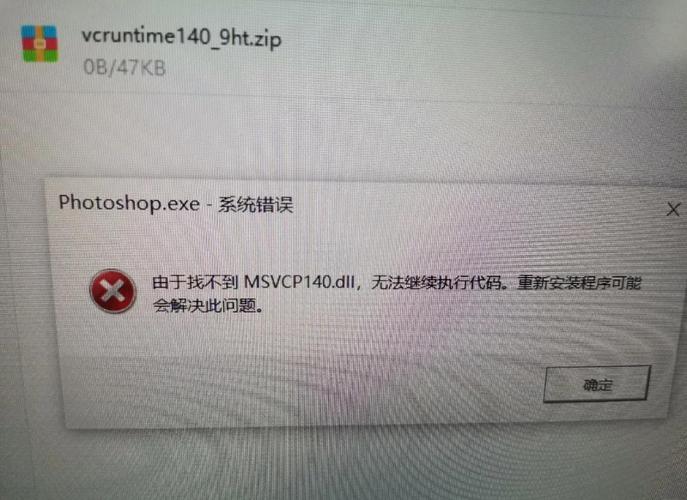
Imagine you have a C file named myutils.c:
myutils.c
#include <stdio.h>
// A function that adds two integers
__declspec(dllexport) int add(int a, int b) {
    printf("C function 'add' called with %d and %d.\n", a, b);
    return a + b;
}
// A function that modifies a string in-place
__declspec(dllexport) void greet(char* name) {
    printf("Hello, %s!\n", name);
}
You would compile this into a DLL using a C compiler like MinGW or Visual Studio's cl.exe:
gcc -shared -o myutils.dll myutils.c
Now, let's call these functions from Python:
import ctypes
import sys
# Load our custom DLL
# Use cdll because our C functions use the __cdecl calling convention by default.
myutils = ctypes.cdll.LoadLibrary('myutils.dll')
# --- Calling the 'add' function ---
myutils.add.argtypes = [ctypes.c_int, ctypes.c_int]
myutils.add.restype = ctypes.c_int
sum_result = myutils.add(5, 7)
print(f"Result from add(5, 7): {sum_result}")
# --- Calling the 'greet' function ---
# It takes a C-style string (a pointer to a char array).
myutils.greet.argtypes = [ctypes.c_char_p]
myutils.greet.restype = None  # The function returns void
# Python strings need to be encoded to bytes to pass as c_char_p
name = "World"
myutils.greet(name.encode('utf-8'))
# --- Handling Pointers and Structures ---
# Let's modify the C code to return a string via a pointer.
# In C: __declspec(dllexport) void get_name(char* buffer);
# In Python, we need to create a buffer to receive the data.
buffer_size = 50
buffer = ctypes.create_string_buffer(buffer_size) # Creates a mutable char buffer
# Assume our DLL has a function get_name(char* buffer)
# myutils.get_name.argtypes = [ctypes.c_char_p]
# myutils.get_name.restype = None
# myutils.get_name(buffer)
# The result is now in the buffer object
# print(f"Received name: {buffer.value.decode('utf-8')}")
The Modern & Easy Way: pythonnet
pythonnet is a package that provides integration to the .NET Common Language Runtime (CLR). While its primary goal is to let you use .NET assemblies from Python, it also provides a much more "Pythonic" way to call Win32 API functions and use COM objects.
It often simplifies the process by handling type conversions and calling conventions more gracefully than raw ctypes.
Installation:
pip install pythonnet
Example: Calling user32.dll with pythonnet
import clr
# Add a reference to the Windows Forms assembly to get constants easily
# (This is optional but convenient)
clr.AddReference("System.Windows.Forms")
import System.Windows.Forms as WinForms
# Load the DLL. The .NET P/Invoke mechanism is used behind the scenes.
# It's smart about calling conventions.
user32 = clr.System.Runtime.InteropServices.Marshal.GetDelegateForFunctionPointer(
    clr.System.Runtime.InteropServices.Marshal.GetFunctionPointerForDelegate(
        clr.System.Runtime.InteropServices.UnmanagedType.FunctionPtr,
        # A bit verbose, but the key is you can just pass the function name and types
        clr.System.Runtime.InteropServices.Marshal.Prelink(
            "user32.dll", "MessageBoxW", ctypes.c_int, ctypes.c_int, ctypes.c_wchar_p, ctypes.c_wchar_p, ctypes.c_uint
        )
    )
)
# A simpler way pythonnet often works is by defining a class with [DllImport]
# This is the recommended approach for complex scenarios.
# For simple calls, the above works or you can use a more direct ctypes-like syntax.
# Let's use a more direct approach that pythonnet facilitates:
from ctypes import windll
# While you can still use ctypes, pythonnet makes COM and .NET interop seamless.
# For pure Win32 API, ctypes is often still preferred for its simplicity.
# Let's show the pythonnet way for a .NET interaction, which is its strength:
# Example: Show a .NET MessageBox
WinForms.MessageBox.Show("Hello from Python via .NET!", "pythonnet Example")
Note: For pure Win32 API calls, ctypes is often simpler and more direct. The real power of pythonnet shines when you need to interact with .NET libraries or COM objects (like Office applications, AutoCAD, etc.).
The High-Level Wrapper: pywin32
pywin32 is a collection of modules that provide access to many of the Windows APIs from Python. It's built on top of ctypes but provides pre-built, easy-to-use Python objects and functions for a vast number of Windows functionalities (e.g., manipulating files, registry, services, event logs, COM).
Installation:
pip install pywin32
Example: Manipulating the Windows Registry with pywin32
import winreg
# Open a key in the registry
# HKEY_CURRENT_USER\Software\MyPythonApp
key_path = r"Software\MyPythonApp"
try:
    # Create or open the key. KEY_WRITE allows creating values.
    key = winreg.CreateKey(winreg.HKEY_CURRENT_USER, key_path)
    # Set a string value
    winreg.SetValueEx(key, "MyStringValue", 0, winreg.REG_SZ, "Hello Registry!")
    # Set a DWORD (integer) value
    winreg.SetValueEx(key, "MyIntValue", 0, winreg.REG_DWORD, 12345)
    print("Successfully wrote to the registry.")
    key.Close()
except WindowsError as e:
    print(f"Error accessing registry: {e}")
# Now, let's read the values back
try:
    key = winreg.OpenKey(winreg.HKEY_CURRENT_USER, key_path)
    # Read the string value
    value_name, value_data, value_type = winreg.EnumValue(key, 0)
    print(f"Read '{value_name}': {value_data} (Type: {value_type})")
    # Read the integer value
    value_name, value_data, value_type = winreg.EnumValue(key, 1)
    print(f"Read '{value_name}': {value_data} (Type: {value_type})")
    key.Close()
except WindowsError as e:
    print(f"Error reading from registry: {e}")
Summary: Which one should I use?
| Method | Best For | Pros | Cons |
|---|---|---|---|
ctypes |
Everything. Calling any DLL, low-level control, simple scripts. | - Built-in (no install) - Full control over data types and calling conventions - Universal (works on Windows, Linux, macOS) |
- Verbose for complex functions/structs - Manual memory management can be tricky - Error handling can be clunky |
pythonnet |
.NET and COM Interop. Interacting with .NET libraries, Office, AutoCAD, etc. | - Excellent for .NET/COM worlds - Handles type conversions well - Feels more "Pythonic" for .NET tasks |
- Overkill for simple Win32 API calls - Adds a dependency on the .NET runtime |
pywin32 |
High-level Windows Tasks. File system, registry, services, event logs, etc. | - High-level, easy-to-use Python wrappers - Well-documented for common Windows tasks - Stable and mature |
- Another external dependency (pip install)- Doesn't cover every single obscure API function - Not suitable for calling arbitrary custom DLLs |
Recommendation:
- For calling any arbitrary DLL (especially your own custom ones), start with
ctypes. It's the fundamental tool. - If your main goal is to interact with .NET or COM objects, use
pythonnet. - If you need to perform common system administration tasks on Windows (registry, files, services),
pywin32will save you a lot of time and effort.


