在Java中使用Graphics画圆
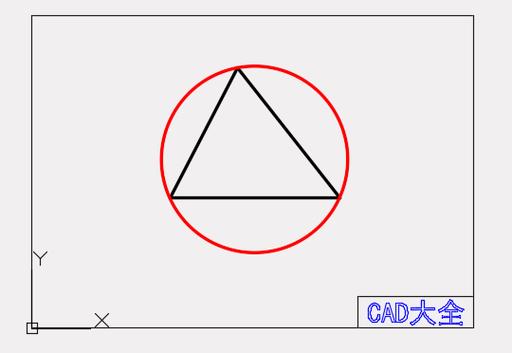
在Java中,你可以使用java.awt.Graphics类或java.awt.Graphics2D类来绘制圆形,以下是几种不同的实现方法:
(图片来源网络,侵删)
方法1:使用Graphics类的drawOval方法
import javax.swing.*;
import java.awt.*;
public class DrawCircle extends JPanel {
    @Override
    protected void paintComponent(Graphics g) {
        super.paintComponent(g);
        // 设置颜色
        g.setColor(Color.BLUE);
        // 绘制圆形(drawOval方法绘制的是椭圆,当宽高相等时就是圆)
        // 参数:x, y, width, height
        g.drawOval(50, 50, 100, 100);
        // 填充圆形
        g.setColor(Color.RED);
        g.fillOval(200, 50, 100, 100);
    }
    public static void main(String[] args) {
        JFrame frame = new JFrame("Draw Circle Example");
        frame.setDefaultCloseOperation(JFrame.EXIT_ON_CLOSE);
        frame.setSize(400, 200);
        frame.add(new DrawCircle());
        frame.setVisible(true);
    }
}
方法2:使用Graphics2D类的draw方法(更推荐)
import javax.swing.*;
import java.awt.*;
public class DrawCircle2D extends JPanel {
    @Override
    protected void paintComponent(Graphics g) {
        super.paintComponent(g);
        // 将Graphics转换为Graphics2D
        Graphics2D g2d = (Graphics2D) g;
        // 设置抗锯齿
        g2d.setRenderingHint(RenderingHints.KEY_ANTIALIASING,
                           RenderingHints.VALUE_ANTIALIAS_ON);
        // 设置颜色
        g2d.setColor(Color.BLUE);
        // 创建椭圆形状(当宽高相等时就是圆)
        Ellipse2D circle = new Ellipse2D.Double(50, 50, 100, 100);
        // 绘制圆形
        g2d.draw(circle);
        // 填充圆形
        g2d.setColor(Color.RED);
        g2d.fill(circle);
    }
    public static void main(String[] args) {
        JFrame frame = new JFrame("Draw Circle 2D Example");
        frame.setDefaultCloseOperation(JFrame.EXIT_ON_CLOSE);
        frame.setSize(400, 200);
        frame.add(new DrawCircle2D());
        frame.setVisible(true);
    }
}
方法3:自定义圆形类
import javax.swing.*;
import java.awt.*;
public class CustomCircle extends JPanel {
    private int x, y, radius;
    private boolean filled;
    private Color color;
    public CustomCircle(int x, int y, int radius, boolean filled, Color color) {
        this.x = x;
        this.y = y;
        this.radius = radius;
        this.filled = filled;
        this.color = color;
    }
    @Override
    protected void paintComponent(Graphics g) {
        super.paintComponent(g);
        Graphics2D g2d = (Graphics2D) g;
        g2d.setRenderingHint(RenderingHints.KEY_ANTIALIASING,
                           RenderingHints.VALUE_ANTIALIAS_ON);
        g2d.setColor(color);
        if (filled) {
            g2d.fillOval(x - radius, y - radius, radius * 2, radius * 2);
        } else {
            g2d.drawOval(x - radius, y - radius, radius * 2, radius * 2);
        }
    }
    public static void main(String[] args) {
        JFrame frame = new JFrame("Custom Circle Example");
        frame.setDefaultCloseOperation(JFrame.EXIT_ON_CLOSE);
        frame.setSize(400, 200);
        frame.setLayout(new FlowLayout());
        // 添加几个不同样式的圆
        frame.add(new CustomCircle(100, 100, 50, false, Color.BLUE));
        frame.add(new CustomCircle(200, 100, 40, true, Color.RED));
        frame.add(new CustomCircle(300, 100, 30, false, Color.GREEN));
        frame.setVisible(true);
    }
}
关键点说明
-
drawOval vs fillOval:
drawOval只绘制圆的轮廓fillOval填充整个圆形区域
-
坐标系统:
- 原点(0,0)在左上角
- x向右增加,y向下增加
-
Graphics2D优势:
- 提供更丰富的绘图功能
- 支持抗锯齿
- 可以使用变换(旋转、缩放等)
-
圆形参数:
 (图片来源网络,侵删)
- 对于
drawOval(x, y, width, height),当width等于height时绘制的是正圆 - 圆心在(x + width/2, y + height/2)
- 对于
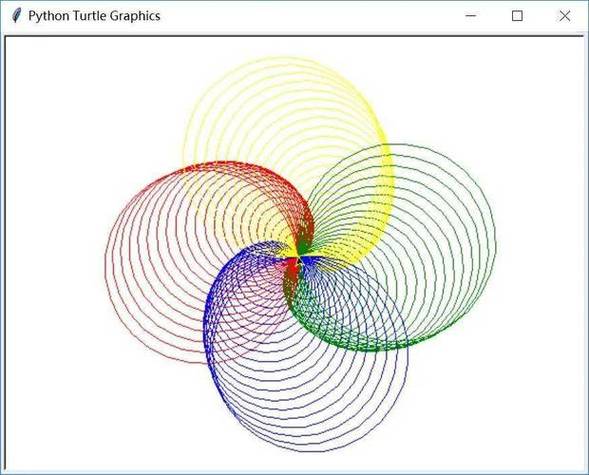
示例展示了在Java中绘制圆形的基本方法,你可以根据需要调整颜色、大小、位置等参数。