Of course! Using SSL/TLS in Python on Windows is a very common task, especially for creating secure network connections (HTTPS, SMTPS, etc.). This guide will cover the essentials, from basic usage to common pitfalls and solutions specific to the Windows environment.
The Core Concepts: ssl and urllib
For most day-to-day secure web browsing, you'll use high-level libraries that handle SSL for you. The most important ones are:
sslmodule: The low-level Python library that provides access to the underlying SSL/TLS implementation. You'll use this for custom sockets or to fine-tune connection security.urllib.request: The standard library module for opening URLs. It usessslunder the hood forhttps://connections.
Basic HTTPS Request (The Easy Way)
For fetching a webpage, you rarely need to interact with the ssl module directly. urllib handles it all.
import urllib.request
import ssl
# This is the most basic way. It works for most modern websites.
# urllib will use the system's default SSL certificates.
try:
    # The context=None tells urllib to use the default system context
    with urllib.request.urlopen('https://www.python.org', context=None) as response:
        html = response.read()
        print(f"Successfully read {len(html)} bytes from python.org")
        # print(html.decode('utf-8'))
except urllib.error.URLError as e:
    print(f"An error occurred: {e.reason}")
This example works because Python on Windows can find the system's root certificate store, which contains the certificates needed to verify sites like python.org.
Common Problem: Certificate Verification Errors on Windows
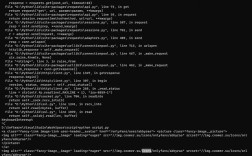
A very frequent issue on Windows is a ssl.SSLCertVerificationError. This happens when Python cannot verify the identity of the server you're connecting to.
Error Message Looks Like:
ssl.SSLCertVerificationError: [SSL: CERTIFICATE_VERIFY_FAILED] certificate verify failed: self signed certificate (_ssl.c:1129)
Common Causes:
- Connecting to a server with a self-signed certificate (common for development, local servers, or internal devices).
- Connecting to a server with a certificate signed by a private Certificate Authority (CA) that is not in your system's trust store.
- Outdated system root certificates. (Less common on modern Windows, but possible).
Solutions to Certificate Verification Errors
Here are several ways to handle this, from quick fixes to best practices.
Solution A: Disable Verification (Quick & Dirty, NOT FOR PRODUCTION)
You can create an unverified SSL context. This is insecure and makes your connection vulnerable to Man-In-The-Middle (MITM) attacks. Only use this for local development or trusted networks where you control the server.
import urllib.request
import ssl
# Create an unverified SSL context
# This is the equivalent of passing verify=False in requests library
unverified_context = ssl._create_unverified_context()
try:
    with urllib.request.urlopen('https://self-signed.badssl.com/', context=unverified_context) as response:
        html = response.read()
        print("Successfully connected to a self-signed site (UNVERIFIED!)")
        # print(html.decode('utf-8'))
except Exception as e:
    print(f"An error occurred: {e}")
Solution B: Load Custom CA Certificates (Best Practice for Private CAs)
If your server uses a certificate signed by your own internal CA, you need to tell Python where to find that CA's certificate file (.pem, .crt, etc.).
- Get your CA certificate file. Let's say it's named
my-ca-cert.pem. - Create a custom SSL context that loads this certificate.
import urllib.request
import ssl
# Path to your custom CA certificate file
CA_CERT_FILE = 'C:\\path\\to\\your\\my-ca-cert.pem'
try:
    # Create a default SSL context
    context = ssl.create_default_context()
    # Load the custom CA certificate into the context's trust store
    context.load_verify_locations(CA_CERT_FILE)
    # Now use this context for the connection
    with urllib.request.urlopen('https://your-internal-server.com', context=context) as response:
        html = response.read()
        print("Successfully connected using a custom CA certificate.")
        # print(html.decode('utf-8'))
except FileNotFoundError:
    print(f"Error: CA certificate file not found at {CA_CERT_FILE}")
except ssl.SSLCertVerificationError as e:
    print(f"Certificate verification failed even with the custom CA: {e}")
except Exception as e:
    print(f"An error occurred: {e}")
Solution C: The certifi Library (Highly Recommended)
The certifi library provides a curated bundle of Mozilla's root certificates. This is often more reliable than using the system's default store, especially in virtualized or containerized environments.
First, install it:
pip install certifi
Then, use it in your code: This is the best practice for secure applications that need to work reliably across different systems.
import urllib.request
import ssl
import certifi
# Get the path to the certifi CA bundle
cafile = certifi.where()
# Create a default context and point it to the certifi bundle
# This overrides the system default with certifi's bundle
context = ssl.create_default_context(cafile=cafile)
try:
    with urllib.request.urlopen('https://www.python.org', context=context) as response:
        html = response.read()
        print(f"Successfully read {len(html)} bytes using certifi.")
except Exception as e:
    print(f"An error occurred: {e}")
Advanced: Creating an SSL Server (TLS)
You can also create your own secure server using Python's ssl module. This is useful for building APIs or other services.
import socket
import ssl
import threading
# --- Server Configuration ---
HOST = '127.0.0.1'  # Standard loopback interface address (localhost)
PORT = 65432        # Port to listen on (non-privileged ports are > 1023)
CERT_FILE = 'server.crt' # Path to your server certificate
KEY_FILE = 'server.key'  # Path to your server private key
def handle_client(conn, addr):
    """Handles a single client connection."""
    print(f"Connected by {addr}")
    try:
        with conn:
            data = conn.recv(1024)
            print(f"Received from {addr}: {data.decode('utf-8')}")
            response = "Hello from the secure server!"
            conn.sendall(response.encode('utf-8'))
    except Exception as e:
        print(f"Error handling client {addr}: {e}")
    finally:
        print(f"Connection with {addr} closed")
def start_server():
    """Starts the SSL server."""
    # Create a TCP socket
    with socket.socket(socket.AF_INET, socket.SOCK_STREAM) as sock:
        sock.bind((HOST, PORT))
        sock.listen()
        print(f"Server listening on {HOST}:{PORT}")
        # Wrap the socket with SSL
        # ssl.PROTOCOL_TLS is the modern choice
        context = ssl.create_default_context(ssl.Purpose.CLIENT_AUTH)
        context.load_cert_chain(certfile=CERT_FILE, keyfile=KEY_FILE)
        with context.wrap_socket(sock, server_side=True) as ssock:
            while True:
                conn, addr = ssock.accept()
                # Handle each client in a new thread
                client_thread = threading.Thread(target=handle_client, args=(conn, addr))
                client_thread.start()
if __name__ == "__main__":
    # NOTE: You need to generate server.crt and server.key first.
    # You can do this with OpenSSL:
    # openssl req -x509 -newkey rsa:4096 -keyout server.key -out server.crt -days 365 -nodes
    start_server()
To test this server, you would need an SSL client. You can use openssl from the command line:
# From an elevated PowerShell or Command Prompt
openssl s_client -connect 127.0.0.1:65432
Or write a simple Python client using ssl.wrap_socket().
Summary & Best Practices
| Scenario | Recommended Solution |
|---|---|
| Simple HTTPS Client | Use urllib.request.urlopen() with context=None. It's simple and uses system certs. |
| Development with Self-Signed Certs | Use ssl._create_unverified_context(). Never use this in production. |
| Production Client with Private CA | Use ssl.create_default_context() and load your CA with context.load_verify_locations(). |
| Most Reliable Production Client | Use the certifi library (pip install certifi) and create your context with ssl.create_default_context(cafile=certifi.where()). |
| Creating an SSL Server | Use ssl.create_default_context(ssl.Purpose.CLIENT_AUTH), load your cert/key with context.load_cert_chain(), and wrap your listening socket. |