Of course! A "Python Flask error" can mean many things, from a simple typo in your code to a complex server configuration issue. Let's break down the most common errors, how to identify them, and how to fix them.
The most important first step for any error is to read the full error message carefully. It's your biggest clue.
The Most Common Error: ModuleNotFoundError or ImportError
This is the first error most developers encounter.
What it looks like:
Traceback (most recent call last):
  File "app.py", line 1, in <module>
    from flask import Flask
ModuleNotFoundError: No module named 'flask'
What it means: Your Python interpreter cannot find the Flask library. This almost always means one of two things:

- You haven't installed Flask.
- You installed Flask in a different Python environment than the one you're using to run your script.
How to fix it:
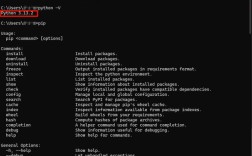
Solution A: Install Flask Open your terminal or command prompt and run:
pip install Flask
If you have multiple Python versions, you might need to use pip3:
pip3 install Flask
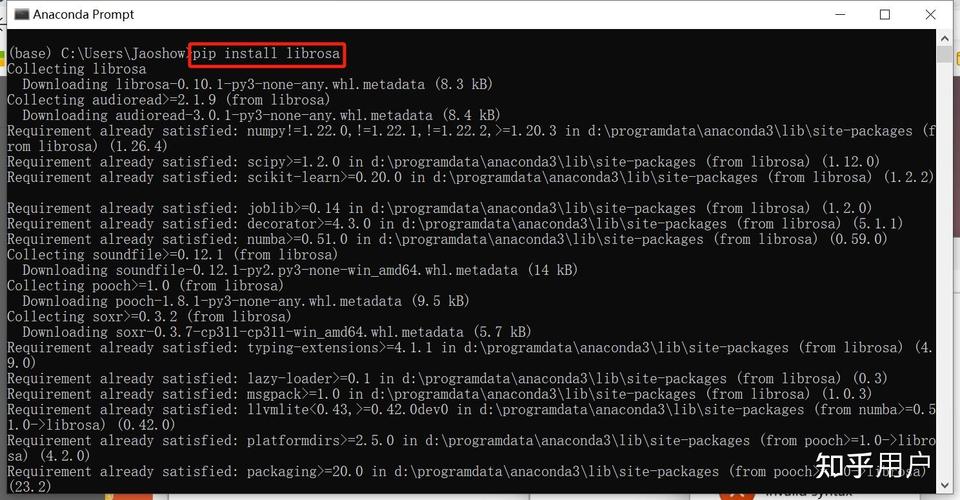
Solution B: Use a Virtual Environment (Highly Recommended!) This is the best practice to avoid dependency conflicts.
-
Create a virtual environment:
# For Python 3
python -m venv venv
# For Python 3 on some systems
python3 -m venv venv
-
Activate the virtual environment:
- On macOS/Linux:
source venv/bin/activate
- On Windows (Command Prompt):
venv\Scripts\activate
- On Windows (PowerShell):
.\venv\Scripts\Activate.ps1
You'll know it's active because your command prompt will be prefixed with
(venv).
- On macOS/Linux:
-
Install Flask inside the active environment:
pip install Flask
-
Now, run your Flask application. It will use the correct Python environment where Flask is installed.
The Application Doesn't Start: RuntimeError: Working outside of an application context
What it looks like:
Traceback (most recent call last):
  File "app.py", line 5, in <module>
    app = Flask(__name__)
  File "/path/to/your/venv/lib/python3.10/site-packages/flask/app.py", line 558, in __init__
    self.add_url_rule(
  File "/path/to/your/venv/lib/python3.10/site-packages/flask/app.py", line 87, in add_url_rule
    self.url_map.add(
  File "/path/to/your/venv/lib/python3.10/site-packages/werkzeug/routing.py", line 740, in add
    rule.bind(self)
  File "/path/to/your/venv/lib/python3.10/site-packages/werkzeug/routing.py", line 726, in bind
    raise RuntimeError(
RuntimeError: Working outside of an application context.
What it means:
This error happens when you try to interact with your Flask application (e.g., using app.config, g, request, or url_for) at a time when Flask isn't actively handling a web request. This is common when you try to run database migrations, test code, or shell commands outside of a request context.
How to fix it:
You need to explicitly create an "application context" before running your code. The standard way to do this is with app.app_context().
Example of the problem (e.g., in a separate script):
# my_script.py
from app import app  # Assuming your app is in app.py
# This will cause the error
DEBUG_MODE = app.config['DEBUG']
The fix:
# my_script.py
from app import app
# FIX: Create an application context
with app.app_context():
    # Now you can safely access the app and its config
    DEBUG_MODE = app.config['DEBUG']
    print(f"Debug mode is: {DEBUG_MODE}")
The Server Won't Run: OSError: [Errno 48] Address already in use
What it looks like:
Traceback (most recent call last):
  File "/path/to/your/venv/bin/flask", line 8, in <module>
    sys.exit(main())
  File "/path/to/your/venv/lib/python3.10/site-packages/flask/cli.py", line 1052, in main
    cli.main(args=args, prog_name=name)
  File "/path/to/your/venv/lib/python3.10/site-packages/flask/cli.py", line 960, in main
    app = cls.load_app(self.create_app)
  File "/path/to/your/venv/lib/python3.10/site-packages/flask/cli.py", line 596, in load_app
    app = self.app.import(self.import_name)
  File "/path/to/your/project/app.py", line 12, in <module>
    app.run(debug=True)
  File "/path/to/your/venv/lib/python3.10/site-packages/flask/app.py", line 920, in run
    run_simple(t.cast(str, host), port, self,
  File "/path/to/your/venv/lib/python3.10/site-packages/werkzeug/serving.py", line 1071, in run_simple
    s = make_server(
  File "/path/to/your/venv/lib/python3.10/site-packages/werkzeug/serving.py", line 860, in make_server
    server = make_server_from_address(
  File "/path/to/your/venv/lib/python3.10/site-packages/werkzeug/serving.py", line 836, in make_server_from_address
    raise OSError("Address already in use")
OSError: [Errno 48] Address already in use
What it means:
You are trying to start your Flask development server on a port (default is 5000) that is already being used by another program. This could be another instance of your own app, a different web server, or even another application.
How to fix it:
Solution A: Find and Kill the Process
- Find the process using the port (on macOS/Linux):
lsof -i :5000
On Windows, use PowerShell:
netstat -ano | findstr :5000
- Kill the process using its PID (Process ID).
- On macOS/Linux:
kill <pid> - On Windows (Command Prompt):
taskkill /F /PID <pid>
- On macOS/Linux:
Solution B: Run on a Different Port
The easiest fix is to just tell Flask to use a different port. The standard port after 5000 is 5001.
# In your terminal, with your venv active
flask run --port=5001
Or in your Python code:
if __name__ == '__main__':
    app.run(debug=True, port=5001)
Template Not Found: jinja2.exceptions.TemplateNotFound
What it looks like:
jinja2.exceptions.TemplateNotFound: index.htmlWhat it means:
Flask cannot find the HTML file you're trying to render. Flask looks for templates in a folder named templates by default, and this folder must be in the same directory as your main application file (app.py).
How to fix it:
-
Check the folder name: Is it
templates(with an 's')? This is a very common typo. -
Check the folder location: Is the
templatesfolder in the right place?/my_project/ ├── app.py └── templates/ └── index.html # <-- Correct location -
Check the filename in your code: Does the string in
render_templatematch the filename exactly?# In app.py from flask import render_template @app.route('/') def home(): # Make sure 'index.html' is the exact filename return render_template('index.html')
Debugging 404 Errors: Not Found
What it looks like: Your browser shows a "404 Not Found" page, and the Flask console might show a log like:
0.0.1 - - [10/Oct/2025 10:30:00] "GET /wrong-url HTTP/1.1" 404 -What it means:
You requested a URL (/wrong-url) that doesn't have a corresponding route defined in your Flask application.
How to fix it:
-
Check your route definition: Make sure the
@app.route()decorator exactly matches the URL you are trying to access.# This route will only respond to /profile @app.route('/profile') def my_profile(): return "My Profile" # This route will respond to /profile/123 @app.route('/profile/<int:user_id>') def user_profile(user_id): return f"Profile for User {user_id}" -
Check the URL in your browser or code: Are you sure you're typing the URL correctly? Remember that Flask routes are case-sensitive by default.
General Debugging Tips
- Read the Traceback: The traceback is a stack trace. It starts from the bottom with the error and works its way up the call stack to the line in your code that caused the problem. This is your most valuable tool.
- Use
print()Statements: Simple, but effective. Addprint()statements before and after the line that's causing trouble to see the state of your variables. - Use a Debugger: For more complex issues, use an Integrated Development Environment (IDE) like VS Code or PyCharm. They have built-in debuggers that allow you to pause your code, inspect variables, and step through your code line by line.
- Search the Error Message: If you're stuck, copy the full error message and search for it on Google or Stack Overflow. Someone has almost certainly encountered it before.