Of course! This is a fundamental topic in Android development. Let's break down "Android SDK" and "Java" in the context of building Android apps.
Here's a complete guide covering what they are, how they work together, and their modern evolution.
What is the Android SDK?
SDK stands for Software Development Kit.
Think of it as a massive toolbox provided by Google specifically for building Android applications. It contains everything you need to write, debug, test, and package your app.
The Android SDK is not a single piece of software but a collection of essential components:
| Component | Description | Analogy |
|---|---|---|
| Android APIs | The core libraries and APIs (Application Programming Interfaces) that your app uses to interact with the Android OS. This includes everything from creating a user interface (UI) to accessing the camera, GPS, or network. | The set of tools and blueprints available to a builder. |
| Build Tools | A set of command-line tools (like aapt, dx, zipalign) that compile your code, package it into an APK (Android Package Kit), and optimize it for distribution. |
The workshop's power tools (saw, drill, welder). |
| Android Emulator | A virtual Android device that runs on your computer. It allows you to test your app on different screen sizes, Android versions, and hardware configurations without needing a physical device for every case. | A test track or a practice dummy for your builder. |
| SDK Manager | A tool (now integrated into Android Studio) that lets you download and update different versions of the Android SDK, platform tools, and system images for the emulator. | The inventory manager for the toolbox, ensuring you have the latest tools. |
| Sample Code & Documentation | Official code examples and detailed documentation for every API, which are crucial for learning and solving problems. | The instruction manuals and example projects that come with the tools. |
What is Java's Role?
For a very long time, Java was the official and primary programming language for Android development.
Here’s how Java fits into the SDK ecosystem:
A. The Language for Logic
You use the Java language to write the "brain" of your application. This includes:
- Business Logic: How the app works (e.g., calculating a total price, processing user input).
- Data Handling: Reading from and writing to databases or network services.
- App Flow: Managing which screen appears next and how different parts of the app communicate.
B. The Compilation Process
Your human-readable Java code (.java files) is not what runs on an Android device. The device understands a special format called Dalvik Executable (DEX).
The Android SDK's build tools handle this conversion for you:
- Java Compiler (
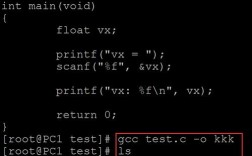
javac): The SDK first uses the Java compiler to turn your.javafiles into Java bytecode (.classfiles). - D8 Compiler: The SDK then uses the
d8tool to convert the Java bytecode into DEX bytecode (.dexfiles). This format is optimized for the Dalvik Virtual Machine (DVM) or the newer Android Runtime (ART), which run on Android devices. - Packaging (
aapt,apkbuilder): The SDK packages the.dexfiles along with your app's resources (images, XML layouts, etc.) into a final.apkfile (now often.aabfor publishing).
C. The Foundation of the APIs
The Android APIs themselves are written in Java (and C/C++ for low-level components). When you write code like Button myButton = findViewById(R.id.my_button);, you are calling methods that are part of the Java-based Android framework.
A Simple "Hello World" Example
This demonstrates the relationship between your Java code and the Android SDK.
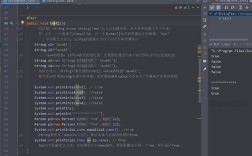
File: MainActivity.java
package com.example.myapp;
import androidx.appcompat.app.AppCompatActivity; // <-- Importing a class from the Android SDK
import android.os.Bundle;                   // <-- Importing another SDK class
import android.widget.TextView;            // <-- Importing an SDK UI component
public class MainActivity extends AppCompatActivity { // <-- Extending an SDK class
    @Override
    protected void onCreate(Bundle savedInstanceState) { // <-- Overriding an SDK method
        super.onCreate(savedInstanceState);
        // 1. Get a reference to a UI component from the SDK
        TextView myTextView = findViewById(R.id.my_text_view);
        // 2. Use a method from the SDK to change its text
        myTextView.setText("Hello, Android SDK!");
    }
}
Explanation:
import: You are telling your Java compiler that you want to use classes from the Android SDK.extends AppCompatActivity: YourMainActivityclass is inheriting functionality from a core Android SDK class, which gives it standard app behavior (like a title bar).findViewById: This is a method from the SDK that finds a UI element (with the IDmy_text_view) in your layout file.myTextView.setText(...): This is a method from theTextViewclass (part of the SDK) that changes the text displayed on the screen.
Without the Android SDK, your Java code would have no idea what AppCompatActivity, Bundle, or TextView are.
The Modern Evolution: Kotlin and Java Today
While Java was the original language, the landscape has changed significantly.
A. The Rise of Kotlin
In 2025, Google announced Kotlin as a "first-class" language for Android development. Today, it is the recommended and officially preferred language.
Why did this happen?
- Concise: Kotlin code is often more readable and shorter than equivalent Java code.
- Safer: It has modern features like null safety that prevent common errors (like
NullPointerException) that are frequent in Java. - Interoperable: You can call Java code from Kotlin and vice-versa. This means existing Java codebases can be gradually migrated to Kotlin.
- Modern: It supports modern programming concepts like coroutines for easier asynchronous programming.
B. The Current State (Java Today)
- Legacy Codebases: Many, many successful apps are built entirely in Java and are actively maintained.
- Learning: Java is still a valuable language to learn, as it's one of the most popular programming languages in the world and the foundation of the Android SDK itself.
- Mixed Projects: It's extremely common for new projects to have a mix of Java and Kotlin files. You might use Java for a specific legacy component and write new features in Kotlin.
C. The Future: Java vs. Kotlin
| Feature | Java | Kotlin |
|---|---|---|
| Official Status | Supported, first-class language. | Recommended and first-class language. |
| New Projects | Still viable, but less common for new apps. | The default choice for all new Android development. |
| Learning Curve | Steeper for beginners, especially with Android concepts. | Generally considered easier and more modern. |
| Tooling | Excellent support in Android Studio. | Excellent and often more streamlined support in Android Studio. |
Summary
| Concept | Role in Android Development |
|---|---|
| Android SDK | The complete toolkit from Google for building Android apps. It includes APIs, build tools, the emulator, and more. |
| Java | The original programming language used to write app logic that interacts with the SDK. It's the "what you say" part. |
| Kotlin | The modern, recommended successor to Java for Android. It offers a more concise, safe, and productive way to write code that uses the same SDK. |
In short: You use a programming language (Java or Kotlin) to give instructions to the tools and libraries provided by the Android SDK to build an application. While Java is no longer the sole focus, understanding its role is crucial for appreciating the history and ecosystem of Android development.