Of course! Let's dive deep into mysqlclient, a very popular and important library for connecting Python to MySQL.
Here's a comprehensive guide covering what it is, why you'd use it, how to install it, and how to use it with code examples.
What is mysqlclient?
mysqlclient is a Python interface for the popular MySQL database. It's an almost drop-in replacement for the older, now-defunct MySQLdb library.
Think of it as a bridge that allows your Python code to communicate with a MySQL server. You can use it to:
- Connect to a MySQL database.
- Execute SQL queries (e.g.,
SELECT,INSERT,UPDATE,DELETE). - Fetch data from the database.
- Manage transactions.
Why Use mysqlclient?
There are several key reasons why mysqlclient is a preferred choice for many developers:
-
Performance: It's written in a mix of Python and C. The C parts handle the low-level communication with the MySQL server, making it significantly faster than pure Python alternatives like
mysql-connector-python. -
Full Feature Support: It supports a wide range of MySQL features, including:
- Transactions
- Stored procedures
- Server-side cursors
- SSL connections
- All modern MySQL data types.
-
Compatibility with Django: This is a huge reason for its popularity. Django's default database backend for MySQL is
mysqlclient. If you're building a Django application that uses a MySQL database,mysqlclientis the de facto standard. -
Mature and Stable: It's been around for a long time, is well-maintained, and has a large community. This means you'll find plenty of tutorials, Stack Overflow answers, and documentation.
The Main Alternative: mysql-connector-python
It's important to know about the main alternative: the official Oracle-maintained mysql-connector-python.
| Feature | mysqlclient |
mysql-connector-python |
|---|---|---|
| Driver Type | C extension + Python wrapper | Pure Python |
| Performance | Faster due to C implementation | Slower, as it's pure Python |
| Dependencies | Requires MySQL client libraries (libmysqlclient-dev) |
None, just pip install |
| Django Support | Default, fully supported | Supported, but not the default |
| Ease of Install | Can be tricky on some systems | Very easy (pip install works everywhere) |
Rule of Thumb:
- Use
mysqlclientif performance is critical, or if you're using Django. - Use
mysql-connector-pythonif you need a simple, dependency-free installation, or if you're working in an environment where you can't easily compile C extensions.
Installation
This is the trickiest part of mysqlclient because it depends on system-level libraries.
Prerequisites: Install MySQL Client Libraries
Before you can install mysqlclient via pip, you must install the necessary C development libraries on your system.
On Debian / Ubuntu:
sudo apt-get update
sudo apt-get install python3-dev default-libmysqlclient-dev build-essential
python3-dev: Provides the Python C headers.default-libmysqlclient-dev: Provides the MySQL client library headers and files.build-essential: Provides thegcccompiler and other build tools.
On macOS (using Homebrew):
brew install mysql
Homebrew handles the linking and headers for you.
On Windows: This is the most complex. The easiest way is to install a pre-compiled binary wheel from a trusted source like Christoph Gohlke's Unofficial Windows Binaries for Python Extension Packages.
- Go to the link: https://www.lfd.uci.edu/~gohlke/pythonlibs/#mysqlclient
- Download the
.whlfile that matches your Python version and architecture (e.g.,mysqlclient‑2.2.0‑cp311‑cp311‑win_amd64.whlfor Python 3.64-bit). - Install it using
pip:pip install C:\path\to\your\downloaded_file.whl
Install the Python Package
Once the prerequisites are met, the installation is straightforward:
pip install mysqlclient
Basic Usage
Here is a complete example of how to connect to a MySQL database, execute a query, and fetch the results.
First, let's assume you have a MySQL database running with a table like this:
CREATE DATABASE mytestdb;
USE mytestdb;
CREATE TABLE users (
    id INT AUTO_INCREMENT PRIMARY KEY,
    name VARCHAR(50) NOT NULL,
    email VARCHAR(100) NOT NULL UNIQUE,
    age INT
);
INSERT INTO users (name, email, age) VALUES
('Alice', 'alice@example.com', 30),
('Bob', 'bob@example.com', 25),
('Charlie', 'charlie@example.com', 35);
Now, here's the Python code:
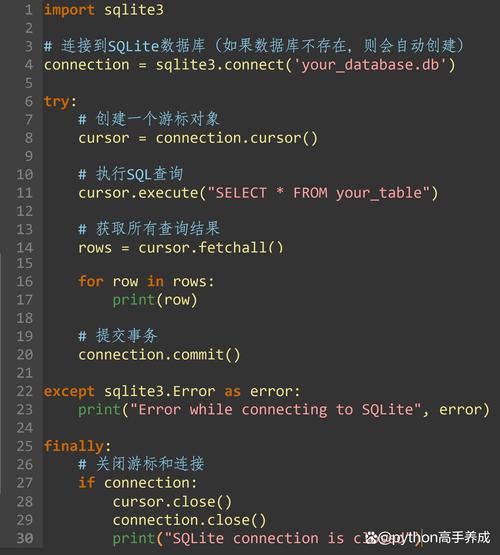
import MySQLdb
# --- 1. Establish a connection ---
# Replace with your actual database credentials
db = MySQLdb.connect(
    host="localhost",      # or your db host
    user="root",           # your db username
    passwd="your_password",# your db password
    db="mytestdb"          # the database name
)
# You can get a cursor object. The cursor is used to execute queries.
cursor = db.cursor()
# --- 2. Execute a query ---
# The %s are placeholders. This is the safe way to pass variables to a query
# to prevent SQL injection.
query = "SELECT * FROM users WHERE age > %s"
cursor.execute(query, (25,)) # The second argument is a tuple of values
# --- 3. Fetch the results ---
# fetchone() gets the next single row of a query result set.
# fetchall() gets all (remaining) rows of a query result set.
results = cursor.fetchall()
print("Found users older than 25:")
for row in results:
    print(f"ID: {row[0]}, Name: {row[1]}, Email: {row[2]}, Age: {row[3]}")
# --- 4. Execute an INSERT query (with transaction handling) ---
try:
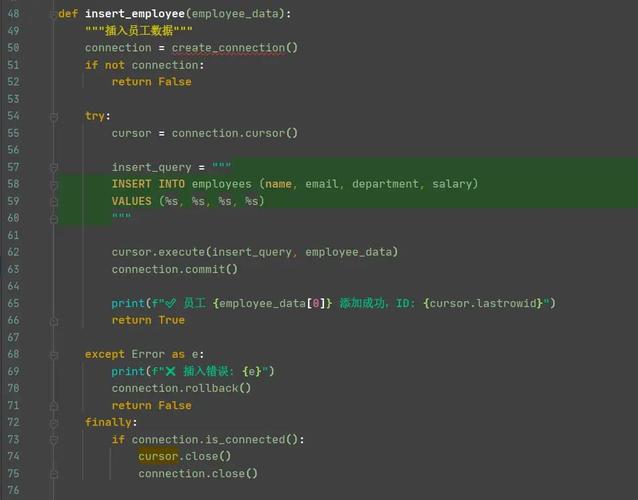
    insert_query = "INSERT INTO users (name, email, age) VALUES (%s, %s, %s)"
    user_data = ("David", "david@example.com", 42)
    cursor.execute(insert_query, user_data)
    # Commit the transaction to make the change permanent
    db.commit()
    print("\nUser 'David' added successfully!")
except MySQLdb.Error as e:
    # If an error occurs, roll back any changes
    db.rollback()
    print(f"\nError inserting user: {e}")
finally:
    # --- 5. Close the connection ---
    # It's very important to close the cursor and the connection
    cursor.close()
    db.close()
    print("\nDatabase connection closed.")
Key Concepts in the Code
MySQLdb.connect(...): Establishes a connection to the database. It returns a connection object.connection.cursor(): Creates a cursor object. The cursor is your main tool for interacting with the database.cursor.execute(sql, params): Executes a single SQL query. Always use%splaceholders and pass values as a tuple in the second argument. This is crucial for security.cursor.fetchone()/fetchall()/fetchmany(size): Retrieves data from the last executedSELECTquery.db.commit(): Saves all changes made since the last commit to the database. This is essential forINSERT,UPDATE, andDELETEstatements.db.rollback(): Undoes all changes made since the last commit. This is typically done inside anexceptblock if an error occurs.cursor.close()/db.close(): Closes the cursor and the connection. Always do this to free up resources on the database server.
Best Practices and Modern Alternatives
While mysqlclient is excellent, the Python ecosystem has evolved.
Using Context Managers (with statements)
For safer resource management, you can use context managers. This ensures that your connection and cursor are automatically closed, even if errors occur.
import MySQLdb
query = "SELECT name, email FROM users"
try:
    # The connection is automatically closed when the 'with' block exits
    with MySQLdb.connect(
        host="localhost",
        user="root",
        passwd="your_password",
        db="mytestdb"
    ) as db:
        # The cursor is also automatically closed
        with db.cursor() as cursor:
            cursor.execute(query)
            for (name, email) in cursor:
                print(f"Name: {name}, Email: {email}
except MySQLdb.Error as e:
    print(f"Database error: {e}")
Using an ORM (Object-Relational Mapper)
For larger applications, writing raw SQL can become cumbersome. An ORM maps your database tables to Python classes, allowing you to interact with your database using Python objects instead of SQL queries.
SQLAlchemy is the most popular ORM in Python. It can use mysqlclient as its underlying database driver.
# Example using SQLAlchemy
from sqlalchemy import create_engine, Column, Integer, String
from sqlalchemy.orm import sessionmaker
from sqlalchemy.ext.declarative import declarative_base
# Use the same connection string format
engine = create_engine('mysql+mysqldb://root:your_password@localhost/mytestdb')
Base = declarative_base()
class User(Base):
    __tablename__ = 'users'
    id = Column(Integer, primary_key=True)
    name = Column(String(50))
    email = Column(String(100))
    age = Column(Integer)
# Create the table if it doesn't exist
Base.metadata.create_all(engine)
# Create a session
Session = sessionmaker(bind=engine)
session = Session()
# Use the ORM to interact with the database
new_user = User(name="Eve", email="eve@example.com", age=28)
session.add(new_user)
session.commit()
# Query using the ORM
users = session.query(User).filter(User.age > 25).all()
for user in users:
    print(f"ORM - Name: {user.name}, Email: {user.email}")
session.close()
Summary
| Tool | When to Use |
|---|---|
mysqlclient |
Best for performance-critical applications. The standard choice for Django projects. |
mysql-connector-python |
Best for simplicity and ease of installation. A great choice for quick scripts or when you can't install system dependencies. |
| SQLAlchemy (ORM) | Best for medium-to-large applications. Reduces boilerplate SQL code and helps prevent SQL injection by abstracting database interactions. |