Of course! Here is a comprehensive guide on how to perform a JDBC INSERT operation in Java, covering the best practices using PreparedStatement to prevent SQL injection.
We'll break this down into:
- The Core Concept: A simple, direct example.
- Best Practice: Using
PreparedStatement(This is the most important part). - Complete, Runnable Example: A full Java program you can adapt.
- Batch Insert: For inserting multiple records efficiently.
- Getting the Generated Key: How to get the ID of a newly inserted row.
The Core Concept: A Simple JDBC Insert
The basic steps for any JDBC operation are:
- Load the Driver: Register the JDBC driver.
- Establish a Connection: Create a connection to the database.
- Create a Statement: Create an object to execute the query.
- Execute the Query: Run the
INSERTSQL statement. - Close Resources: Close the
StatementandConnectionin afinallyblock.
Example (Unsafe - Do Not Use in Production)
This approach is vulnerable to SQL Injection and is not recommended. It's shown here only for educational purposes to understand the basic flow.
import java.sql.Connection;
import java.sql.DriverManager;
import java.sql.SQLException;
import java.sql.Statement;
public class JdbcInsertSimple {
    // IMPORTANT: Replace with your actual database details
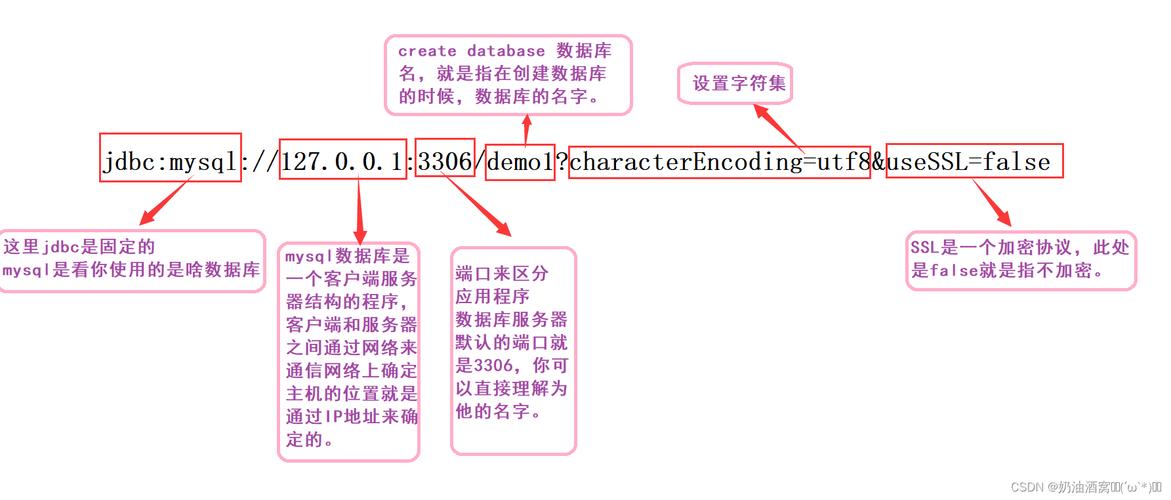
    private static final String DB_URL = "jdbc:mysql://localhost:3306/your_database";
    private static final String USER = "your_username";
    private static final String PASS = "your_password";
    public static void main(String[] args) {
        Connection conn = null;
        Statement stmt = null;
        try {
            // 1. Load the JDBC driver (optional for modern JDBC drivers)
            Class.forName("com.mysql.cj.jdbc.Driver");
            // 2. Open a connection
            System.out.println("Connecting to database...");
            conn = DriverManager.getConnection(DB_URL, USER, PASS);
            // 3. Create a statement
            System.out.println("Creating statement...");
            stmt = conn.createStatement();
            // 4. Execute the INSERT query
            // DANGEROUS: Concatenating user input directly into SQL
            String sql = "INSERT INTO employees (id, name, department) VALUES (1, 'John Doe', 'Engineering')";
            int rowsAffected = stmt.executeUpdate(sql);
            System.out.println(rowsAffected + " row(s) inserted.");
        } catch (SQLException | ClassNotFoundException e) {
            e.printStackTrace();
        } finally {
            // 5. Clean up resources
            try {
                if (stmt != null) stmt.close();
                if (conn != null) conn.close();
            } catch (SQLException e) {
                e.printStackTrace();
            }
        }
    }
}
Best Practice: Using PreparedStatement
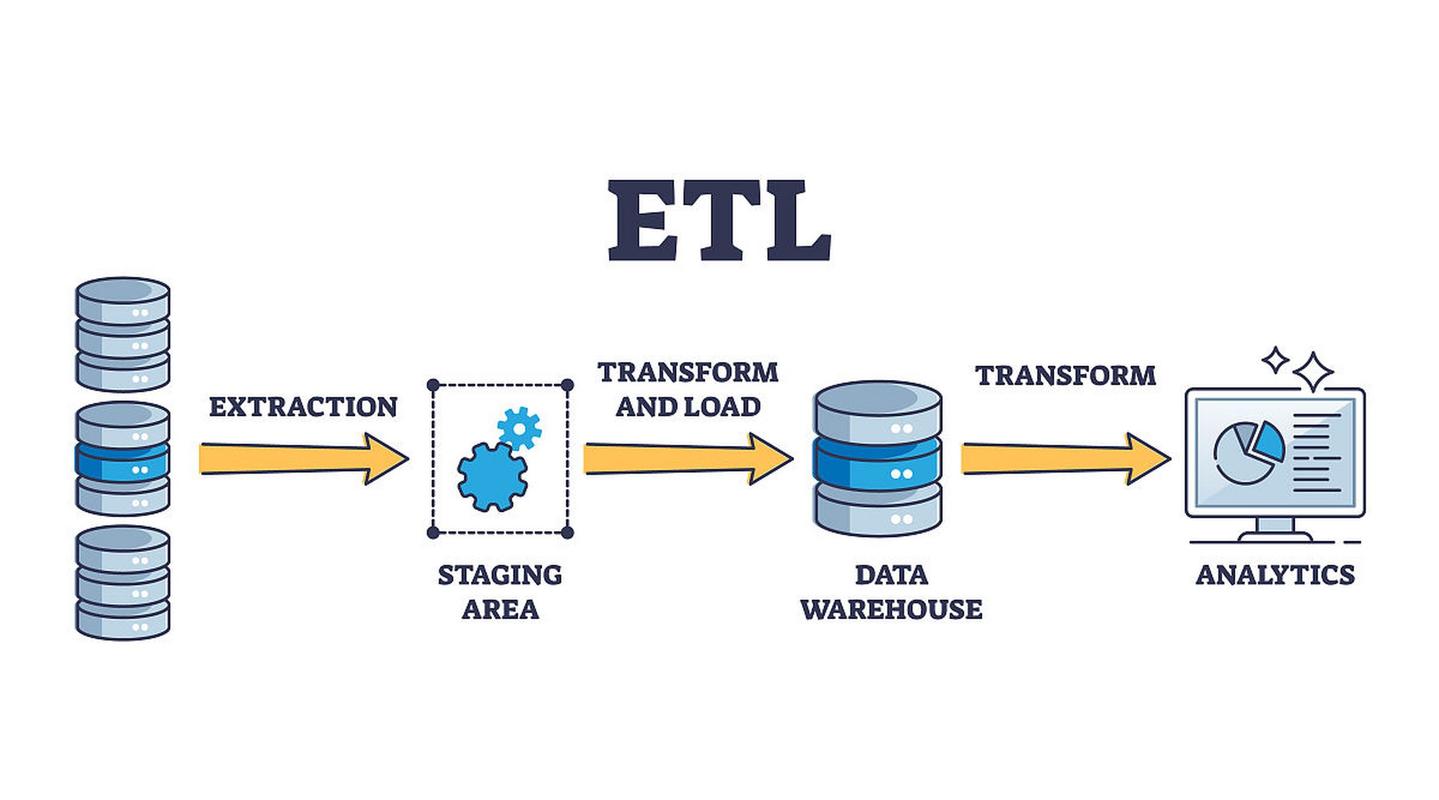
To prevent SQL injection and improve performance, you should always use PreparedStatement. It pre-compiles the SQL statement and allows you to pass parameters safely using placeholders ().
Key Benefits of PreparedStatement:
- Security: It separates the SQL command from the data, making SQL injection attacks impossible.
- Performance: The database can cache the execution plan for the prepared statement, speeding up repeated executions.
- Readability: Code is cleaner and easier to maintain.
Example: Safe Parameterized Insert
Let's insert a new employee where the name and department come from variables.
import java.sql.Connection;
import java.sql.DriverManager;
import java.sql.PreparedStatement;
import java.sql.SQLException;
public class JdbcInsertPrepared {
    // IMPORTANT: Replace with your actual database details
    private static final String DB_URL = "jdbc:mysql://localhost:3306/your_database";
    private static final String USER = "your_username";
    private static final String PASS = "your_password";
    public static void main(String[] args) {
        // Use a try-with-resources statement for automatic resource management
        // This ensures the connection is closed automatically.
        try (Connection conn = DriverManager.getConnection(DB_URL, USER, PASS)) {
            String sql = "INSERT INTO employees (name, department) VALUES (?, ?)";
            // The try-with-resources statement will also close the PreparedStatement
            try (PreparedStatement pstmt = conn.prepareStatement(sql)) {
                // Set the parameter values for the placeholders (?)
                pstmt.setString(1, "Jane Smith"); // 1st ? -> 'Jane Smith'
                pstmt.setString(2, "Marketing");  // 2nd ? -> 'Marketing'
                // Execute the update
                int rowsAffected = pstmt.executeUpdate();
                System.out.println(rowsAffected + " row(s) inserted successfully.");
            } // pstmt is closed here
        } catch (SQLException e) {
            e.printStackTrace();
        } // conn is closed here
    }
}
Explanation of the Code:
String sql = "INSERT INTO employees (name, department) VALUES (?, ?)";": The SQL query contains as placeholders for the values.try (PreparedStatement pstmt = conn.prepareStatement(sql)): We create aPreparedStatementfrom the connection and the SQL string.pstmt.setString(1, "Jane Smith"): We bind the first placeholder () with the string"Jane Smith". The index1is for the first placeholder.pstmt.setString(2, "Marketing"): We bind the second placeholder () with the string"Marketing".pstmt.executeUpdate(): This method executes the SQLINSERTstatement and returns an integer representing the number of rows affected.
Complete, Runnable Example
Here is a full example you can run. First, you need to set up a database and a table.
Step 1: Database Setup (MySQL Example)
-- Create a database (if it doesn't exist)
CREATE DATABASE IF NOT EXISTS company_db;
-- Use the database
USE company_db;
-- Create an employees table
CREATE TABLE IF NOT EXISTS employees (
    id INT AUTO_INCREMENT PRIMARY KEY,
    name VARCHAR(255) NOT NULL,
    department VARCHAR(100),
    created_at TIMESTAMP DEFAULT CURRENT_TIMESTAMP
);
Step 2: Java Project Setup
-
Add the JDBC Driver: You need the JDBC driver for your database. For MySQL, it's
mysql-connector-j. If you're using Maven, add this to yourpom.xml: (图片来源网络,侵删)
<dependency> <groupId>com.mysql</groupId> <artifactId>mysql-connector-j</artifactId> <version>8.0.33</version> <!-- Use the latest version --> </dependency> -
Java Code (
JdbcInsertExample.java):import java.sql.Connection; import java.sql.DriverManager; import java.sql.PreparedStatement; import java.sql.SQLException; import java.time.LocalDateTime; public class JdbcInsertExample { // --- Database Configuration --- // Replace with your actual database details private static final String DB_URL = "jdbc:mysql://localhost:3306/company_db"; private static final String USER = "root"; // Or your username private static final String PASS = "your_password"; // Or your password public static void main(String[] args) { // Data to be inserted String employeeName = "Peter Jones"; String employeeDept = "Sales"; LocalDateTime createdAt = LocalDateTime.now(); // The SQL INSERT statement with placeholders String insertSql = "INSERT INTO employees (name, department, created_at) VALUES (?, ?, ?)"; // Use try-with-resources to ensure the connection is closed automatically try (Connection conn = DriverManager.getConnection(DB_URL, USER, PASS)) { // Create a PreparedStatement try (PreparedStatement pstmt = conn.prepareStatement(insertSql)) { // Set the parameters for the PreparedStatement pstmt.setString(1, employeeName); pstmt.setString(2, employeeDept); pstmt.setObject(3, createdAt); // Use setObject for LocalDateTime // Execute the update int rowsAffected = pstmt.executeUpdate(); if (rowsAffected > 0) { System.out.println(rowsAffected + " new employee added successfully!"); } else { System.out.println("No rows were inserted."); } } // PreparedStatement is closed here } catch (SQLException e) { System.err.println("Database error: " + e.getMessage()); e.printStackTrace(); } // Connection is closed here } }
Batch Insert for Performance
When inserting many records, executing them one by one is slow. JDBC provides a batch feature to group multiple INSERT statements and send them to the database in a single network round trip.
import java.sql.*;
import java.util.Arrays;
import java.util.List;
public class JdbcBatchInsert {
    // ... (DB_URL, USER, PASS from the previous example)
    public static void main(String[] args) {
        List<String> names = Arrays.asList("Alice", "Bob", "Charlie", "David");
        List<String> departments = Arrays.asList("HR", "Finance", "IT", "Support");
        String sql = "INSERT INTO employees (name, department) VALUES (?, ?)";
        try (Connection conn = DriverManager.getConnection(DB_URL, USER, PASS);
             PreparedStatement pstmt = conn.prepareStatement(sql)) {
            // Disable auto-commit to group statements into a transaction
            conn.setAutoCommit(false);
            for (int i = 0; i < names.size(); i++) {
                pstmt.setString(1, names.get(i));
                pstmt.setString(2, departments.get(i));
                pstmt.addBatch(); // Add the statement to the batch
            }
            // Execute the batch
            int[] results = pstmt.executeBatch();
            // Commit the transaction
            conn.commit();
            System.out.println("Batch insert complete. " + results.length + " rows inserted.");
            System.out.println("Results for each statement: " + Arrays.toString(results));
        } catch (SQLException e) {
            System.err.println("Batch insert failed. Rolling back.");
            e.printStackTrace();
            // In a real application, you would handle the rollback
            try (Connection conn = DriverManager.getConnection(DB_URL, USER, PASS)) {
                conn.rollback();
            } catch (SQLException ex) {
                ex.printStackTrace();
            }
        }
    }
}
Getting the Generated Key (e.g., Auto-Increment ID)
When you insert a row with an auto-increment primary key (like id INT AUTO_INCREMENT), you often need to get the ID of the newly created row. PreparedStatement makes this easy.
You just need to modify the prepareStatement call.
import java.sql.*;
public class JdbcInsertAndGetId {
    // ... (DB_URL, USER, PASS from the previous example)
    public static void main(String[] args) {
        String employeeName = "Eva Green";
        String employeeDept = "R&D";
        // The key is to add "RETURN_GENERATED_KEYS" to the prepareStatement call
        String sql = "INSERT INTO employees (name, department) VALUES (?, ?)";
        try (Connection conn = DriverManager.getConnection(DB_URL, USER, PASS);
             // This tells the driver to retrieve the generated keys
             PreparedStatement pstmt = conn.prepareStatement(sql, Statement.RETURN_GENERATED_KEYS)) {
            pstmt.setString(1, employeeName);
            pstmt.setString(2, employeeDept);
            int rowsAffected = pstmt.executeUpdate();
            if (rowsAffected > 0) {
                // Get the generated keys
                try (ResultSet rs = pstmt.getGeneratedKeys()) {
                    if (rs.next()) {
                        // The first column of the ResultSet is the generated ID
                        long generatedId = rs.getLong(1);
                        System.out.println("New employee added with ID: " + generatedId);
                    }
                }
            }
        } catch (SQLException e) {
            e.printStackTrace();
        }
    }
}