Of course! "Python automapping" is a broad term that can refer to several different concepts, but they all revolve around the idea of automatically generating data structures or visual maps from other data sources.
Let's break it down into the most common interpretations, from the most technical (ORMs) to the most visual (mapping).
Automapping in Object-Relational Mapping (ORM)
This is the most common and powerful use of "automapping" in Python development. It refers to the automatic generation of Python classes (models) that correspond to database tables.
The Problem: When you start a new project, you often have an existing database with many tables. Manually writing a Python class for each table with fields that match the columns is tedious and error-prone.
The Solution: Automapping tools inspect the database schema (the table and column definitions) and generate the Python models for you.
Key Tools for ORM Automapping
| Tool | Description | Best For |
|---|---|---|
| SQLAlchemy | The de-facto standard for Python ORMs. Its automap extension is specifically designed for this task. |
Existing databases, rapid prototyping, introspecting databases you don't have the DDL for. |
| Django ORM | While not having a direct "automap" feature like SQLAlchemy, Django's inspect module allows you to introspect an existing database and generate makemigrations files, which then create the models. |
Projects that are already using the Django framework. |
| PonyORM | A more modern ORM that can generate a visual diagram of your database schema and can also work with existing schemas. | Developers who like a more visual, fluent API for defining models. |
Example: SQLAlchemy Automapping
This is a classic example. Imagine you have a PostgreSQL database with users, addresses, and orders tables. You want to use them in your Python code without writing the class definitions.
Prerequisites:
You'll need SQLAlchemy and a database driver (e.g., psycopg2 for PostgreSQL).
pip install sqlalchemy psycopg2-binary
Scenario: Let's assume you have these tables in your database:
users(id,name,email)addresses(id,user_id,street_address) (with a foreign key tousers.id)orders(id,user_id,order_date) (with a foreign key tousers.id)
Python Code:
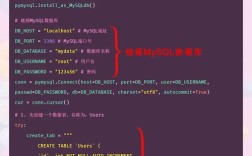
import sqlalchemy
from sqlalchemy import create_engine, MetaData, select
from sqlalchemy.ext.automap import automap_base
from sqlalchemy.orm import sessionmaker
# 1. Create a connection to your database
# Replace with your actual database connection string
DATABASE_URL = "postgresql://user:password@localhost/mydatabase"
engine = create_engine(DATABASE_URL)
# 2. Create a MetaData object to reflect the database schema
# This is the "inspection" step.
metadata = MetaData()
# 3. Create a base for automapping
Base = automap_base(metadata=metadata)
# 4. Reflect the database tables into the Base
# This is the core of automapping. It reads the schema.
Base.prepare(engine, reflect=True)
# 5. Access the mapped classes
# The class names are typically pluralized and capitalized from table names.
User = Base.classes.users
Address = Base.classes.addresses
Order = Base.classes.orders
# --- Now you can use these classes just like if you had defined them manually! ---
# Create a session to interact with the database
Session = sessionmaker(bind=engine)
session = Session()
# Example: Find a user by their ID
try:
    user = session.query(User).filter_by(id=1).first()
    if user:
        print(f"Found User: {user.name} ({user.email})")
        # SQLAlchemy has automatically created the relationship!
        # You can access related objects directly.
        print("User's Addresses:")
        for address in user.addresses: # This works because of the foreign key
            print(f"  - {address.street_address}")
        print("User's Orders:")
        for order in user.orders: # This also works!
            print(f"  - Order ID: {order.id}, Date: {order.order_date}")
    else:
        print("User with id=1 not found.")
except Exception as e:
    print(f"An error occurred: {e}")
finally:
    session.close()
Key Takeaway: SQLAlchemy's automapping saved you from writing three separate class User(...):, class Address(...):, and class Order(...) definitions with all the column and relationship mappings. It did it all by inspecting the database directly.
Automapping for Data Structures (Serialization/Deserialization)
This is another common interpretation, often used in APIs and data processing. It means automatically converting between Python dictionaries/lists and your custom Python objects (or vice-versa).
The Problem: You receive a JSON response from an API like this:
{
  "user_id": 123,
  "username": "jane_doe",
  "is_active": true,
  "profile": {
    "first_name": "Jane",
    "last_name": "Doe"
  }
}
You don't want to manually write code like:
user_id = data['user_id']
username = data['username']
# ... and so on
The Solution: Automapping libraries can take this dictionary and automatically populate a User object.
Key Tools for Data Automapping
| Tool | Description | Best For |
|---|---|---|
| Pydantic | The modern standard for data validation and settings management using Python type annotations. Its core feature is parsing data into models. | FastAPI, data validation, configuration management, ensuring data integrity. |
| Marshmallow | A popular library for object serialization/deserialization, data validation, and formatting. It's very powerful and flexible. | Complex data transformations, validation pipelines, especially when not using type hints. |
| dataclasses | A built-in Python module (since 3.7) that can be combined with other libraries like mashumaro or attrs to achieve simple automapping. |
Simple, lightweight data structures without external dependencies. |
Example: Pydantic Automapping
Let's solve the JSON problem from above using Pydantic.
Prerequisites:
pip install pydantic
Python Code:
from pydantic import BaseModel
# 1. Define your data models using type hints
class Profile(BaseModel):
    first_name: str
    last_name: str
class User(BaseModel):
    user_id: int
    username: str
    is_active: bool
    profile: Profile
# 2. Your data source (e.g., a JSON response from an API)
json_data = {
    "user_id": 123,
    "username": "jane_doe",
    "is_active": True,
    "profile": {
        "first_name": "Jane",
        "last_name": "Doe"
    }
}
# 3. Automap the dictionary to a User object
# Pydantic validates the data and creates the object in one step.
try:
    user = User(**json_data) # The ** unpacks the dictionary
    # 4. You now have a rich Python object with type hints and validation
    print(f"User object created: {user}")
    print(f"Username: {user.username}")
    print(f"First Name: {user.profile.first_name}")
    # You can also easily convert it back to a dictionary or JSON
    user_dict = user.model_dump()
    print(f"\nAs dictionary: {user_dict}")
    user_json = user.model_dump_json()
    print(f"As JSON string: {user_json}")
except ValueError as e:
    print(f"Data validation failed: {e}")
Key Takeaway: Pydantic automapped the dictionary json_data into a fully-typed User object. It also validated the data (e.g., ensuring user_id is an integer and is_active is a boolean).
Automapping for Visual Maps (Geospatial)
This refers to automatically generating visual maps (like road maps, satellite imagery, or heatmaps) from geospatial data.
The Problem: You have latitude and longitude coordinates for a set of locations and you want to see them on a map without using a complex GIS tool.
The Solution: Python libraries can take your coordinates and automatically generate an interactive or static map.
Key Tools for Visual Automapping
| Tool | Description | Best For |
|---|---|---|
| Folium | A powerful Python library that makes it easy to visualize data on an interactive leaflet map. | Interactive web maps, plotting points, markers, and heatmaps. |
| Geopandas + Contextily | A geospatial extension of pandas. Contextily adds basemap tiles. Great for static maps with geographic context. |
Static maps, overlaying data on top of satellite/road map backgrounds, spatial analysis. |
| Plotly Express | The high-level interface for Plotly. It has built-in support for creating map scatter plots. | Interactive plots that are part of a larger data visualization dashboard. |
Example: Folium Automapping
Let's plot a few famous cities on an interactive map.
Prerequisites:
pip install folium
Python Code:
import folium
# 1. Define your data: a list of coordinates and names
locations = [
    {"name": "New York City", "coords": (40.7128, -74.0060)},
    {"name": "London", "coords": (51.5074, -0.1278)},
    {"name": "Tokyo", "coords": (35.6762, 139.6503)},
    {"name": "Sydney", "coords": (-33.8688, 151.2093)}
]
# 2. Create a map object, centered on the first location
# The `tiles` argument lets you choose the map style (OpenStreetMap is default)
map = folium.Map(
    location=locations[0]['coords'],
    zoom_start=2,
    tiles='OpenStreetMap' # Other options: 'Stamen Terrain', 'Stamen Toner'
)
# 3. Automap the data by iterating and adding markers
for loc in locations:
    folium.Marker(
        location=loc['coords'],
        popup=loc['name'], # Text that appears on click
        tooltip=loc['name']  # Text that appears on hover
    ).add_to(map)
# 4. Save the map to an HTML file to view it in a browser
map.save("world_map.html")
print("Interactive map saved as 'world_map.html'")
When you run this code, it will generate a file named world_map.html. Opening this file in your web browser will show you an interactive world map with markers for each city.
Summary
| Type of Automapping | Core Idea | Popular Python Tools |
|---|---|---|
| ORM Automapping | Generate Python classes from a database schema. | SQLAlchemy, Django ORM |
| Data Automapping | Convert dictionaries/JSON to/from Python objects. | Pydantic, Marshmallow |
| Visual Automapping | Generate interactive maps from coordinate data. | Folium, Geopandas, Plotly |
The right tool depends entirely on what you are trying to "automap."