Of course! Let's break down the "UTF-8 codec" in Python. This is a fundamental concept for handling text correctly.
The Core Idea: Text vs. Bytes
First, you need to understand the most important distinction in Python 3 when dealing with strings:
str(String): This represents text. It's an abstract sequence of Unicode characters. A string object doesn't care about how the characters are stored on disk or in memory; it just knows about the characters themselves (e.g., 'H', 'é', '😂').bytes(Bytes): This represents raw binary data. It's a sequence of bytes (numbers from 0 to 255). This is what computers actually use to store and transmit data.
The UTF-8 codec is the set of rules that Python uses to encode (convert str -> bytes) and decode (convert bytes -> str).
- Encoding: Taking a string and turning it into a sequence of bytes using the UTF-8 rules.
- Decoding: Taking a sequence of bytes that were created using UTF-8 rules and turning them back into a string.
Encoding: str.encode()
When you want to save a string to a file, send it over a network, or process it with a tool that only understands bytes, you must encode it into bytes.
Syntax: your_string.encode(encoding='utf-8')
Example:
# Our string with various characters (ASCII, accented, emoji)
my_text = "Hello, world! 🌍 你好"
# Encode the string into bytes using UTF-8
my_bytes = my_text.encode('utf-8')
print(f"Original String (str): {my_text}")
print(f"Type of original: {type(my_text)}")
print("-" * 20)
print(f"Encoded Bytes (bytes): {my_bytes}")
print(f"Type of encoded: {type(my_bytes)}")
Output:
Original String (str): Hello, world! 🌍 你好
Type of original: <class 'str'>
--------------------
Encoded Bytes (bytes): b'Hello, world! \xf0\x9f\x8c\x8d \xe4\xbd\xa0\xe5\xa5\xbd'
Type of encoded: <class 'bytes'>
Explanation of the Output:
- Notice the
b''prefix, which indicates abytesliteral. - Simple ASCII characters like
H,e,l,oare represented by the same byte values (e.g.,b'H'). - Complex characters like the emoji 🌍 and the Chinese characters 你好 are represented by multiple bytes. This is a key feature of UTF-8: it's a variable-width encoding. It uses 1 byte for common ASCII characters and up to 4 bytes for other characters, making it very space-efficient.
Decoding: bytes.decode()
When you read data from a file or receive it from a network, you get bytes. To work with it as text, you must decode it into a string.
Syntax: your_bytes.decode(encoding='utf-8')
Example:
# Let's use the bytes object from the previous example
my_bytes = b'Hello, world! \xf0\x9f\x8c\x8d \xe4\xbd\xa0\xe5\xa5\xbd'
# Decode the bytes back into a string using UTF-8
my_text_again = my_bytes.decode('utf-8')
print(f"Original Bytes (bytes): {my_bytes}")
print(f"Type of original: {type(my_bytes)}")
print("-" * 20)
print(f"Decoded String (str): {my_text_again}")
print(f"Type of decoded: {type(my_text_again)}")
Output:
Original Bytes (bytes): b'Hello, world! \xf0\x9f\x8c\x8d \xe4\xbd\xa0\xe5\xa5\xbd'
Type of original: <class 'bytes'>
--------------------
Decoded String (str): Hello, world! 🌍 你好
Type of decoded: <class 'str'>
As you can see, we successfully got our original text back.
The Most Common Error: UnicodeDecodeError
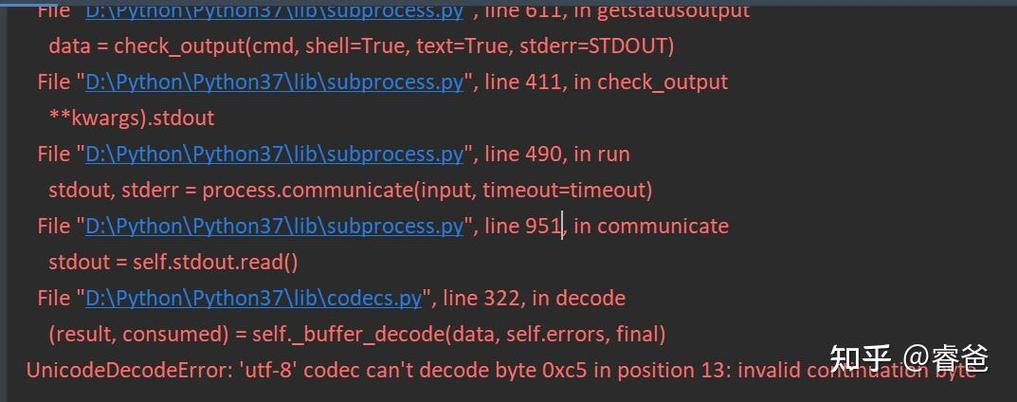
This error happens when you try to decode bytes using the wrong encoding, or if the bytes are corrupted.
Example: Let's pretend our bytes were actually encoded with a different codec, like latin-1 (ISO-8859-1).
# A string encoded with latin-1
text_latin1 = "Café".encode('latin-1')
print(f"Encoded with latin-1: {text_latin1}") # b'Caf\xe9'
# Now, let's incorrectly try to decode it as UTF-8
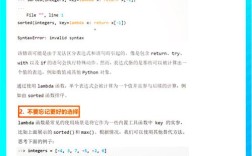
try:
    text_latin1.decode('utf-8')
except UnicodeDecodeError as e:
    print("\n--- ERROR! ---")
    print(f"Error Type: {e}")
    print("This happened because the byte \\xe9 is not a valid UTF-8 sequence.")
Output:
Encoded with latin-1: b'Caf\xe9'
--- ERROR! ---
Error Type: 'utf-8' codec can't decode byte 0xe9 in position 3: invalid continuation byte
This happened because the byte \xe9 is not a valid UTF-8 sequence.
The byte \xe9 is valid in latin-1 (it represents the character ), but it's not a valid start of a multi-byte character in UTF-8, causing the error.
The Golden Rule: Always Specify Encoding in File I/O
A very common source of UnicodeDecodeError is not specifying the encoding when opening files. By default, Python 3 uses the system's default encoding, which can vary and cause problems.
The WRONG way (relying on system default):
# Might work on your machine, but could fail on another system or with different data.
# with open("my_file.txt", "w") as f:
#     f.write("Hello, 世界")
The RIGHT way (explicitly using UTF-8):
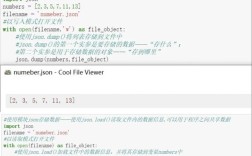
# Writing to a file (encoding from str to bytes)
my_text_to_write = "This is a test with an emoji: ✅"
with open("my_file.txt", "w", encoding='utf-8') as f:
    f.write(my_text_to_write)
print("File written successfully.")
# Reading from a file (decoding from bytes to str)
with open("my_file.txt", "r", encoding='utf-8') as f:
    my_text_from_file = f.read()
print(f"Text read from file: {my_text_from_file}")
Output:
File written successfully.
Text read from file: This is a test with an emoji: ✅
Summary and Best Practices
| Action | Method | Key Points |
|---|---|---|
| Text to Bytes | my_string.encode('utf-8') |
Use when saving to files, sending over network, or processing with binary tools. |
| Bytes to Text | my_bytes.decode('utf-8') |
Use when reading from files, receiving from network, or getting data from an external source. |
| File Writing | open("file.txt", "w", encoding='utf-8') |
Always specify encoding='utf-8' for predictable, cross-platform behavior. |
| File Reading | open("file.txt", "r", encoding='utf-8') |
Always specify encoding='utf-8' to avoid UnicodeDecodeError. |
| Default Encoding | sys.getdefaultencoding() |
Shows the system's default, but you should not rely on it. Explicitly use UTF-8. |
Why UTF-8?
- Universal: It can represent every character in the Unicode standard.
- Backward Compatible: The first 128 characters of UTF-8 are identical to ASCII, making it safe for legacy systems.
- Efficient: For English text, it takes up no more space than old-school ASCII.
By consistently using UTF-8, you ensure your Python code can handle text from any language in the world without breaking.