Of course! This is a very common and powerful combination in Python. You can use it to store, manage, and query structured data that originates from or is destined for a JSON format.
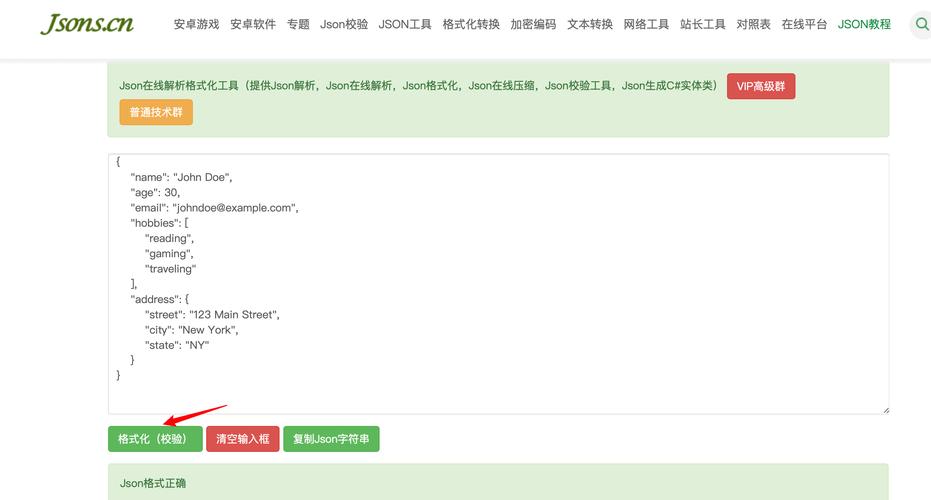
Let's break down how to work with JSON and SQLite, covering the most common scenarios:
- Storing a JSON object in a single SQLite cell.
- Storing JSON data across multiple columns (the "normalized" approach).
- Extracting data from SQLite and converting it back to a JSON object.
- A complete, practical example.
Scenario 1: Storing a JSON Object as a Single Text/BLOB
This is the simplest approach. You take your Python dictionary, convert it to a JSON string, and store that string in a SQLite TEXT or BLOB column.
When to use this:
- When your JSON object is not too large.
- When you don't need to query the contents of the JSON (e.g., you won't be searching for
{"name": "Alice"}). - When you want to keep the data structure intact and treat it as a single "blob" of information.
Step-by-Step Example:
import sqlite3
import json
# 1. Sample Python dictionary (our JSON data)
user_data = {
    "id": 1,
    "name": "Alice",
    "email": "alice@example.com",
    "is_active": True,
    "roles": ["admin", "editor"],
    "address": {
        "street": "123 Main St",
        "city": "Wonderland"
    }
}
# 2. Connect to the SQLite database (it will be created if it doesn't exist)
conn = sqlite3.connect('users.db')
cursor = conn.cursor()
# 3. Create a table with a TEXT column to store the JSON string
cursor.execute('''
    CREATE TABLE IF NOT EXISTS users (
        user_id INTEGER PRIMARY KEY,
        profile_data TEXT
    )
''')
# 4. Convert the Python dict to a JSON string
json_string = json.dumps(user_data)
# 5. Insert the JSON string into the database
cursor.execute("INSERT INTO users (user_id, profile_data) VALUES (?, ?)", (user_data['id'], json_string))
# Commit the changes and close the connection
conn.commit()
conn.close()
print("Data inserted successfully!")
Scenario 2: Normalizing JSON Data into Multiple Columns
This is a more robust approach, especially for querying. You "flatten" the JSON object and store its parts in separate, properly typed columns in your SQLite table.
When to use this:
- When you need to frequently query on specific fields within the JSON (e.g.,
WHERE name = 'Alice'). - When you want to enforce data types (e.g., store
is_activeas anINTEGER, not a string"true"). - When dealing with large datasets where querying a single text field is inefficient.
Step-by-Step Example:
import sqlite3
import json
# 1. Sample Python dictionary (same as before)
user_data = {
    "id": 1,
    "name": "Alice",
    "email": "alice@example.com",
    "is_active": True,
    "roles": ["admin", "editor"],
    "address": {
        "street": "123 Main St",
        "city": "Wonderland"
    }
}
# 2. Connect to the database
conn = sqlite3.connect('users_normalized.db')
cursor = conn.cursor()
# 3. Create a table with columns for each key you want to query
cursor.execute('''
    CREATE TABLE IF NOT EXISTS users (
        user_id INTEGER PRIMARY KEY,
        name TEXT NOT NULL,
        email TEXT UNIQUE,
        is_active INTEGER, -- SQLite doesn't have a BOOLEAN type, 0 is False, 1 is True
        city TEXT
    )
''')
# 4. Extract values from the dictionary
# We handle nested data by accessing it directly (e.g., user_data['address']['city'])
# We convert the boolean to an integer for SQLite
name = user_data['name']
email = user_data['email']
is_active = int(user_data['is_active'])
city = user_data['address']['city']
# 5. Insert the normalized data
cursor.execute("INSERT INTO users (user_id, name, email, is_active, city) VALUES (?, ?, ?, ?, ?)",
               (user_data['id'], name, email, is_active, city))
# Commit and close
conn.commit()
conn.close()
print("Normalized data inserted successfully!")
Scenario 3: Reading from SQLite and Converting Back to JSON
This is the reverse of the first scenario. You read the JSON string from the database and parse it back into a Python dictionary.
import sqlite3
import json
# Connect to the database
conn = sqlite3.connect('users.db')
cursor = conn.cursor()
# Fetch the JSON string from the database
cursor.execute("SELECT profile_data FROM users WHERE user_id = ?", (1,))
result = cursor.fetchone()
if result:
    json_string_from_db = result[0]
    # Parse the JSON string back into a Python dictionary
    python_dict_from_db = json.loads(json_string_from_db)
    print("Successfully retrieved data from SQLite:")
    print(python_dict_from_db)
    print("\nType of the retrieved object:", type(python_dict_from_db))
else:
    print("No user found with user_id = 1")
# Close the connection
conn.close()
Complete Practical Example: Storing, Updating, and Querying
Let's combine these ideas into a more complete script that shows how to work with a list of JSON objects, normalize them, and then query them.
import sqlite3
import json
# Sample data: a list of user dictionaries
users = [
    {"id": 1, "name": "Alice", "email": "alice@example.com", "is_active": True, "city": "Wonderland"},
    {"id": 2, "name": "Bob", "email": "bob@example.com", "is_active": False, "city": "Tech City"},
    {"id": 3, "name": "Charlie", "email": "charlie@example.com", "is_active": True, "city": "Wonderland"}
]
def setup_database():
    """Creates the table and inserts sample data."""
    conn = sqlite3.connect('app_users.db')
    cursor = conn.cursor()
    # Create table
    cursor.execute('''
        CREATE TABLE IF NOT EXISTS users (
            user_id INTEGER PRIMARY KEY,
            name TEXT NOT NULL,
            email TEXT UNIQUE NOT NULL,
            is_active INTEGER,
            city TEXT
        )
    ''')
    # Clear existing data to avoid duplicates on each run
    cursor.execute("DELETE FROM users")
    # Use executemany to efficiently insert a list of records
    # We are normalizing the data here
    insert_data = [
        (user['id'], user['name'], user['email'], int(user['is_active']), user['city'])
        for user in users
    ]
    cursor.executemany("INSERT INTO users (user_id, name, email, is_active, city) VALUES (?, ?, ?, ?, ?)", insert_data)
    conn.commit()
    conn.close()
    print("Database setup complete.")
def query_active_users_in_wonderland():
    """Demonstrates querying the normalized data."""
    conn = sqlite3.connect('app_users.db')
    cursor = conn.cursor()
    # Query for active users in Wonderland
    # This is much more efficient than querying a single JSON text column.
    cursor.execute("SELECT name, email FROM users WHERE is_active = 1 AND city = 'Wonderland'")
    active_users = cursor.fetchall()
    print("\n--- Query Results: Active Users in Wonderland ---")
    if active_users:
        for user in active_users:
            print(f"Name: {user[0]}, Email: {user[1]}")
    else:
        print("No users found matching the criteria.")
    conn.close()
def export_to_json():
    """Exports all data from the database to a JSON file."""
    conn = sqlite3.connect('app_users.db')
    cursor = conn.cursor()
    # Fetch all rows from the table
    cursor.execute("SELECT * FROM users")
    rows = cursor.fetchall()
    # Get column names from the cursor description
    column_names = [description[0] for description in cursor.description]
    # Create a list of dictionaries
    data_to_export = []
    for row in rows:
        data_to_export.append(dict(zip(column_names, row)))
    conn.close()
    # Write the list of dictionaries to a JSON file
    with open('users_export.json', 'w') as f:
        json.dump(data_to_export, f, indent=4)
    print("\n--- Export Complete ---")
    print("Data has been exported to users_export.json")
# --- Main Execution ---
if __name__ == "__main__":
    setup_database()
    query_active_users_in_wonderland()
    export_to_json()
Summary: Which Approach to Choose?
| Feature | Single JSON Column (TEXT) |
Normalized Columns |
|---|---|---|
| Schema | Simple, flexible. Changes to JSON don't require schema changes. | Rigid. Schema must be defined upfront. |
| Querying | Very inefficient. You must fetch the entire JSON string and parse it in Python to search. | Highly efficient. Use standard SQL WHERE, JOIN, ORDER BY on columns. |
| Data Types | Everything is a string (or BLOB). No type enforcement. | Can enforce types (INTEGER, REAL, TEXT). |
| Performance | Slower for large JSON and complex queries. | Faster for reads and queries, especially on large datasets. |
| Best For | Configuration data, logs, APIs where you treat data as an opaque object. | User profiles, product catalogs, any data that needs to be searched and reported on. |