Of course! Here is a comprehensive guide on how to install and use the LIBSVM library with Python on Ubuntu. This guide covers everything from installation to a complete, runnable example.

LIBSVM is a popular and efficient library for Support Vector Machines (SVMs). While it has its own C++ command-line interface, the most common way to use it in Python is through a wrapper.
The Recommended Approach: Using scikit-learn
For most users, the best way to use SVMs in Python is not to directly use LIBSVM, but to use the scikit-learn library. scikit-learn provides a clean, high-level Python API, excellent documentation, and seamless integration with the rest of the Python data science ecosystem (like NumPy and Pandas).
Crucially, scikit-learn uses the highly optimized LIBSVM library as its backend for SVMs. So when you use sklearn.svm.SVC, you are using LIBSVM under the hood, but with a much more user-friendly interface.
This guide will focus on this recommended scikit-learn approach, as it's the standard for Python machine learning.

Part 1: Installing the Prerequisites and scikit-learn
This section will walk you through setting up a Python environment with scikit-learn and its dependencies.
Step 1: Update Your System
It's always good practice to update your package lists and upgrade installed packages before installing new software.
sudo apt update
sudo apt upgrade -y
Step 2: Install Python and pip
scikit-learn requires Python. Ubuntu usually comes with Python pre-installed, but it's wise to ensure you have a recent version and pip (Python's package installer).
# Check your Python version (Python 3.6+ is recommended)
python3 --version
# Install Python 3 and pip if they are not already there
sudo apt install python3 python3-pip python3-venv -y
Step 3: (Recommended) Create a Virtual Environment
A virtual environment isolates your project's dependencies from your system's Python. This is a best practice to avoid version conflicts.

# Create a directory for your project and navigate into it
mkdir svm_project
cd svm_project
# Create a virtual environment named 'venv'
python3 -m venv venv
# Activate the virtual environment
source venv/bin/activate
# Your terminal prompt should now change to show (venv)
Step 4: Install scikit-learn and Dependencies
Inside your active virtual environment, install scikit-learn. It will automatically install its core dependencies: NumPy, SciPy, and joblib.
# Install scikit-learn
pip install scikit-learn
# You might also want libraries for data handling and plotting
pip install pandas matplotlib seaborn
You now have everything you need to start using SVMs via scikit-learn on Ubuntu.
Part 2: A Practical Example with scikit-learn
Let's build a simple SVM model to classify data. We will:
- Generate some sample data.
- Split the data into training and testing sets.
- Create, train, and evaluate an SVM classifier.
- Visualize the results.
Create a Python file, for example, svm_example.py, and paste the following code into it.
# svm_example.py
import numpy as np
import matplotlib.pyplot as plt
from sklearn import svm, datasets
from sklearn.model_selection import train_test_split
from sklearn.metrics import accuracy_score, classification_report
# 1. Load a sample dataset
# We'll use the famous Iris dataset, which is included in scikit-learn
iris = datasets.load_iris()
X = iris.data
y = iris.target
# For better visualization, let's use only the first two features (sepal length and width)
X = X[:, :2]
y = y
# 2. Split data into training and testing sets
# 80% for training, 20% for testing
X_train, X_test, y_train, y_test = train_test_split(X, y, test_size=0.2, random_state=42)
# 3. Create and train the SVM model
# We'll use a Support Vector Classifier (SVC) with a Radial Basis Function (RBF) kernel.
# C: Regularization parameter. A smaller C encourages a larger margin.
# gamma: Kernel coefficient for 'rbf'. Defines how far the influence of a single training example reaches.
print("Training the SVM model...")
model = svm.SVC(kernel='rbf', C=1.0, gamma='scale')
model.fit(X_train, y_train)
print("Training complete.")
# 4. Make predictions on the test set
y_pred = model.predict(X_test)
# 5. Evaluate the model's performance
accuracy = accuracy_score(y_test, y_pred)
print(f"\nModel Accuracy: {accuracy:.2f}")
# You can get a more detailed report
print("\nClassification Report:")
print(classification_report(y_test, y_pred, target_names=iris.target_names))
# 6. Visualize the results
# This helps in understanding how the SVM has separated the data points.
def plot_decision_boundary(X_set, y_set, model, title):
    X1, X2 = np.meshgrid(np.arange(start = X_set[:, 0].min() - 1, stop = X_set[:, 0].max() + 1, step = 0.02),
                         np.arange(start = X_set[:, 1].min() - 1, stop = X_set[:, 1].max() + 1, step = 0.02))
    Z = model.predict(np.array([X1.ravel(), X2.ravel()]).T)
    Z = Z.reshape(X1.shape)
    plt.contourf(X1, X2, Z, alpha=0.75, cmap=plt.cm.coolwarm)
    plt.xlim(X1.min(), X1.max())
    plt.ylim(X2.min(), X2.max())
    for i, j in enumerate(np.unique(y_set)):
        plt.scatter(X_set[y_set == j, 0], X_set[y_set == j, 1],
                    c = ['red', 'green', 'blue'][i], label = iris.target_names[j], edgecolor='black')
    plt.title(title)
    plt.xlabel('Sepal length')
    plt.ylabel('Sepal width')
    plt.legend()
    plt.show()
# Plot for the training set
plot_decision_boundary(X_train, y_train, model, 'SVM (Training set)')
# Plot for the test set
plot_decision_boundary(X_test, y_test, model, 'SVM (Test set)')
How to Run the Example
- Make sure you are in your project directory and the virtual environment is activated:
cd svm_project
source venv/bin/activate
- Run the Python script:
python3 svm_example.py
You will see the model's accuracy and classification report printed in the terminal, and two plots will appear showing how the SVM has classified the data.
Part 3: The Direct (Advanced) LIBSVM Approach
If you specifically need to use the LIBSVM command-line tools or its raw Python API (e.g., for a research paper requiring a specific LIBSVM version), follow these steps.
Step 1: Install Dependencies
You'll need a C++ compiler, Make, and Python development headers.
sudo apt install build-essential python3-dev -y
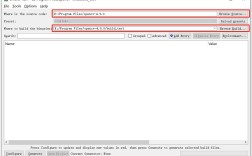
Step 2: Download and Compile LIBSVM
-
Go to the LIBSVM official download page and get the latest version. At the time of writing, it's 3.32.
-
Download and extract it using the terminal.
wget https://www.csie.ntu.edu.tw/~cjlin/libsvm/libsvm-3.32.tar.gz
tar -xzf libsvm-3.32.tar.gz
cd libsvm-3.32
-
Compile the library. This will create the
svm.sofile, which is the Python module.make
If you encounter errors, you might need to install
python3-devas shown in Step 1. -
(Optional but Recommended) Install the LIBSVM Python module system-wide so you can import it from any script.
sudo python3 setup.py install
Step 3: Using the LIBSVM Python API
You can now use the svm module directly. The data format for LIBSVM is different: label index1:value1 index2:value2 .... It's sparse and 1-indexed.
Here is a minimal example of how to use it. You can find sample data files like heart_scale in the libsvm-3.32/python directory.
# direct_libsvm_example.py
import sys
sys.path.append('/path/to/your/libsvm-3.32/python') # Add this if not installed system-wide
from svm import *
from