Of course. Let's break down Python error 10013 in detail.
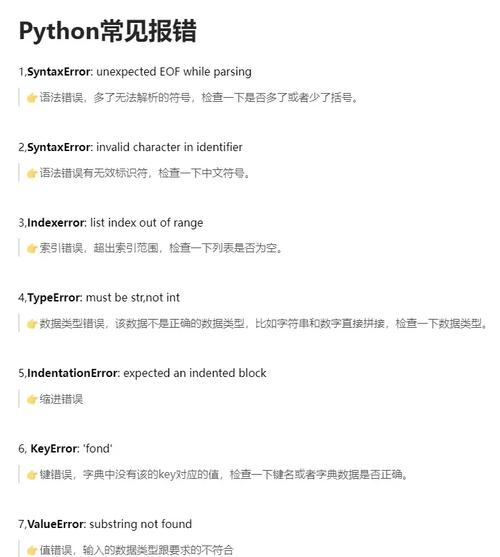
What is Error 10013?
In Python, when you're working with network sockets, error 10013 is the operating system's way of saying "Permission Denied" or "Access is Denied."
This is a very common error, and it almost always means that your Python script is trying to use a network port (for listening or connecting) but is being blocked by something on your system. The specific name for this error can vary slightly depending on your operating system:
- Windows:
Permission denied(often called a "WSAEACCES" error, which is the Winsock error code). - Linux/macOS:
Permission deniedor sometimesAddress already in use(thoughAddressAlreadyInUseis a different, more specific error).
The official name for this error is EACCES.
The Core Problem: Why is it Denied?
Your Python script isn't inherently "denied." The denial comes from a system-level security policy. Here are the most common reasons, ordered from most to least frequent:
The Port is Already in Use (Most Common)
This is the #1 cause. You have another program already running and listening on the exact same IP address and port your script is trying to use.
-
How to check:
- On Windows:
netstat -ano | findstr :YOUR_PORT_NUMBER
Look for a line where the
Local Addressis0.0.0:YOUR_PORTor0.0.1:YOUR_PORT. The number at the very end is the PID (Process ID) of the program using it. - On Linux/macOS:
lsof -i :YOUR_PORT_NUMBER
# or
netstat -tuln | grep :YOUR_PORT_NUMBER
This will show you the process name and PID.
 (图片来源网络,侵删)
- On Windows:
-
Solution:
- Option A (Recommended): Change the port in your Python code to a different one (e.g., from
8080to8081). - Option B: Find and stop the other program that's using the port.
- Option A (Recommended): Change the port in your Python code to a different one (e.g., from
Insufficient Privileges (Especially for Ports < 1024)
On Linux and macOS, "privileged ports" are those in the range 0 to 1023. Only the root user (or sudo) can bind to these ports to prevent unauthorized services from taking over well-known services like HTTP (port 80) or HTTPS (port 443).
- Example: A script trying to start a web server on port 80 without
sudo. - Solution:
- Best Practice: Run your application on a port above 1024 (e.g., 8080, 3000, 5000).
- Alternative (Use with Caution): If you absolutely must use a privileged port, run your script with
sudo:sudo python your_script.py
Firewall is Blocking the Port
Your operating system's firewall (Windows Defender Firewall, ufw on Ubuntu, etc.) might be configured to block incoming or outgoing connections on that specific port.
- How to check:
- Windows: Go to "Windows Defender Firewall with Advanced Security" and check the "Inbound Rules" for any rules blocking your port.
- Linux (Ubuntu): Check
ufwstatus withsudo ufw status.
- Solution:
- Temporarily disable the firewall (for testing only!) to see if this is the cause. Re-enable it immediately after.
- Add a rule to the firewall to allow traffic on your specific port.
The Port is Being Used by Another Process on the Same Machine
This is similar to point #1, but it's worth emphasizing. You might have another instance of your own script still running in the background from a previous run that didn't exit cleanly.
- Solution:
- Check your system's running processes and kill any old instances of your Python script.
- Make sure your script properly closes its sockets when it finishes (using a
try...finallyblock or a context manager likewith socket.socket(...)).
Antivirus Software
Aggressive antivirus or security software can sometimes mistakenly block applications from listening on network ports, treating it as suspicious behavior.
- Solution:
- Check your antivirus logs or notifications.
- Try temporarily disabling your antivirus to see if it resolves the issue. If it does, add an exception for your Python script or its directory.
Code Example and How to Fix It
Let's look at a simple server script that will trigger this error.
# server.py
import socket
HOST = '127.0.0.1'  # Standard loopback interface address (localhost)
PORT = 8080         # Port to listen on (non-privileged ports are > 1023)
# Create a socket object
with socket.socket(socket.AF_INET, socket.SOCK_STREAM) as s:
    # This is the line that will fail if the port is in use or blocked
    s.bind((HOST, PORT))
    s.listen()
    print(f"Server listening on {HOST}:{PORT}")
    conn, addr = s.accept()
    with conn:
        print(f"Connected by {addr}")
        while True:
            data = conn.recv(1024)
            if not data:
                break
            conn.sendall(data)
Scenario 1: Port Already in Use
- Run the first
server.pyin one terminal. It will start listening. - Try to run the exact same
server.pyin a second terminal.
You will see this error:
Traceback (most recent call last):
  File "server.py", line 9, in <module>
    s.bind((HOST, PORT))
PermissionError: [Errno 13] Permission denied
Fix: Change the port number in the second script to something else, like PORT = 8081.
Scenario 2: Privileged Port on Linux/macOS
Modify the script to use port 80:
PORT = 80 # A privileged port
Now, run the script without sudo.
You will see this error:
Traceback (most recent call last):
  File "server.py", line 9, in <module>
    s.bind((HOST, PORT))
PermissionError: [Errno 13] Permission denied
Fix: Run the script with sudo or, better yet, change the port to a non-privileged one.
Troubleshooting Checklist
If you get error 10013, go through this list:
- Is the port already in use? Use
netstatorlsofto find out. If yes, kill the other process or change your port. - Am I using a privileged port (< 1024) on Linux/macOS? If yes, use
sudoor pick a different port. - Is my firewall blocking it? Temporarily disable the firewall to test. If that fixes it, create a proper firewall rule.
- Is my antivirus interfering? Temporarily disable it to test.
- Is an old instance of my script still running? Check your task manager/process list and kill it.
- Am I binding to the correct IP address? If you use
0.0.0, you're listening on all available interfaces. If you use0.0.1, you're only listening for connections from your own machine. Make sure this is what you intend.