Java Base64解码图片
在Java中,你可以使用java.util.Base64类来解码Base64编码的图片数据,以下是几种常见的方法:
(图片来源网络,侵删)
使用Java 8+的Base64类
import java.io.FileOutputStream;
import java.io.IOException;
import java.util.Base64;
public class Base64ImageDecoder {
    public static void main(String[] args) {
        // Base64编码的图片数据(这里用示例数据,实际使用时替换为你的Base64字符串)
        String base64Image = "iVBORw0KGgoAAAANSUhEUgAAAAEAAAABCAYAAAAfFcSJAAAADUlEQVR42mNkYPhfDwAChwGA60e6kgAAAABJRU5ErkJggg==";
        // 解码并保存图片
        decodeBase64ToImage(base64Image, "decoded_image.png");
    }
    public static void decodeBase64ToImage(String base64Image, String outputPath) {
        try {
            // 移除Base64前缀(如果存在)
            String base64Data = base64Image.split(",")[1];
            // 解码Base64数据
            byte[] imageBytes = Base64.getDecoder().decode(base64Data);
            // 写入文件
            try (FileOutputStream outputStream = new FileOutputStream(outputPath)) {
                outputStream.write(imageBytes);
            }
            System.out.println("图片已成功保存到: " + outputPath);
        } catch (IOException e) {
            System.err.println("解码或保存图片时出错: " + e.getMessage());
        }
    }
}
处理带有MIME类型前缀的Base64字符串
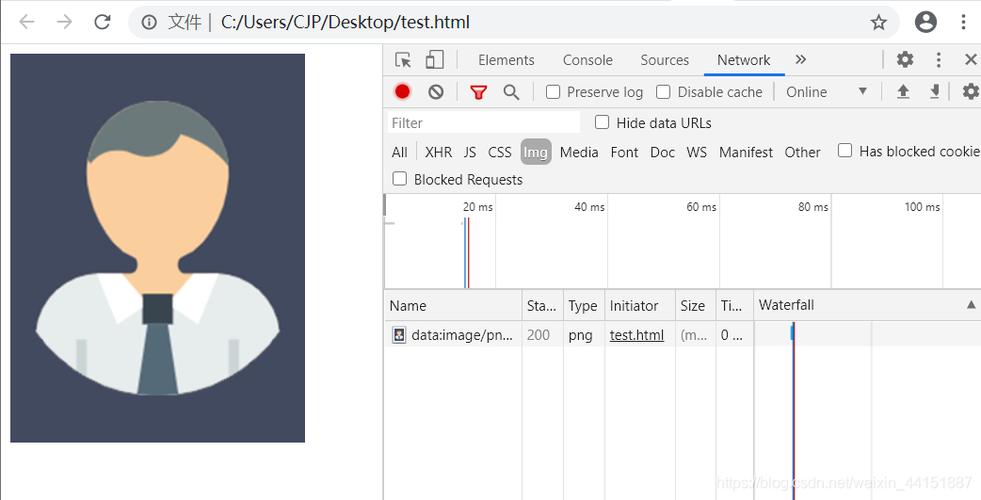
如果Base64字符串带有类似data:image/png;base64,这样的前缀:
import java.io.FileOutputStream;
import java.io.IOException;
import java.util.Base64;
public class Base64ImageDecoderWithPrefix {
    public static void main(String[] args) {
        // 带有MIME类型前缀的Base64图片数据
        String base64WithPrefix = "data:image/png;base64,iVBORw0KGgoAAAANSUhEUgAAAAEAAAABCAYAAAAfFcSJAAAADUlEQVR42mNkYPhfDwAChwGA60e6kgAAAABJRU5ErkJggg==";
        decodeBase64WithPrefix(base64WithPrefix, "decoded_image.png");
    }
    public static void decodeBase64WithPrefix(String base64WithPrefix, String outputPath) {
        try {
            // 分割获取实际的Base64数据部分
            String[] parts = base64WithPrefix.split(",");
            String base64Data = parts[1];
            // 解码Base64数据
            byte[] imageBytes = Base64.getDecoder().decode(base64Data);
            // 写入文件
            try (FileOutputStream outputStream = new FileOutputStream(outputPath)) {
                outputStream.write(imageBytes);
            }
            System.out.println("图片已成功保存到: " + outputPath);
        } catch (IOException e) {
            System.err.println("解码或保存图片时出错: " + e.getMessage());
        }
    }
}
使用Apache Commons Codec库
如果你更喜欢使用Apache Commons Codec库:
import org.apache.commons.codec.binary.Base64;
import java.io.FileOutputStream;
import java.io.IOException;
public class Base64ImageDecoderApache {
    public static void main(String[] args) {
        String base64Image = "iVBORw0KGgoAAAANSUhEUgAAAAEAAAABCAYAAAAfFcSJAAAADUlEQVR42mNkYPhfDwAChwGA60e6kgAAAABJRU5ErkJggg==";
        decodeBase64ToImage(base64Image, "decoded_image.png");
    }
    public static void decodeBase64ToImage(String base64Image, String outputPath) {
        try {
            byte[] imageBytes = Base64.decodeBase64(base64Image);
            try (FileOutputStream outputStream = new FileOutputStream(outputPath)) {
                outputStream.write(imageBytes);
            }
            System.out.println("图片已成功保存到: " + outputPath);
        } catch (IOException e) {
            System.err.println("解码或保存图片时出错: " + e.getMessage());
        }
    }
}
注意事项
- 确保你的Base64字符串是有效的图片数据
- 如果Base64字符串带有前缀(如
data:image/png;base64,),需要先移除前缀再解码 - 处理大图片时要注意内存使用情况
- 确保有写入目标文件的权限
方法都可以有效地将Base64编码的图片数据解码并保存为图片文件,选择哪种方法取决于你的项目需求和偏好。
(图片来源网络,侵删)