Java ASCII 转 BCD 转换方法
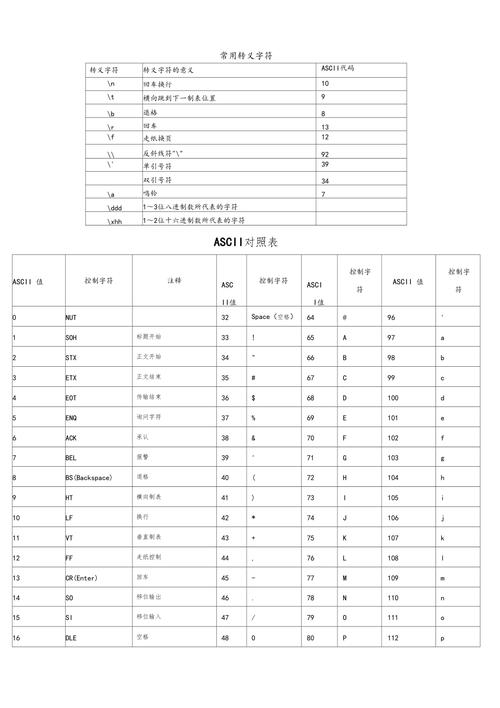
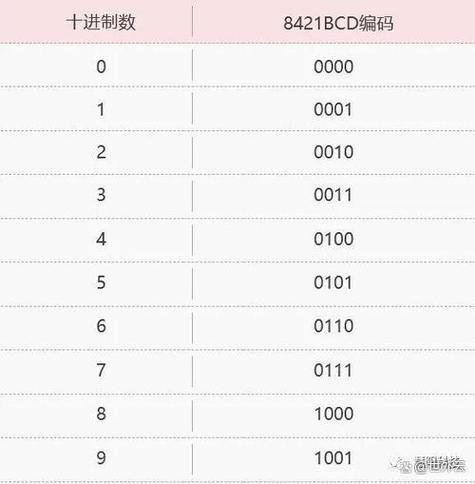
在 Java 中,将 ASCII 字符串转换为 BCD (Binary-Coded Decimal) 格式有几种常见方法,BCD 是用 4 位二进制数表示一位十进制数的编码方式。
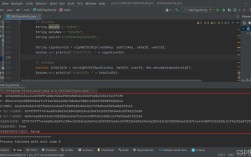
(图片来源网络,侵删)
直接转换法
public static byte[] asciiToBcd(String ascii) {
    if (ascii == null || ascii.length() % 2 != 0) {
        throw new IllegalArgumentException("ASCII string must have even length");
    }
    byte[] bcd = new byte[ascii.length() / 2];
    for (int i = 0; i < ascii.length(); i += 2) {
        // 获取两个ASCII字符
        char c1 = ascii.charAt(i);
        char c2 = ascii.charAt(i + 1);
        // 转换为BCD
        byte high = (byte) (c1 - '0');
        byte low = (byte) (c2 - '0');
        // 组合成一个BCD字节
        bcd[i / 2] = (byte) ((high << 4) | low);
    }
    return bcd;
}
使用BigInteger(适用于大数字)
import java.math.BigInteger;
public static byte[] asciiToBcdBigInteger(String ascii) {
    if (ascii == null || ascii.length() % 2 != 0) {
        throw new IllegalArgumentException("ASCII string must have even length");
    }
    BigInteger bigInt = new BigInteger(ascii);
    byte[] bytes = bigInt.toByteArray();
    // 确保字节数组长度正确
    if (bytes.length % 2 != 0) {
        byte[] padded = new byte[bytes.length + 1];
        System.arraycopy(bytes, 0, padded, 1, bytes.length);
        bytes = padded;
    }
    return bytes;
}
BCD 解压缩(如果输入已经是压缩BCD)
public static String bcdToAscii(byte[] bcd) {
    StringBuilder sb = new StringBuilder();
    for (byte b : bcd) {
        // 高4位
        sb.append((b >> 4) & 0x0F);
        // 低4位
        sb.append(b & 0x0F);
    }
    return sb.toString();
}
使用示例
public static void main(String[] args) {
    String ascii = "12345678";
    byte[] bcd = asciiToBcd(ascii);
    System.out.println("ASCII: " + ascii);
    System.out.println("BCD bytes: " + Arrays.toString(bcd));
    // 转换回ASCII验证
    String back = bcdToAscii(bcd);
    System.out.println("Back to ASCII: " + back);
}
注意事项
- 输入的ASCII字符串必须是偶数长度,因为每个BCD字节表示两个十进制数字
- 输入字符串只能包含数字字符('0'-'9')
- 如果需要处理奇数长度字符串,可以前面或后面补'0'
- 对于大数字,BigInteger方法更合适
- 压缩BCD(每个字节表示两个数字)和非压缩BCD(每个字节表示一个数字)是不同的格式
方法提供了基本的ASCII到BCD的转换功能,可以根据具体需求进行调整。
(图片来源网络,侵删)