Of course! The phrase "for each in" in Python refers to the for...in loop, which is the primary way to iterate over items in a sequence or any other iterable object.
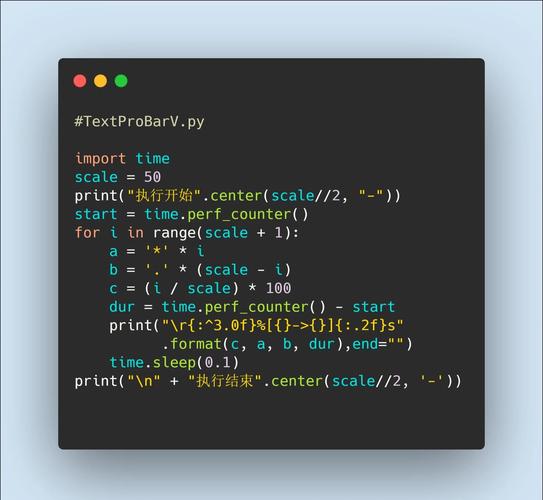
It's the most common and fundamental looping construct in Python.
The Basic Syntax
The general structure is:
for item in iterable_object:
    # Do something with the item
    # This code block is executed for each item
Let's break that down:
for: This is the keyword that starts the loop.item: This is a variable name you choose. In each iteration of the loop, this variable will hold the current value from theiterable_object. You can name it anything (e.g.,for number in...,for name in...).in: This is the keyword that separates the loop variable from the object you're iterating over.iterable_object: This is any object in Python that can return its members one at a time. Examples include lists, tuples, strings, dictionaries, and sets.- The colon at the end of the line is mandatory. It signifies the beginning of the code block that will be executed for each item.
- Indentation: The code indented under the
forline is the "body" of the loop. All code that should be repeated for each item must be indented. Python uses indentation to define code blocks.
Examples with Different Data Types
Let's see how it works with common Python data types.
Iterating over a List (Most Common Use Case)
A list is an ordered collection of items.
# A list of fruits
fruits = ["apple", "banana", "cherry"]
print("My favorite fruits are:")
for fruit in fruits:
    print(fruit)
# Output:
# My favorite fruits are:
# apple
# banana
# cherry
In the first loop, fruit is "apple". In the second, it's "banana", and so on.
Iterating over a String
A string is an iterable sequence of characters.
message = "Hello"
print("The characters in the message are:")
for char in message:
    print(char)
# Output:
# The characters in the message are:
# H
# e
# l
# l
# o
Iterating over a Tuple
A tuple is an ordered, immutable collection.
# A tuple of coordinates
coordinates = (10.0, 20.0)
for coord in coordinates:
    print(f"Processing coordinate: {coord}")
# Output:
# Processing coordinate: 10.0
# Processing coordinate: 20.0
Iterating over a Dictionary
When you iterate over a dictionary directly, you are iterating over its keys.
student_grades = {"Alice": 92, "Bob": 88, "Charlie": 95}
print("The student names are:")
for name in student_grades:
    print(name)
# Output:
# The student names are:
# Alice
# Bob
# Charlie
To get the values or key-value pairs, you can use dictionary methods like .values() and .items().
Getting Values:
print("\nThe student grades are:")
for grade in student_grades.values():
    print(grade)
# Output:
# The student grades are:
# 92
# 88
# 95
Getting Key-Value Pairs (Very Useful!):
The .items() method returns a view object that displays a list of a dictionary's key-value tuple pairs.
print("\nStudent reports:")
for name, grade in student_grades.items():
    print(f"{name}'s grade is {grade}")
# Output:
# Student reports:
# Alice's grade is 92
# Bob's grade is 88
# Charlie's grade is 95
This is a powerful feature called tuple unpacking.
Advanced Looping Concepts
The range() Function
The range() function generates a sequence of numbers. It's perfect when you need to loop a specific number of times.
range(n): Generates numbers from 0 up to (but not including)n.range(start, stop): Generates numbers fromstartup to (but not including)stop.range(start, stop, step): Generates numbers fromstarttostop, incrementing bystep.
# Loop 5 times (i will be 0, 1, 2, 3, 4)
print("Counting from 0 to 4:")
for i in range(5):
    print(i)
# Output:
# Counting from 0 to 4:
# 0
# 1
# 2
# 3
# 4
# Loop from 2 to 8 (exclusive)
print("\nCounting from 2 to 7:")
for i in range(2, 8):
    print(i)
# Output:
# Counting from 2 to 7:
# 2
# 3
# 4
# 5
# 6
# 7
# Loop from 10 down to 0 (exclusive)
print("\nCounting down from 10:")
for i in range(10, 0, -1):
    print(i)
# Output:
# Counting down from 10:
# 10
# 9
# 8
# 7
# 6
# 5
# 4
# 3
# 2
# 1
The enumerate() Function
Sometimes you need both the index and the value of an item. enumerate() is perfect for this. It returns an iterator of tuples, where the first element is the index and the second is the item.
fruits = ["apple", "banana", "cherry"]
print("Fruit list with indices:")
for index, fruit in enumerate(fruits):
    print(f"Index {index}: {fruit}")
# Output:
# Fruit list with indices:
# Index 0: apple
# Index 1: banana
# Index 2: cherry
for...in vs. while Loops
for...inloop: Use this when you know you want to iterate over every item in a known collection (like a list, string, or dictionary). It's cleaner and less error-prone.whileloop: Use this when you need to loop until a specific condition becomes false. It's more flexible but can lead to infinite loops if you're not careful.
Example of a while loop:
count = 0
while count < 5:
    print(f"Count is: {count}")
    count += 1 # Don't forget to update the condition!
# Output:
# Count is: 0
# Count is: 1
# Count is: 2
# Count is: 3
# Count is: 4
Summary
| Feature | Description |
|---|---|
| Purpose | To iterate over each item in an iterable object (list, string, dict, etc.). |
| Syntax | for item in iterable: |
| Use Case | Perfect for "doing something with each item in a collection." |
| Key Tools | range() for looping a number of times, enumerate() for getting index and value. |
| Contrast | Use for...in for collections, while for conditional looping. |