Of course! Here is a comprehensive guide on how to implement Modbus TCP communication in Java, covering the fundamentals, popular libraries, and a complete code example.
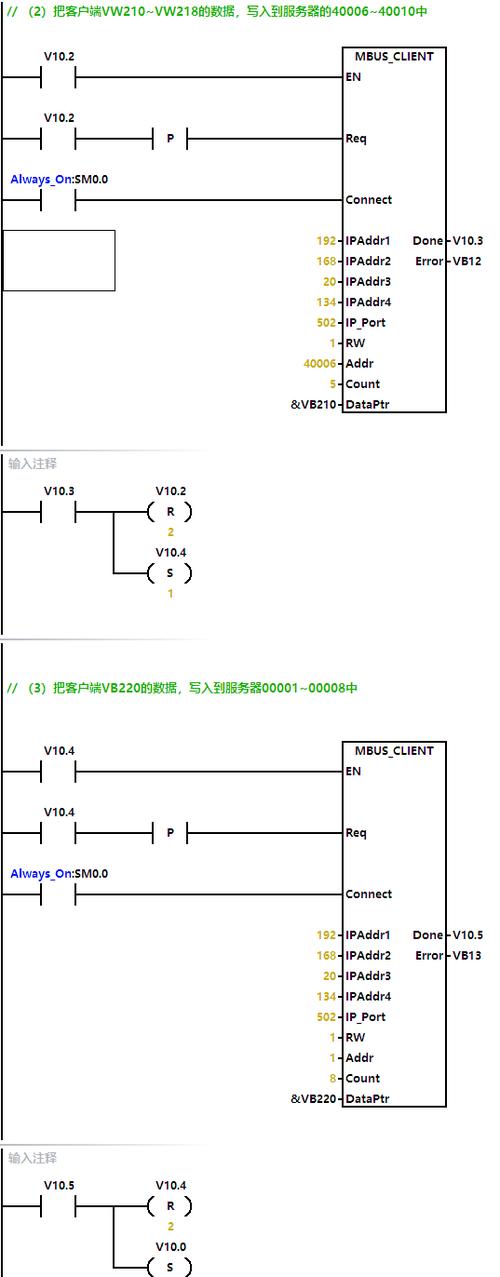
What is Modbus TCP?
Modbus TCP is a network protocol for Modbus communication. It's a simple, robust, and widely used protocol in industrial automation (SCADA, PLCs, sensors, etc.).
Key characteristics:
- Based on TCP/IP: It uses the standard TCP port 502.
- Master/Slave Architecture: One device (the Master or Client) initiates all requests. Other devices (the Slaves or Servers) respond to those requests.
- Function Codes: The requests are defined by "Function Codes" that specify the action to be performed (e.g., read a coil, read holding registers).
- Data Model: Modbus organizes data into four main "tables":
- Coils (Discrete Outputs): 1-bit read/write values (e.g., a relay on/off state). Address range: 00001-09999.
- Discrete Inputs (Status Inputs): 1-bit read-only values (e.g., a sensor's high/low state). Address range: 10001-19999.
- Input Registers: 16-bit read-only values (e.g., a temperature sensor reading). Address range: 30001-39999.
- Holding Registers (Holding Registers): 16-bit read/write values (e.g., setting a speed value). Address range: 40001-49999.
Important Note on Addressing: In Java code, we typically use 0-based indexing. This means you subtract 1 from the 1-based Modbus address.
- Modbus Address
40001(Holding Register) becomes0in code. - Modbus Address
30001(Input Register) becomes0in code.
Choosing a Java Library
You don't need to implement the Modbus TCP protocol from scratch. Several excellent open-source libraries are available.
Here are the most popular ones:
| Library | GitHub | Pros | Cons |
|---|---|---|---|
| jamod | github.com/stevecommunity/jamod | The original, classic library. Very stable, widely used for years. | API can feel a bit dated. Not actively developed anymore. |
| Modbus4J | github.com/stepfunc/modbus4j | Considered the modern successor to jamod. Very active development, good performance, and a clean API. | Can be more complex for very simple tasks. |
| Apache Camel | camel.apache.org/components/modbus.html | If you're already using the Apache Camel framework for integration, this is a great choice. | Overkill if you just need a simple Modbus client. |
Recommendation: For new projects, Modbus4J is generally the recommended choice due to its active maintenance and modern design. We will use it in our main example.
Example with Modbus4J (Recommended)
This example will demonstrate how to create a Modbus TCP client (master) to read and write data from a slave device (e.g., a PLC).
Step 1: Add the Dependency
You need to add the Modbus4J library to your project. If you're using Maven, add this to your pom.xml:
<dependency>
    <groupId>com.ghgande</groupId>
    <artifactId>modbus4j</artifactId>
    <version>3.1.2</version> <!-- Check for the latest version -->
</dependency>
If you're using Gradle, add this to your build.gradle:
implementation 'com.ghgande:modbus4j:3.1.2' // Check for the latest version
Step 2: Java Code Example
This code connects to a Modbus TCP slave, reads a value from a Holding Register, and writes a new value to another Holding Register.
import com.ghgande.j2mod.modbus.Modbus;
import com.ghgande.j2mod.modbus.io.ModbusTCPTransaction;
import com.ghgande.j2mod.modbus.msg.ReadHoldingRegistersRequest;
import com.ghgande.j2mod.modbus.msg.ReadHoldingRegistersResponse;
import com.ghgande.j2mod.modbus.msg.WriteSingleRegisterRequest;
import com.ghgande.j2mod.modbus.msg.WriteSingleRegisterResponse;
import com.ghgande.j2mod.modbus.net.TCPMasterConnection;
import java.net.InetAddress;
public class ModbusTcpClientExample {
    public static void main(String[] args) {
        // --- Configuration ---
        String slaveIp = "192.168.1.10"; // IP address of your Modbus slave device
        int slavePort = Modbus.DEFAULT_PORT; // Default is 502
        int unitIdentifier = 1; // The slave ID (often 1, but can be 1-247)
        // --- Modbus Addresses (0-based) ---
        // Example: Modbus address 40001 is register 0
        int holdingRegisterAddressToRead = 0;
        int holdingRegisterAddressToWrite = 1;
        int valueToWrite = 123;
        TCPMasterConnection connection = null;
        try {
            // 1. Establish a connection to the slave
            InetAddress slaveAddress = InetAddress.getByName(slaveIp);
            connection = new TCPMasterConnection(slaveAddress);
            connection.setPort(slavePort);
            connection.connect(); // Connect with a default timeout of 5 seconds
            System.out.println("Successfully connected to " + slaveIp);
            // --- READ HOLDING REGISTERS ---
            // Create a request to read 1 holding register starting at address 0
            ReadHoldingRegistersRequest readRequest = new ReadHoldingRegistersRequest(holdingRegisterAddressToRead, 1);
            readRequest.setUnitID(unitIdentifier);
            // Create a transaction to process the request
            ModbusTCPTransaction readTransaction = new ModbusTCPTransaction(connection);
            readTransaction.setRequest(readRequest);
            readTransaction.setRetries(3); // Number of retries on timeout
            // Execute the transaction
            System.out.println("Executing read request...");
            readTransaction.execute();
            // Get the response
            ReadHoldingRegistersResponse readResponse = (ReadHoldingRegistersResponse) readTransaction.getResponse();
            if (readResponse.isException()) {
                System.err.println("Exception response: " + readResponse.getExceptionCode());
            } else {
                short[] registerValues = readResponse.getRegisterValues();
                System.out.println("Read successful!");
                System.out.println("Value at register " + holdingRegisterAddressToRead + " is: " + registerValues[0]);
            }
            System.out.println("------------------------------------");
            // --- WRITE A SINGLE REGISTER ---
            // Create a request to write a value to a holding register
            WriteSingleRegisterRequest writeRequest = new WriteSingleRegisterRequest(holdingRegisterAddressToWrite, valueToWrite);
            writeRequest.setUnitID(unitIdentifier);
            // Create a transaction for the write
            ModbusTCPTransaction writeTransaction = new ModbusTCPTransaction(connection);
            writeTransaction.setRequest(writeRequest);
            // Execute the transaction
            System.out.println("Executing write request...");
            writeTransaction.execute();
            // Get the response
            WriteSingleRegisterResponse writeResponse = (WriteSingleRegisterResponse) writeTransaction.getResponse();
            if (writeResponse.isException()) {
                System.err.println("Exception response: " + writeResponse.getExceptionCode());
            } else {
                System.out.println("Write successful!");
                System.out.println("Value " + valueToWrite + " written to register " + holdingRegisterAddressToWrite);
            }
        } catch (Exception e) {
            System.err.println("Error: " + e.getMessage());
            e.printStackTrace();
        } finally {
            // 3. Always close the connection in a finally block
            if (connection != null && connection.isConnected()) {
                connection.close();
                System.out.println("Connection closed.");
            }
        }
    }
}
Step 3: How to Run
- Set up a Java project (Maven or Gradle is recommended).
- Add the Modbus4J dependency.
- Replace
"192.168.1.10"with the actual IP address of your Modbus slave device (this could be a real PLC, a Modbus simulator, or another device). - Run the
mainmethod.
Creating a Modbus TCP Server (Slave)
While less common for simple Java applications, you might need to create a Modbus server to simulate a device or to have your application act as a slave. Modbus4J also supports this.
Here's a basic example of a Modbus TCP server.
import com.ghgande.j2mod.modbus.Modbus;
import com.ghgande.j2mod.modbus.io.ModbusTCPListener;
import com.ghgande.j2mod.modbus.net.TCPMasterConnection;
import com.ghgande.j2mod.modbus.slave.ModbusSlave;
import com.ghgande.j2mod.modbus.slave.ModbusSlaveFactory;
import com.ghgande.j2mod.modbus.slave.util.ModbusSlaveUtils;
public class ModbusTcpServerExample {
    public static void main(String[] args) {
        // --- Configuration ---
        int port = Modbus.DEFAULT_PORT; // 502
        int slaveId = 1;
        // Create a ModbusSlave instance
        ModbusSlave slave = ModbusSlaveFactory.createTCPSlave(port);
        // Set up the slave's data model
        // For simplicity, we'll just use the default map.
        // In a real application, you would populate this with your actual data.
        // slave.getProcessImage().add...( ... );
        try {
            // Start the slave
            slave.open();
            System.out.println("Modbus TCP Slave started on port " + port);
            System.out.println("Waiting for master requests...");
            // Keep the server running
            while (true) {
                Thread.sleep(1000);
            }
        } catch (Exception e) {
            System.err.println("Error: " + e.getMessage());
            e.printStackTrace();
        } finally {
            // Stop the slave
            try {
                if (slave != null) {
                    slave.close();
                    System.out.println("Modbus Slave stopped.");
                }
            } catch (Exception e) {
                e.printStackTrace();
            }
        }
    }
}
Best Practices and Troubleshooting
- Error Handling: Always check if the response is an exception (
response.isException()). This is how the slave communicates errors like "illegal data address" or "illegal function". - Connection Management: Re-establishing a connection for every request is inefficient. For long-running applications, connect once and reuse the connection. Always close the connection when you're done to free up resources.
- Timeouts: Network communication can fail. Set appropriate timeouts for both the connection and the transaction to prevent your application from hanging indefinitely.
- Unit ID: Remember to set the
unitID(slave ID) on your request. If you're unsure,1is a common default. - Firewalls: Ensure that the port 502 (or your custom port) is open on the slave device and any intermediate firewalls.
- Simulators: If you don't have physical hardware, use a Modbus TCP simulator. This is invaluable for testing your Java code.
- Modbus Slave Simulator: A simple, free tool for Windows.
- QModMaster: A more advanced, cross-platform Modbus master/slave simulator and analyzer.
- Docker: You can run Modbus simulators in Docker containers (e.g.,
ghcr.io/gopcua/opcua-serverhas a Modbus plugin, or search formodbus-tcp-slaveon Docker Hub).
This guide should give you a solid foundation for working with Modbus TCP in Java. Good luck