Of course! Converting text from GBK to UTF-8 in Python is a common task, especially when dealing with data from sources like older Chinese Windows systems or specific databases.

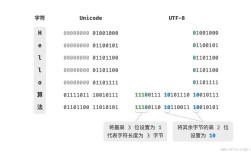
The core principle is to decode the bytes from the old encoding (GBK) into a Python Unicode string, and then encode that string into the new encoding (UTF-8).
Here’s a complete guide, from the basic concept to practical examples and handling files.
The Core Concept: decode() and encode()
decode(): You use this on a bytes-like object (e.g.,b'...') to turn it into a regular Python string (astrobject), which is internally stored as Unicode.encode(): You use this on a regular Python string (str) to convert it into a bytes-like object using a specific encoding.
The conversion flow is always:
bytes (in GBK) → decode('gbk') → str (Unicode) → encode('utf-8') → bytes (in UTF-8)
Converting a Simple String in Memory
This is the most straightforward case. Let's say you have a GBK-encoded byte string.
# This is a byte string. The 'b' prefix indicates it's not a regular string.
# In a real scenario, you might get this from reading a file or a network response.
gbk_bytes = b'\xB9\xE3\xCA\xA1\xCA\xA1\xCA\xA1'  # This is "北京你好" in GBK encoding
# Step 1: Decode the GBK bytes into a Python Unicode string
# The 'ignore' error handler will skip any characters that can't be decoded.
# 'strict' (the default) would raise an error.
try:
    unicode_string = gbk_bytes.decode('gbk')
    print(f"Decoded String: {unicode_string}")
    print(f"Type of decoded string: {type(unicode_string)}")
except UnicodeDecodeError as e:
    print(f"Decoding failed: {e}")
# Step 2: Encode the Unicode string into UTF-8 bytes
utf8_bytes = unicode_string.encode('utf-8')
print(f"\nConverted to UTF-8 bytes: {utf8_bytes}")
print(f"Type of new bytes: {type(utf8_bytes)}")
# You can verify the UTF-8 bytes are correct
# The UTF-8 for "北京你好" is: E5 8C 97 E4 BA AC E4 BD A0 E5 A5 BD
print(f"Expected UTF-8 bytes: b'\\xe5\\x8c\\x97\\xe4\\xba\\xac\\xe4\\xbd\\xa0\\xe5\\xa5\\xbd'")
Output:
Decoded String: 北京你好
Type of decoded string: <class 'str'>
Converted to UTF-8 bytes: b'\xe5\x8c\x97\xe4\xba\xac\xe4\xbd\xa0\xe5\xa5\xbd'
Type of new bytes: <class 'bytes'>
Expected UTF-8 bytes: b'\xe5\x8c\x97\xe4\xba\xac\xe4\xbd\xa0\xe5\xa5\xbd'
Handling Common Errors
What if the data isn't actually in GBK? You'll get a UnicodeDecodeError.
# This string is actually UTF-8, not GBK
wrong_bytes = b'\xe5\x8c\x97\xe4\xba\xac' # "北京" in UTF-8
try:
    # This will fail because Python is trying to interpret UTF-8 bytes as GBK
    wrong_bytes.decode('gbk')
except UnicodeDecodeError as e:
    print(f"Error caught as expected: {e}")
    print("Solution: Make sure you know the correct source encoding!")
Output:
Error caught as expected: 'gbk' codec can't decode byte 0xe5 in position 0: illegal multibyte sequence
Solution: Make sure you know the correct source encoding!
Practical Example: Converting a File
This is the most common use case. You have a file in GBK and want to save it as UTF-8.
The safest way to do this is to read the file in binary mode, decode its content, and then write the result to a new file in binary mode.
Method A: The Safe, Explicit Way (Recommended)
This method clearly shows the decode/encode steps.
# Assume you have a file named 'gbk_file.txt' encoded in GBK
# content: "你好,世界!这是一个GBK编码的文件。"
source_file = 'gbk_file.txt'
target_file = 'utf8_file.txt'
try:
    # 1. Read the source file in binary mode ('rb')
    with open(source_file, 'rb') as f:
        gbk_content = f.read()
        print(f"Read {len(gbk_content)} bytes from '{source_file}'")
    # 2. Decode the bytes from GBK to a string
    unicode_content = gbk_content.decode('gbk')
    print(f"Successfully decoded to string.")
    # 3. Encode the string to UTF-8 bytes
    utf8_content = unicode_content.encode('utf-8')
    # 4. Write the UTF-8 bytes to a new file in binary mode ('wb')
    with open(target_file, 'wb') as f:
        f.write(utf8_content)
        print(f"Successfully wrote UTF-8 content to '{target_file}'")
except FileNotFoundError:
    print(f"Error: The file '{source_file}' was not found.")
except UnicodeDecodeError:
    print(f"Error: Failed to decode '{source_file}'. It might not be in GBK format.")
Method B: The "Modern" Python 3 Way (More Concise)
Python 3's open() function has an encoding argument. You can use it to read a file with one encoding and write it with another, all in text mode.
source_file = 'gbk_file.txt'
target_file = 'utf8_file.txt'
try:
    # 1. Open the source file in text mode, specifying its encoding
    with open(source_file, 'r', encoding='gbk') as f_in:
        # 2. Read the content directly as a string (Python handles the decode step)
        unicode_content = f_in.read()
    # 3. Open the target file in text mode, specifying the new encoding
    with open(target_file, 'w', encoding='utf-8') as f_out:
        # 4. Write the string (Python handles the encode step)
        f_out.write(unicode_content)
    print(f"File successfully converted from GBK to UTF-8 using text mode.")
except FileNotFoundError:
    print(f"Error: The file '{source_file}' was not found.")
except UnicodeDecodeError:
    print(f"Error: Failed to decode '{source_file}'. It might not be in GBK format.")
Converting an Entire Directory of Files
If you have many files to convert, a script is essential. This script will find all .txt files in a directory, convert them from GBK to UTF-8, and save them with a new name or overwrite them.
import os
def convert_directory_gbk_to_utf8(source_dir, target_dir=None, extension='.txt'):
    """
    Converts all files with a given extension from GBK to UTF-8.
    Args:
        source_dir (str): The directory containing the GBK files.
        target_dir (str, optional): The directory to save UTF-8 files.
                                    If None, files are overwritten in the source_dir.
        extension (str, optional): The file extension to process. Defaults to '.txt'.
    """
    if not os.path.isdir(source_dir):
        print(f"Error: Source directory '{source_dir}' not found.")
        return
    if target_dir and not os.path.isdir(target_dir):
        print(f"Error: Target directory '{target_dir}' not found.")
        return
    print(f"Scanning '{source_dir}' for files with extension '{extension}'...")
    for filename in os.listdir(source_dir):
        if filename.lower().endswith(extension):
            source_path = os.path.join(source_dir, filename)
            # Define target path
            if target_dir:
                target_path = os.path.join(target_dir, filename)
            else:
                target_path = source_path # Overwrite original
            print(f"Processing: {filename}...")
            try:
                # Read with GBK encoding
                with open(source_path, 'r', encoding='gbk') as f_in:
                    content = f_in.read()
                # Write with UTF-8 encoding
                with open(target_path, 'w', encoding='utf-8') as f_out:
                    f_out.write(content)
                print(f"  -> Successfully converted to '{target_path}'")
            except UnicodeDecodeError:
                print(f"  -> Error: Could not decode '{filename}'. It might not be GBK.")
            except Exception as e:
                print(f"  -> An unexpected error occurred: {e}")
# --- Example Usage ---
# Create a dummy directory and file for testing
if not os.path.exists('test_gbk_files'):
    os.makedirs('test_gbk_files')
with open('test_gbk_files/chinese.txt', 'wb') as f:
    f.write(b'\xB9\xE3\xCA\xA1\xCA\xA1\xCA\xA1') # 北京你好
with open('test_gbk_files/english.txt', 'w') as f:
    f.write("This is already UTF-8, but the script will handle it gracefully.")
# Convert files, overwriting them in the same directory
convert_directory_gbk_to_utf8('test_gbk_files')
# Or convert to a new directory
# if not os.path.exists('test_utf8_files'):
#     os.makedirs('test_utf8_files')
# convert_directory_gbk_to_utf8('test_gbk_files', 'test_utf8_files')
Summary
| Task | Method | Code Snippet |
|---|---|---|
| Convert a byte string | Decode then Encode | s = b'...'.decode('gbk'); b_out = s.encode('utf-8') |
| Read/Write a single file (Safe) | Binary mode with explicit decode/encode | with open('f.txt', 'rb') as f: content = f.read().decode('gbk'); ...; with open('f_out.txt', 'wb') as f: f.write(content.encode('utf-8')) |
| Read/Write a single file (Concise) | Text mode with encoding argument |
with open('f.txt', 'r', encoding='gbk') as f_in: content = f_in.read(); with open('f_out.txt', 'w', encoding='utf-8') as f_out: f_out.write(content) |
| Convert many files | Script with os.listdir and a loop |
See the full example above. |