Of course. Here's a comprehensive guide to installing Python 3.5 on CentOS.
⚠️ Important: Python 3.5 is End-of-Life
First and foremost, it's crucial to understand that Python 3.5 reached its official End-of-Life (EOL) on September 13, 2025. This means:
- No Security Updates: It no longer receives security patches, making it vulnerable to exploits.
- No Bug Fixes: Critical bugs are not fixed.
- No New Features: You can't use modern Python features available in 3.6+.
- Package Incompatibility: Many modern Python packages (like
pip,setuptools, and libraries likerequests,numpy) no longer support Python 3.5 and will fail to install.
Recommendation: You should strongly consider using a supported version of Python, such as Python 3.8, 3.9, 3.10, or 3.11, on your CentOS system. These are available through the AppStream repositories or can be easily compiled from source.
Method 1: Using Software Collections (Recommended for EOL Python)
This is the safest and most recommended way to install an EOL Python version like 3.5 on a modern CentOS system (CentOS 7 and 8). It installs Python in a separate directory, avoiding conflicts with the system's default Python.
Step 1: Install the SCL Repository
The Software Collections (SCL) repository provides packages for different versions of software, including older Python versions.
# For CentOS 7
sudo yum install centos-release-scl
# For CentOS 8 (or Stream 8)
sudo dnf install centos-release-scl
Step 2: Install Python 3.5 from SCL
Check which Python 3.5 collections are available. The package name is typically python35.
# For CentOS 7
sudo yum install rh-python35
# For CentOS 8 / Stream 8
sudo dnf install rh-python35
Step 3: Activate and Use Python 3.5
You can't just run python3.5 directly. You need to "activate" the SCL environment first.
# Activate the Python 3.5 environment for your current shell session
scl enable rh-python35 bash
After running this command, your terminal prompt will change, indicating the environment is active. Now you can use the Python commands.
# Check the version
python --version
# Output: Python 3.5.10
# Check pip version
pip --version
# Output: pip 9.0.3 from /opt/rh/rh-python35/root/usr/lib/python3.5/site-packages/pip (python 3.5)
To make it permanent for your user, add the following line to the end of your ~/.bashrc file:
echo 'source /opt/rh/rh-python35/enable' >> ~/.bashrc
Now, every time you open a new terminal, python and pip will point to the Python 3.5 version.
Method 2: Compiling from Source (For Customization)
This method gives you more control but is more complex. It's generally not necessary unless you need specific build options.
Step 1: Install Required Dependencies
You need development tools and libraries to compile Python.
# For CentOS 7
sudo yum groupinstall "Development Tools"
sudo yum install openssl-devel bzip2-devel libffi-devel
# For CentOS 8 / Stream 8
sudo dnf groupinstall "Development Tools"
sudo dnf install openssl-devel bzip2-devel libffi-devel
Step 2: Download Python 3.5 Source Code
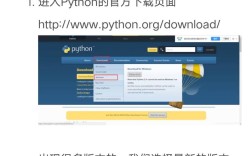
Go to the Python 3.5 download page and get the source tarball link.
# Navigate to a temporary directory
cd /tmp
# Download the source code (using 3.5.10 as an example)
wget https://www.python.org/ftp/python/3.5.10/Python-3.5.10.tgz
# Extract the archive
tar -xzf Python-3.5.10.tgz
# Navigate into the directory
cd Python-3.5.10
Step 3: Configure, Compile, and Install
It's highly recommended to install Python to a custom location (e.g., /usr/local/python3.5) to avoid overwriting the system's Python.
# Configure the build, specifying a custom installation prefix
./configure --prefix=/usr/local/python3.5
# Compile the source code (this can take a few minutes)
make
# Install the compiled code
sudo make altinstall
Note: We use
sudo make altinstallinstead ofsudo make install.altinstallprevents it from overwriting the system's defaultpythonorpython3symlinks, which is crucial for system stability.
Step 4: Verify the Installation
The executables will be in /usr/local/python3.5/bin. You need to add this to your PATH.
# Add to PATH for the current session
export PATH="/usr/local/python3.5/bin:$PATH"
# Verify the version
python3.5 --version
# Output: Python 3.5.10
# Verify pip
pip3.5 --version
To make this permanent, add the export line to your ~/.bashrc file:
echo 'export PATH="/usr/local/python3.5/bin:$PATH"' >> ~/.bashrc
Common Problems and Solutions
Problem 1: ModuleNotFoundError: No module named '_ctypes'
This happens if the libffi-devel package was not installed before compiling.
Solution: Install the missing package and recompile.
sudo yum install libffi-devel
# or for CentOS 8+
sudo dnf install libffi-devel
# Then re-run the make and make altinstall steps from Method 2
make
sudo make altinstall
Problem 2: pip is too old to install packages
The pip that comes with Python 3.5 is very old and cannot install many modern packages.
Solution: Upgrade pip and setuptools using the ensurepip module.
# Make sure your Python 3.5 environment is active (from Method 1 or 2)
python3.5 -m ensurepip --upgrade
Problem 3: pip fails to install a package (e.g., requests)
This is the expected behavior of EOL software. The package maintainer has dropped support for Python 3.5.
Solution:
- Check the package's documentation to see if it supports Python 3.5.
- Find an older version of the package that is compatible. You can often specify this with
pip. For example, to install an older version ofrequests:pip install 'requests<2.28.0'
- The best solution is to upgrade your Python version.
Summary
| Method | Pros | Cons | Best For |
|---|---|---|---|
| Software Collections (SCL) | - Safe, isolated environment - Easy to install - Doesn't break system Python |
- Still uses an EOL version of Python - May not have the latest pre-compiled packages |
Most users who need a specific EOL version quickly and safely. |
| Compile from Source | - Full control over build options - Can get the latest patch version of 3.5 |
- Complex and time-consuming - Easy to break system if not careful ( make install)- Many dependencies to install manually |
Developers who need specific build flags or are in an environment without SCL. |
Again, for any new project, please use a modern, supported version of Python.