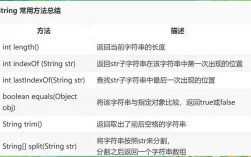
Of course! The Java String API is one of the most fundamental and heavily used parts of the Java language. It's a final class, meaning it cannot be extended, and all its instances are immutable (cannot be changed).
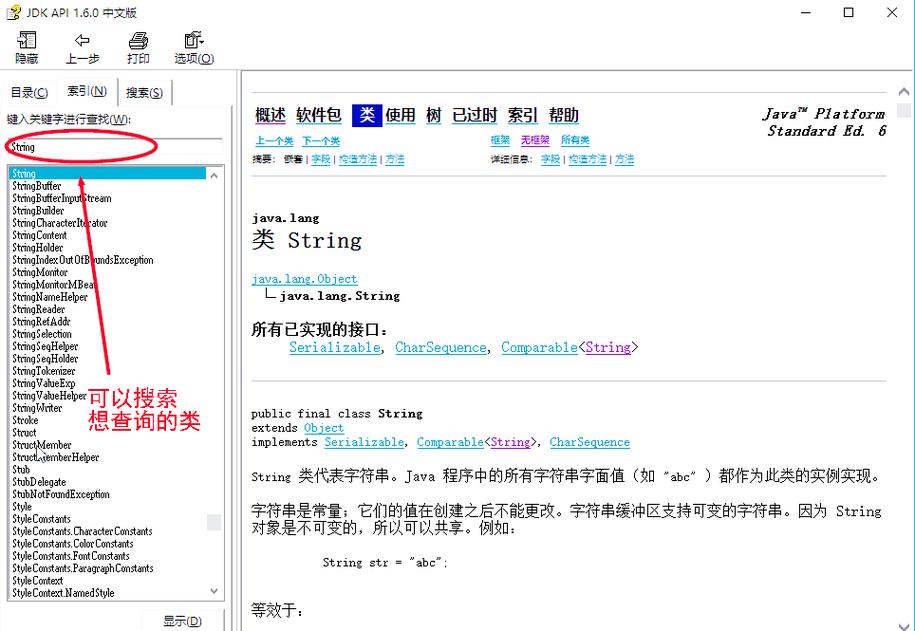
Here is a comprehensive guide to the Java String API, broken down into categories for clarity.
Core Concepts: Immutability and final
Before diving into methods, it's crucial to understand two key concepts:
finalClass: TheStringclass is declared asfinal. This means no other class can inherit fromString. You cannot doclass MyString extends String {}.- Immutability: Once a
Stringobject is created, its value cannot be changed. Any method that appears to modify a string actually returns a new string object.
Example of Immutability:
String original = "hello";
String modified = original.toUpperCase(); // toUpperCase() returns a NEW string
System.out.println("original: " + original);    // Output: original: hello
System.out.println("modified: " + modified);    // Output: modified: HELLO
The variable original still points to the original "hello" string. modified points to a new, different string "HELLO".
String Creation
There are several ways to create a string.
a. Using String Literals (Most Common)
Java uses a special memory area called the "String Pool" to optimize storage for string literals.
String s1 = "hello"; // Creates a string in the string pool
String s2 = "hello"; // s2 points to the same object in the pool as s1
System.out.println(s1 == s2); // Output: true (they are the same object)
b. Using the new Keyword
This creates a new String object in the regular heap memory, regardless of whether an identical string already exists in the pool.
String s3 = new String("hello"); // Always creates a new object
String s4 = new String("hello");
System.out.println(s1 == s3); // Output: false (different objects in memory)
c. Using Static Factory Methods
The String class provides static methods to create strings, often with specific characteristics.
-
String.join(CharSequence delimiter, CharSequence... elements): Joames elements with a delimiter.String joined = String.join("-", "2025", "10", "27"); System.out.println(joined); // Output: 2025-10-27 -
String.format(String format, Object... args): Creates a formatted string (similar toprintf).String formatted = String.format("Hello, %s! You have %d new messages.", "Alice", 5); System.out.println(formatted); // Output: Hello, Alice! You have 5 new messages. -
String.valueOf(...): Converts various data types (likeint,double,boolean,Object) into their string representation.String fromInt = String.valueOf(123); String fromObj = String.valueOf(new Object()); // Calls the object's toString() method
Common Methods for Inspection and Information
These methods help you get information about a string without modifying it.
| Method | Description | Example |
|---|---|---|
length() |
Returns the length of the string. | "hello".length() -> 5 |
charAt(int index) |
Returns the character at the specified index. | "hello".charAt(1) -> 'e' |
isEmpty() |
Returns true if the string is empty (length() is 0). |
"".isEmpty() -> true |
contains(CharSequence s) |
Returns true if the string contains the specified sequence of characters. |
"hello world".contains("world") -> true |
startsWith(String prefix) |
Checks if the string starts with the specified prefix. | "filename.txt".startsWith("file") -> true |
endsWith(String suffix) |
Checks if the string ends with the specified suffix. | "filename.txt".endsWith(".txt") -> true |
indexOf(String str) |
Returns the index of the first occurrence of the substring. Returns -1 if not found. | "hello".indexOf("l") -> 2 |
lastIndexOf(String str) |
Returns the index of the last occurrence of the substring. | "hello".lastIndexOf("l") -> 3 |
compareTo(String anotherString) |
Compares two lexicographically. Returns negative, zero, or positive. | "apple".compareTo("banana") -> -1 (apple comes before banana) |
equalsIgnoreCase(String anotherString) |
Compares two strings, ignoring case differences. | "HELLO".equalsIgnoreCase("hello") -> true |
Common Methods for Manipulation (Creating New Strings)
Remember, these methods do not change the original string. They return a new one.
| Method | Description | Example |
|---|---|---|
substring(int beginIndex) |
Returns a new string that is a substring from beginIndex to the end. |
"hello".substring(1) -> "ello" |
substring(int beginIndex, int endIndex) |
Returns a new string that is a substring from beginIndex to endIndex (exclusive). |
"hello".substring(1, 3) -> "el" |
concat(String str) |
Concatenates the specified string to the end of this string. | "hello".concat(" world") -> "hello world" |
toUpperCase() |
Returns a new string with all characters converted to uppercase. | "hello".toUpperCase() -> "HELLO" |
toLowerCase() |
Returns a new string with all characters converted to lowercase. | "HELLO".toLowerCase() -> "hello" |
trim() |
Returns a new string with leading and trailing whitespace removed. | " hello ".trim() -> "hello" |
replace(char oldChar, char newChar) |
Replaces all occurrences of oldChar with newChar. |
"hello".replace('l', 'p') -> "heppo" |
replace(CharSequence target, CharSequence replacement) |
Replaces all occurrences of the target sequence with the replacement sequence. | "hello world".replace("world", "java") -> "hello java" |
split(String regex) |
Splits the string around matches of the given regular expression. Returns a String[]. |
"a,b,c".split(",") -> ["a", "b", "c"] |
Conversion Methods
| Method | Description | Example |
|---|---|---|
toCharArray() |
Converts the string to a new character array (char[]). |
"hi".toCharArray() -> ['h', 'i'] |
getBytes() |
Converts the string to a byte array using the platform's default charset. | "hi".getBytes() |
getBytes(String charsetName) |
Converts the string to a byte array using the specified charset. | "hi".getBytes("UTF-8") |
valueOf(char[] data) |
Converts a char array into a string. | String.valueOf(new char[]{'h', 'i'}) -> "hi" |
Searching and Matching with Regular Expressions
The String class has powerful methods for pattern matching using regular expressions (regex).
| Method | Description | Example |
|---|---|---|
matches(String regex) |
Returns true if the string matches the given regular expression. |
"abc".matches("[a-z]+") -> true |
replaceAll(String regex, String replacement) |
Replaces all substrings that match the regex with the replacement string. | "123-456-7890".replaceAll("\\d", "X") -> "XXX-XXX-XXXX" |
replaceFirst(String regex, String replacement) |
Replaces the first substring that matches the regex with the replacement string. | "123-456-7890".replaceFirst("\\d", "X") -> "X23-456-7890" |
Important StringBuilder and StringBuffer
Since strings are immutable, repeatedly concatenating them in a loop (e.g., using ) is inefficient. It creates a new string object in every iteration. For this, Java provides StringBuilder and StringBuffer.
StringBuilder: Mutable sequence of characters. Not thread-safe. Faster for single-threaded applications.StringBuffer: Mutable sequence of characters. Thread-safe (methods are synchronized). Slower due to synchronization overhead.
Example: Efficient Concatenation
// Inefficient way
String text = "";
for (int i = 0; i < 1000; i++) {
    text = text + "a"; // Creates a new String object in each iteration
}
// Efficient way
StringBuilder sb = new StringBuilder();
for (int i = 0; i < 1000; i++) {
    sb.append("a"); // Modifies the same StringBuilder object
}
String efficientText = sb.toString();
Common StringBuilder/StringBuffer Methods:
append(...): Appends the string representation of the argument to the sequence.insert(int offset, ...): Inserts the string representation of the argument at the specified position.delete(int start, int end): Removes characters from the sequence.toString(): Returns the string representation of the current sequence.
Java 11+: Helpful New Methods
Modern Java versions have added very useful methods to the String class itself.
| Method | Description | Example |
|---|---|---|
isBlank() |
Returns true if the string is empty or contains only whitespace. |
" ".isBlank() -> true |
lines() |
Returns a stream of lines from the string, breaking at line boundaries. | "a\nb\nc".lines().count() -> 3 |
strip(), stripLeading(), stripTrailing() |
Removes whitespace, similar to trim() but handles more Unicode whitespace characters. |
" hello ".strip() -> "hello" |
repeat(int count) |
Returns a string whose value is the concatenation of this string repeated count times. |
"abc".repeat(3) -> "abcabcabc" |
indent(int n) |
Adjusts the indentation of each line based on the value of n. |
"hello".indent(4) -> " hello\n" |