Of course! This is a very common point of confusion for people starting with Python. Let's break down what idle is and how it relates to python2 and python3.
The Short Answer
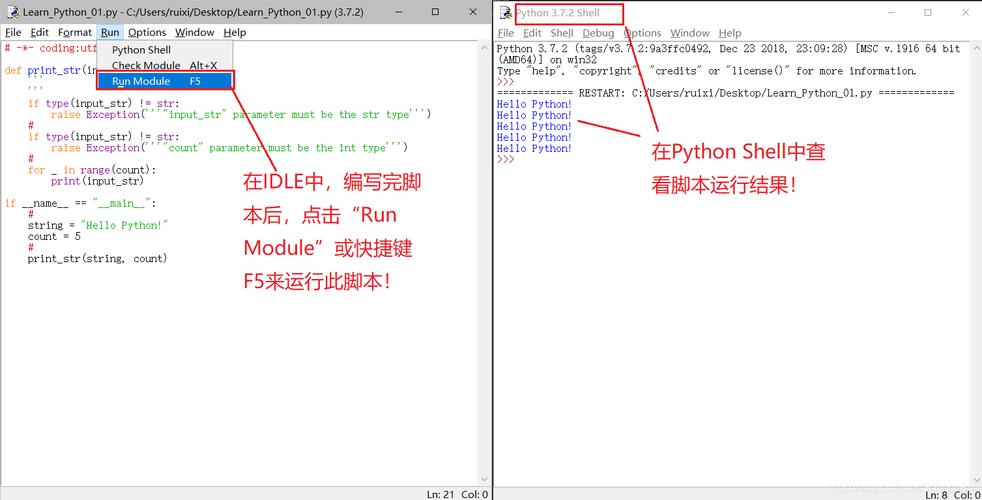
idleis the Integrated Development Environment (IDE) that comes bundled with Python. It's a simple, beginner-friendly tool for writing and running Python code.python2andpython3are the command-line programs (interpreters) that actually execute your Python code. They are different versions of the Python language itself.
You use the idle program that came with a specific Python version to run code with that version.
Detailed Breakdown
python2 and python3: The Interpreters
Think of these as the "engines" of Python. They read your script (a .py file) and execute the instructions.
python2: Refers to the older, legacy version of the Python language (e.g., 2.7). It's no longer actively developed but is still used in some older projects.python3: Refers to the modern, current version of the language (e.g., 3.10, 3.11). This is the version you should always use for new projects.
Key Differences:
- Print Statement: In Python 2,
printwas a statement. In Python 3, it's a function.- Python 2:
print "Hello, World" - Python 3:
print("Hello, World")
- Python 2:
- Integer Division: In Python 2, dividing two integers could result in an integer (e.g.,
5 / 2gives2). In Python 3, it always results in a float (e.g.,5 / 2gives5).
idle: The Integrated Development Environment (IDE)
An IDE is a graphical application that provides tools to make programming easier. idle is the simple, official IDE that comes with the standard Python installer. It typically includes:
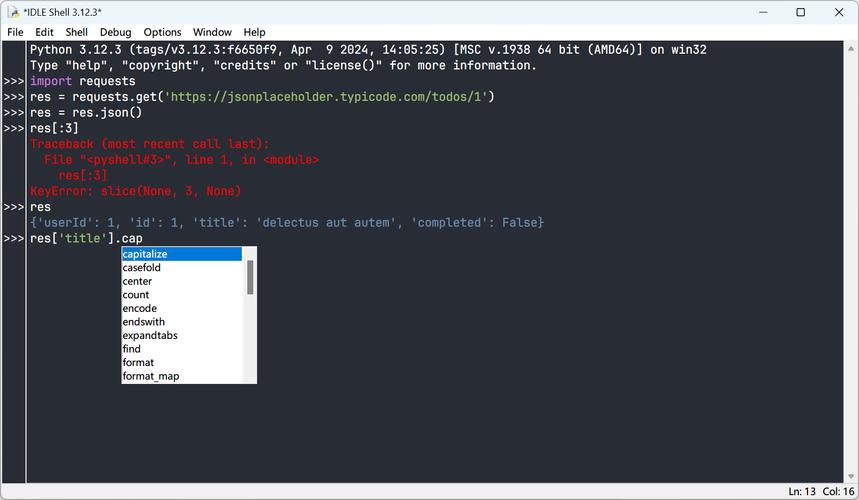
- A text editor to write your code with syntax highlighting.
- An interactive shell (a REPL - Read, Evaluate, Print, Loop) to run code line by line.
- A way to run your script and see the output.
- A simple debugger.
The key is that there are two versions of idle:
idle: The one that came with your Python 3 installation.idle2: The one that came with your Python 2 installation (if you have it installed).
How They Work Together (The Scenarios)
The way you launch idle depends on how you have Python installed on your system.
Scenario 1: You have ONLY Python 3 installed (Most Common Today)
This is the standard for modern users.
- You installed Python 3 from
python.org. - The installer automatically added
pythonandidleto your system's PATH. - When you type
idlein your terminal or run the "IDLE" application from your start menu, you are launching the Python 3 version of IDLE. - The shell inside this IDLE will use the
python3interpreter.
Command:
# In your terminal
idle
This will launch IDLE for Python 3.
Scenario 2: You have BOTH Python 2 and Python 3 installed
This is common on Linux/macOS systems or for developers working on legacy projects.
- Your system has
python3andpython2(orpython) command-line tools. - You likely have
idle(for Python 3) andidle2(for Python 2) as separate applications.
Commands:
-
To launch IDLE for Python 3:
idle
# or on some systems
idle3
-
To launch IDLE for Python 2:
idle2
How to Check in IDLE
Once you have an IDLE window open, you can easily check which Python version it's using.
- Open the IDLE shell (the interactive window).
- Click on
Help->About IDLE. - A small window will pop up showing the version, for example: "Python 3.11.4".
Practical Summary Table
| Command / Action | What it Does | Which Version? |
|---|---|---|
python |
Runs the Python interpreter. | Usually Python 3, but can be Python 2 on older systems. Avoid for clarity. |
python3 |
Explicitly runs the modern Python 3 interpreter. | Python 3 |
python2 |
Explicitly runs the legacy Python 2 interpreter. | Python 2 |
idle |
Launches the IDLE IDE. | Python 3 (if you only have Py3) or Python 3 (if you have both, it's the default). |
idle3 |
Launches the IDLE IDE for Python 3. | Python 3 |
idle2 |
Launches the IDLE IDE for Python 2. | Python 2 |
Recommendation
For any new project, you should use Python 3.
- Install Python 3 from the official website if you haven't already.
- Use the command
python3oridleto ensure you are working with the modern version. This will save you from many headaches related to Python 2 vs. 3 syntax differences.