
Of course! Here is a comprehensive guide to Scrapy's rules, a powerful feature for defining how your spider crawls websites.
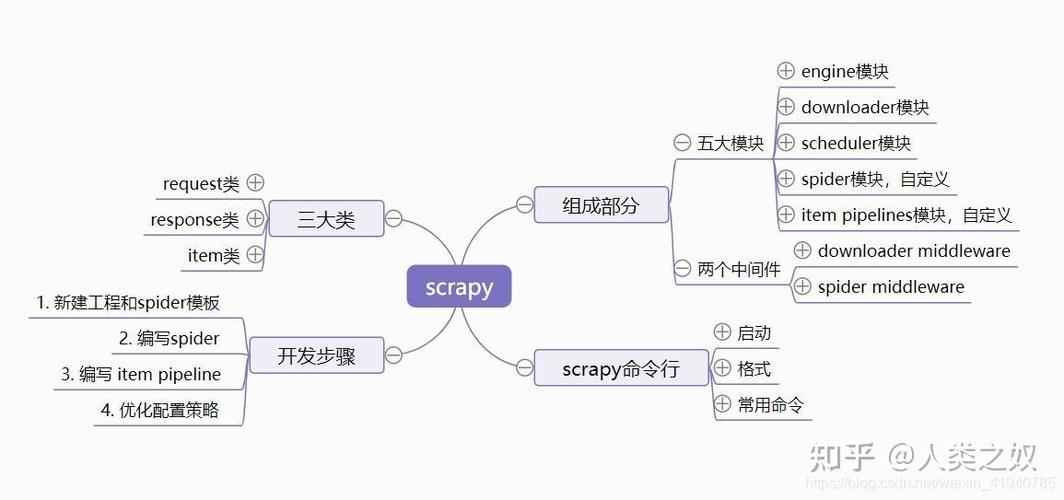
What are Scrapy Rules?
In Scrapy, rules are a list of objects that define a spider's crawling behavior. They are part of the CrawlSpider class, which is a more advanced spider designed for sites that follow a common pattern (e.g., a list of links on a page leads to detail pages).
A Rule tells your spider:
- How to find links: Which links on a page should be followed?
- What to do with the pages those links lead to: Should you parse the content of those pages using a specific method?
Instead of writing complex logic inside the parse method to find and follow links, you can declaratively define this behavior using rules. This makes your spider cleaner, more maintainable, and less prone to errors.
The CrawlSpider Class
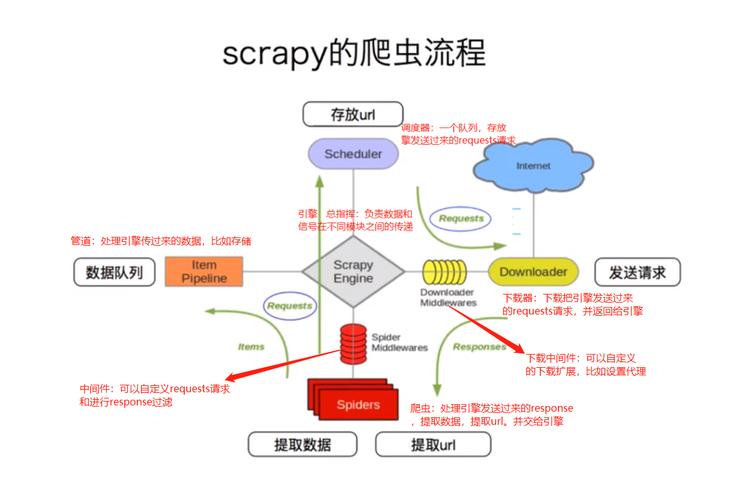
To use rules, your spider must inherit from scrapy.spiders.CrawlSpider.
import scrapy
from scrapy.spiders import CrawlSpider, Rule
from scrapy.linkextractors import LinkExtractor
class MySpider(CrawlSpider):
    name = 'my_spider'
    allowed_domains = ['example.com']
    start_urls = ['http://www.example.com']
    # Rules will be defined here
    rules = (
        # ... rule objects go here ...
    )
    # You can still define other parsing methods
    def parse_start_url(self, response):
        # Optional method to parse the start_url(s)
        pass
The Rule Object
A Rule is an instance of the scrapy.spiders.Rule class. Its constructor takes several arguments to define its behavior.
Key Arguments for a Rule:
| Argument | Description | Example |
|---|---|---|
link_extractor |
(Required) An instance of LinkExtractor. It defines which links the rule should match and follow. This is the "how to find links" part. |
LinkExtractor(allow=r'/products/.*') |
callback |
The method to use for parsing the response of the followed link. This is the "what to do" part. | callback='parse_product' |
follow |
A boolean (True/False). If True, the rule will extract links from the responses processed by its callback and continue following them. If False, it will not. |
follow=True |
process_links |
A method to filter or process the list of links extracted by the link_extractor before they are scheduled for crawling. |
process_links='filter_product_links' |
process_request |
A method to process each Request generated by the rule before it is scheduled. Useful for modifying meta-data or setting a dont_filter flag. |
process_request='add_custom_header' |
The LinkExtractor
The LinkExtractor is the engine that finds links. It's the most critical part of a Rule.
You import it like this:
from scrapy.linkextractors import LinkExtractor
Key Arguments for LinkExtractor:
| Argument | Description | Example |
|---|---|---|
allow |
A regular expression (or list of regexes). Only links matching this pattern will be extracted. This is the most common argument. | allow=(r'/item-\d+\.html', r'/category/\d+') |
deny |
A regular expression (or list of regexes). Links matching this pattern will be ignored, even if they match allow. |
deny=r'/logout' |
allow_domains |
A list of domains. Only links from these domains will be extracted. | allow_domains=['example.com', 'shop.example.com'] |
deny_domains |
A list of domains. Links from these domains will be ignored. | deny_domains=['ads.example.com'] |
restrict_xpaths |
An XPath expression. Links will only be extracted from the parts of the page that match this XPath. This is very efficient for narrowing down the search area. | restrict_xpaths='//div[@class="pagination"]//a' |
tags |
A tuple of tags to consider for link extraction (default: ('a', 'area')). |
tags=('a', 'link') |
attrs |
A tuple of attributes to consider (default: ('href',)) |
attrs=('href', 'src') |
Practical Examples
Let's build a spider for a hypothetical e-commerce site. The site has:
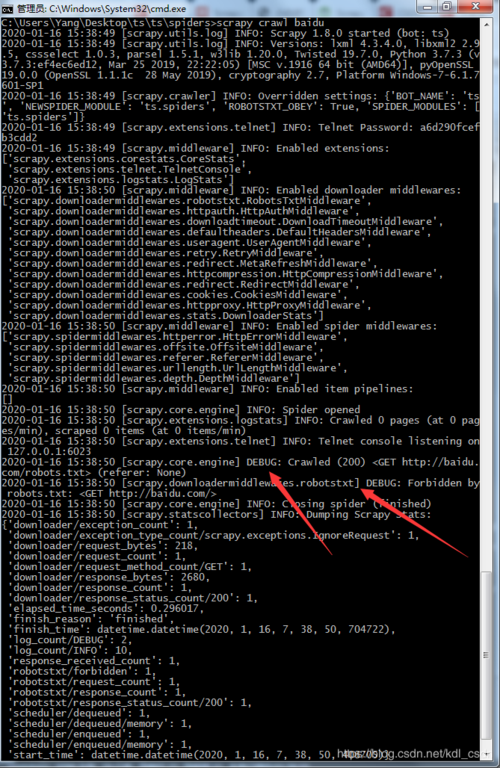
- A list of products on a category page.
- Individual product detail pages.
Example 1: Simple Rule to Follow Product Links
This spider starts on a category page, finds all links to product detail pages, and parses them.
import scrapy
from scrapy.spiders import CrawlSpider, Rule
from scrapy.linkextractors import LinkExtractor
class ProductSpider(CrawlSpider):
    name = 'product_spider'
    allowed_domains = ['shop.example.com']
    start_urls = ['http://shop.example.com/electronics']
    # Rule: Find all links that look like a product page and follow them.
    # When a product page is reached, call the parse_product method.
    rules = (
        Rule(
            LinkExtractor(allow=r'/products/[a-z0-9-]+\.html'),
            callback='parse_product',
            follow=False  # Don't follow links on the product page itself
        ),
    )
    def parse_product(self, response):
        """Parses a single product page."""
        print(f"Parsing product page: {response.url}")
        product_name = response.css('h1.product-title::text').get()
        price = response.css('span.price::text').get()
        yield {
            'product_name': product_name,
            'price': price,
            'url': response.url
        }
Example 2: Following Pagination and Product Links
This spider is more advanced. It starts on a category page, follows links to other category pages (pagination) and also to product detail pages.
import scrapy
from scrapy.spiders import CrawlSpider, Rule
from scrapy.linkextractors import LinkExtractor
class AdvancedProductSpider(CrawlSpider):
    name = 'advanced_product_spider'
    allowed_domains = ['shop.example.com']
    start_urls = ['http://shop.example.com/electronics']
    rules = (
        # Rule 1: Follow pagination links (e.g., "Next Page")
        # We use 'follow=True' because we want to continue applying rules
        # to the newly loaded category page.
        Rule(
            LinkExtractor(restrict_xpaths='//a[contains(text(), "Next Page")]'),
            follow=True
        ),
        # Rule 2: Find and follow product links.
        # We use 'follow=False' because we don't want to follow links
        # from the product detail page.
        Rule(
            LinkExtractor(allow=r'/products/[a-z0-9-]+\.html'),
            callback='parse_product',
            follow=False
        ),
    )
    def parse_product(self, response):
        """Parses a single product page."""
        print(f"Parsing product page: {response.url}")
        product_name = response.css('h1.product-title::text').get()
        price = response.css('span.price::text').get()
        yield {
            'product_name': product_name,
            'price': price,
            'url': response.url
        }
    def parse(self, response):
        """
        This method is called for the start_urls and for any response
        that is followed without a callback (due to follow=True).
        We can add logic here if needed, but often it's not necessary
        when using rules effectively.
        """
        print(f"Processing page: {response.url}")
        # Rules are automatically applied, so we don't need to call parse_start_url
        # or manually extract links here.
Example 3: Using process_links and process_request
Let's say you want to filter out duplicate product links or add a custom header to every request.
class CustomRuleSpider(CrawlSpider):
    name = 'custom_rule_spider'
    allowed_domains = ['shop.example.com']
    start_urls = ['http://shop.example.com/electronics']
    rules = (
        Rule(
            LinkExtractor(allow=r'/products/[a-z0-9-]+\.html'),
            callback='parse_product',
            follow=False,
            # Filter links before they are scheduled
            process_links='filter_links',
            # Process requests before they are sent
            process_request='process_request_callback'
        ),
    )
    def filter_links(self, links):
        """Removes duplicate links from the extracted list."""
        seen = set()
        for link in links:
            if link.url not in seen:
                seen.add(link.url)
                yield link
    def process_request_callback(self, request):
        """Adds a custom header to every request."""
        request.headers['X-Custom-Header'] = 'MyValue'
        return request
    def parse_product(self, response):
        # ... same as before ...
        pass
Best Practices and Common Pitfalls
-
CrawlSpidervs.Spider:- Use
CrawlSpiderwhen the site structure is predictable and you can define rules. - Use the base
Spiderclass for more complex, "script-like" crawling logic where you need fine-grained control over request generation and parsing flow (e.g., sites that require JavaScript rendering for navigation, or sites with very unique, non-standard link structures).
- Use
-
Callback Naming: It's a good practice to name your callback methods descriptively (e.g.,
parse_product,parse_category,parse_list). -
follow=Truecan be dangerous: If you setfollow=Trueon a rule that extracts a lot of links (like a site-wide footer or navigation bar), you can end up crawling the entire website, which might be against therobots.txtor the site owner's wishes. Be specific with yourLinkExtractorto avoid this. -
Order of Rules Matters: Scrapy applies rules in the order they are defined in the
rulestuple. If a link matches multiple rules, the first matching rule in the list will be used. If you have a very general rule first, it might catch links that a more specific rule later in the list was intended for. -
parseMethod inCrawlSpider: You should not name your main parsing methodparseif you are usingCrawlSpiderandrules. TheCrawlSpiderusesparseinternally to orchestrate the rule-based crawling. If you define aparsemethod, it will override this internal logic and your rules will not be applied. Use a different name likeparse_start_urlif you need to handle the initial response.











