Of course! The public static combination is one of the most fundamental and frequently used concepts in Java. Let's break it down, starting with the individual keywords and then seeing how they work together.
The Individual Keywords
public
The public keyword is an access modifier. It controls which other code can access the member (method or variable) it modifies.
- Meaning: "This method or variable can be accessed from anywhere in your program."
- Contrast with other access modifiers:
private: Can only be accessed from within the same class.protected: Can be accessed from within the same class, its subclasses, and other classes in the same package.- (no modifier / package-private): Can be accessed only from classes within the same package.
Think of it like the visibility of a property in a building. public is like a storefront open to everyone. private is like a room with a sign that says "Employees Only."
static
The static keyword means that the member belongs to the class itself, not to any specific instance (object) of the class.
- Meaning: "This method or variable exists once for the entire class, regardless of how many objects are created from it."
- Key Implications:
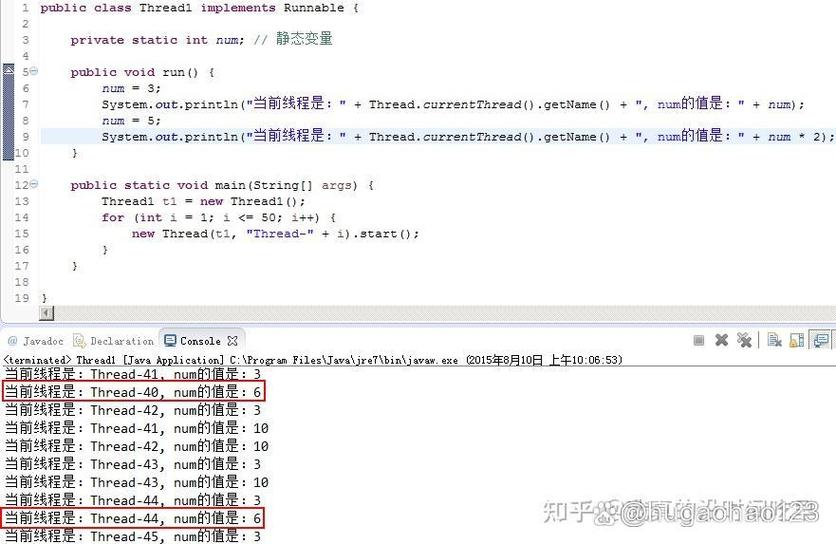
- Shared Memory: There is only one copy of a static variable, shared by all instances of the class.
- No
thisReference: A static method does not operate on an object instance. Therefore, you cannot use thethiskeyword inside a static method. It doesn't know which object it's supposed to be "in." - Called on the Class: You call a static method using the class name itself, not an object reference.
Think of static as belonging to the blueprint (the class), not to the individual houses (the objects) built from that blueprint.
public static Together
When you combine public static, you get a powerful and common pattern:
"This member is accessible from anywhere, and it belongs to the class itself, not to any individual object."
This is the signature for utility methods, constants, and the main entry point of a Java application.
Common Use Cases for public static
Here are the most frequent and important scenarios where you'll see public static.
Use Case 1: Utility Helper Methods (Most Common)
These are methods that perform a general, standalone task and don't need to access or modify the state of a specific object.
Example: A MathUtils class
Imagine a class with some useful math functions. You don't need to create an instance of MathUtils just to call a helper function. You want to call it directly on the class.
// File: MathUtils.java
public class MathUtils {
    // This is a public static utility method.
    // You can call it without creating a MathUtils object.
    public static int add(int a, int b) {
        return a + b;
    }
    public static double calculateCircleArea(double radius) {
        return Math.PI * radius * radius; // Math.PI is also a public static constant
    }
}
// How to use it in another class:
public class Main {
    public static void main(String[] args) {
        // Call the static method directly on the class name
        int sum = MathUtils.add(5, 10);
        System.out.println("The sum is: " + sum); // Output: The sum is: 15
        double area = MathUtils.calculateCircleArea(7.5);
        System.out.println("The area is: " + area); // Output: The area is: 176.71458676442586
    }
}
Use Case 2: Constants
It's a Java convention to declare constant values (values that never change) as public static final. The final keyword ensures the value cannot be changed.
Example: The Math class
The java.lang.Math class is a classic example. It's full of public static constants and methods.
public class Math {
    // PI is a public static constant. It belongs to the Math class.
    public static final double PI = 3.14159265358979323846;
    // max is a public static method. It doesn't need an object instance.
    public static int max(int a, int b) {
        return (a >= b) ? a : b;
    }
}
// How to use it:
public class Main {
    public static void main(String[] args) {
        // Access the constant directly from the class
        System.out.println("The value of PI is: " + Math.PI);
        // Call the static method directly from the class
        int biggerNumber = Math.max(20, 100);
        System.out.println("The bigger number is: " + biggerNumber);
    }
}
Use Case 3: The Main Method (The Entry Point)
This is the most important public static method in all of Java. When you run a Java program, the Java Virtual Machine (JVM) looks for a specific method signature to start execution.
public class MyApplication {
    // This is the entry point for the program.
    // It MUST be public, static, and named "main".
    // It takes a String array as an argument.
    public static void main(String[] args) {
        System.out.println("Hello, World!");
        System.out.println("Program has started.");
    }
}
public: The JVM needs to be able to access it from anywhere.static: The JVM needs to call this method before any objects of theMyApplicationclass are created. It's a class-level entry point.void: It doesn't return any value.String[] args: It can accept command-line arguments.
Use Case 4: Factory Methods
Sometimes, a class controls how its objects are created. A public static factory method can be used to return instances of the class, often with some pre-processing or encapsulation.
Example: The Integer class
public class Integer {
    // ... other code ...
    // A static factory method to convert a String to an Integer.
    // It's public so anyone can use it.
    public static Integer valueOf(String s) throws NumberFormatException {
        return new Integer(Integer.parseInt(s));
    }
}
// How to use it:
public class Main {
    public static void main(String[] args) {
        // Instead of: Integer num = new Integer("123"); (older way)
        // We use the static factory method:
        Integer number = Integer.valueOf("123");
        System.out.println("The number is: " + number);
    }
}
What You CANNOT Do with public static
This is just as important as what you can do.
-
You CANNOT access instance variables or methods directly. Since a static method belongs to the class and not an object, it has no context of which object's variables it should be using.
public class Car { private String model; // This is an INSTANCE variable public Car(String model) { this.model = model; } // THIS WILL COMPILE public static void honkHorn() { System.out.println("Beep beep!"); } // THIS WILL NOT COMPILE! public static void printModel() { // Error: Cannot access non-static variable 'model' from a static context System.out.println("The car model is: " + this.model); // 'this' is also invalid here } } -
You CANNOT use the
thiskeyword. As mentioned,thisrefers to the current object instance. A static method is not tied to any instance.
Summary Table
| Keyword | Purpose | Analogy |
|---|---|---|
public |
Visibility: Accessible from any class. | A public park, open to everyone. |
static |
Ownership: Belongs to the class, not an object. | A rule in a rulebook; it applies to everyone, not just one person. |
public static |
A class-wide, globally accessible member. | A public announcement from the town hall (the class). |
In short, public static is your go-to modifier for creating methods and constants that are utility functions, global configurations, or the starting point of your application. They are core tools for writing clean, organized, and efficient Java code.