Of course! The phrase "Python import shell" can mean a few different things. I'll cover the most common interpretations, from the literal and simple to the more powerful and idiomatic ways to run shell commands from Python.
Let's break it down.
The Literal Interpretation: import shell
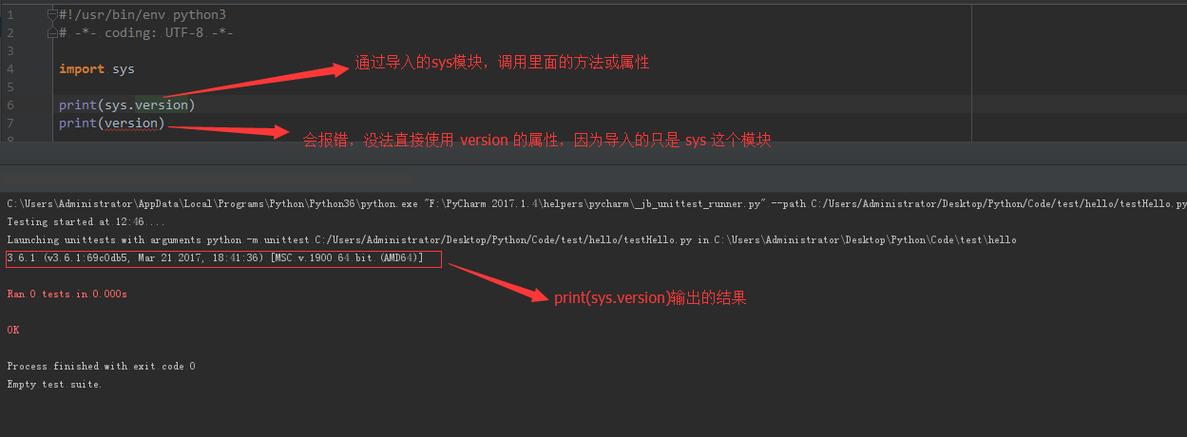
If you try to run import shell in Python, you will get an ImportError. There is no built-in module named shell.
# This will FAIL
import shell
# ModuleNotFoundError: No module named 'shell'
However, there are libraries that provide this kind of interface. The most famous one is sh.
The sh Library: A Better Shell for Python
The sh library (available via pip install sh) provides a powerful and convenient way to call any command-line program as if it were a Python function. It's often described as "a full-fledged subprocess replacement for Python 2.7 and 3.2+".
Why use sh?
- Clean Syntax:
sh.ls('-l', '/home')looks clean and is easy to read. - Piping: It makes piping commands between each other in Python incredibly simple.
- Easy Output Handling: Getting the output as a string, list of lines, or bytes is trivial.
Example:
# First, install it: pip install sh
from sh import ls, grep, df
# 1. Run a simple command and get the output as a string
# Note: sh automatically captures stdout
print("--- Listing current directory ---")
print(ls())
# 2. Pass arguments using hyphens, just like in the shell
print("\n--- Listing with -l flag ---")
print(ls('-l'))
# 3. Pipe commands together (this is where sh shines)
# This is equivalent to `ps aux | grep python`
print("\n--- Finding python processes ---")
print(grep("python", _in=ps("aux")))
# 4. Get the output as a list of lines
print("\n--- Disk space info as a list ---")
disk_info = df('--output=source,size', _split_lines=True)
for line in disk_info:
    print(line)
The Standard & Correct Way: The subprocess Module
For standard, built-in Python, the subprocess module is the recommended and most powerful way to run shell commands. It's the modern replacement for older modules like os.system.
The subprocess module gives you fine-grained control over how the command is run, its input, output, and error streams.
Key Functions in subprocess:
| Function | Description | Best For |
|---|---|---|
subprocess.run() |
(Recommended) The most flexible and modern way. It runs a command, waits for it to complete, and returns a CompletedProcess object. |
Most use cases. It's safe, flexible, and clear. |
subprocess.Popen() |
The low-level, most powerful function. It starts a command but doesn't wait for it to finish. You have to manage its input/output/error pipes manually. | Advanced use cases, like running a long-lived server process, or complex interactions with a command. |
subprocess.check_output() |
A convenience function that runs a command and returns its standard output. If the command returns a non-zero exit code (an error), it raises a CalledProcessError. |
When you only care about the output and want to fail automatically on error. |
subprocess.call() |
Runs a command and waits for it to complete. Returns the exit code of the command. | Simple commands where you just need to know if it succeeded or failed. |
Examples using the subprocess Module
Let's explore the most common use case: running a command and capturing its output.
Example 1: subprocess.run() (The Modern Standard)
This is the best function to learn and use first.
import subprocess
# The command as a list of arguments is the safest way
# (it avoids shell injection vulnerabilities)
command = ['ls', '-l', '/home']
# Run the command
# - `check=True` will raise an exception if the command fails
# - `capture_output=True` captures stdout and stderr
# - `text=True` decodes stdout/stderr as text (default is bytes)
result = subprocess.run(command, capture_output=True, text=True, check=True)
print("--- Command Output ---")
print(result.stdout)
print("\n--- Return Code ---")
print(result.returncode) # Should be 0 for success
Example 2: Handling Errors
If the command fails (e.g., a directory doesn't exist), check=True will raise an exception.
import subprocess
try:
    # This command will fail
    subprocess.run(['ls', '/non_existent_directory'], check=True, capture_output=True, text=True)
except subprocess.CalledProcessError as e:
    print(f"Command failed with return code {e.returncode}")
    print(f"Error output:\n{e.stderr}")
Example 3: Piping Commands (The Pythonic Way)
You can easily pipe the output of one command to the input of another without any temporary files.
import subprocess
# This is the Python equivalent of `ps aux | grep python`
# 1. Run `ps aux` and capture its output
ps_process = subprocess.run(['ps', 'aux'], capture_output=True, text=True)
# 2. Run `grep python`, feeding the output of `ps aux` to its stdin
grep_process = subprocess.run(
    ['grep', 'python'],
    input=ps_process.stdout,  # Feed the output as input
    capture_output=True,
    text=True
)
print("\n--- Python Processes Found ---")
print(grep_process.stdout)
The Legacy Way: os.system
You will still see os.system in older code. It's simple but less secure and less flexible than subprocess.
Warning: os.system passes your command to the system's shell (/bin/sh on Linux, cmd.exe on Windows). This can be a security risk if you're constructing the command string from user input (shell injection).
import os
# The command is passed as a single string to the shell
# This is simple but less secure
os.system('ls -l /home')
# If you need to use variables, be VERY careful to sanitize them
# user_path = "/tmp/some_user_input"
# os.system(f'ls -l {user_path}') # DANGEROUS if user_path can be controlled
Summary: Which one should you use?
| Method | When to Use | Pros | Cons |
|---|---|---|---|
sh library |
For quick scripts, data processing pipelines, and when you want a very "shell-like" syntax. | Extremely clean syntax, easy piping. | Not built-in, adds an external dependency. |
subprocess.run() |
(Recommended for most cases) The standard, modern, and safest way to run external commands. | Built-in, highly flexible, secure (with args list), great error handling. | Slightly more verbose than sh. |
subprocess.Popen() |
For advanced, non-blocking interactions (e.g., running a server, long-running processes). | Maximum control over input/output/error streams. | More complex to use correctly. |
os.system() |
(Avoid in new code) Only for very simple, trusted commands where you don't care about output. | Very simple for basic commands. | Insecure with user input, less flexible, harder to get output/errors. |
Final Recommendation:
- For new projects, use
subprocess.run(). It's the standard, safest, and most powerful tool for the job. - For quick scripts and data analysis, the
shlibrary can make your code look much cleaner and more readable. - Avoid
os.systemunless you have a very specific, simple reason to use it.