Of course! Updating data in a MySQL database using Java is a fundamental task. I'll guide you through the process, starting with the classic Statement approach and then showing the modern, recommended PreparedStatement approach.

The key difference is that PreparedStatement is safer (prevents SQL injection) and often more efficient for repeated updates.
Prerequisites
- Java Development Kit (JDK): Installed on your system.
- MySQL Server: Running and accessible.
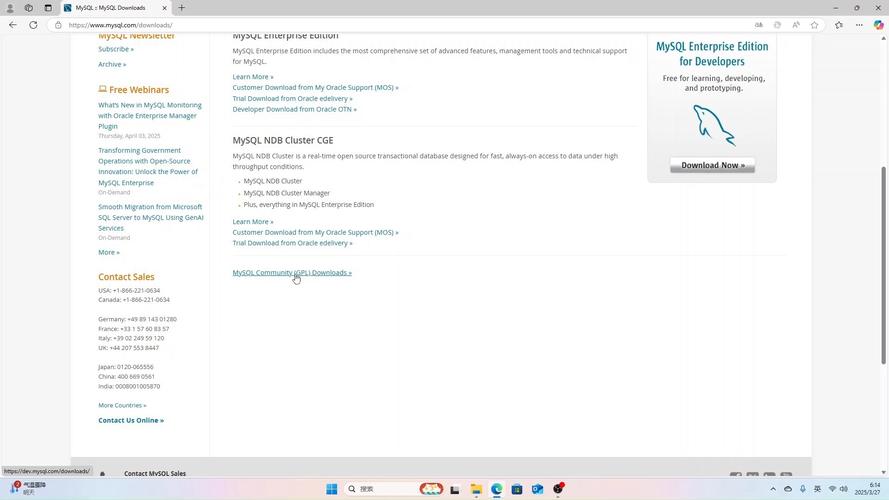
- MySQL Connector/J: The JDBC driver for Java. You need this Java library to connect your Java application to MySQL.
- Download: MySQL Connector/J Downloads
- Maven Dependency (Recommended): If you use Maven, add this to your
pom.xml:<dependency> <groupId>com.mysql</groupId> <artifactId>mysql-connector-j</artifactId> <version>8.0.33</version> <!-- Use the latest version --> </dependency> - Manual JAR: If not using Maven, download the JAR file and add it to your project's classpath.
Step 1: Create a Sample Table in MySQL
Let's create a simple employees table in your MySQL database.
CREATE DATABASE my_company;
USE my_company;
CREATE TABLE employees (
    id INT PRIMARY KEY AUTO_INCREMENT,
    name VARCHAR(100) NOT NULL,
    position VARCHAR(100),
    salary DECIMAL(10, 2)
);
-- Insert some initial data
INSERT INTO employees (name, position, salary) VALUES
('Alice Smith', 'Software Engineer', 90000.00),
('Bob Johnson', 'Project Manager', 110000.00),
('Charlie Brown', 'QA Engineer', 75000.00);
Step 2: Java Code to Update Data
Here are two examples. Always prefer the PreparedStatement example.
Example 1: Using Statement (Not Recommended for Dynamic Data)
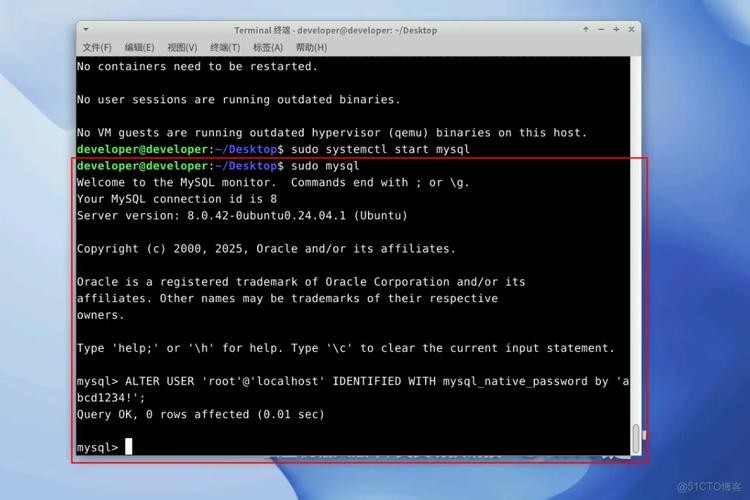
This method is simple but vulnerable to SQL Injection if you use user input directly in the query string. It's fine for hardcoded, fixed queries.
import java.sql.Connection;
import java.sql.DriverManager;
import java.sql.SQLException;
import java.sql.Statement;
public class UpdateWithStatement {
    // Database connection details
    private static final String DB_URL = "jdbc:mysql://localhost:3306/my_company";
    private static final String USER = "root"; // Your MySQL username
    private static final String PASS = "your_password"; // Your MySQL password
    public static void main(String[] args) {
        // The SQL update query
        String sql = "UPDATE employees SET salary = 95000.00 WHERE name = 'Alice Smith'";
        // Use try-with-resources to automatically close the connection and statement
        try (Connection conn = DriverManager.getConnection(DB_URL, USER, PASS);
             Statement stmt = conn.createStatement()) {
            // Execute the update
            int rowsAffected = stmt.executeUpdate(sql);
            if (rowsAffected > 0) {
                System.out.println(rowsAffected + " row(s) updated successfully!");
            } else {
                System.out.println("No rows were updated. The condition might not match any records.");
            }
        } catch (SQLException e) {
            System.err.println("Database error: " + e.getMessage());
            e.printStackTrace();
        }
    }
}
Example 2: Using PreparedStatement (Recommended & Best Practice)
This is the standard, secure, and efficient way to perform updates. It uses placeholders () for the dynamic values, which are then set separately.
import java.sql.Connection;
import java.sql.DriverManager;
import java.sql.PreparedStatement;
import java.sql.SQLException;
public class UpdateWithPreparedStatement {
    // Database connection details
    private static final String DB_URL = "jdbc:mysql://localhost:3306/my_company";
    private static final String USER = "root"; // Your MySQL username
    private static final String PASS = "your_password"; // Your MySQL password
    public static void main(String[] args) {
        // The SQL update query with placeholders (?)
        String sql = "UPDATE employees SET salary = ?, position = ? WHERE id = ?";
        // Employee data to update
        double newSalary = 120000.00;
        String newPosition = "Senior Software Engineer";
        int employeeId = 1; // Alice Smith's ID
        // Use try-with-resources to automatically close the connection and statement
        try (Connection conn = DriverManager.getConnection(DB_URL, USER, PASS);
             PreparedStatement pstmt = conn.prepareStatement(sql)) {
            // Set the values for the placeholders
            // The index starts at 1 for the first placeholder
            pstmt.setDouble(1, newSalary);
            pstmt.setString(2, newPosition);
            pstmt.setInt(3, employeeId);
            // Execute the update
            int rowsAffected = pstmt.executeUpdate();
            if (rowsAffected > 0) {
                System.out.println(rowsAffected + " row(s) updated successfully!");
            } else {
                System.out.println("No rows were updated. The condition (ID=" + employeeId + ") might not match any records.");
            }
        } catch (SQLException e) {
            System.err.println("Database error: " + e.getMessage());
            e.printStackTrace();
        }
    }
}
Step 3: Verify the Update
After running the PreparedStatement example, you can query the employees table to see the changes.
SELECT * FROM employees;
Expected Output:
+----+----------------+-------------------------+-----------+
| id | name           | position                | salary    |
+----+----------------+-------------------------+-----------+
|  1 | Alice Smith    | Senior Software Engineer | 120000.00 |
|  2 | Bob Johnson    | Project Manager         | 110000.00 |
|  3 | Charlie Brown  | QA Engineer             |  75000.00 |
+----+----------------+-------------------------+-----------+
Best Practices & Key Concepts
- Use
try-with-resources: Thetry (Connection conn = ...)syntax ensures that yourConnection,Statement, andPreparedStatementobjects are automatically closed, even if an exception occurs. This prevents resource leaks. PreparedStatementis Mandatory for User Input: If you ever build a query from user input (e.g., a search field), you must usePreparedStatementto prevent SQL injection attacks.executeUpdate(): This method is used for SQL commands that modify data (INSERT,UPDATE,DELETE). It returns anintrepresenting the number of rows affected.- Error Handling: Always wrap your database code in a
try-catchblock to handleSQLException, which can occur for various reasons (wrong password, table not found, connection lost, etc.). - Connection Pooling: For real-world applications, do not create a new connection for every request. Use a connection pool (like HikariCP, which is the default in modern Spring Boot applications) to manage a pool of reusable connections. This dramatically improves performance.