什么是异常?
在开始之前,我们先理解什么是“异常”。
在程序运行过程中,经常会遇到各种错误,
- 算术异常:除以零(
10 / 0)。 - 空指针异常:尝试在一个为
null的对象上调用方法(str.length(),但str是null)。 - 数组越界异常:访问数组中不存在的索引(
arr[10],但数组长度只有 5)。 - 文件未找到异常:尝试读取一个不存在的文件。
这些错误在 Java 中被称为“异常”(Exception),它们是程序运行时发生的不正常事件,会中断程序的正常流程。
try-catch 的作用就是捕获并处理这些异常,防止程序因此直接崩溃,让程序能够优雅地处理错误情况。
try-catch 的基本语法结构
try-catch 语句由一个 try 块和一个或多个 catch 块组成。
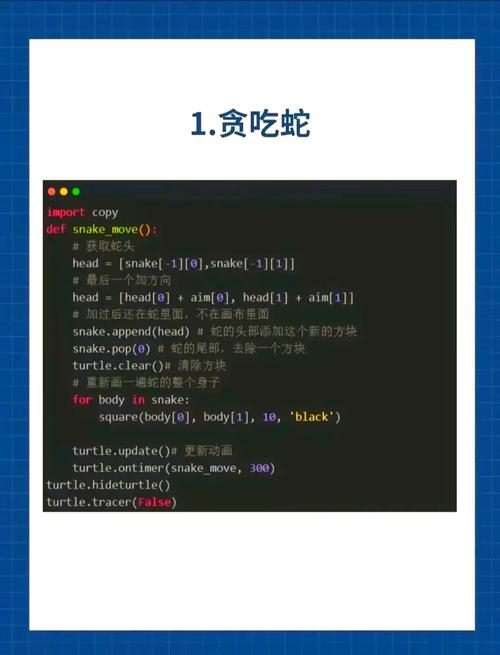
try {
    // 可能会抛出异常的代码块
    // JVM 在这里监控代码的执行
} catch (ExceptionType1 e1) {
    // 当 try 块中发生 ExceptionType1 类型的异常时,执行这里的代码
    // e1 是一个异常对象,包含了异常的信息
} catch (ExceptionType2 e2) {
    // 当 try 块中发生 ExceptionType2 类型的异常时,执行这里的代码
} finally {
    // 可选部分
    // 无论是否发生异常,这里的代码都会被执行
    // 通常用于资源释放,如关闭文件、数据库连接等
}
语法要点:
try块:将可能抛出异常的代码用 括起来。catch块:try块后面必须跟至少一个catch块。catch块用来捕获特定类型的异常。ExceptionType:要捕获的异常类型(NullPointerException,ArrayIndexOutOfBoundsException)。e(或任意变量名):一个异常类型的变量,用于接收捕获到的异常对象。
finally块:可选的,无论try块中的代码是否发生异常,也无论catch块是否被执行,finally块中的代码最终都会被执行,这是进行“清理”操作(如关闭文件流、释放数据库连接)的理想位置。
工作原理
try-catch 的工作流程非常直观:
- 执行
try块:程序开始执行try块中的代码。 - 监控异常:JVM 在
try块内严密监控。 - 发生异常:如果在
try块的某一行代码发生了异常,JVM 会立即:- 创建一个对应异常类的对象(
new ArithmeticException())。 - 立即终止
try块中剩余代码的执行。 - 将异常对象依次传递给
catch块,进行匹配。
- 创建一个对应异常类的对象(
- 匹配
catch块:JVM 会从上到下检查catch块,寻找第一个参数类型与异常对象类型匹配的catch块。- 匹配成功:执行该
catch块中的代码,执行完毕后,程序会跳过所有其他catch块和try块的剩余部分,继续执行finally块(如果有的话),然后执行try-catch结构之后的代码。 - 匹配失败:如果没有任何一个
catch块能匹配该异常,异常会被“抛出”到上层调用者,或者如果是在main方法中未被捕获,程序将终止并打印错误堆栈信息。
- 匹配成功:执行该
- 未发生异常:
try块中的代码全部正常执行完毕,没有发生任何异常,程序会直接跳过所有catch块,执行finally块(如果有的话),然后继续执行try-catch结构之后的代码。
代码示例
示例 1:捕获单个异常
public class TryCatchExample {
    public static void main(String[] args) {
        int a = 10;
        int b = 0;
        try {
            // 这行代码会抛出 ArithmeticException
            int result = a / b;
            System.out.println("计算结果是: " + result); // 这行不会被执行
        } catch (ArithmeticException e) {
            // 捕获到算术异常
            System.out.println("捕获到异常:不能除以零!");
            // 打印异常的详细信息,非常有助于调试
            e.printStackTrace();
        }
        System.out.println("程序继续执行...");
    }
}
输出:
捕获到异常:不能除以零!
java.lang.ArithmeticException: / by zero
    at TryCatchExample.main(TryCatchExample.java:8)
程序继续执行...分析:a / b 导致了 ArithmeticException,try 块执行中断,程序跳转到 catch (ArithmeticException e) 块执行,之后,程序继续执行 try-catch 之后的代码,没有崩溃。
示例 2:捕获多个异常(多个 catch 块)
public class MultipleCatchExample {
    public static void main(String[] args) {
        String str = null;
        int[] numbers = {1, 2, 3};
        try {
            // 可能抛出 NullPointerException
            System.out.println("字符串长度: " + str.length());
            // 可能抛出 ArrayIndexOutOfBoundsException
            System.out.println("数组元素: " + numbers[5]);
        } catch (NullPointerException e) {
            System.out.println("捕获到空指针异常:字符串对象为空!");
            e.printStackTrace();
        } catch (ArrayIndexOutOfBoundsException e) {
            System.out.println("捕获到数组越界异常:访问了不存在的索引!");
            e.printStackTrace();
        }
        System.out.println("程序继续执行...");
    }
}
输出:
捕获到空指针异常:字符串对象为空!
java.lang.NullPointerException: Cannot invoke "String.length()" because "str" is null
    at MultipleCatchExample.main(MultipleCatchExample.java:8)
程序继续执行...分析:str.length() 先执行并抛出了 NullPointerException,try 块立即中断,程序匹配到第一个 catch 块 (NullPointerException) 并执行它。numbers[5] 这行代码根本不会被执行。catch 块的顺序很重要,应该把更具体的异常放在前面。
示例 3:finally 块的使用
finally 块通常用于释放资源,比如关闭文件流或数据库连接,确保资源一定被回收。
import java.io.FileInputStream;
import java.io.IOException;
public class FinallyExample {
    public static void main(String[] args) {
        FileInputStream fis = null;
        try {
            fis = new FileInputStream("non_existent_file.txt");
            // 读取文件...
        } catch (IOException e) {
            System.out.println("捕获到IO异常:文件可能不存在或无法读取。");
            e.printStackTrace();
        } finally {
            // 无论是否发生异常,这里的代码都会执行
            System.out.println("进入 finally 块,准备关闭文件流。");
            if (fis != null) {
                try {
                    fis.close();
                } catch (IOException e) {
                    System.out.println("关闭文件流时出错。");
                }
            }
        }
        System.out.println("程序继续执行...");
    }
}
输出:
捕获到IO异常:文件可能不存在或无法读取。
java.io.FileNotFoundException: non_existent_file.txt (系统找不到指定的文件。)
    at java.base/java.io.FileInputStream.open0(Native Method)
    at java.base/java.io.FileInputStream.open(FileInputStream.java:219)
    at java.base/java.io.FileInputStream.<init>(FileInputStream.java:315)
    at FinallyExample.main(FinallyExample.java:9)
进入 finally 块,准备关闭文件流。
程序继续执行...分析:即使发生了 IOException,finally 块依然被执行,这保证了 fis.close() 会被尝试执行,避免了资源泄漏。
最佳实践
-
捕获具体的异常:永远不要只捕获
Exception或Throwable,这会掩盖掉所有问题,并且难以定位,应该尽可能捕获具体的异常类型(如NullPointerException,IOException)。// 不推荐 try { ... } catch (Exception e) { ... } // 推荐 try { ... } catch (FileNotFoundException e) { ... } catch (IOException e) { ... } -
不要“吃掉”异常:在
catch块中,仅仅打印一条信息然后继续执行可能不是最好的做法,至少应该打印出完整的堆栈信息e.printStackTrace(),或者使用日志框架(如 SLF4J, Log4j2)记录日志。 -
在
finally块中释放资源:这是finally块最重要的用途,现代 Java 也引入了try-with-resources语句,这是更推荐的方式。 -
理解
try-with-resources(Java 7+): 对于实现了AutoCloseable接口的对象(如文件流、数据库连接等),可以使用try-with-resources语句,它会自动在try块结束时调用close()方法,无需手动finally块。// 推荐用法:try-with-resources try (FileInputStream fis = new FileInputStream("file.txt")) { // 使用 fis 读取文件 // ... } catch (IOException e) { e.printStackTrace(); } // fis.close() 会在这里被自动调用,即使发生异常
try-catch-finally 的返回值问题
一个常见的问题是:try、catch、finally 块中有 return 语句,程序的返回值是什么?
规则:finally 块的执行优先级最高。finally 块中有 return 语句,它将覆盖掉 try 或 catch 块中的 return。
public class FinallyReturnExample {
    public static int test() {
        int result = 0;
        try {
            result = 10;
            // return result; // 如果在这里返回,result 值是 10
            throw new RuntimeException();
        } catch (Exception e) {
            result = 20;
            // return result; // 如果在这里返回,result 值是 20
        } finally {
            result = 30;
            // return result; // finally 中的 return 会覆盖所有
        }
        return result; // 这行永远不会被执行,finally 中没有 return
    }
    public static void main(String[] args) {
        System.out.println(test()); // 输出 30
    }
}
finally 块中的 return 语句是“杀手级”的,它会强制返回,使得之前的 return 失效。强烈建议在 finally 块中避免使用 return 语句,除非你清楚地知道自己在做什么。