Of course! In Java, you import a List to use it in your code. The List is an interface, so you always import a specific implementation of it, like ArrayList or LinkedList.
Here’s a complete guide covering the most common ways to import and use List.
The Short and Sweet Answer
For 95% of cases, you'll want to use ArrayList. The standard import is:
import java.util.ArrayList;
import java.util.List; // It's good practice to import the interface too
A more modern and concise way (Java 1.5+) is to use "wildcard imports":
import java.util.*;
Detailed Explanation
The List Interface
List is an interface in the java.util package. It represents an ordered collection (also known as a sequence). You cannot create an instance of an interface directly. You must create an instance of a class that implements the List interface.
Common implementations include:
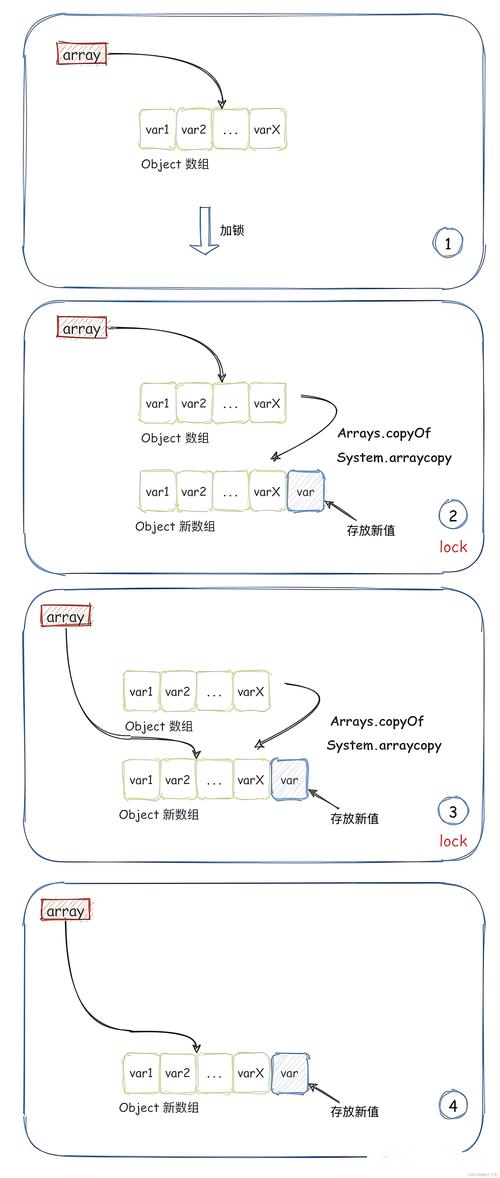
ArrayList: A resizable-array implementation. It's the most common choice because it's fast for random access (getting an element by its index). Think of it like a dynamic array.LinkedList: Implements a linked list. It's faster for adding or removing elements from the middle of the list, but slower for random access. Think of it like a chain of links.Vector: An older, thread-safe version ofArrayList. It's generally avoided in new code in favor ofArrayListand explicit synchronization, as it has performance overhead.
How to Import and Use List
Let's break down the process with code examples.
Example 1: The Classic Way (Explicit Imports)
This method is very clear and is preferred in larger projects to avoid ambiguity.
// File: MyProgram.java
// Step 1: Import the specific classes you need from the java.util package.
import java.util.ArrayList;
import java.util.List;
public class MyProgram {
    public static void main(String[] args) {
        // Step 2: Declare a variable of the List interface type.
        // This is good practice as it allows you to change the implementation
        // easily (e.g., to LinkedList) without changing other parts of your code.
        List<String> names;
        // Step 3: Create an instance of a concrete class (ArrayList) and assign it
        // to your List variable.
        names = new ArrayList<>();
        // You can also do it in one line:
        List<Integer> numbers = new ArrayList<>();
        // Step 4: Use the list!
        names.add("Alice");
        names.add("Bob");
        names.add("Charlie");
        System.out.println("The list of names: " + names);
        System.out.println("First name: " + names.get(0));
    }
}
Example 2: The Modern Way (Using Generics and diamond operator)
Since Java 7, you don't need to repeat the type on the right side of the assignment when creating a new instance. This is called the "diamond operator" (<>).
import java.util.ArrayList;
import java.util.List;
public class ModernListExample {
    public static void main(String[] args) {
        // Before Java 7:
        // List<String> oldWay = new ArrayList<String>();
        // Java 7+ with the diamond operator:
        // The compiler infers the type from the left side.
        List<String> fruits = new ArrayList<>();
        fruits.add("Apple");
        fruits.add("Banana");
        fruits.add("Orange");
        System.out.println("Fruits: " + fruits);
    }
}
Example 3: The Wildcard Import
If you need several classes from the java.util package (like List, ArrayList, Set, Map, etc.), you can import them all with a single wildcard (). This is common in smaller programs or utility classes.
// Import everything from the java.util package
import java.util.*;
public class WildcardImportExample {
    public static void main(String[] args) {
        // No need to import ArrayList or List separately now
        List<Double> prices = new ArrayList<>();
        prices.add(19.99);
        prices.add(25.50);
        prices.add(10.00);
        System.out.println("Prices: " + prices);
    }
}
Best Practices
-
Prefer Interfaces for Variables: Declare your list variable as
Listrather thanArrayList. This makes your code more flexible. If you later decide thatLinkedListis a better fit for your use case, you only need to change the line where you instantiate it.// Good List<String> items = new ArrayList<>(); // Less Flexible (Harder to change implementation later) ArrayList<String> items = new ArrayList<>();
-
Use Explicit Imports in Large Projects: In a large codebase,
import java.util.*;can lead to ambiguity and make it harder to see where a class comes from. Explicit imports are self-documenting. -
Generics are Essential: Always use generics (
List<String>,List<Integer>, etc.) to specify the type of objects the list will hold. This provides type safety at compile time, preventingClassCastExceptionerrors at runtime.// BAD - Raw type, unsafe List list = new ArrayList(); list.add("Hello"); String text = (String) list.get(0); // Cast required, unsafe // GOOD - Generic type, safe List<String> safeList = new ArrayList<>(); safeList.add("Hello"); String text2 = safeList.get(0); // No cast needed, compiler checks types
Summary Table
| Method | Example Import | Pros | Cons | Best For |
|---|---|---|---|---|
| Explicit Import | import java.util.List;import java.util.ArrayList; |
Very clear, no ambiguity, good for large projects. | More lines of code if you need many classes. | Production code, large projects, team environments. |
| Wildcard Import | import java.util.*; |
Concise, easy to write, good for quick scripts or small classes. | Can create ambiguity, makes dependencies less obvious. | Small programs, quick tests, utility classes. |
| No Import (Fully Qualified Name) | java.util.List<String> list = new java.util.ArrayList<>(); |
No import statement needed. | Verbose and repetitive if you use the class many times. | Avoiding naming conflicts or in code generation where imports are hard. |