Of course! This is a great question that touches on a classic web technology. Let's break down XML-RPC and how to use it with Java and Python.
What is XML-RPC?
XML-RPC (Remote Procedure Call) is a simple, lightweight protocol that allows a program to make a function call on another computer over a network. It was designed to be very easy to implement and use.
Key Characteristics:
- Protocol-Based: It uses HTTP as the transport protocol. You send an XML request to a specific URL on a server and get an XML response back.
- Data Format: The request and response are formatted in XML. The request contains the method name and its parameters. The response contains the return value or an error.
- Simple Data Types: It supports a basic set of data types, including:
int,boolean,double,stringdateTime.iso8601(a timestamp)base64(for binary data)array(a list of values)struct(a key-value map, similar to a dictionary or object)
- Stateless: Each request is independent, making it easy to scale and cache.
- Cross-Language: Because it's based on open standards (HTTP and XML), it can be used to communicate between different programming languages (e.g., a Python client talking to a Java server).
How XML-RPC Works: A Simple Example
Imagine a server has a function called add(a, b).
- Client Request: The client sends an HTTP POST request to the server's XML-RPC endpoint (e.g.,
http://example.com/RPC2). - XML Payload: The body of the request is an XML document like this:
<?xml version="1.0"?> <methodCall> <methodName>add</methodName> <params> <param> <value><int>5</int></value> </param> <param> <value><int>10</int></value> </param> </params> </methodCall> - Server Processing: The server parses the XML, extracts the method name (
add) and parameters (5,10), executes the function, and gets the result (15). - Server Response: The server sends back an HTTP response with an XML payload:
<?xml version="1.0"?> <methodResponse> <params> <param> <value><int>15</int></value> </param> </params> </methodResponse> - Client Processing: The client parses the response XML and gets the integer value
15.
XML-RPC in Python
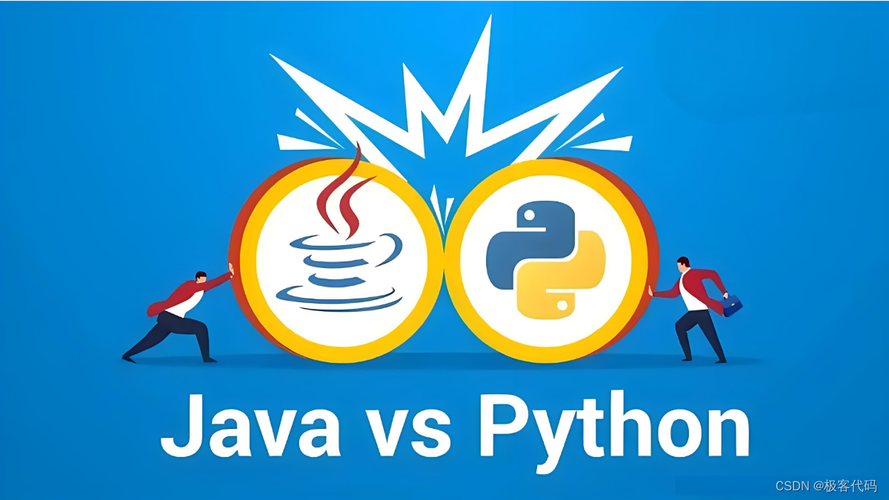
Python has built-in support for XML-RPC in its standard library, making it very straightforward.
Creating a Server
You can create a simple XML-RPC server using the xmlrpc.server module.
python_server.py
from xmlrpc.server import SimpleXMLRPCServer
import logging
# Configure logging to see server activity
logging.basicConfig(level=logging.INFO)
# Define the functions that the server will expose
def add(a, b):
    """Adds two numbers."""
    result = a + b
    logging.info(f"Adding {a} and {b} = {result}")
    return result
def subtract(a, b):
    """Subtracts b from a."""
    result = a - b
    logging.info(f"Subtracting {b} from {a} = {result}")
    return result
# Create a server instance
# 'localhost' means it only accepts connections from the same machine.
# Use '0.0.0.0' to make it accessible from other machines on the network.
server = SimpleXMLRPCServer(('localhost', 8000), allow_none=True, logRequests=True)
server.register_introspection_functions() # Allows clients to list available methods
# Register the functions with the server using their names
server.register_function(add, 'add')
server.register_function(subtract, 'subtract')
print("XML-RPC server listening on port 8000...")
try:
    server.serve_forever()
except KeyboardInterrupt:
    print("\nServer shutting down.")
    server.server_close()
To run the server:
python python_server.py
It will now be listening for requests on http://localhost:8000.
Creating a Client
The client can connect to this server using the xmlrpc.client module.
python_client.py
import xmlrpc.client
# Connect to the server
proxy = xmlrpc.client.ServerProxy('http://localhost:8000')
try:
    # Call the 'add' function on the server
    result_add = proxy.add(7, 6)
    print(f"Result from server (add): {result_add}")
    # Call the 'subtract' function
    result_subtract = proxy.subtract(20, 5)
    print(f"Result from server (subtract): {result_subtract}")
    # Calling a non-existent method will raise an exception
    # result_unknown = proxy.multiply(2, 3)
    # print(f"Result from server (multiply): {result_unknown}")
except xmlrpc.client.Fault as err:
    print(f"XML-RPC Fault: {err}")
except ConnectionRefusedError:
    print("Connection refused. Is the server running?")
except Exception as e:
    print(f"An error occurred: {e}")
To run the client (in a separate terminal):
python python_client.py
Expected Output:
Result from server (add): 13
Result from server (subtract): 15
And on the server side, you'll see the log messages:
INFO:root:Adding 7 and 6 = 13
INFO:root:Subtracting 5 from 20 = 15
XML-RPC in Java
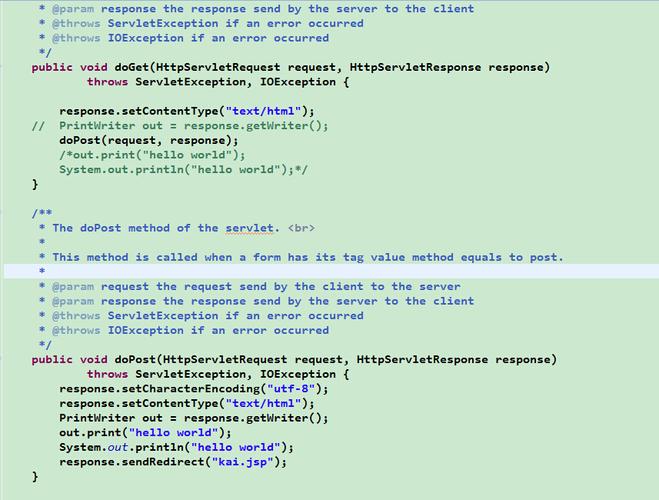
Java does not have built-in, standard library support for XML-RPC like Python. You need to use an external library. A popular and well-regarded choice is Apache XML-RPC.
Setting up the Project (Maven)
You'll need to add the Apache XML-RPC dependency to your pom.xml.
pom.xml
<project xmlns="http://maven.apache.org/POM/4.0.0"
         xmlns:xsi="http://www.w3.org/2001/XMLSchema-instance"
         xsi:schemaLocation="http://maven.apache.org/POM/4.0.0 http://maven.apache.org/xsd/maven-4.0.0.xsd">
    <modelVersion>4.0.0</modelVersion>
    <groupId>com.example</groupId>
    <artifactId>xml-rpc-demo</artifactId>
    <version>1.0-SNAPSHOT</version>
    <properties>
        <maven.compiler.source>11</maven.compiler.source>
        <maven.compiler.target>11</maven.compiler.target>
        <project.build.sourceEncoding>UTF-8</project.build.sourceEncoding>
    </properties>
    <dependencies>
        <!-- Apache XML-RPC Library -->
        <dependency>
            <groupId>org.apache.xmlrpc</groupId>
            <artifactId>xmlrpc-client</artifactId>
            <version>3.1.3</version>
        </dependency>
    </dependencies>
</project>
Creating a Server
The server implementation in Java is more verbose. You create a class that implements the org.apache.xmlrpc.server.XmlRpcHandler interface.
JavaServer.java
import org.apache.xmlrpc.server.PropertyHandlerMapping;
import org.apache.xmlrpc.server.XmlRpcServer;
import org.apache.xmlrpc.server.XmlRpcServerConfigImpl;
import org.apache.xmlrpc.webserver.WebServer;
public class JavaServer {
    public static void main(String[] args) {
        try {
            // 1. Create a web server on port 8080
            WebServer webServer = new WebServer(8080);
            // 2. Create an XML-RPC server
            XmlRpcServer xmlRpcServer = webServer.getXmlRpcServer();
            // 3. Configure handler mapping
            PropertyHandlerMapping phm = new PropertyHandlerMapping();
            // Register our handler class with the name "JavaServerHandler"
            phm.addHandler("JavaServerHandler", JavaServerHandler.class);
            xmlRpcServer.setHandlerMapping(phm);
            // 4. Set server configuration
            XmlRpcServerConfigImpl serverConfig = (XmlRpcServerConfigImpl) xmlRpcServer.getConfig();
            serverConfig.setEnabledForExtensions(true);
            serverConfig.setContentLengthOptional(false);
            // 5. Start the server
            webServer.start();
            System.out.println("Java XML-RPC server started on port 8080.");
        } catch (Exception exception) {
            System.err.println("JavaServer: " + exception);
        }
    }
}
JavaServerHandler.java (The actual handler class)
import org.apache.xmlrpc.XmlRpcException;
import org.apache.xmlrpc.server.XmlRpcHandler;
import org.apache.xmlrpc.server.XmlRpcRequest;
import org.apache.xmlrpc.server.XmlRpcServerConfig;
import java.io.IOException;
import java.util.Arrays;
import java.util.List;
public class JavaServerHandler implements XmlRpcHandler {
    @Override
    public Object execute(XmlRpcRequest request) throws XmlRpcException {
        String methodName = request.getMethodName();
        Object[] params = request.getParameters();
        System.out.println("Executing method: " + methodName);
        System.out.println("Parameters: " + Arrays.toString(params));
        if (methodName.equals("add")) {
            if (params.length == 2 && params[0] instanceof Integer && params[1] instanceof Integer) {
                return (Integer) params[0] + (Integer) params[1];
            }
        } else if (methodName.equals("getPersonData")) {
            // Example of returning a complex type (a list)
            return Arrays.asList("Alice", 30, "Engineer");
        }
        throw new XmlRpcException(0, "Method '" + methodName + "' not found or invalid parameters.");
    }
}
To run the Java server:
mvn compile exec:java -Dexec.mainClass="JavaServer"
It will be listening on http://localhost:8080.
Creating a Client
The client code is quite similar to the Python client, using the XmlRpcClient from the Apache library.
JavaClient.java
import org.apache.xmlrpc.client.XmlRpcClient;
import org.apache.xmlrpc.client.XmlRpcClientConfigImpl;
import java.net.URL;
import java.util.Vector;
public class JavaClient {
    public static void main(String[] args) {
        try {
            // 1. Configure the client
            XmlRpcClientConfigImpl config = new XmlRpcClientConfigImpl();
            config.setServerURL(new URL("http://localhost:8080/RPC2"));
            XmlRpcClient client = new XmlRpcClient();
            client.setConfig(config);
            // 2. Call the 'add' method
            Vector<Integer> addParams = new Vector<>();
            addParams.add(25);
            addParams.add(17);
            Object resultAdd = client.execute("JavaServerHandler.add", addParams);
            System.out.println("Result from server (add): " + resultAdd);
            // 3. Call the 'getPersonData' method (returns a complex type)
            Vector<Object> emptyParams = new Vector<>();
            Object resultComplex = client.execute("JavaServerHandler.getPersonData", emptyParams);
            System.out.println("Result from server (getPersonData): " + resultComplex);
            // The result is a Vector, which you can cast and process
            if (resultComplex instanceof Vector) {
                Vector<?> personData = (Vector<?>) resultComplex;
                System.out.println("Name: " + personData.get(0));
                System.out.println("Age: " + personData.get(1));
            }
        } catch (Exception exception) {
            System.err.println("JavaClient: " + exception);
        }
    }
}
To run the Java client (in a separate terminal):
mvn compile exec:java -Dexec.mainClass="JavaClient"
Expected Output:
Result from server (add): 42
Result from server (getPersonData): [Alice, 30, Engineer]
Name: Alice
Age: 30
Modern Alternatives to XML-RPC
While XML-RPC is simple and great for learning, it has largely been superseded by more modern, efficient, and flexible protocols:
- JSON-RPC: Uses JSON instead of XML for data serialization. This makes it much lighter and faster to parse, especially in JavaScript-heavy environments.
- REST (Representational State Transfer): This is the dominant paradigm for modern web APIs. It uses standard HTTP methods (GET, POST, PUT, DELETE) to operate on resources identified by URIs. Data is usually exchanged in JSON or XML format. It's more flexible and scalable than RPC-style protocols.
- gRPC: A high-performance, open-source framework from Google. It uses Protocol Buffers (Protobuf) for serialization and HTTP/2 for transport. It's extremely fast and strongly typed, making it ideal for microservices and internal communication.
Summary
| Feature | XML-RPC | JSON-RPC | REST | gRPC |
|---|---|---|---|---|
| Data Format | XML | JSON | JSON/XML/Text | Protobuf |
| Transport | HTTP/1.1 | HTTP/1.1 | HTTP/1.1, HTTP/2 | HTTP/2 |
| Complexity | Very Low | Low | Medium | High |
| Performance | Low (XML parsing) | Medium | Medium | High |
| Use Case | Legacy systems, simple integrations | Simple APIs, web apps | General-purpose web APIs | Microservices, internal systems |
For new projects, you should almost always prefer REST or gRPC. However, understanding XML-RPC is valuable for maintaining older systems or for situations where its simplicity is the primary requirement.